

Ensure that WASM pack is installed before starting this project.
Setting Up the Rust Library Project
Begin by creating a new Rust library project. Open your terminal and run:Configuring Cargo.toml
Edit yourCargo.toml file to include the necessary dependencies for wasm-bindgen, Serde, and serde-wasm-bindgen. These dependencies facilitate serialization and deserialization between Rust and JavaScript:
Writing the Rust Code
Open the main library file (typicallysrc/lib.rs) and include the required imports:
Creating the LogEntry Struct
Define a public structLogEntry that models the log components. The struct derives the Serialize and Deserialize traits to simplify conversion between Rust and JavaScript objects.
Implementing a Simple Function for Testing
Implement a simple addition function for demonstration purposes. This also includes a unit test to verify the functionality.Writing the Log Extraction Function
Create theextract_log function that is exposed to JavaScript via the #[wasm_bindgen] attribute. This function splits the input log string into three components and returns a JavaScript value.
unwrap().
Compiling the Rust Code to WebAssembly
Compile your project to generate the WebAssembly binary along with the JavaScript binding file and package.json for npm integration. Ensure the Cargo.toml file includes the[lib] crate-type fields as shown above. When compiled, the output should resemble:
For more advanced projects, consider adding descriptive fields like ‘description’, ‘repository’, and ‘license’ in the Cargo.toml.
Creating the Web Interface
Below is the complete HTML file that provides a user interface for the log extractor. The HTML includes basic CSS styling and JavaScript code to initialize and interact with the WebAssembly module.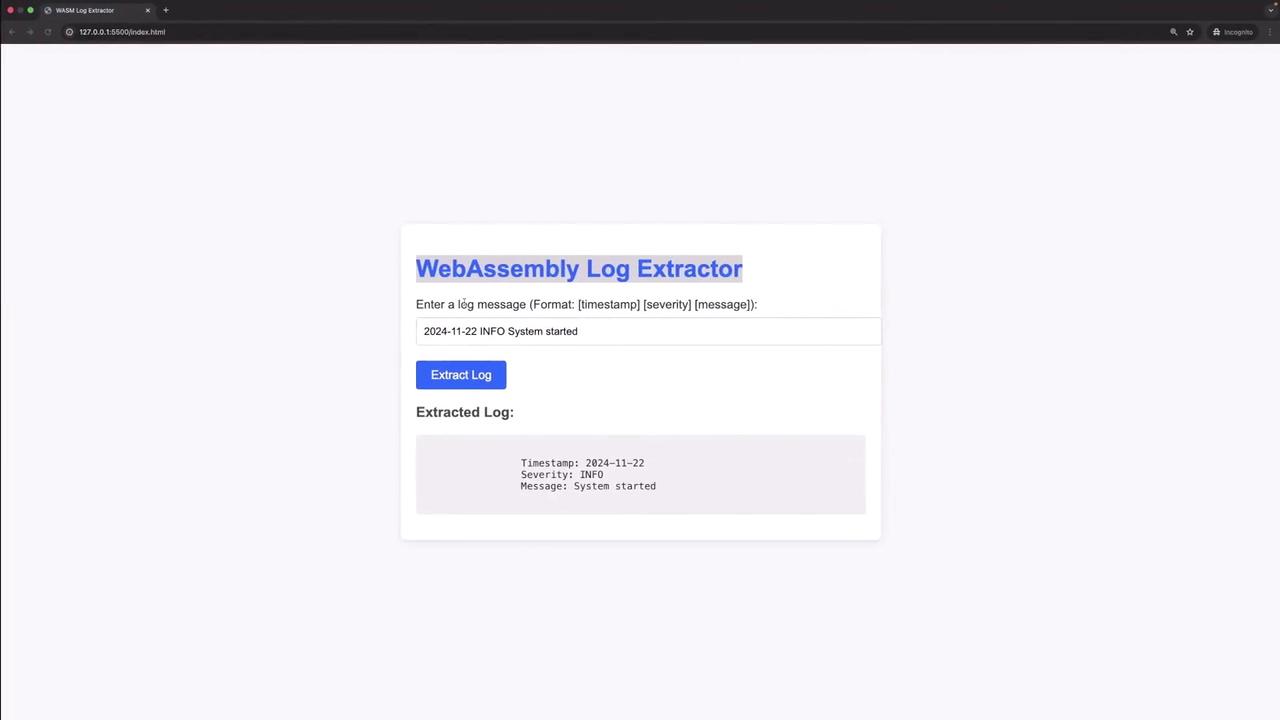
- A loading indicator is shown while the WASM module loads.
- Once initialized, the module is ready to process log entries.
- When the “Extract Log” button is clicked, the
extract_logfunction processes the input and displays the parsed output or an error message accordingly.
Testing the Application
To test the application, serve the HTML file using a live server extension or your preferred local server. When the page loads, the WASM module initializes. Enter a log message in the specified format (e.g., “2024-11-22 INFO System started”) and click the “Extract Log” button to display the extracted timestamp, severity, and message. For improperly formatted log messages, the error “Invalid log format” will be shown.Conclusion
This tutorial has demonstrated how to build a WebAssembly-powered log extractor using Rust. We accomplished the following:- Created a Rust library with wasm-bindgen to interface with JavaScript.
- Defined a
LogEntrystruct to model log data. - Implemented a function to extract and parse log entries.
- Compiled the project to WebAssembly and integrated it with a web interface.
- Tested the application with valid and invalid log formats.