Understanding the Kubernetes API
The Kubernetes API forms the foundation for all interactions with a cluster. Whether you use the Kubernetes command-line utility (kubectl) or interact directly via REST, every operation communicates with the API server. For example, to check the version of the Kubernetes API server, you can run the command below to access it on the master node’s default port 6443:/api/v1/pods. This article will focus on API pods, versions, and the overall structure of the Kubernetes API.
The API is divided into multiple groups based on their function. Some groups are dedicated to core resources—such as pods, namespaces, persistent volumes—while others are logically grouped by functionality, such as metrics, health, and logs.
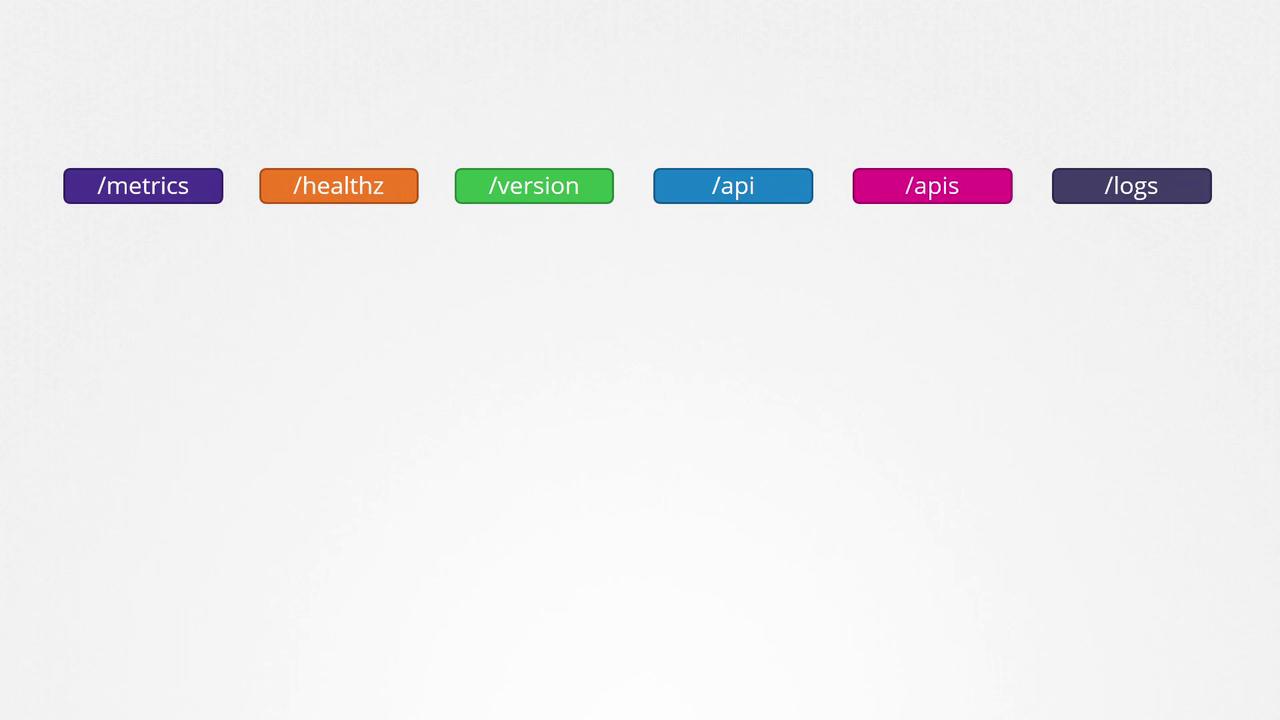
/version API endpoint displays the cluster version, while /metrics and /healthz help monitor the cluster’s health. Additionally, the /logs API facilitates integration with third-party logging applications.
Core API Group vs. Named API Group
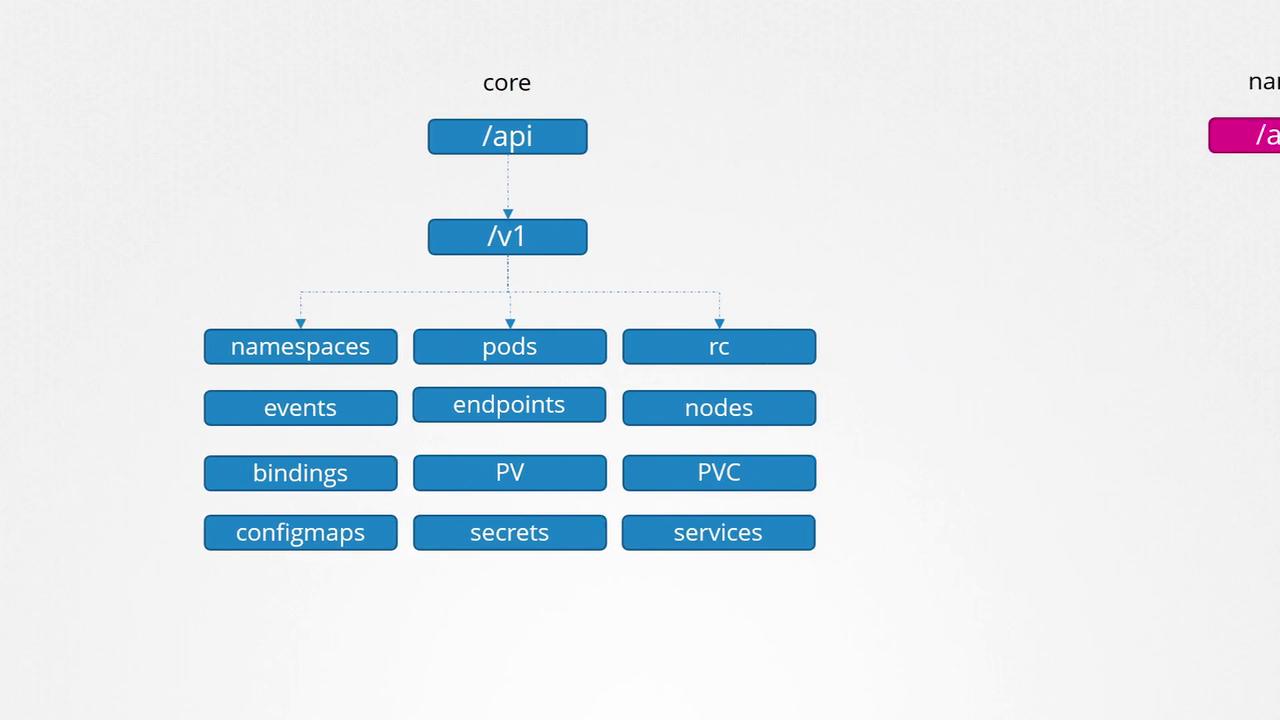
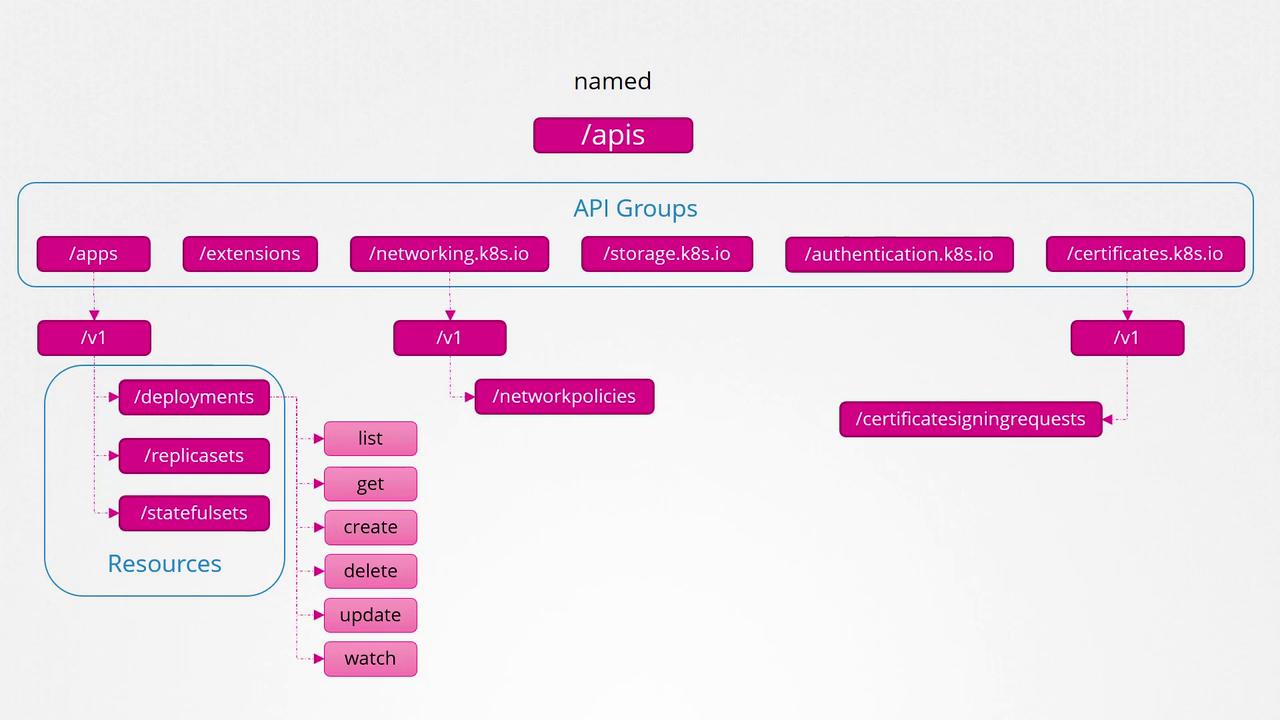
Kubernetes organizes its API resources into two main groups:-
Core API Group: Contains resources integral to cluster operation, including:
- Namespaces
- Pods
- Replication controllers
- Events
- Endpoints
- Nodes
- Bindings
- Persistent volumes and persistent volume claims
- Config maps
- Secrets
- Services
-
Named API Group: Organizes newer features and additional functionalities into distinct categories, such as:
- Apps (deployments, replica sets, stateful sets)
- Extensions
- Networking (network policies)
- Storage
- Authentication
- Authorization
Exploring the Kubernetes API Server
To view the available API groups directly, you can query the Kubernetes API server on port 6443 without specifying an endpoint:A Note on Direct API Access
When accessing the API directly using curl without authentication (as shown above), access might be restricted to only certain endpoints—such as the version API. To access other APIs, you need to authenticate using certificate files:kubectl proxy command. This proxy uses the credentials from your kubeconfig file, eliminating the need to specify certificates with every request. To start the proxy, run:
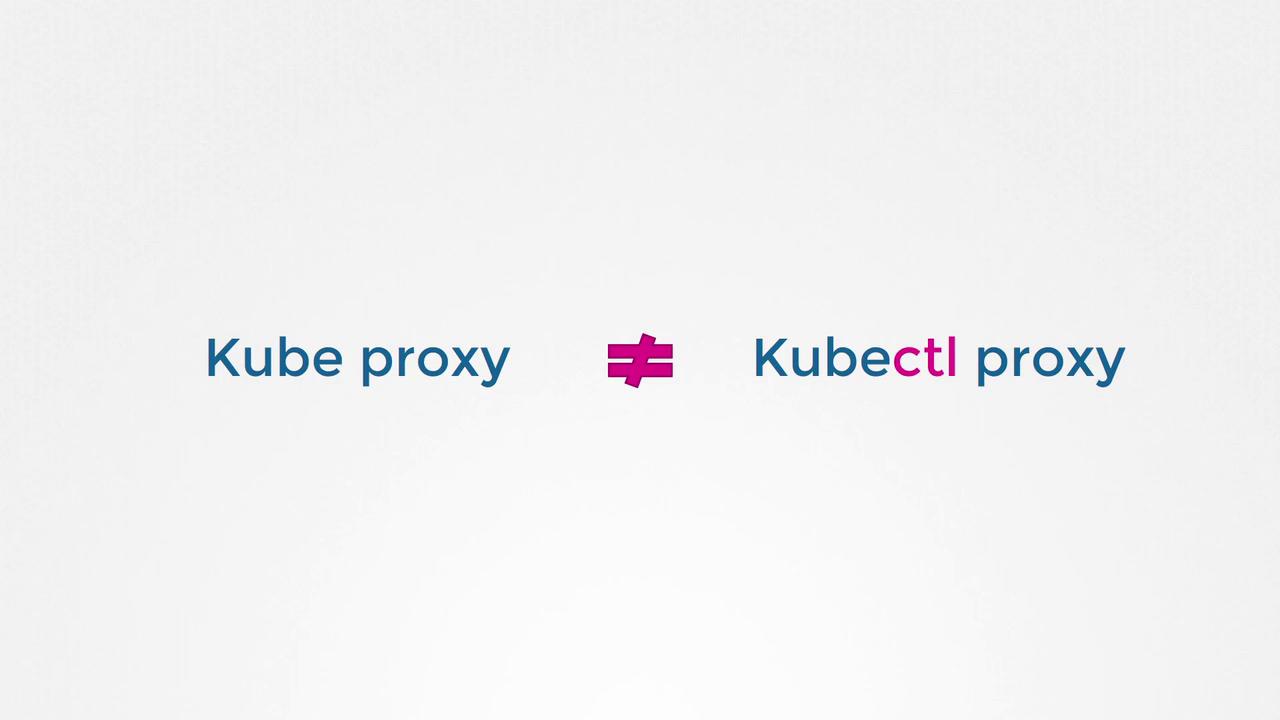
Both “kube proxy” and “kubectl proxy” might sound similar but serve different functions:
- “Kube proxy” manages communication between pods and services across nodes.
- “Kubectl proxy” is an HTTP proxy used to securely access the Kubernetes API server.