

When running containers with Docker, the default security settings include restrictions that prevent operations such as modifying the system clock, unless explicitly permitted by adjusting capabilities.
Demonstration Using Docker
The example below demonstrates the restricted behavior using Docker:Understanding Linux Process Privileges
Before Linux kernel 2.2, processes were classified into:- Privileged processes: Run by the root user (UID 0) and bypass many kernel permission checks.
- Unprivileged processes: Run by non-root users and are subject to various kernel restrictions.
- CAP_CHOWN: Allows changing file ownership.
- CAP_NET_ADMIN: Permits operations like modifying network interface configurations, managing routing tables, and binding processes to specific addresses.
- CAP_SYS_BOOT: Enables a process to reboot the system.
- CAP_SYS_TIME: Permits setting or adjusting the system clock.
Checking Capabilities
You can determine the capabilities required by a command using thegetcap command. For example, the ping command requires the CAP_NET_RAW capability:
getpcaps command. For instance, to check the capabilities of the SSH daemon process:
- Locate the PID of the SSH daemon:
Output:
- Use
getpcapswith the PID:
Visual Overview
The image below compares Linux capabilities before and after Kernel 2.2, highlighting examples like CAP_CHOWN and CAP_SYS_TIME: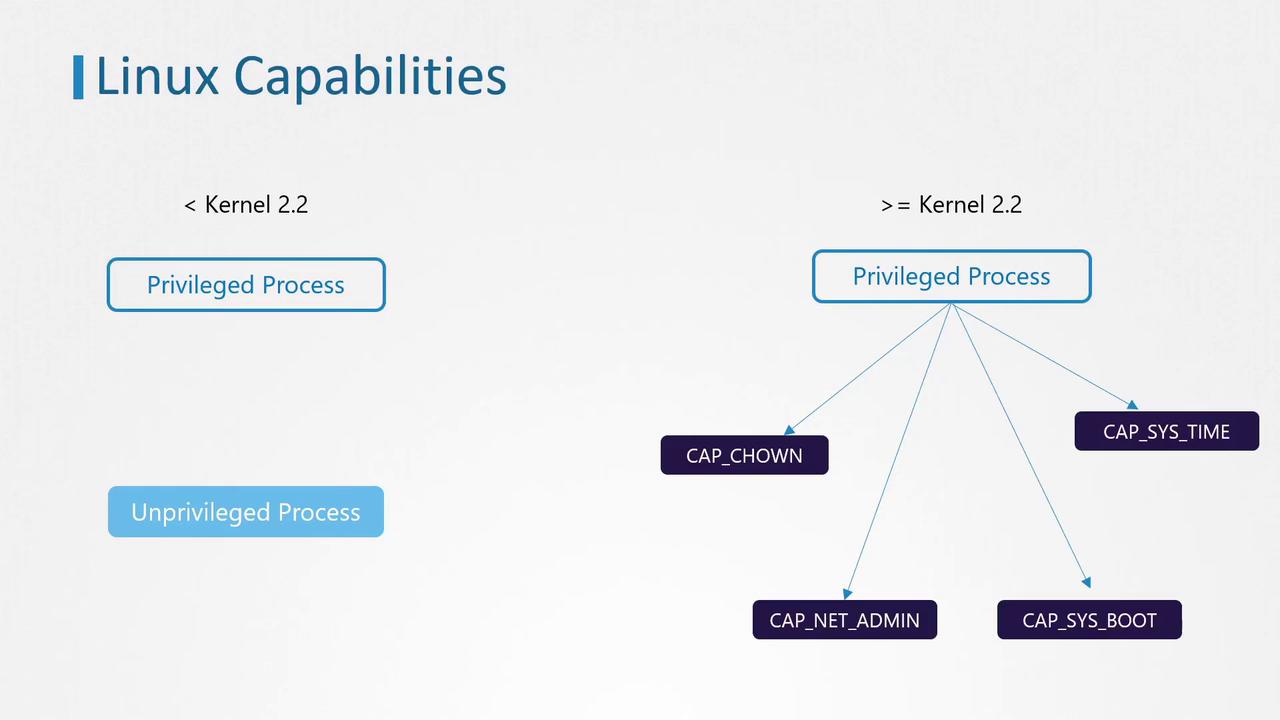
Linux Capabilities in Kubernetes Containers
Returning to our Ubuntu sleeper pod example, attempting to change the date from within the container resulted in:CAP_SYS_TIME required to modify the system clock, the operation is prohibited.
Default Capabilities in Linux
The following Go code snippet demonstrates how default capabilities are defined in a Linux environment:Modifying Container Capabilities
To adjust the capabilities for a container:-
Add a Capability: Update the container manifest under the security context by including the required capability (e.g.,
CAP_SYS_TIME) in the capabilities array. With this configuration, the container will be permitted to adjust the system clock. -
Remove a Capability: Use the drop field with an array of capabilities to be removed. For example, if you remove
CAP_CHOWN, thechowncommand will no longer function within the container.
Modifying container capabilities can expose the host system to security risks. Always ensure that only the necessary capabilities are granted and follow the principle of least privilege.