Understanding Security Benchmarks
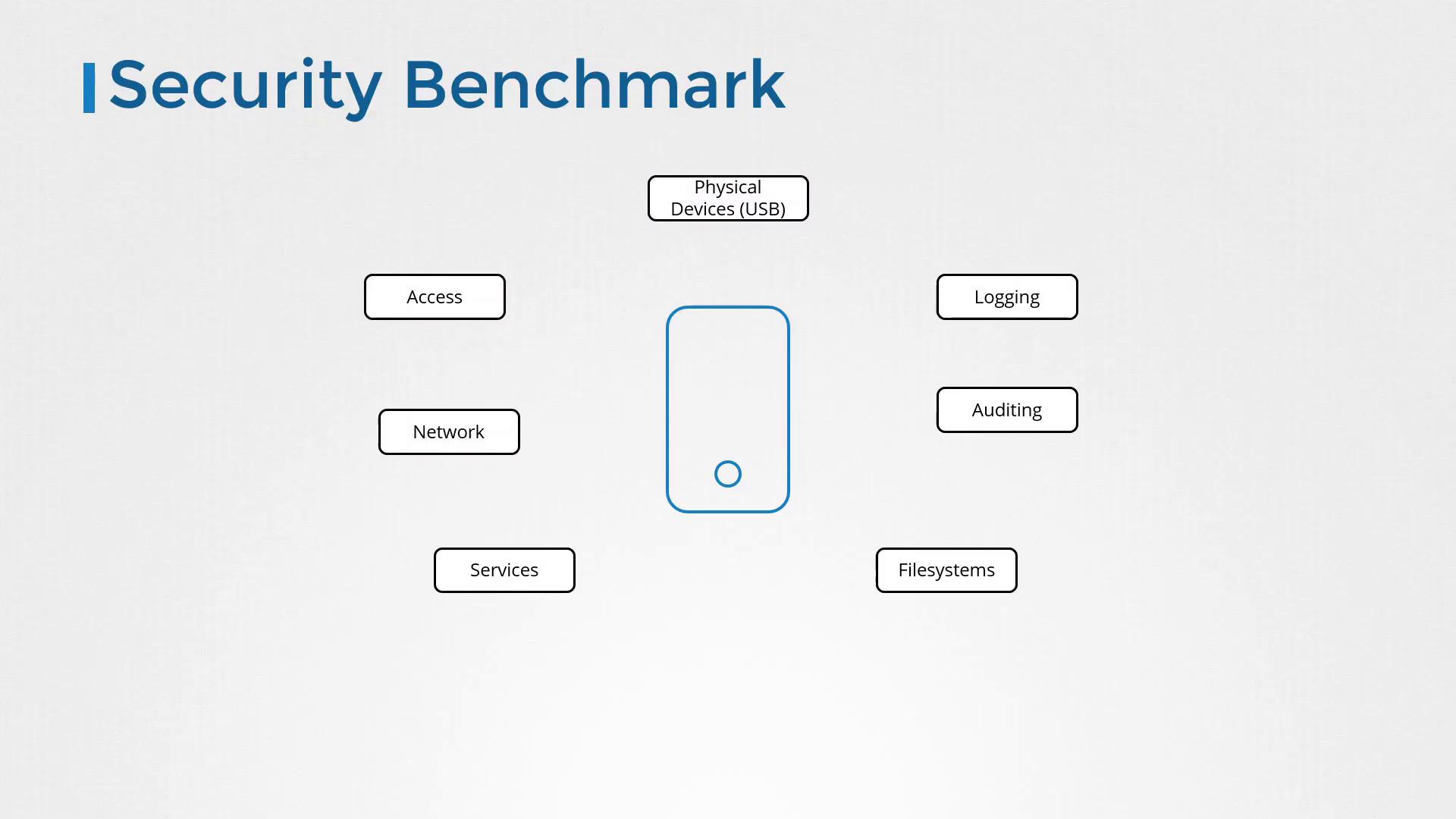
Before diving into CIS benchmarks, it is essential to understand what a security benchmark entails. If you have experience as a systems administrator or have performed security audits, you are likely familiar with the process of hardening systems. For instance, imagine deploying a fresh Ubuntu 18.04 server in your data center. Before hosting production applications on it, securing the system is a critical first step. Systems face numerous vulnerabilities. For example, an unauthorized individual might plug a USB drive into your server to introduce malware. To counter such risks, unused USB ports and peripheral slots should be disabled. Similarly, robust access control measures are necessary; instead of enabling direct root logins, administrators should configure individual user accounts with sudo privileges. This approach promotes accountability and minimizes the risk of inadvertent or unauthorized changes. Here are some key security best practices to consider:- Configure sudo so that only designated users receive elevated permissions.
- Implement strict firewall or IPTables rules to allow only essential network traffic.
- Disable all non-essential services, ensuring that mission-critical services such as NTP for time synchronization remain active.
- Set proper file permissions and disable unnecessary file systems.
- Enable auditing and logging to monitor any modifications or potential intrusions.
Introduction to CIS Benchmarks
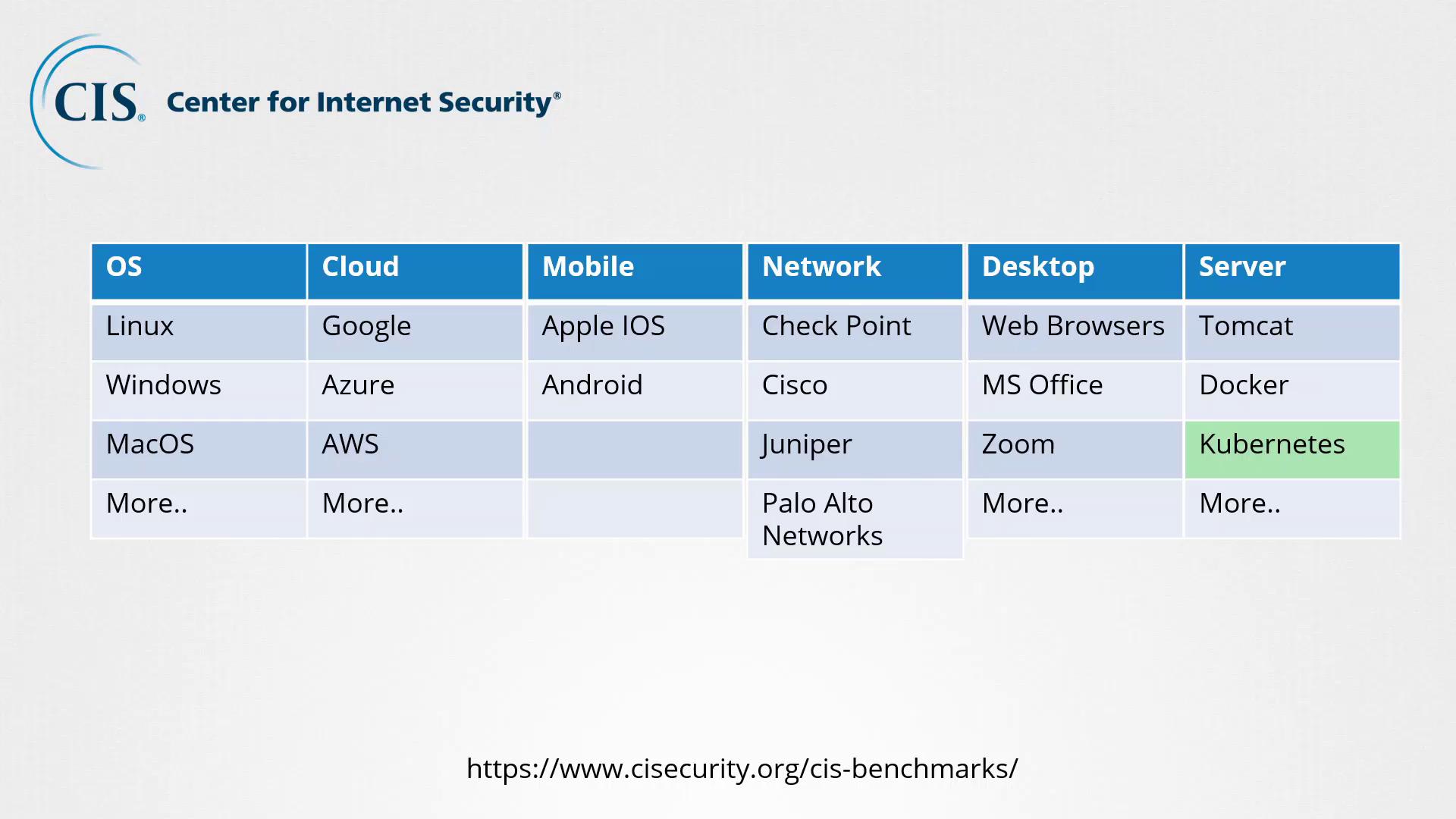
CIS, or the Center for Internet Security, is a nonprofit organization focused on enhancing cybersecurity through community-driven best practices. Their mission is to create a safer connected world by developing, validating, and promoting actionable security recommendations. Visit the CIS website to explore cybersecurity benchmarks across more than 25 technology categories, such as:- Operating Systems (Linux, Windows, macOS)
- Public Cloud Platforms (Google Cloud, Azure, AWS)
- Mobile Platforms (iOS, Android)
- Network Devices (Check Point, Cisco, Juniper, Palo Alto Networks)
- Desktop Software (web browsers, MS Office, Zoom)
- Server Software (web servers like Tomcat and Nginx)
- Virtualization Technologies (VMware, Docker, Kubernetes)
- An explanation of the risks associated with non-compliant configurations.
- Step-by-step instructions to verify if a security risk exists, including the necessary commands.
- Procedures to resolve identified issues.
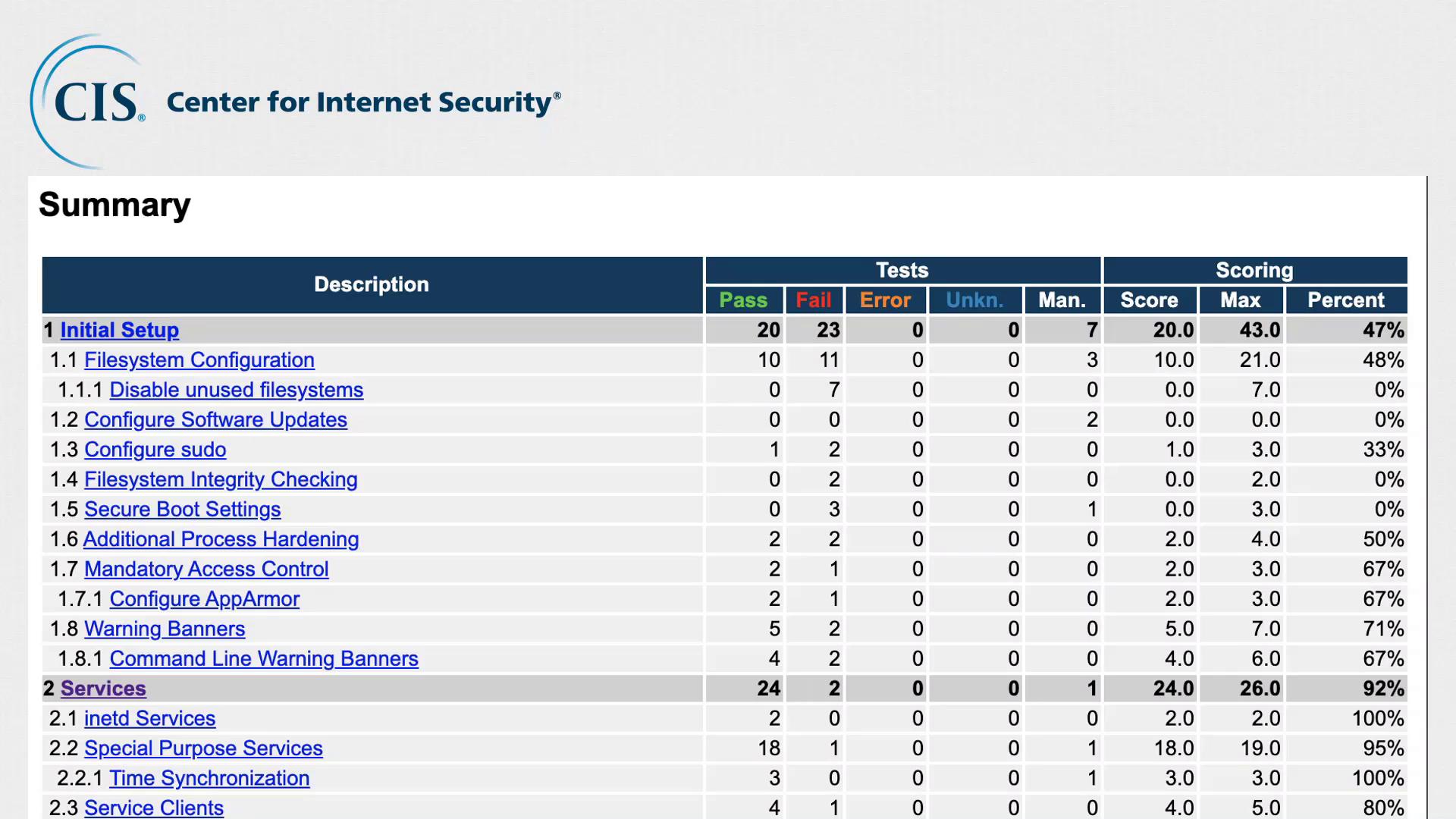
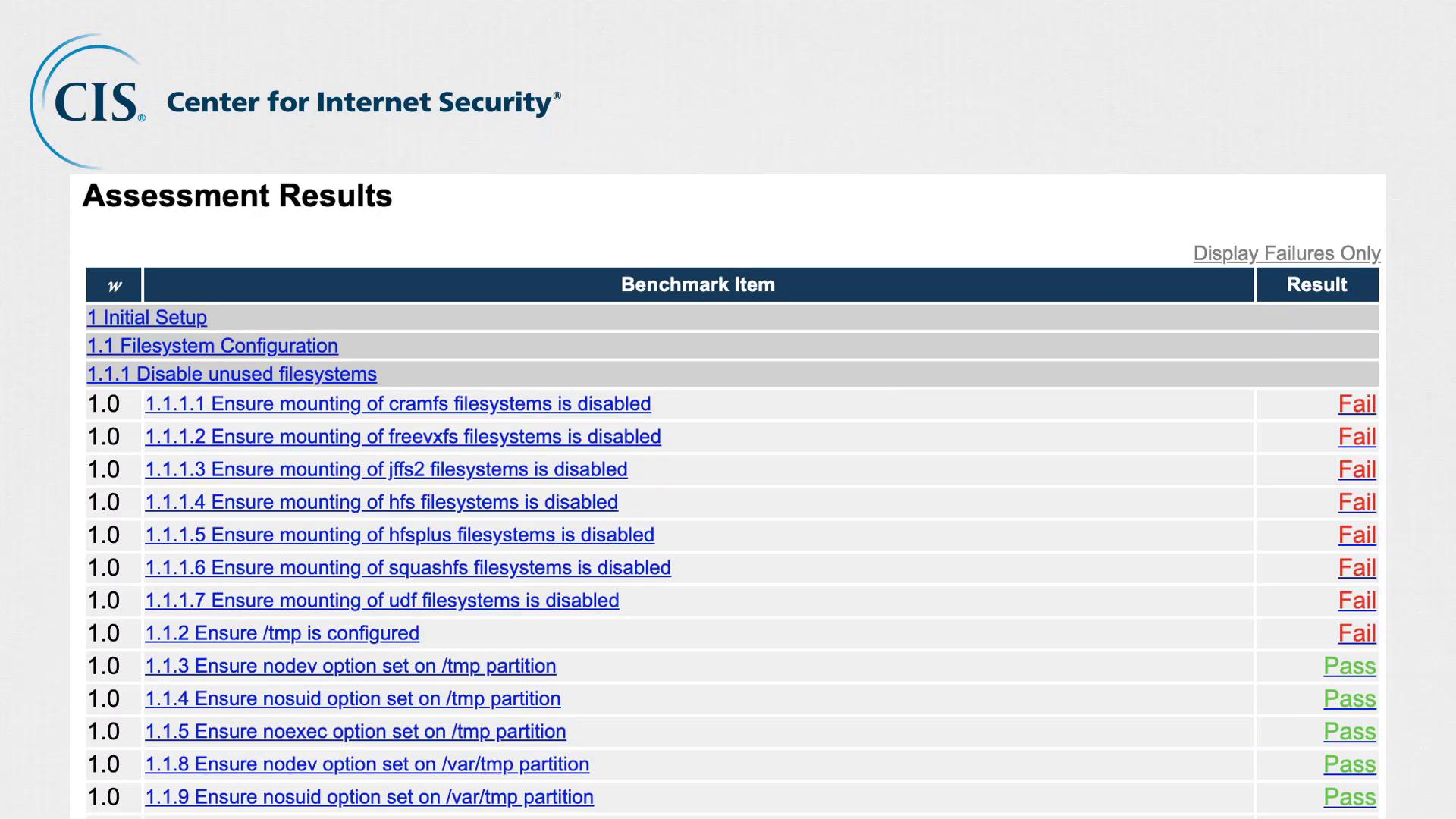
CIS not only provides these best practices but also offers tools for automated assessments. The CIS CAT (Configuration Assessment Tool) automates the process of comparing your server’s configuration against CIS benchmarks and generates a comprehensive HTML report.