

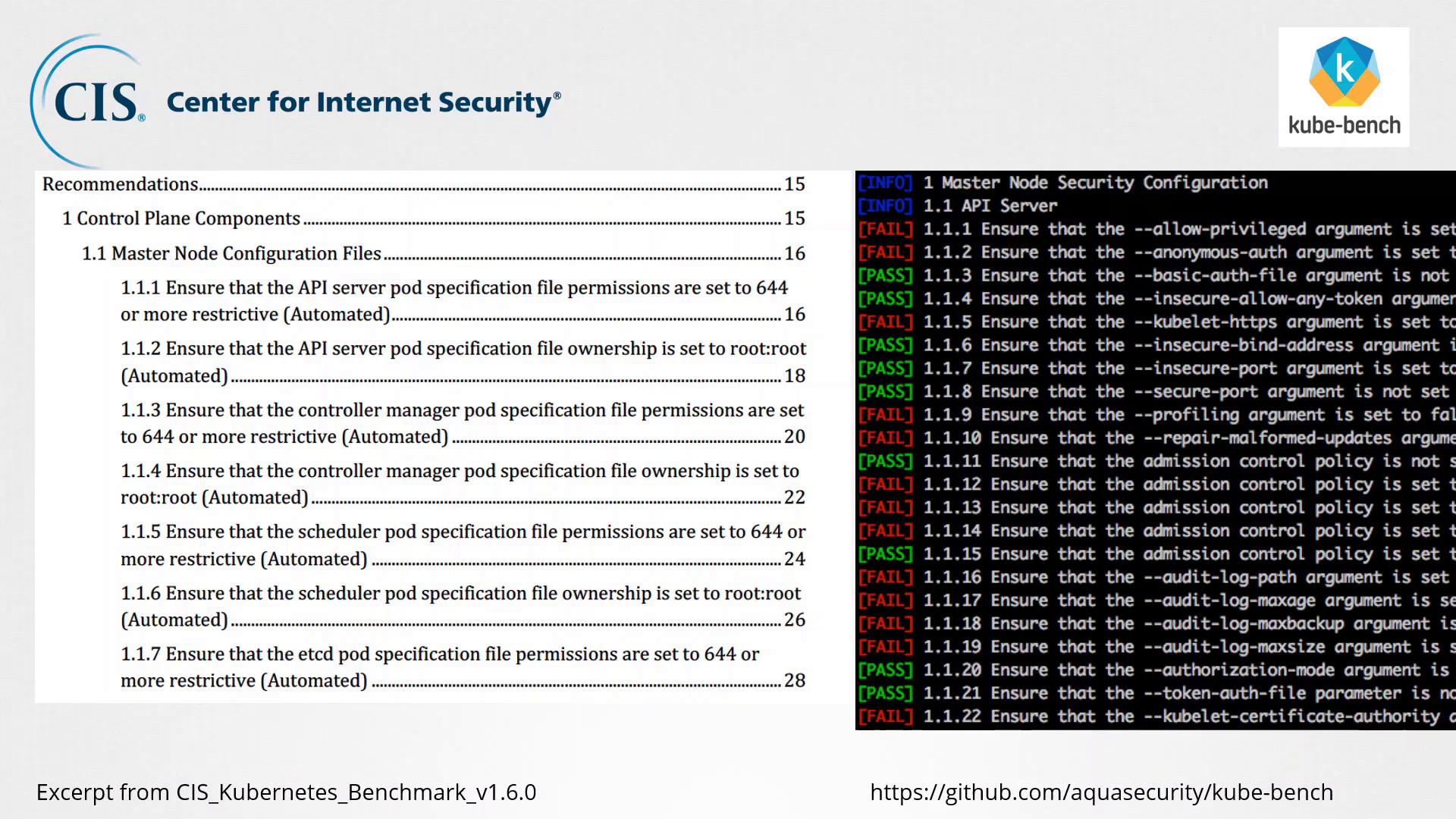
Best Practices and Automated Assessment
Kube-Bench aligns its assessment with the list of recommended CIS best practices for Kubernetes. For each CIS recommendation, there’s a corresponding check performed by the tool. This systematic approach helps you quickly identify potential security issues in your cluster configurations.Deploying and Using Kube-Bench
There are several methods available to deploy and run Kube-Bench:- As a Docker Container: Run Kube-Bench in isolation using Docker.
- As a Kubernetes Job: Deploy Kube-Bench as a job within your Kubernetes cluster to regularly monitor compliance.
- Using Binaries or Compiling from Source: Install the tool directly on a master node or compile it from source for customized use.
Ensure you select the deployment method that best fits your operational workflow and cluster management strategy. Running Kube-Bench as a Kubernetes job can simplify scheduled assessments.
Step-by-Step Process
-
Identify the Stable Kube-Bench Version:
Visit Kube-Bench on GitHub and select a stable release version that is compatible with your Kubernetes cluster. -
Install on a Master Node:
Once you have selected the appropriate version, install Kube-Bench on one of your master nodes. -
Run the Security Assessment:
Execute the tool to perform an assessment of your Kubernetes configurations against the CIS Benchmarks. -
Review the Results:
Kube-Bench will generate a report with the pass/fail statuses for each CIS recommendation. Analyze this report to identify any potential security vulnerabilities. -
Remediate Identified Issues:
Follow the remediation steps suggested by Kube-Bench to address security gaps. After applying fixes, re-run the assessment to confirm compliance.
Regularly updating Kube-Bench and re-evaluating your cluster configurations is crucial to maintaining strong security compliance as both Kubernetes and its security best practices evolve.