

Running Tracee as a Docker Container
Running Tracee as a Docker container simplifies dependency management and environment setup. When Tracee runs as a container, it compiles the eBPF program and, by default, stores the output in the/tmp/tracee directory. To persist the compiled program between runs, bind mount the /tmp/tracee directory from the host to the container.
Additionally, Tracee requires access to kernel headers to compile the eBPF program. On Ubuntu systems, these headers are typically located in /lib/modules (with dependencies in /usr/src). Ensure these directories are also bind mounted into the container in read-only mode. Since Tracee needs extended privileges for syscall tracing, run the container using Docker’s --privileged flag.
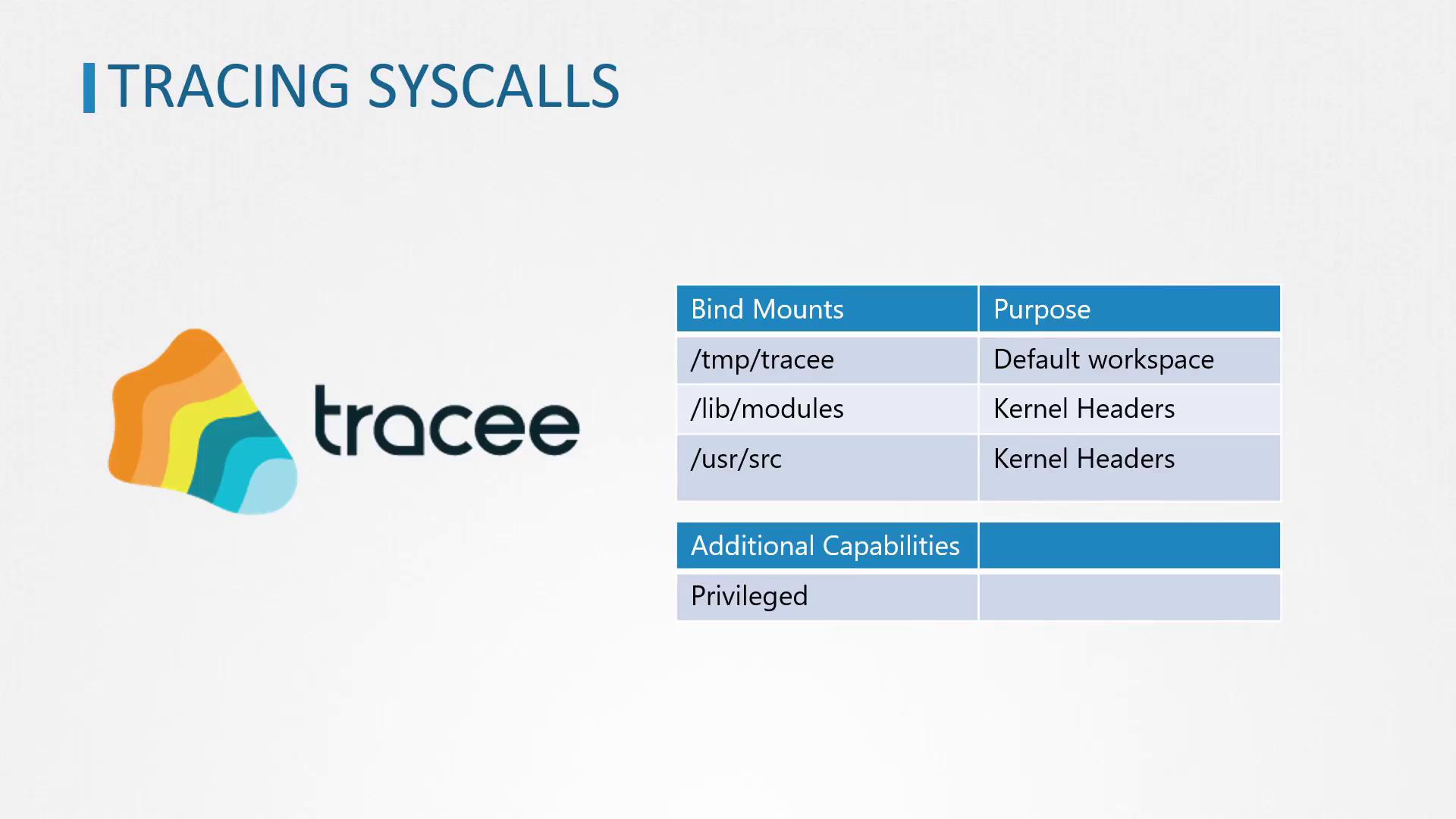
Remember to bind mount the
/tmp/tracee, /lib/modules, and /usr/src directories properly to ensure that the eBPF program compiles and persists across runs.Tracing Syscalls for a Single Command
To capture system calls generated by a single command (for example,ls), run the Tracee container with the --trace option specifying the command to trace. Execute the following command:
ls command. A sample output might include:
Tracing Syscalls for All New Processes
If you wish to monitor the system calls for all new processes on the host, configure Tracee with the--trace flag to track new process IDs. Use the command below:
For environments where heavy logging might overwhelm the output, consider filtering or redirecting logs to manage the volume of data.
Tracing Syscalls for New Containers
Tracee also supports capturing system calls from new containers. To enable this functionality, launch Tracee with the option--trace container=new. Follow these steps:
-
Open a terminal and run Tracee with container tracing enabled:
-
In another terminal window, launch an Ubuntu container that prints a message and exits: