

- Preparation and practice (playbooks, drills, simulations)
- Sustainable on-call design and escalation
- Alerting and triage basics
- Incident roles, structure, and priorities
- Blameless postmortems and Root Cause Analysis (RCA)
Why preparation matters
Preparation builds the muscle memory teams need to act calmly and consistently during an incident. Teams that practice response patterns recover faster and make fewer costly mistakes; unprepared teams tend to scramble, extend outages, and increase business impact. Consider a high‑stakes scenario: if a critical payment service fails at 02:47 and every minute costs $50,000, the difference between a contained outage and a catastrophe often comes down to preparation and process. As Ben Treanor said: hope is not a strategy. Preparedness does not eliminate outages, but it dramatically improves how you respond and recover.Preparedness activities
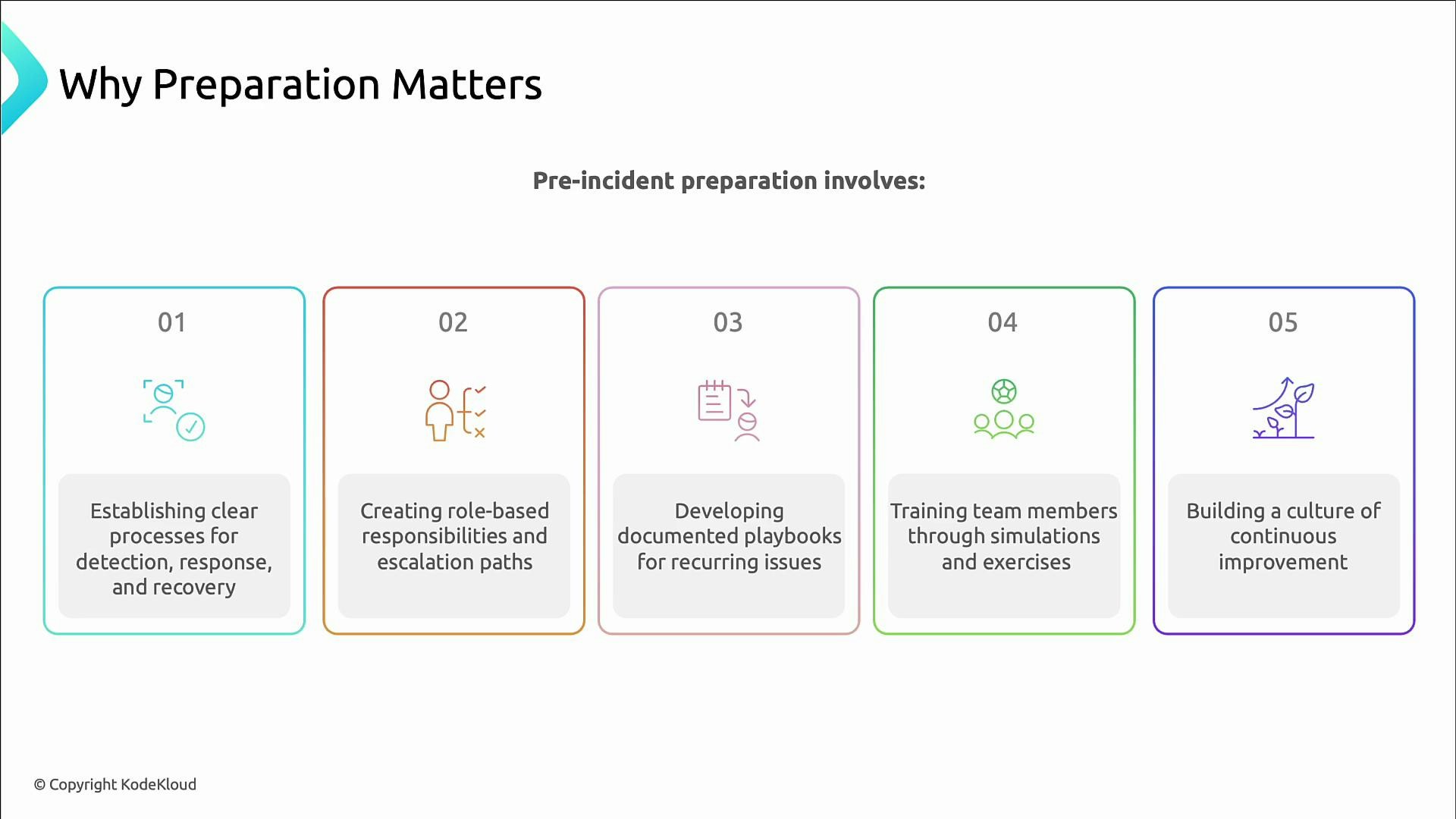
Concrete actions teams can take before incidents occur:- Define detection, response, and recovery processes.
- Assign role-based responsibilities and clear escalation paths.
- Create concise playbooks for frequent failure modes.
- Train staff with simulations, tabletop exercises, and game days.
- Build a blameless culture of continuous improvement and post-incident learning.
The cost of not preparing
Consequences of poor preparation include:- Longer outages due to disorganized responses
- Larger business and customer impact
- Increased burnout and stress for engineers
- Reputational damage from repeated failures
- Knowledge silos where only a few experts can resolve certain problems
Anti-patterns and recommended practices
Avoid these common anti-patterns and prefer the alternatives:- Anti-pattern: Throwing a junior engineer into on-call without training. Recommended: Structured ramp-up, shadowing, and mentoring.
- Anti-pattern: Relying on rigid checklists without system understanding. Recommended: Teach reasoning, reverse engineering, and metrics-based thinking.
- Anti-pattern: Hiding outages to avoid blame. Recommended: Blameless postmortems and transparent learning.
- Anti-pattern: Centralizing knowledge among a few experts. Recommended: Rotate responsibilities, conduct role-play incidents, and spread ownership.
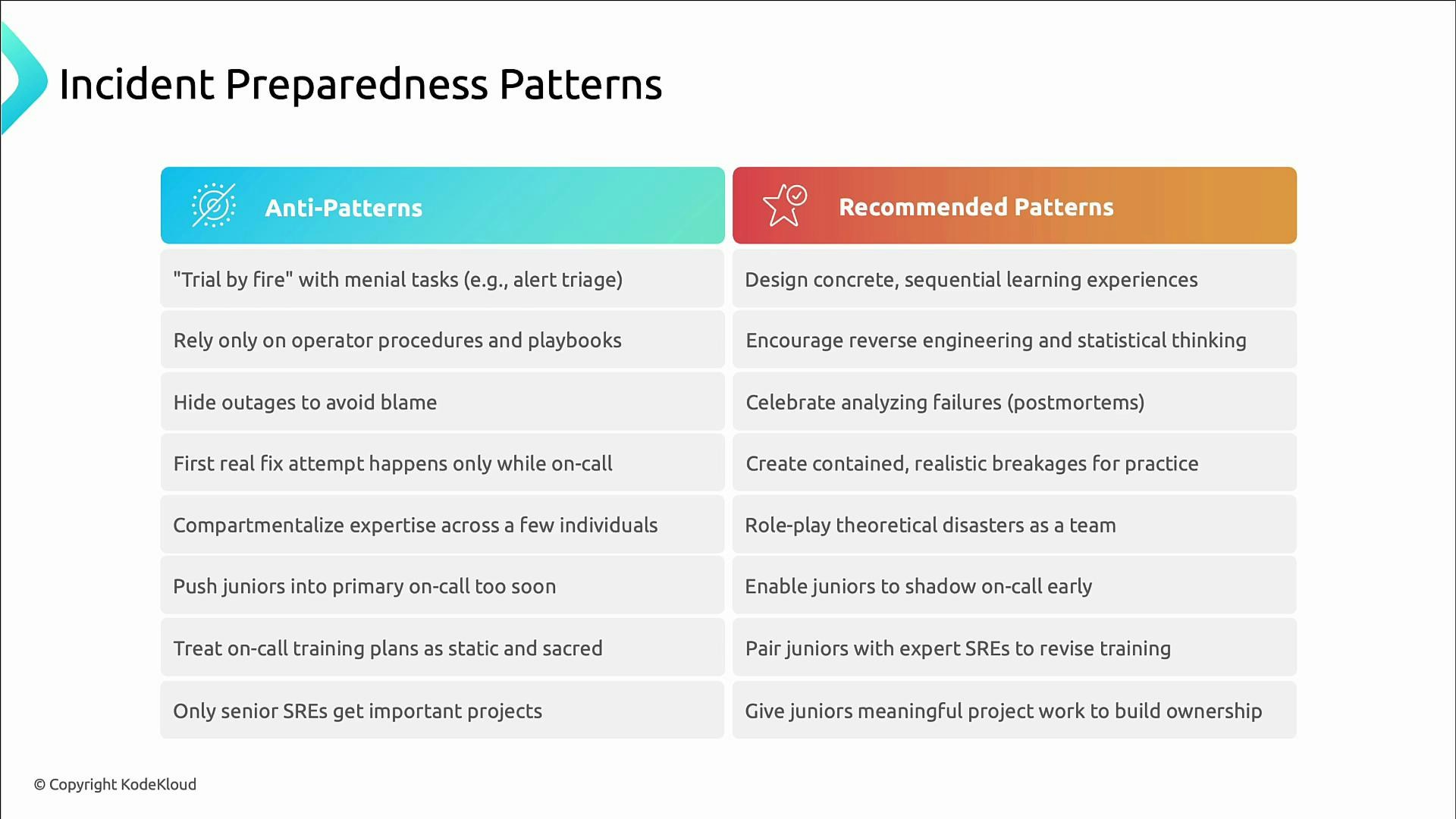
Avoid unstructured on-call assignments (e.g., “trial by fire”). Insufficiently prepared responders increase outage duration and risk operator error. Always pair training, shadowing, and clear playbooks with liveliness checks before assigning primary on-call duties.
On-call design principles
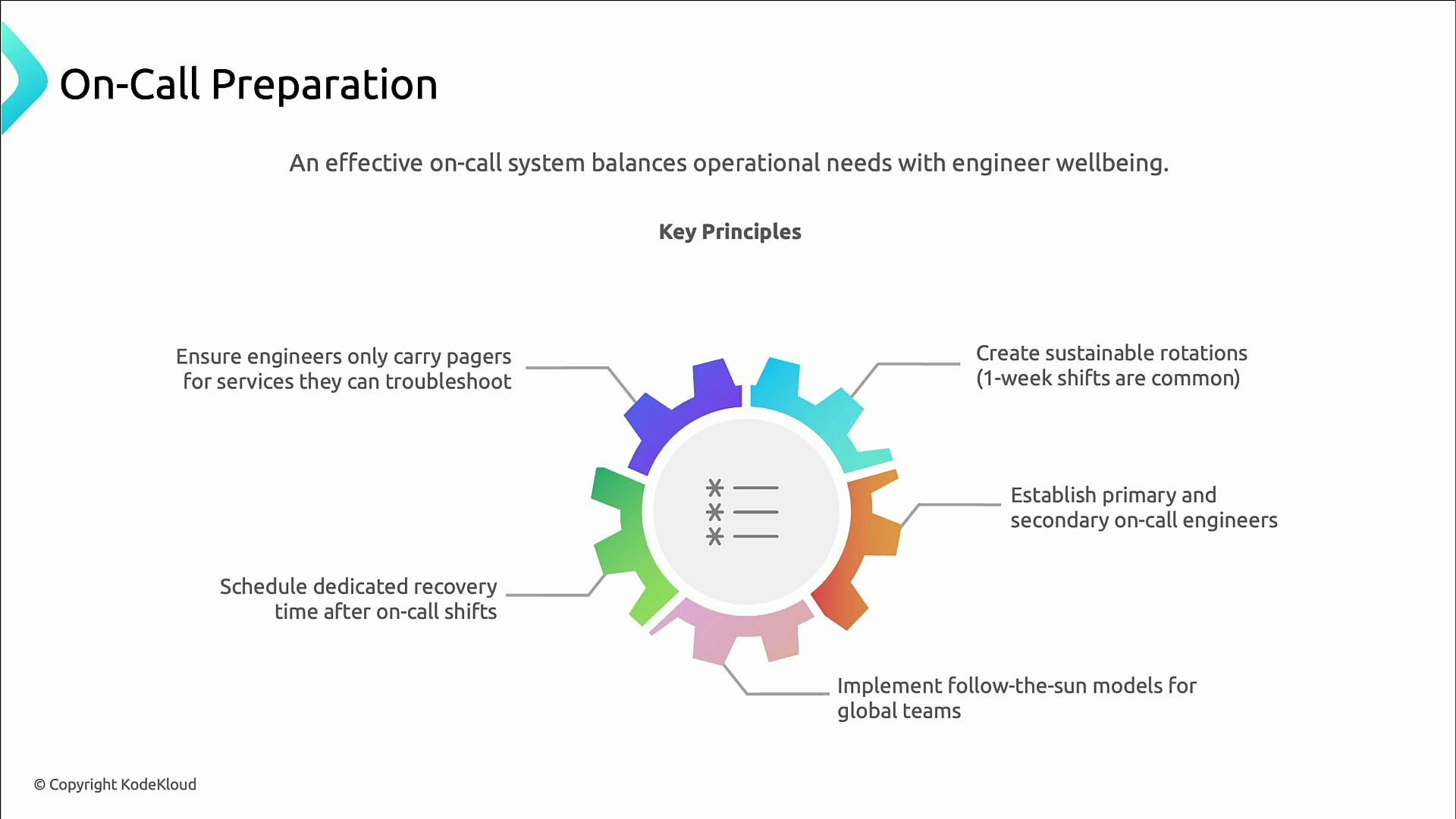
A sustainable on-call program reduces burnout and improves response quality. Principles to apply:- Keep shifts manageable (commonly one-week rotations).
- Use primary and secondary rotations so coverage is resilient.
- Consider follow-the-sun models for globally distributed teams.
- Provide dedicated recovery time after on-call duty (time off or lighter schedules).
- Page engineers only for services they can reasonably triage and remediate.
Example rotation and escalation rules
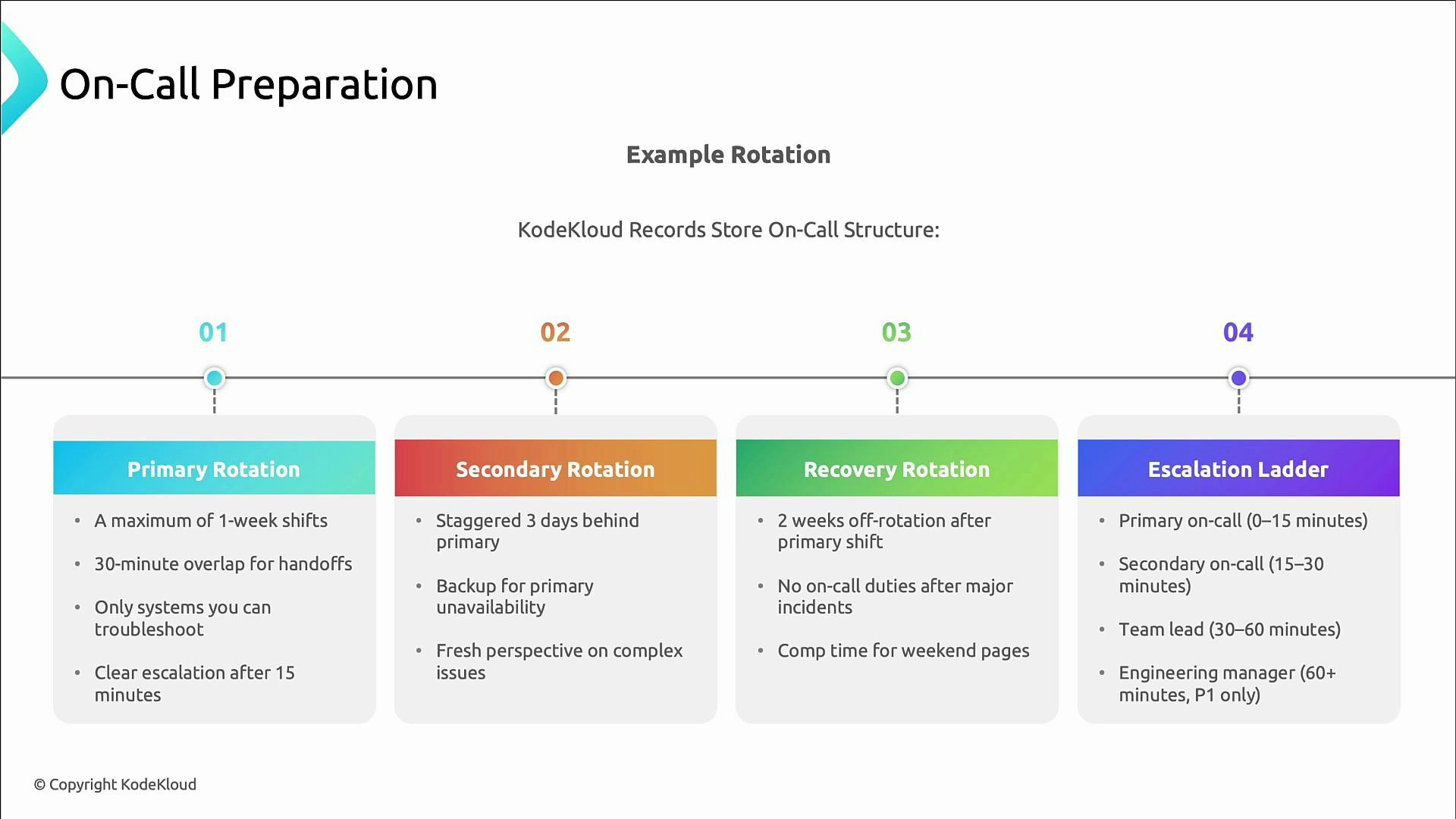
Key rules for an example rotation:- Primary shifts: no more than one week, with 30‑minute overlap for handoffs.
- Secondary shifts: staggered (e.g., three days behind) so pairs vary over time.
- Secondary acts as backup and next in the escalation ladder.
- Engineers receive at least two weeks off from on-call after serving as primary; major incidents trigger additional recovery time.
- Provide compensation or time‑off for disruptive weekend or off‑hours pages.
- Primary must acknowledge within 15 minutes and start remediation.
- If unresolved, secondary is engaged within 15–30 minutes.
- Escalate to team lead if the issue persists.
- Engineering manager handles the most severe incidents (P0/P1).
Playbooks: fast, actionable runbooks
A playbook is a concise runbook for diagnosing and resolving a recurring incident. At 2 a.m. you want short, reliable steps — not long narratives. Effective playbooks contain:- Trigger conditions (alerts/metric thresholds) to identify applicability
- Clear step-by-step triage (eliminate obvious causes first)
- Links to dashboards, logs, runbooks, and monitoring views
- Exact commands or scripts to reduce ambiguity
- Escalation criteria and on-call contact information
- Recovery verification steps and rollback procedures
- Preventive follow-ups to reduce recurrence
Keep playbooks current and test them during drills. If a playbook step proves unclear in a real incident, update it immediately during the postmortem.
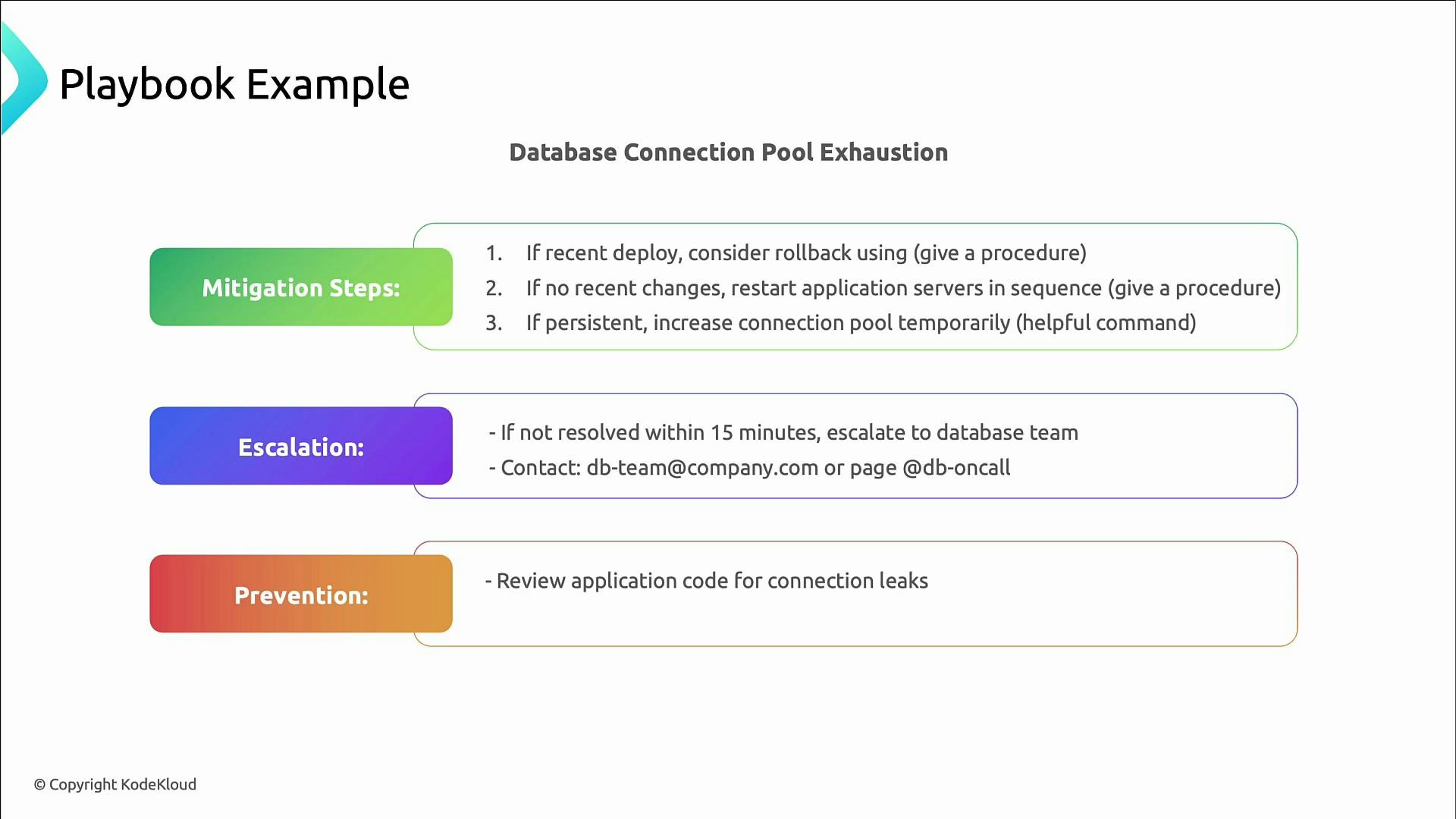
Example playbook: database connection pool exhaustion
Typical playbook elements for connection pool exhaustion:- Trigger: connection usage ≥ 90% OR log messages like “too many connections”.
- Impact: transactions fail with 500 errors; dashboards show degraded performance.
- Triage: check connection pool metrics, confirm DB health, inspect recent deployments for leaks.
- Mitigation: rollback suspect deployment; restart application servers in sequence; temporarily increase pool size (include exact CLI/database commands).
- Escalation: contact DB team or on-call DBA after 15 minutes if unresolved.
- Prevention: enforce connection pooling best practices, code review for leaks, add alerts for connection thresholds.
Incident priority levels (P0–P3)
Use priority levels to standardize severity, response expectations, and who to involve.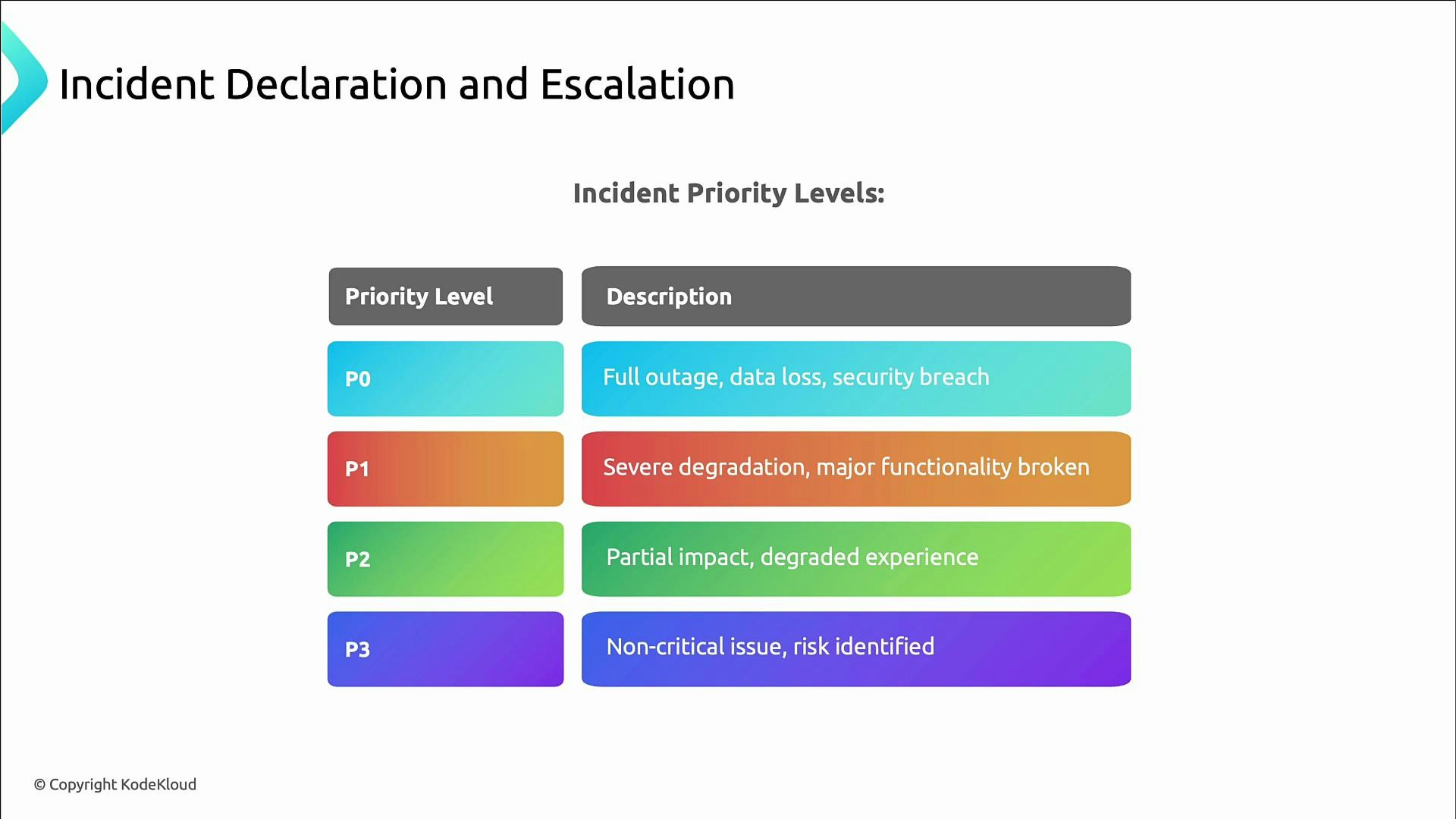
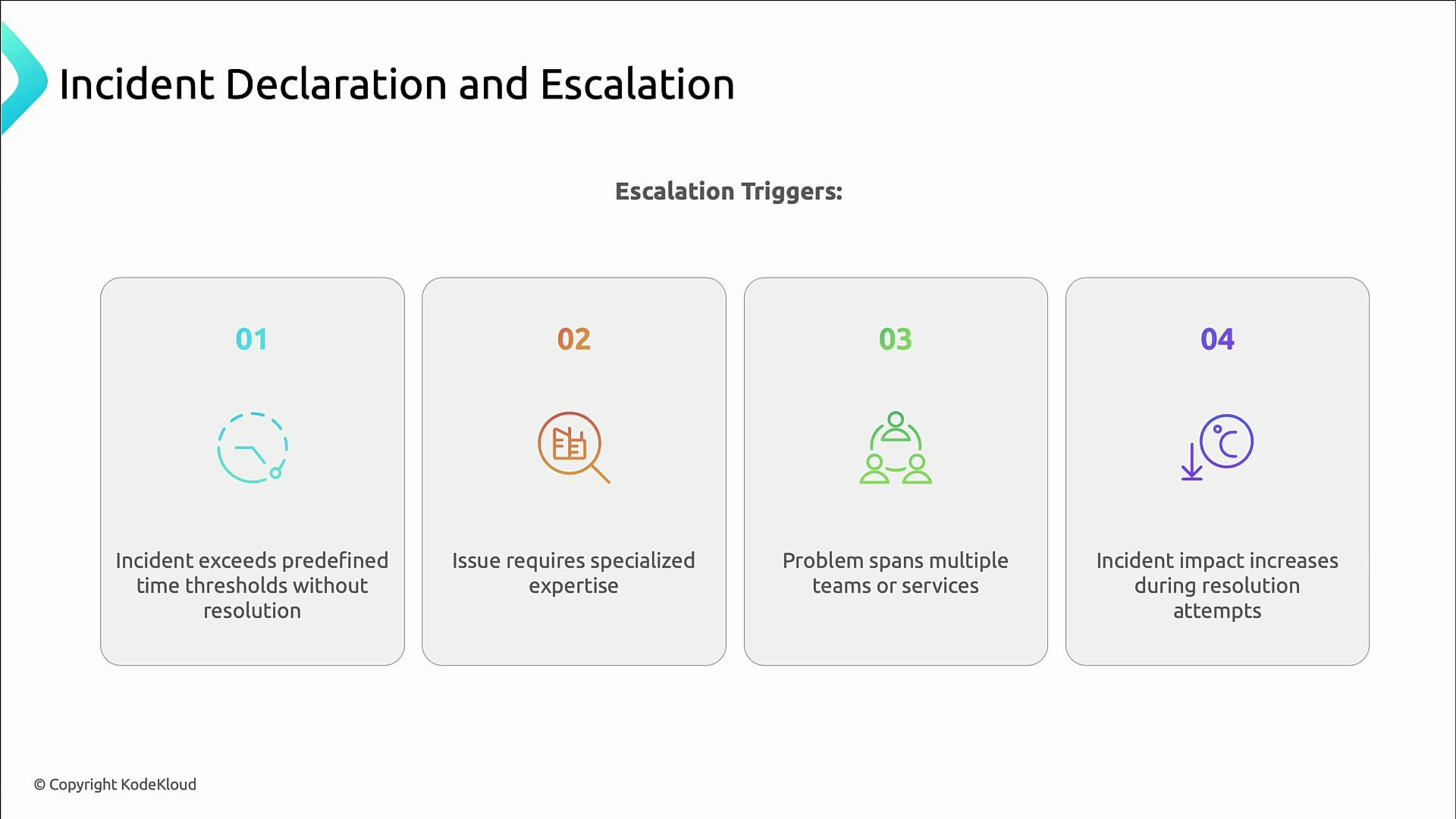
Escalation triggers
Common triggers to escalate an incident:- It exceeds predefined time thresholds without progress.
- It requires expertise beyond the current responder’s scope.
- Multiple teams or services are involved and coordination is necessary.
- Impact increases despite remediation attempts.
Practice and simulations
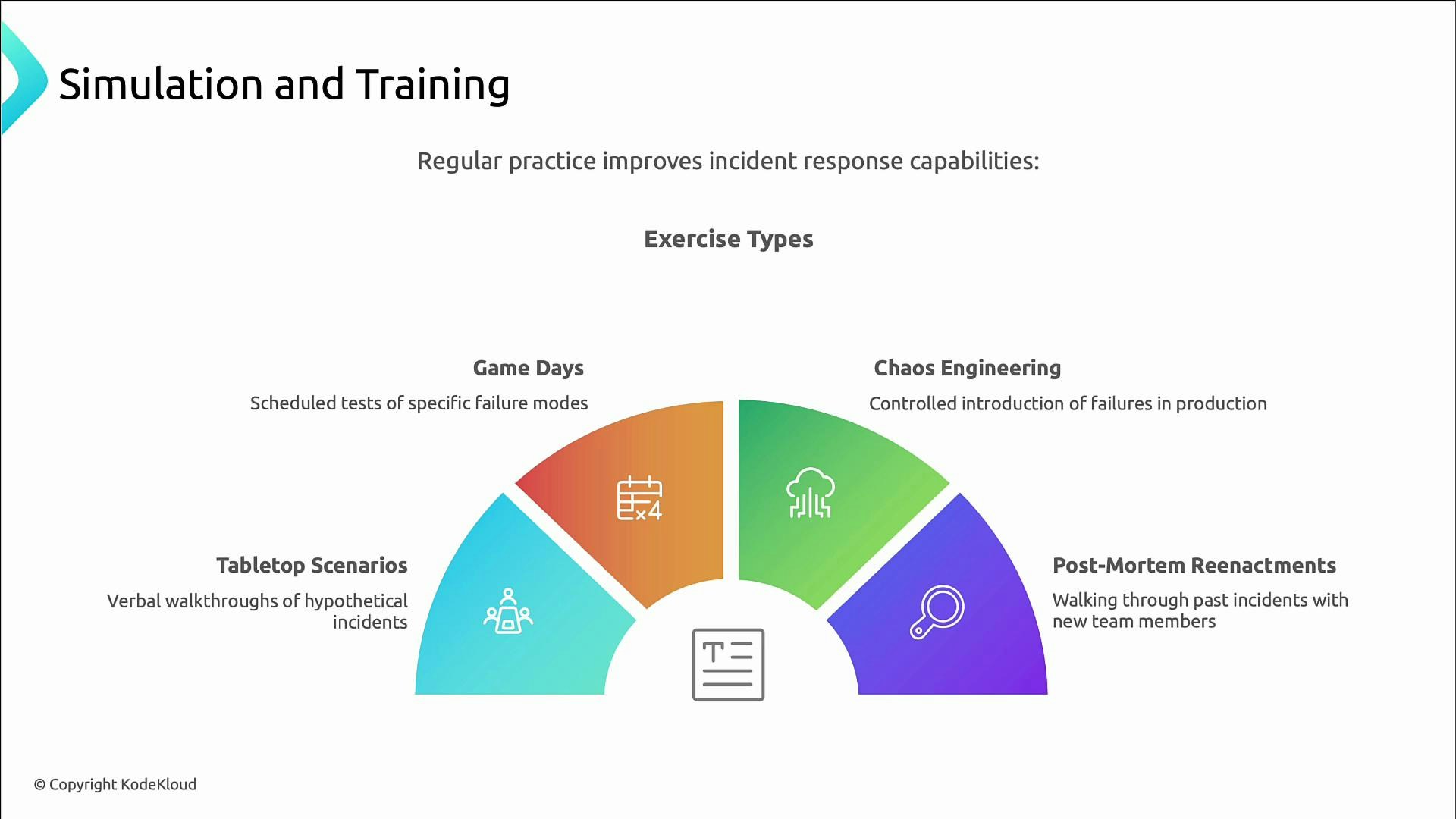
Preparation is incomplete without practice. Exercises build experience, test playbooks, and reveal gaps in tooling and procedures. Useful exercise types:
Regular practice improves both systems and people, making incident responses more predictable and effective.
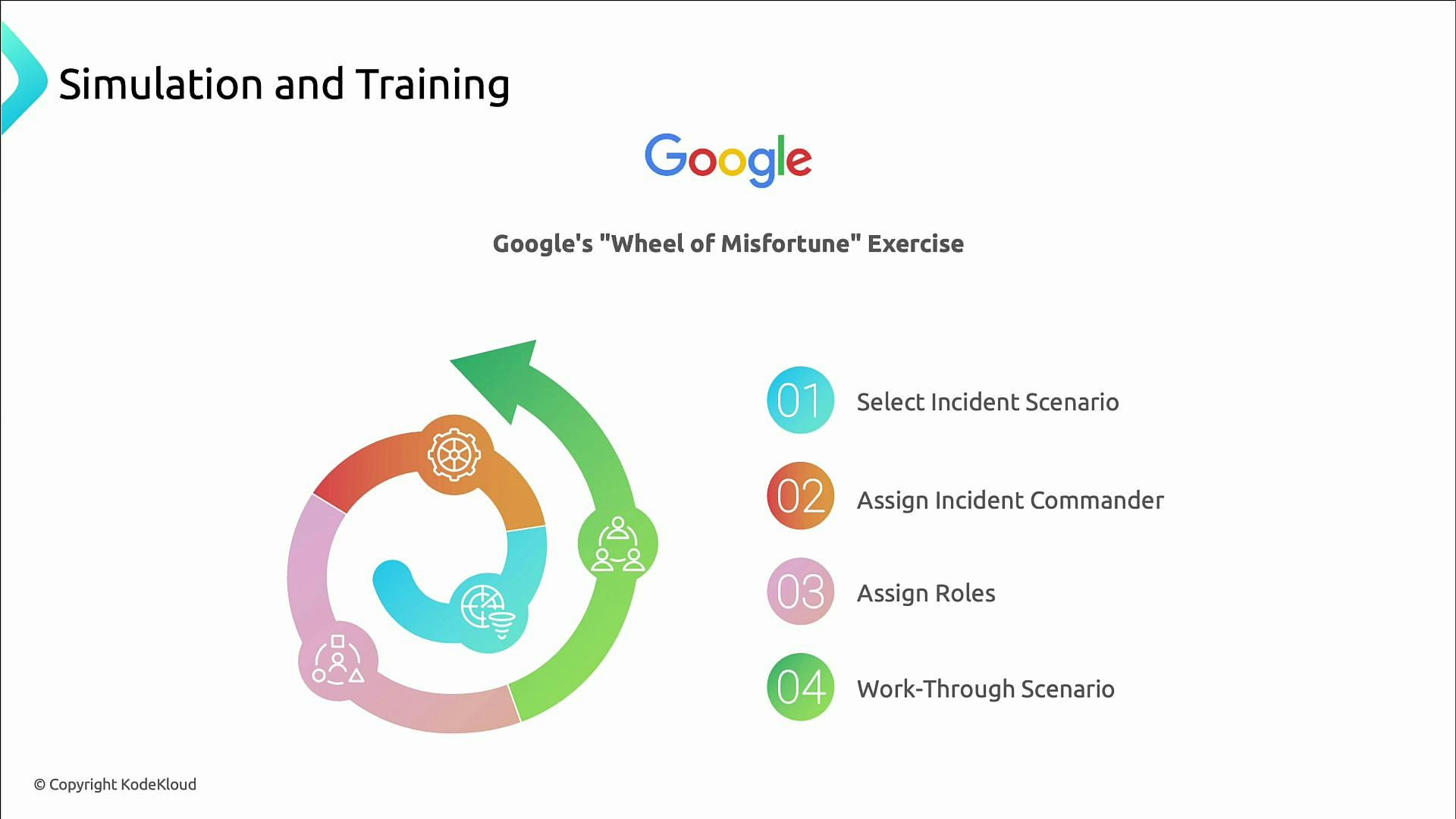
A practical exercise: Wheel of Misfortune
A structured simulation template to build hands-on experience:- Select an incident scenario.
- Assign an incident commander.
- Assign supporting roles (communications, triage, escalation, scribe).
- Work the scenario end-to-end using playbooks and escalation paths, then run a short retro.
Closing and next steps
Preparation reduces incident impact: clear processes, tested playbooks, sustainable on-call rotations, and regular practice turn outages into learning opportunities. In later lessons we’ll cover alert design to reduce noise and surface meaningful signals, plus how AI can help detect and prioritize incidents.Links and references
- Kubernetes Documentation
- Chaos Engineering Resources (Principles and Best Practices)
- Incident Management and Postmortem Practices
- On-Call Best Practices and Burnout Prevention