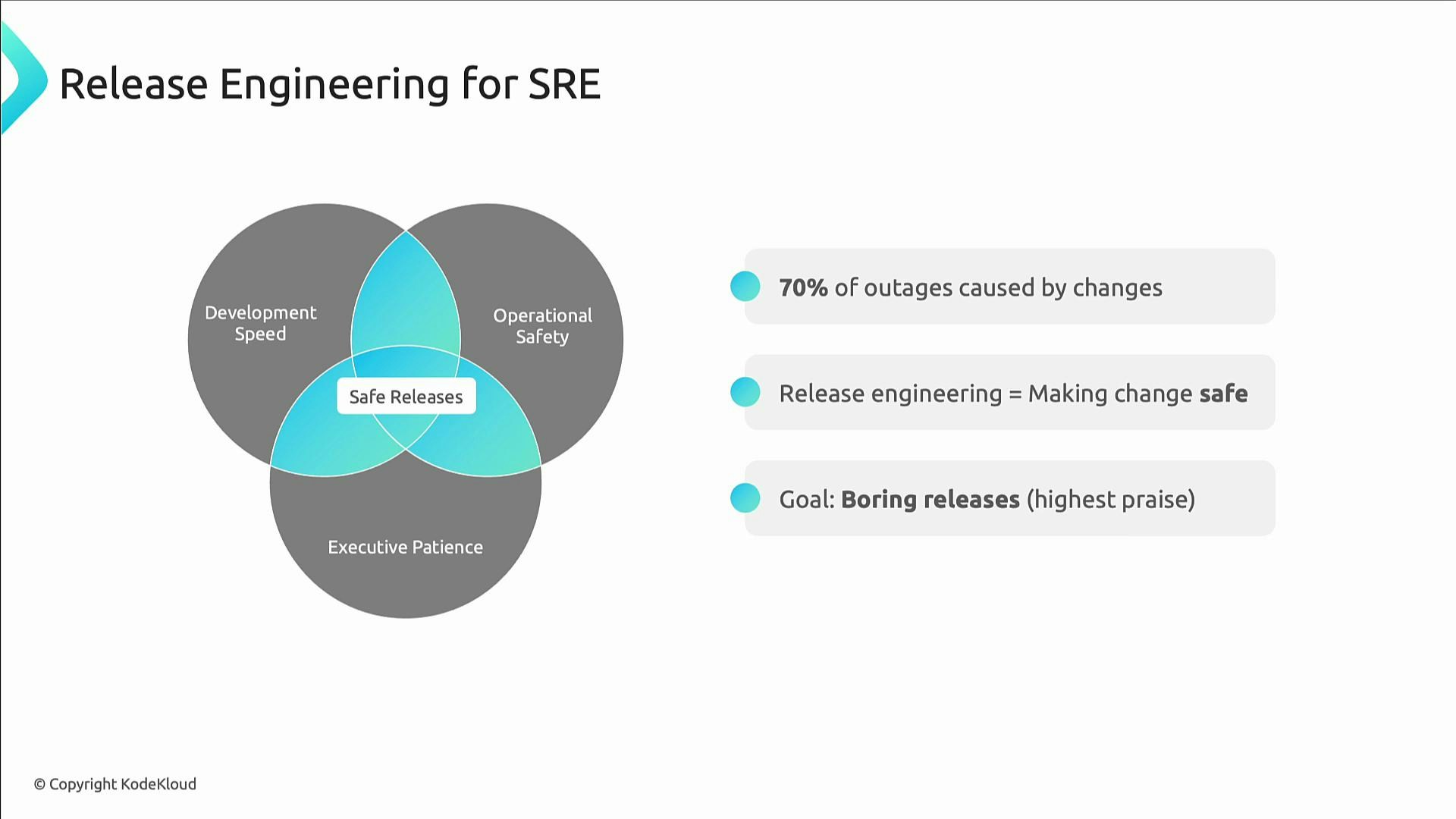
In this final lesson we bring together the concepts from the module to describe practical, repeatable patterns for safe releases. Release engineering’s objective is simple: enable change, and make change safe. It sits at the intersection of development speed, operational safety, and executive patience—helping teams deliver features quickly without increasing risk. A sobering statistic to keep in mind: roughly 70% of outages are caused by changes. Release engineering reduces that risk by making changes predictable, observable, and reversible. The best compliment is that releases are so uneventful nobody notices them.
A presentation slide titled "Release Engineering for SRE" with a Venn diagram showing Development Speed, Operational Safety, and Executive Patience overlapping to produce "Safe Releases." Bulleted points state "70% of outages caused by changes," define release engineering as making change safe, and set the goal as "boring releases."

Core principles of safe release engineering

  • Automate everything. Any manual step is a future outage vector.
  • Use progressive delivery. Validate changes with a small percentage of traffic (e.g., 1%) before full rollout.
  • Practice fast, tested rollbacks. If rollback is slower than deployment, the rollback process needs improvement.
  • Always verify deployments with smoke tests to get quick feedback.
  • Communicate relentlessly—silent deployments tend to become noisy incidents.
Apply automation to policy, approvals, and rollbacks. Automated “safety nets” (canaries, health checks, automatic rollbacks) let you move fast with confidence.
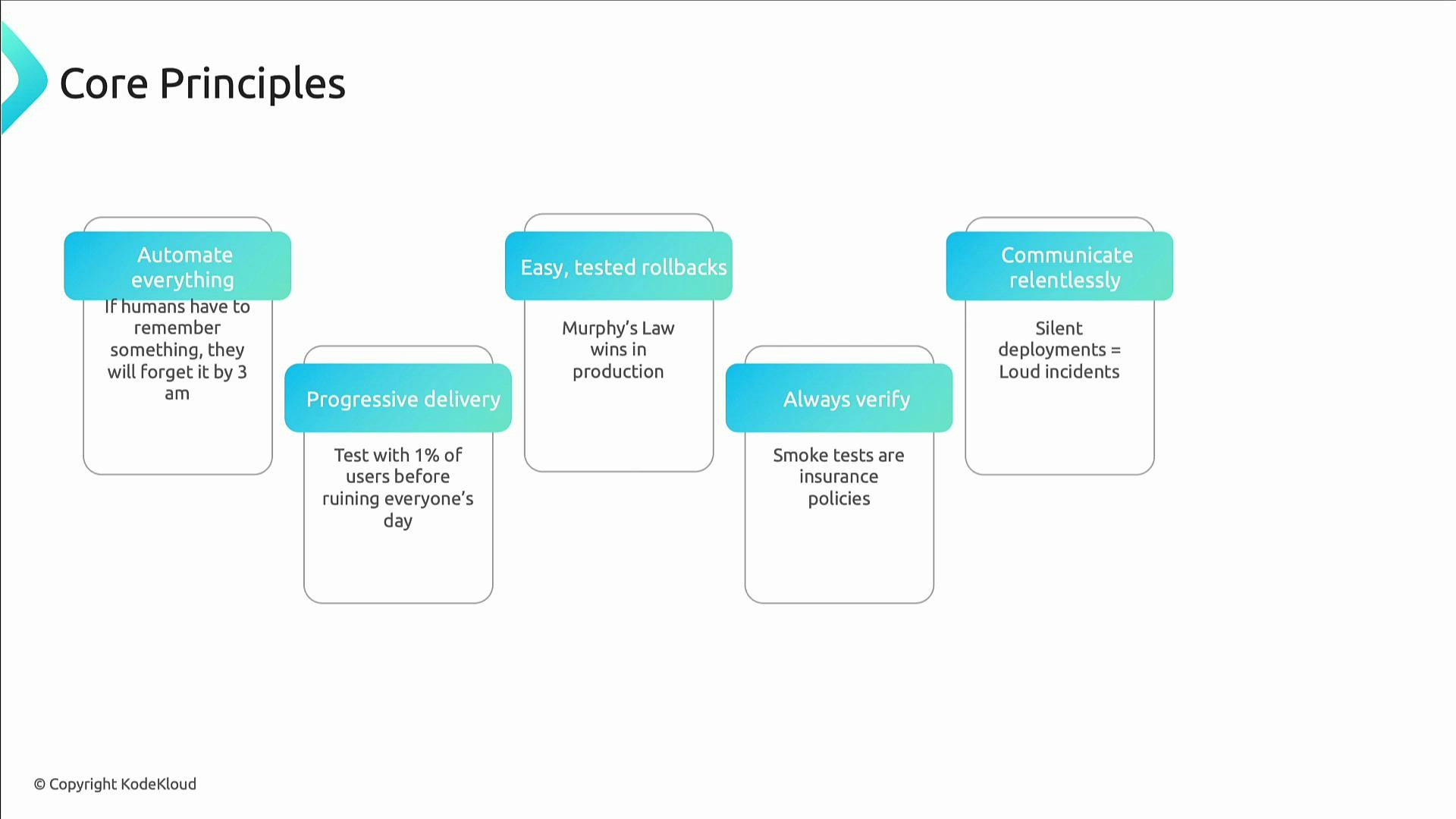
A presentation slide titled "Core Principles" showing five rounded-card principles—Automate everything; Progressive delivery; Easy, tested rollbacks; Always verify; and Communicate relentlessly—each with a short explanatory note. The slide is copyrighted by KodeKloud.

Deployment strategies — choose the right approach

Each strategy has trade-offs. Select the approach that matches your risk tolerance, infrastructure costs, and rollback needs.
StrategyPatternWhen to useProsCons
Blue–GreenMaintain two identical environments and switch trafficCritical systems needing near-zero error exposureInstant cutover; straightforward rollbackRequires duplicate infrastructure
CanaryGradual rollout to a small subset of usersUser-facing features and metrics-driven validationLimits blast radius; observable behavior on real trafficNeeds good traffic routing/metrics
Feature flagsShip code behind togglesA/B testing, incremental launches, operational controlTurn features on/off without deploys; reduces release riskTechnical debt from stale flags
Rolling updatesReplace instances in small batchesStateless services or safe stateful upgradesNo duplicate infra required; steady migrationCoordination needed for DB/schema changes
Common guidance:
  • Blue–Green is best when you can afford duplicate environments and need instant rollback.
  • Canary deployments require solid monitoring and automated health gates.
  • Feature flags decouple deployment and release — remove flags when stable.
  • Rolling updates work well when instances are independent and stateless.
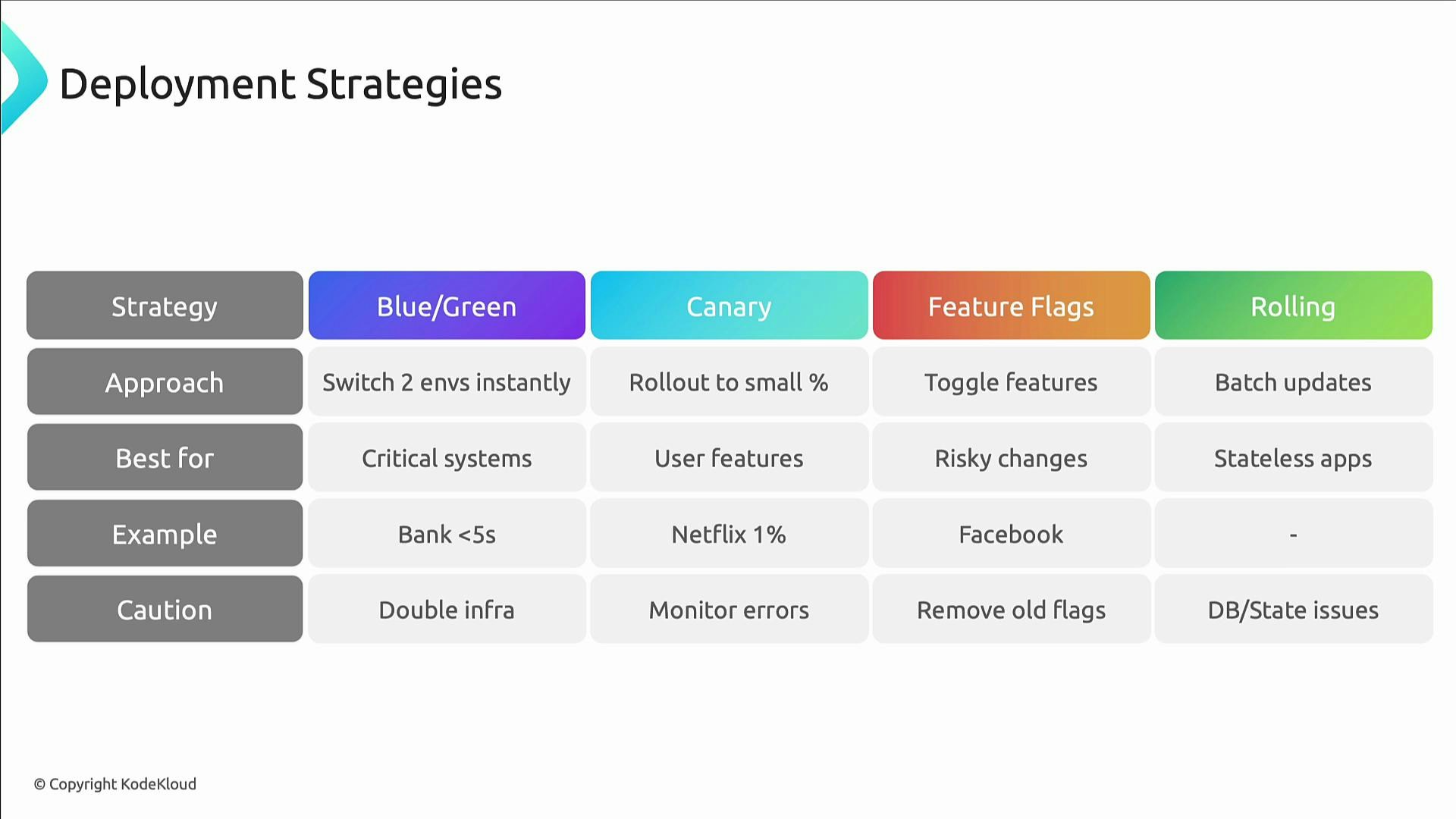
A slide titled "Deployment Strategies" showing a comparison table of Blue/Green, Canary, Feature Flags, and Rolling deployments with rows for approach, best-for, examples, and cautions.

Artifact repository management

Artifact repositories are the core of a trustworthy software supply chain. They store Docker images, packages, and binaries and provide the guarantees needed for safe, auditable releases. Why they matter for SREs:
  • Security: control what is deployable.
  • Compliance: retain audit trails for every version.
  • Performance: accelerate retrieval and reduce network variability.
  • Disaster recovery: immutable artifacts enable rollbacks and re-deployments.
Best practices:
  • Use enterprise registries for production (AWS ECR, Google Artifact Registry) instead of public registries for critical systems.
  • Enforce lifecycle policies to limit storage while keeping recovery points.
  • Apply strict access control: automation writes, humans read or approve where necessary.
  • Make production images immutable and block overwrites.
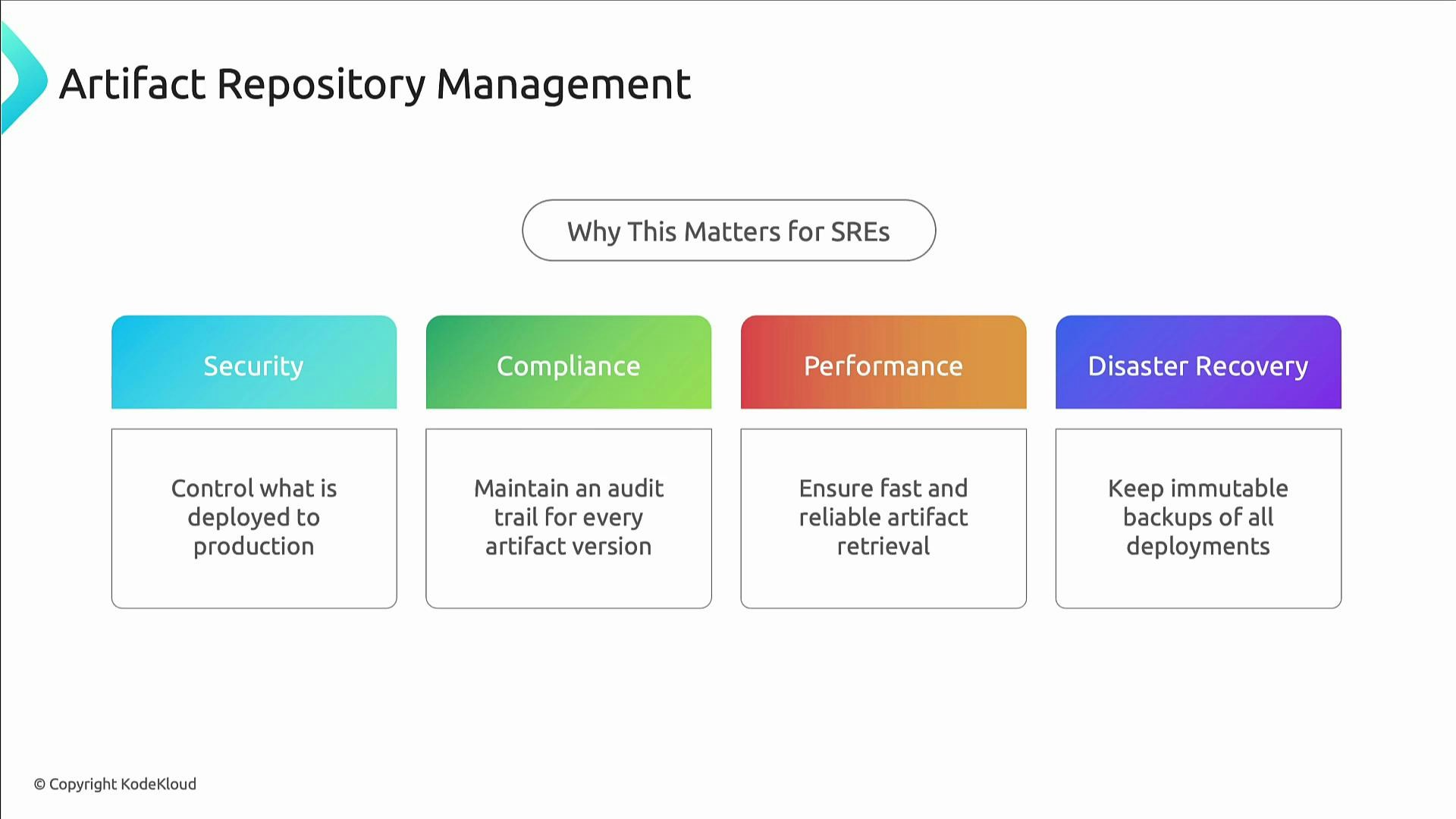
A presentation slide titled "Artifact Repository Management" explaining why it matters for SREs, with four colored boxes: Security, Compliance, Performance, and Disaster Recovery. Each box notes a key goal: control deployments, maintain audit trails, ensure fast/reliable retrieval, and keep immutable backups of deployments.
Public registries such as Docker Hub are convenient but subject to rate limits, retention policies, and varying security guarantees. For production, prefer cloud registries where you can apply lifecycle and access policies. Example: create an ECR repository and apply a lifecycle policy to keep only the last 10 production images.
# Create the repository
aws ecr create-repository --repository-name kodekloud/records-api
Save the lifecycle policy as policy.json:
{
  "rules": [
    {
      "rulePriority": 1,
      "description": "Keep last 10 production images",
      "selection": {
        "tagStatus": "tagged",
        "tagPrefixList": ["prod-"],
        "countType": "imageCountMoreThan",
        "countNumber": 10
      },
      "action": {
        "type": "expire"
      }
    }
  ]
}
Apply the policy:
aws ecr put-lifecycle-policy --repository-name kodekloud/records-api --lifecycle-policy-text file://policy.json
Example repository access model:
repositories:
  production:
    read: [sre-team, deploy-service]
    write: [release-automation]
    admin: [platform-team]

  staging:
    read: [developers, qa-team]
    write: [ci-system, developers]
    admin: [team-leads]
Environment-specific registry settings:
environments:
  development:
    docker_registry: "dev-registry.kodekloud.internal"
    package_repo: "https://packages-dev.kodekloud.internal"
    retention: "7 days"
    vulnerability_scan: "advisory"

  staging:
    docker_registry: "staging-registry.kodekloud.internal"
    package_repo: "https://packages-staging.kodekloud.internal"
    retention: "30 days"
    vulnerability_scan: "blocking"

  production:
    docker_registry: "prod-registry.kodekloud.internal"
    package_repo: "https://packages-prod.kodekloud.internal"
    retention: "1 year"
    vulnerability_scan: "blocking + attestation"
    immutable: true  # Prevent overwriting tags

CI/CD pipeline best practices

A robust pipeline automates build, test, security, deployment, verification, and monitoring. Key elements:
  • Build artifacts in a reproducible, hermetic environment.
  • Run unit, integration, and end-to-end tests before artifacts are promoted.
  • Run security and vulnerability scans early (shift-left).
  • Deploy to staging with automated integration tests and performance checks.
  • Require explicit approvals for risky production changes (policy as code).
  • Perform health checks and automated rollbacks on failure.
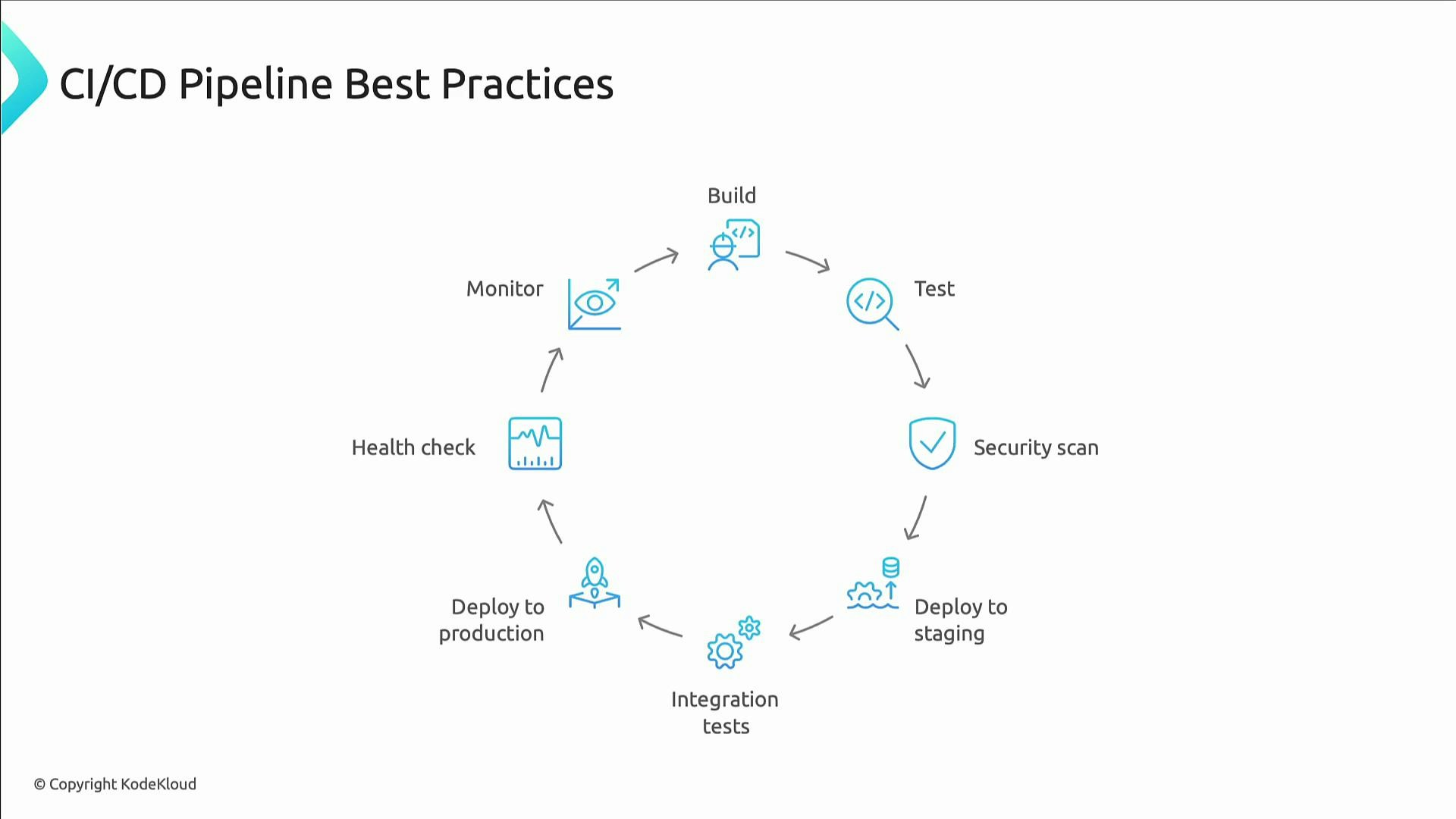
A healthy pipeline sequence: Build → Test → Security scan → Deploy to staging → Integration tests → Deploy to production → Health check → Monitor
The image is a slide titled "CI/CD Pipeline Best Practices" showing a circular workflow. It diagrams stages: Build → Test → Security scan → Deploy to staging → Integration tests → Deploy to production → Health check → Monitor.

Secrets management

Secrets and credential leaks are a common source of incidents. Follow these rules:
  • Never hard-code secrets in source code or config files.
  • Centralize secrets in a dedicated secrets manager (HashiCorp Vault, AWS Secrets Manager, etc.).
  • Use short-lived, revocable credentials and automate secret rotation.
  • Monitor for leaked secrets and automate incident response.
Never commit credentials or long-lived keys to source control. Assume secrets will leak and design for short-lived, revocable credentials plus automated rotation and monitoring.
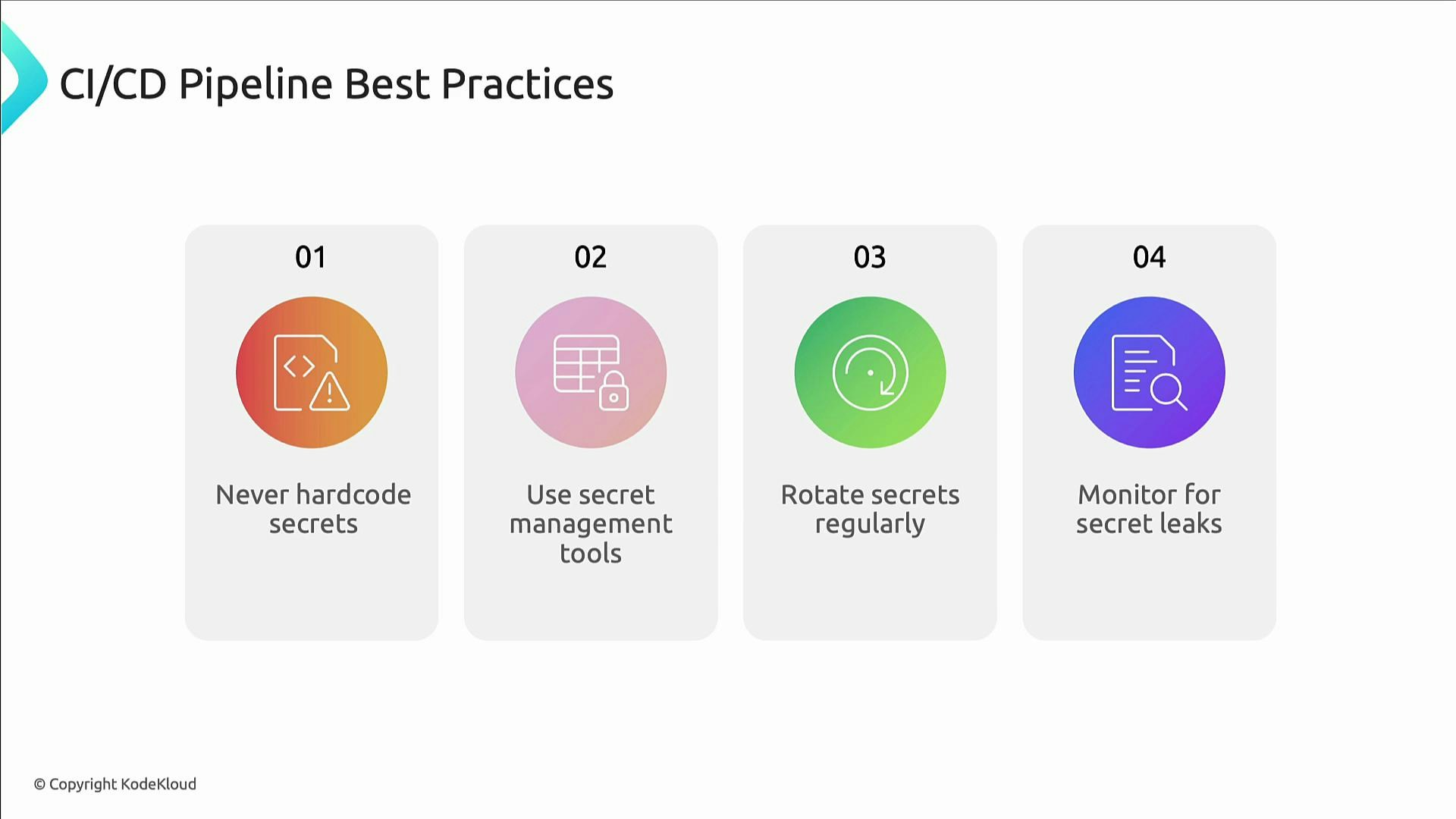
A slide titled "CI/CD Pipeline Best Practices" listing four tips: 01 Never hardcode secrets, 02 Use secret management tools, 03 Rotate secrets regularly, and 04 Monitor for secret leaks.

Communication and continuous learning

Release engineering is as much about people and process as it is about tools.
  • Before release: Notify stakeholders, prepare the support rota, and document rollback and mitigation plans.
  • During release: Publish real-time updates and decide Go/No-Go using metrics (error rate, latency, saturation) rather than intuition.
  • After release: Compare outcomes to success criteria, run blameless postmortems on failures, and update runbooks and automation.
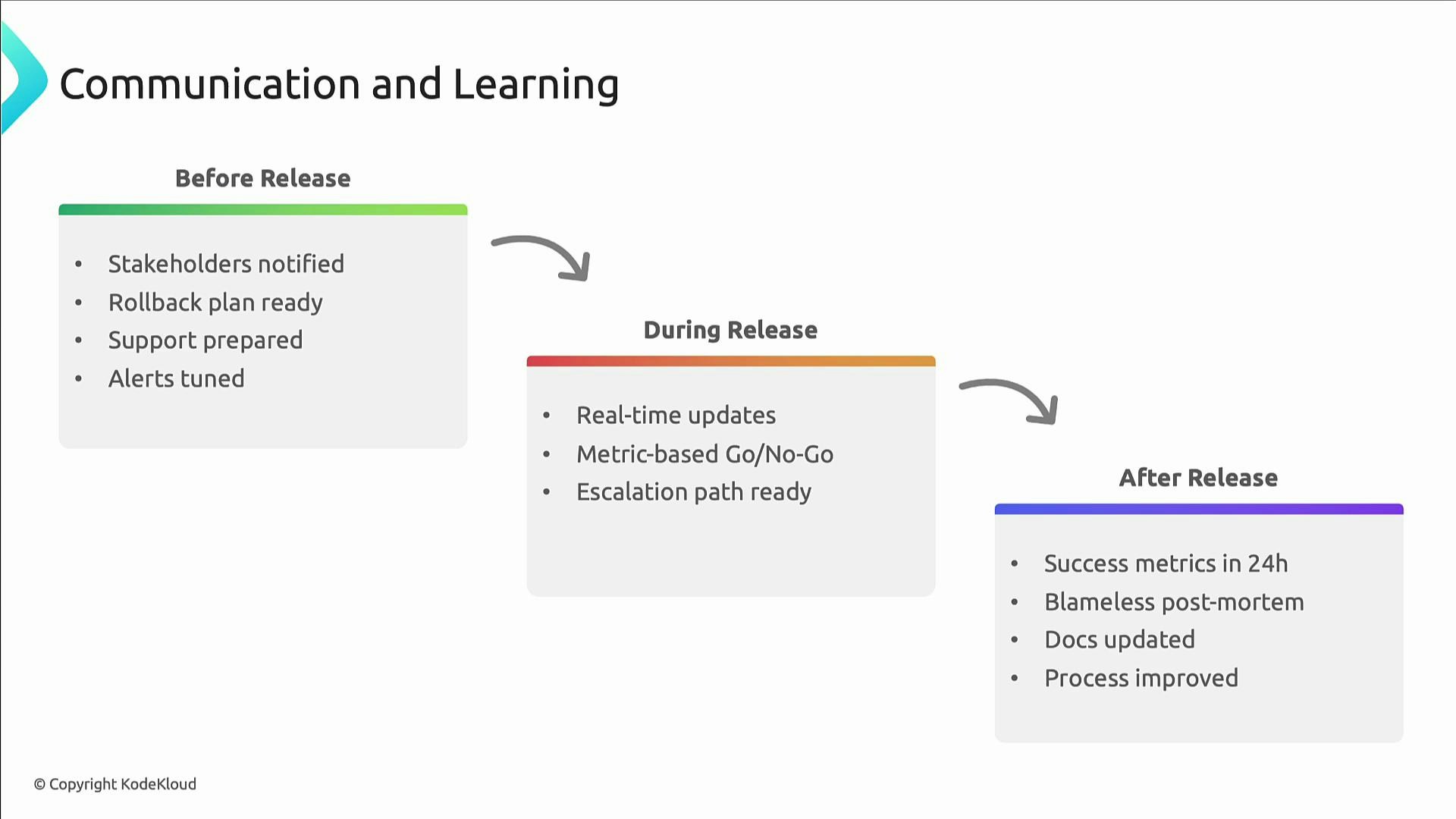
A slide titled "Communication and Learning" showing three connected stages—Before Release, During Release, and After Release. Each stage has checklist bullets (e.g., stakeholders notified, rollback plan and support ready; real-time updates and metric-based Go/No-Go; success metrics, blameless post-mortem, and docs/process updates).

Wrap-up

This lesson covered the operational patterns, technical controls, and organizational practices that make change safe and predictable:
  • Automation and policy-as-code
  • Progressive delivery (canaries, feature flags)
  • Fast, tested rollback processes
  • Artifact repository management with lifecycle and access controls
  • Secure CI/CD pipelines with shift-left security
  • Secrets management with rotation and monitoring
  • Continuous communication and blameless learning
The next hands-on topic dives into observability—logs, metrics, traces, dashboards, and alerting—where release engineering and SRE work together to ensure releases behave as expected in production.