Welcome back — this is the final lesson in the module on Advanced Visualization and Reporting. We’ve already covered how metrics, logs, and traces provide raw observability data. In this lesson we’ll shift focus to how we present that data. Dashboard and report design directly affects how quickly engineers can debug issues and how accurately business leaders can make decisions. Different roles care about different things, even when looking at the same system:
  • Engineers need technical detail: which endpoint is slow, what the error rate is, how close the system is to thresholds, when the problem started, and how to fix it now.
  • Executives need translated, business-oriented information: are we losing revenue, how many customers are affected, what is the competitive risk, and what is the remediation plan.
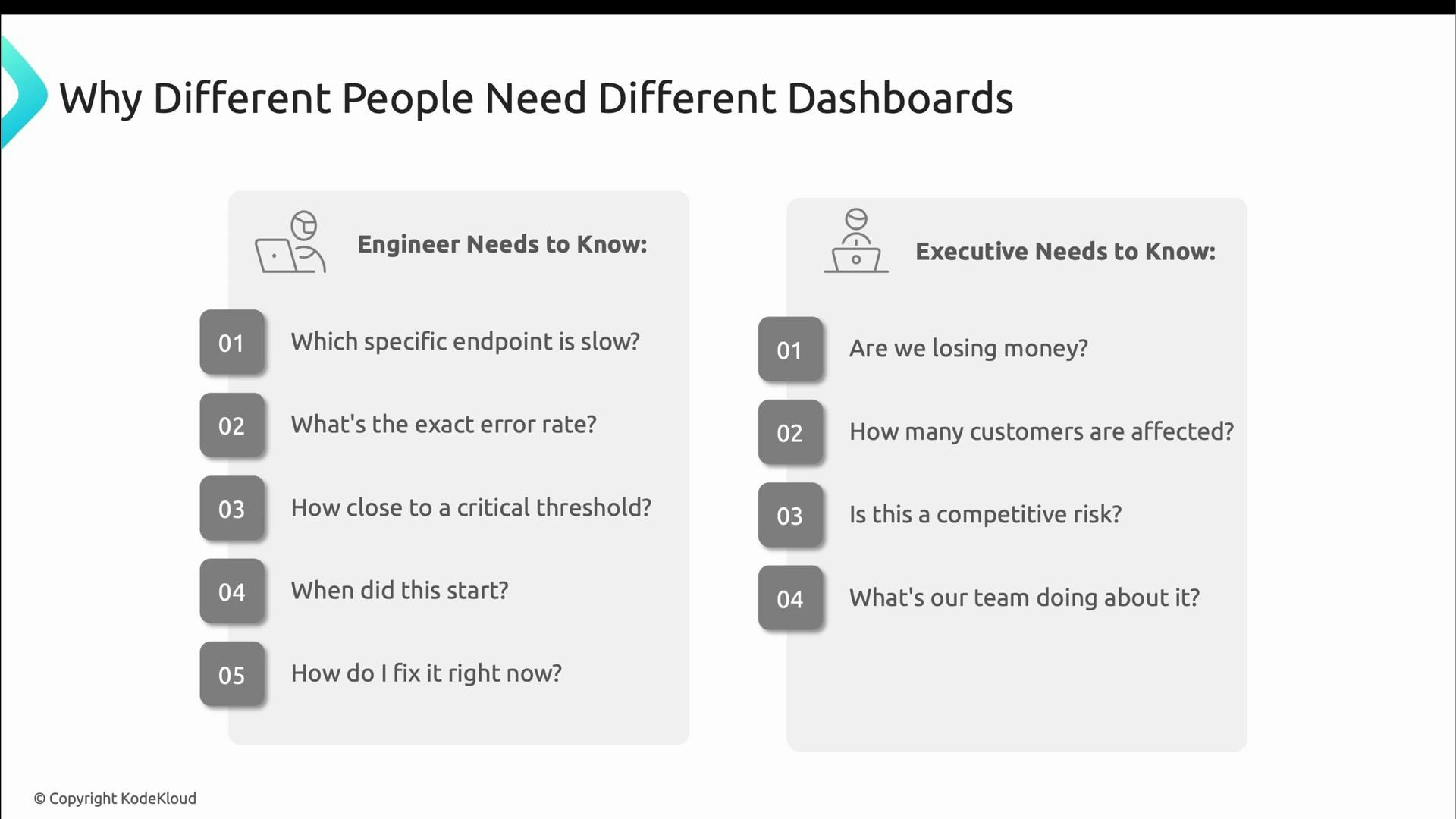
Both views are valid but they require separate dashboards optimized for their audience.
A slide titled "Why Different People Need Different Dashboards" showing two columns: "Engineer Needs to Know" and "Executive Needs to Know." Engineers' questions focus on technical details (which endpoint, error rate, thresholds, when it started, how to fix) while executives focus on business impact (losing money, customers affected, competitive risk, what's the team doing).
A common mistake is trying to cram both audiences into one dashboard; that usually serves neither audience well. Instead, design two tailored experiences. Engineer dashboards are action-oriented and optimized for incident response:
  • Top: clear status indicators (traffic-light style) for immediate triage.
  • Middle: detailed breakdowns such as request rates per endpoint, error rates by status code, and latency percentiles.
  • Bottom: diagnostic context like recent deployments, build metadata, and links to logs/traces to help link incidents to changes.
An example status summary for engineers might look like:
Payment Service DOWN
Error Rate: 15%

API Running
RPS: 1,200

Database Slow
CPU: 85%

Request Rate by Endpoint:
/checkout
/product
/orders

Error Rate by Status Code

Recent Deployments
What makes engineer dashboards effective:
  • Instant visual status (red/yellow/green).
  • Comparisons against baselines so you know whether a value is normal for this service.
  • Exact numbers for precision when diagnosing (percentiles, counts, and error rates).
  • Direct drill-down links to logs, traces, and code to take immediate action.
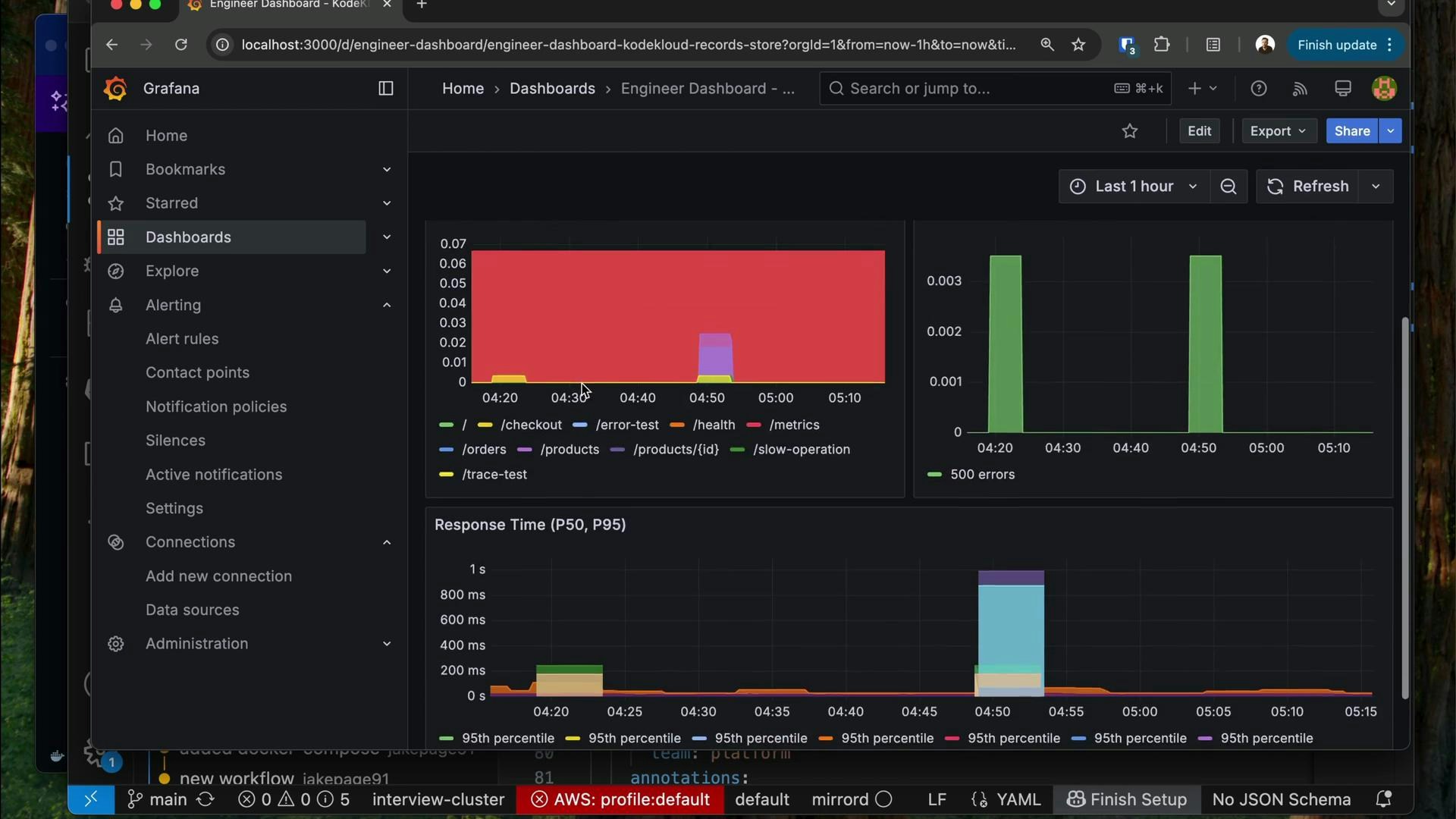
Here’s an example of a granular, engineer-focused Grafana dashboard that emphasizes status at the top, detailed breakdowns and response time percentiles below, and clear legends for endpoints.
A Grafana dashboard in dark theme displaying time-series charts and metrics, including stacked area and bar graphs for errors and response time percentiles. The left sidebar shows navigation (Dashboards, Alerting, Connections, etc.) and the charts include endpoint legends like /checkout, /health, and /products.
Core design principles for engineer dashboards:
  1. Use clear status colors (red, yellow, green).
  2. Show comparisons to normal baselines to surface anomalies.
  3. Display specific numbers — engineers need precise error rates, latencies, and resource metrics.
  4. Provide direct drill-downs into logs, traces, and source code.
Executive dashboards answer a different set of questions. Instead of “what’s broken?” they answer “is this hurting the business?” Executive dashboards translate system health into customer and revenue terms:
  • How many users are impacted?
  • What is the financial risk per hour?
  • What is the estimated time to recovery (ETR)?
  • What is the remediation plan and its status?
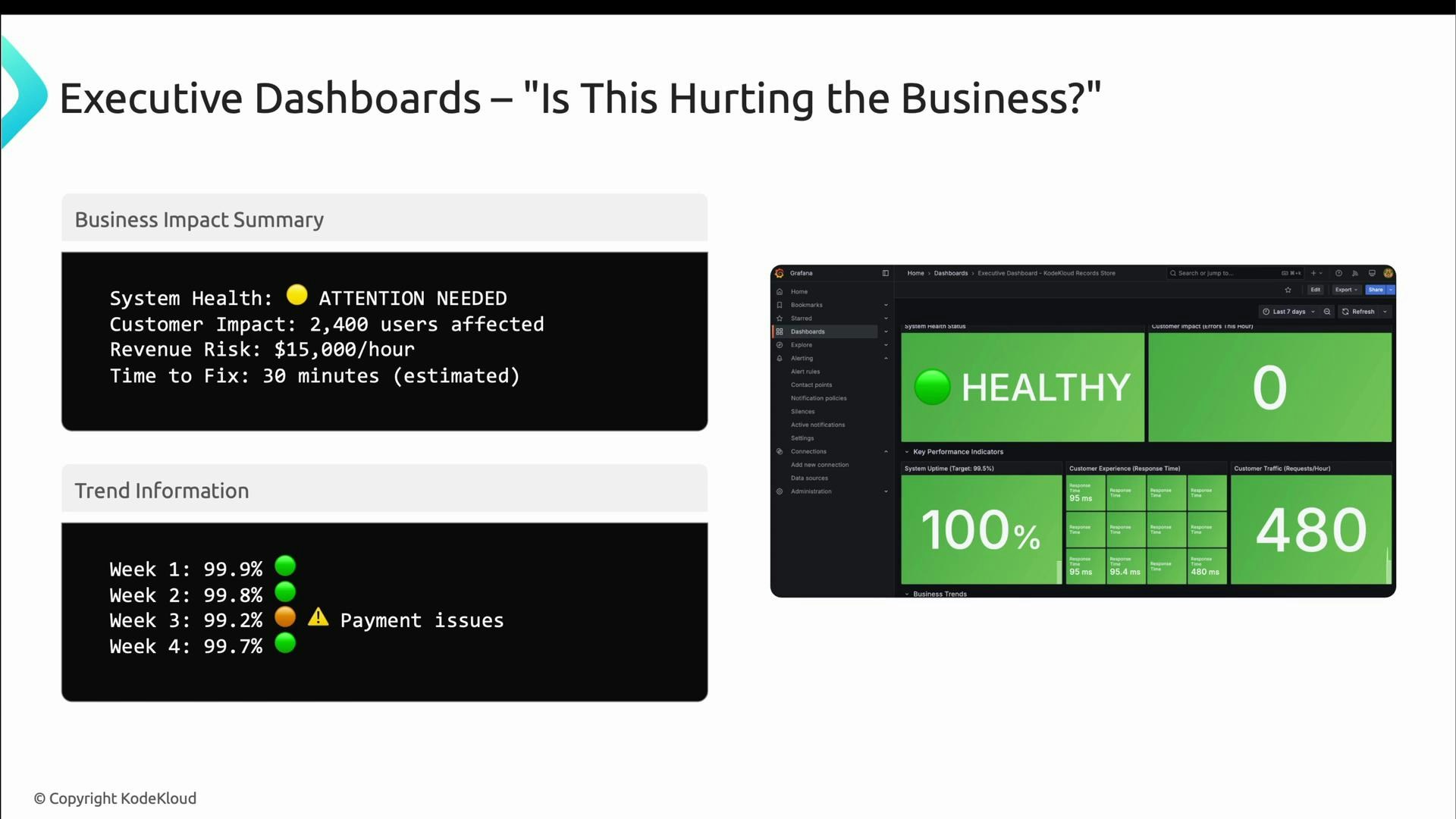
They emphasize trends and business context — for example, showing when reliability metrics looked acceptable in isolation but payment failures caused real customer impact. The framing should make it easy for leaders to see outcomes and decide.
A presentation slide titled "Executive Dashboards — 'Is This Hurting the Business?'" showing a business impact summary and trend information that flags an "Attention Needed" system health issue and payment problems. To the right is a Grafana-style dashboard with large green panels displaying "HEALTHY", 100% uptime, zero customer impact, and traffic metrics.
What makes executive dashboards effective:
  • Translate technical metrics into business impact (customers affected, estimated revenue loss).
  • Show week-over-week or month-over-month trends (avoid second-by-second noise).
  • Include targets, benchmarks, and context so leaders can assess direction (improving or slipping).
  • Make clarity of action explicit: who is working the issue, what the mitigation is, and the expected time to resolution.
  • Highlight successes where reliability investments have improved outcomes.
Quick comparison: Engineer vs Executive dashboards
AspectEngineer DashboardExecutive Dashboard
Primary audienceOn-call engineers, SREsExecutives, product leaders
Update cadence~30s (near real-time)Minutes to hours (stable)
FocusTechnical detail, drill-downs, percentilesBusiness impact, trends, revenue/customers
VisualsDense time-series, compact chartsLarge KPIs, trend lines, clear targets
ActionsLinks to logs, traces, codeClear mitigation status and ETAs
When building dashboards, follow distinct rules for each audience. For engineering dashboards — don’t:
  • Hide technical detail.
  • Rely solely on averages (use percentiles).
  • Use charts that are too small to read under pressure.
  • Omit baselines and comparisons.
Do:
  • Show exact numbers (error rates, percentiles, counts).
  • Use time-series graphs that reveal patterns and trends.
  • Include error breakdowns and links to logs/traces.
  • Update frequently (every ~30 seconds is reasonable for operational monitoring).
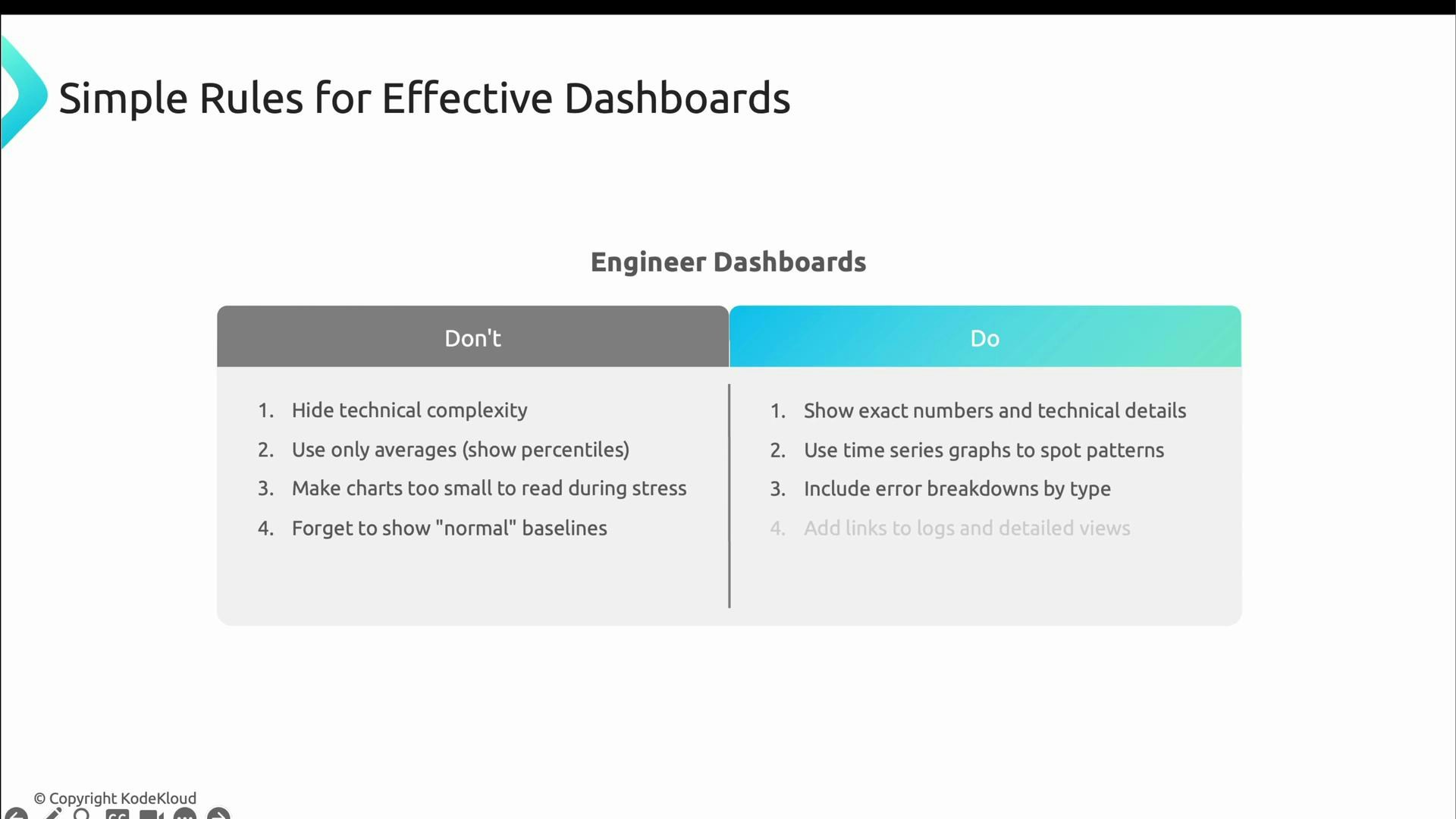
A presentation slide titled "Simple Rules for Effective Dashboards" showing a two-column "Don't" vs "Do" checklist for engineer dashboards. The left lists bad practices (hide complexity, use only averages, tiny charts), and the right recommends actions (show exact numbers, use time-series graphs, include error breakdowns).
For executive dashboards — don’t:
  • Overwhelm leaders with technical noise and jargon.
  • Flood them with raw metrics that lack business context.
  • Update too frequently (seconds-level updates add noise).
Do:
  • Translate metrics into business impact (customers, revenue).
  • Show trends over longer windows (weeks/months).
  • Include targets and clear context.
  • Use large, clear numbers focused on outcomes rather than implementation details.
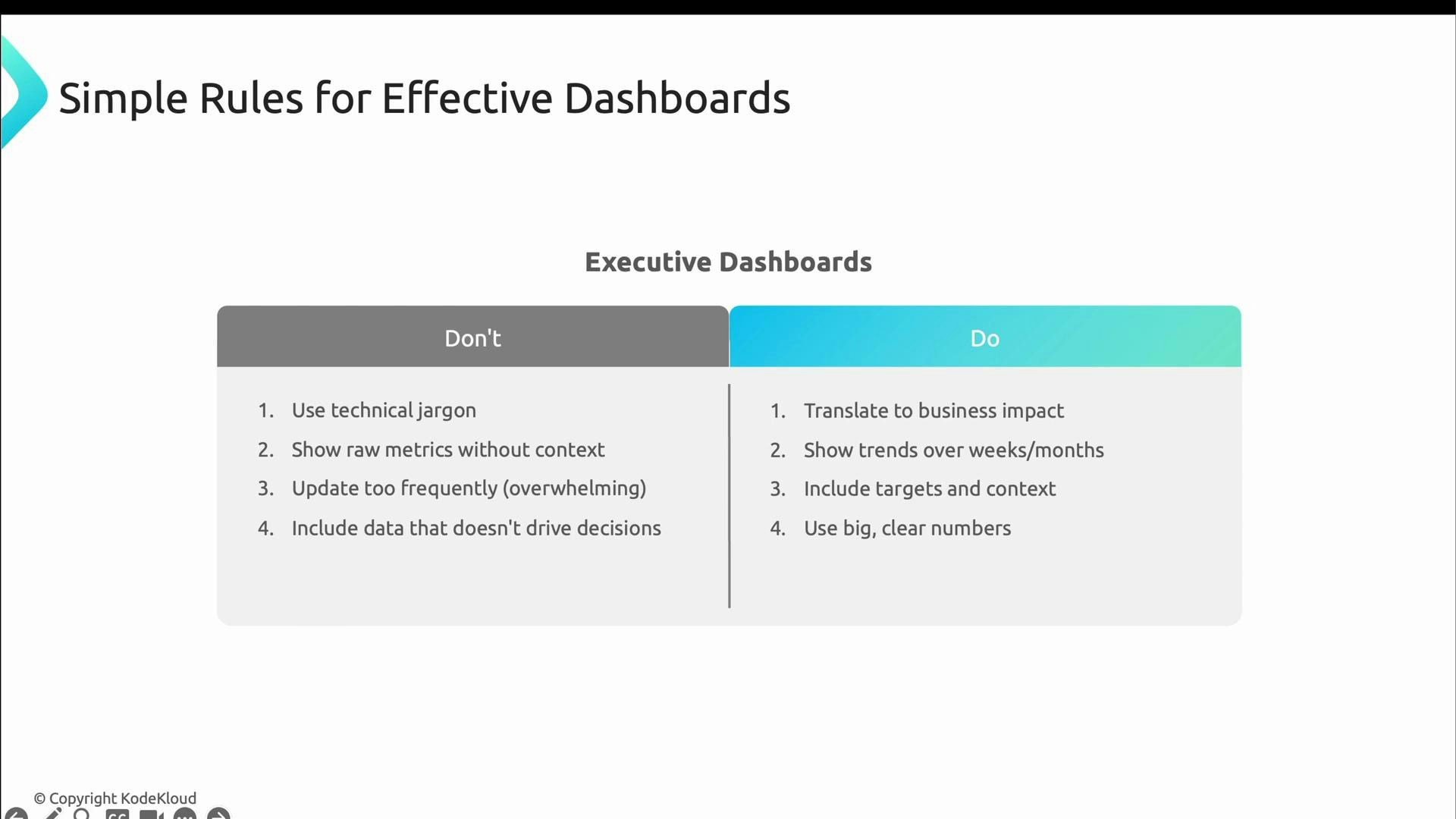
A slide titled "Simple Rules for Effective Dashboards" showing an Executive Dashboards two-column "Don't" vs "Do" checklist. The Don't column warns against jargon, raw metrics, too-frequent updates and irrelevant data; the Do column advises translating metrics to business impact, showing trends, adding targets/context and using big, clear numbers.
Choose the right cadence and level of detail for each audience: operational dashboards should be fast and precise; executive dashboards should be stable and outcome-focused.
If you want to experiment, generate traffic, errors, and logs and observe how they surface differently in each dashboard. For example, run your traffic generator and then open the engineer and executive dashboards to compare the outputs:
# Generate synthetic traffic and logs
./scripts/generate_logs.sh

# Dashboards to inspect locally
# Engineer: operational details and drill-downs
# Executive: business impact and trends
echo "Engineer: http://localhost:3000/d/engineer-dashboard"
echo "Executive: http://localhost:3000/d/executive-dashboard"
Example of how the same incident might be summarized differently in each dashboard:
Engineer
Error Rate: 0.05 (5%)
- Top affected endpoints: /checkout (60%), /orders (30%), /cart (10%)
- Recent deployment: build-2026.02.15@14:32

Executive
Customer Impact: 45 errors this hour
Estimated Revenue Impact: $1,350/hour
Mitigation: Rollback payment service (in progress). ETR ~ 20 minutes.
That concludes this lesson’s coverage of observability, dashboards, and reporting. The next material in the course covers advanced SRE practices and techniques for improving system reliability and incident response. Links and references