

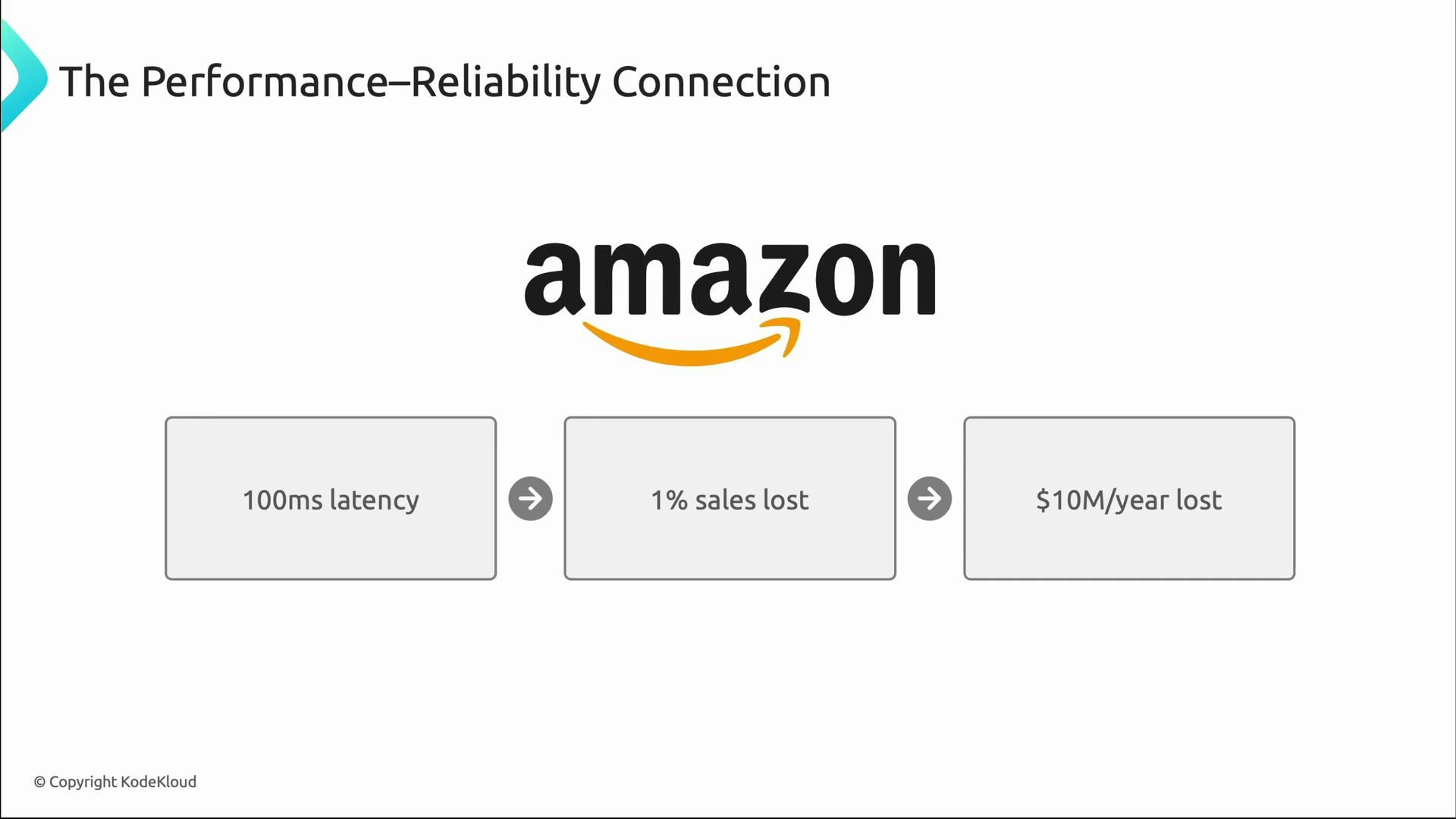
- High performance + high reliability → strong user satisfaction and growth.
- High performance + low reliability → intermittent disasters and eroded trust.
- Low performance + high reliability → stable but slow experience and steady revenue leakage.
- Low performance + low reliability → business “death spiral.”
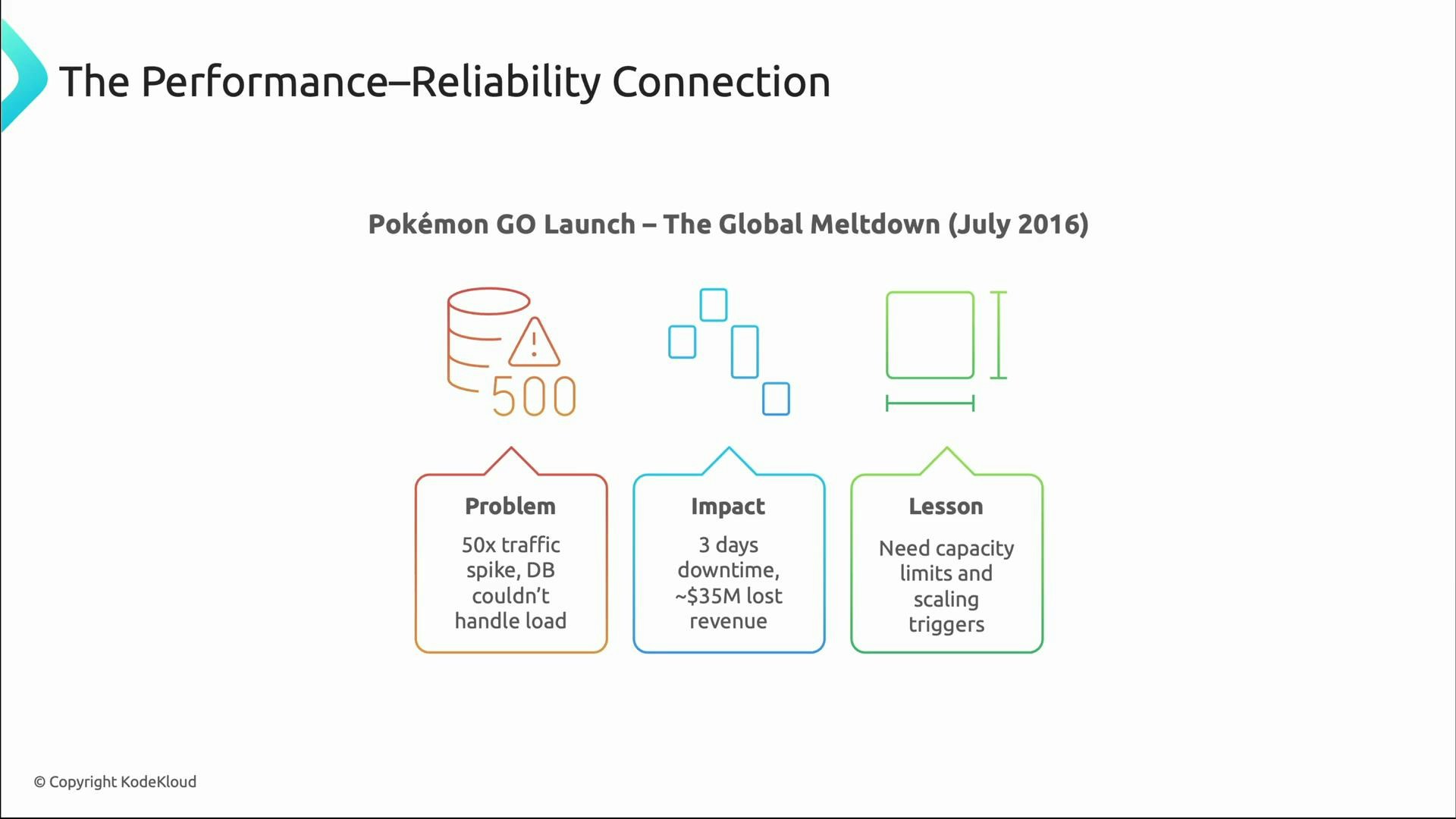
What traditional monitoring misses
Traditional monitoring often relies on averages and infrastructure metrics that can hide real problems:- Averages mask tail behavior (p95/p99).
- Synthetic tests may not reflect real user workflows.
- Infrastructure metrics alone (CPU/memory) do not reveal business impact.
- Alerts that only fire after customers are affected are too late.
Layered approach to performance monitoring
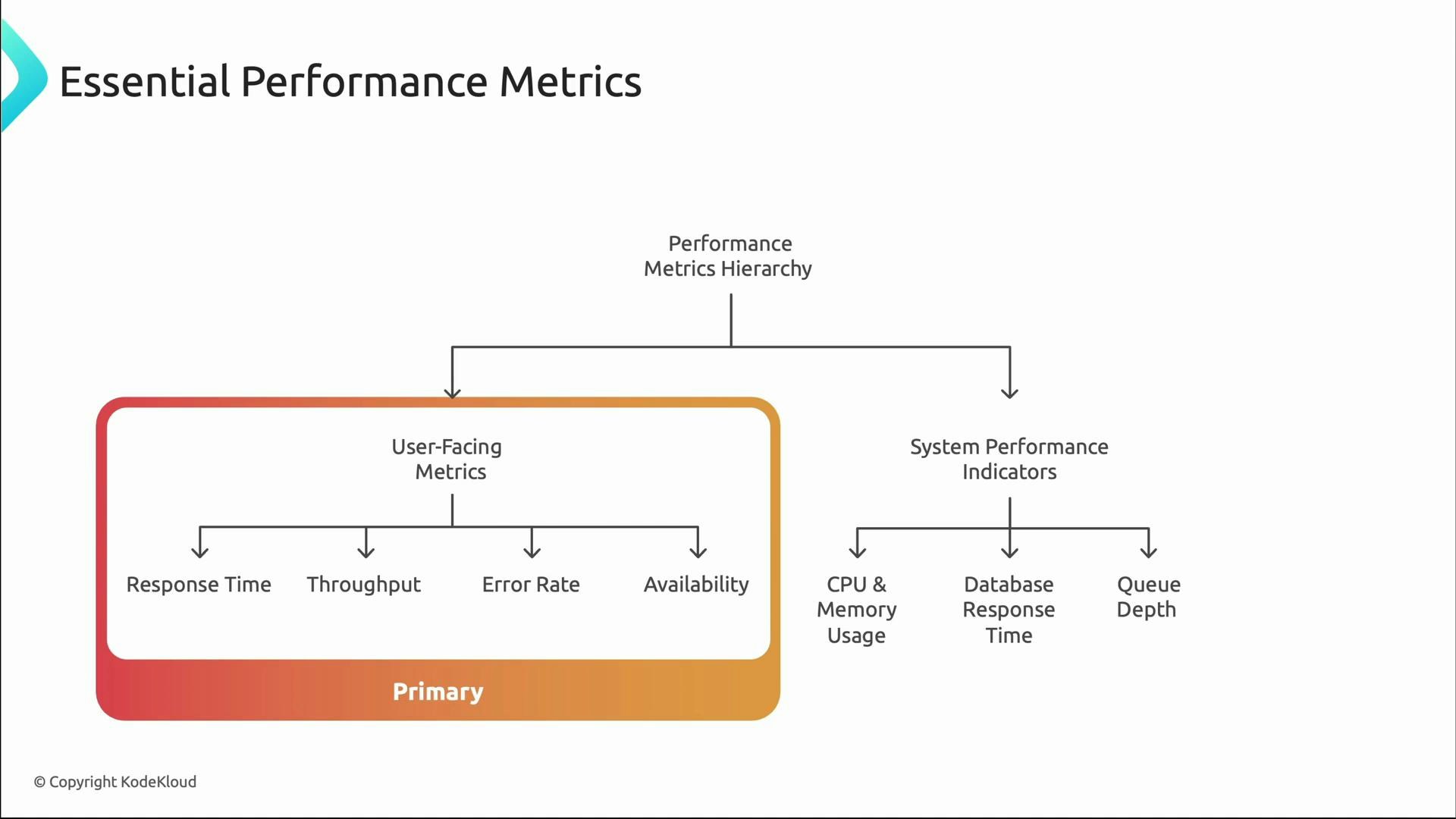
Think in layers when instrumenting systems:- Primary, user-facing metrics: response time, throughput, error rate, availability — these are what customers experience.
- System performance indicators: CPU, memory, database latency, queue depth — these explain why user-facing metrics behave as they do.
Why percentiles matter
Averages can be misleading. Consider a system with average latency = 100 ms. That sounds excellent, but if p95 ≈ 2,000 ms and p99 ≈ 5,000 ms, a small subset of users experience severe delays — often high-value users with complex workflows. Tail latencies (p95/p99) are critical for user-facing reliability decisions.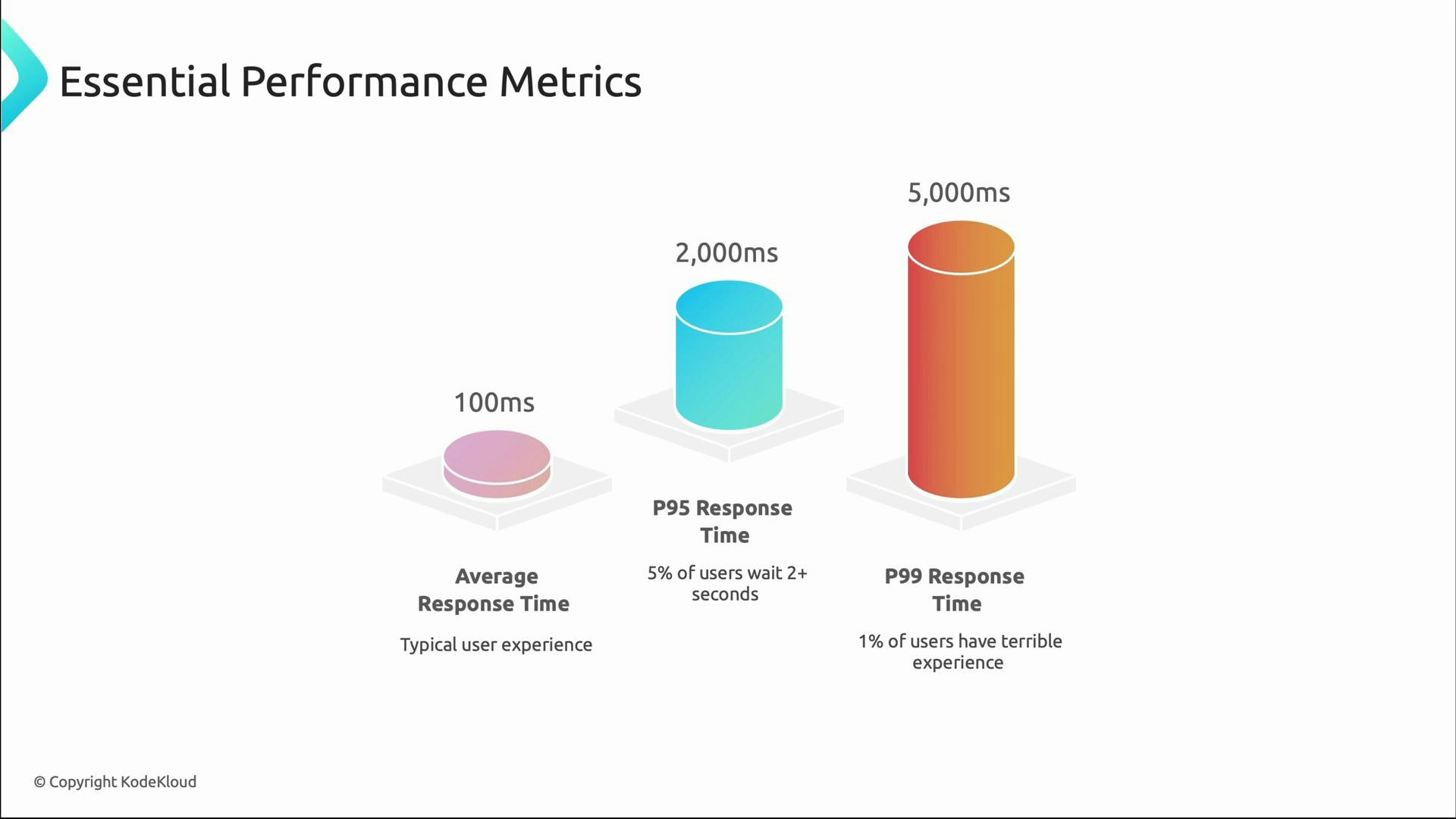
Prioritize p95 and p99 when SLAs, SLOs, or high-value user experiences are critical. Use averages for capacity planning and long-term trends, but let tail metrics drive user-facing reliability decisions.
Finding bottlenecks
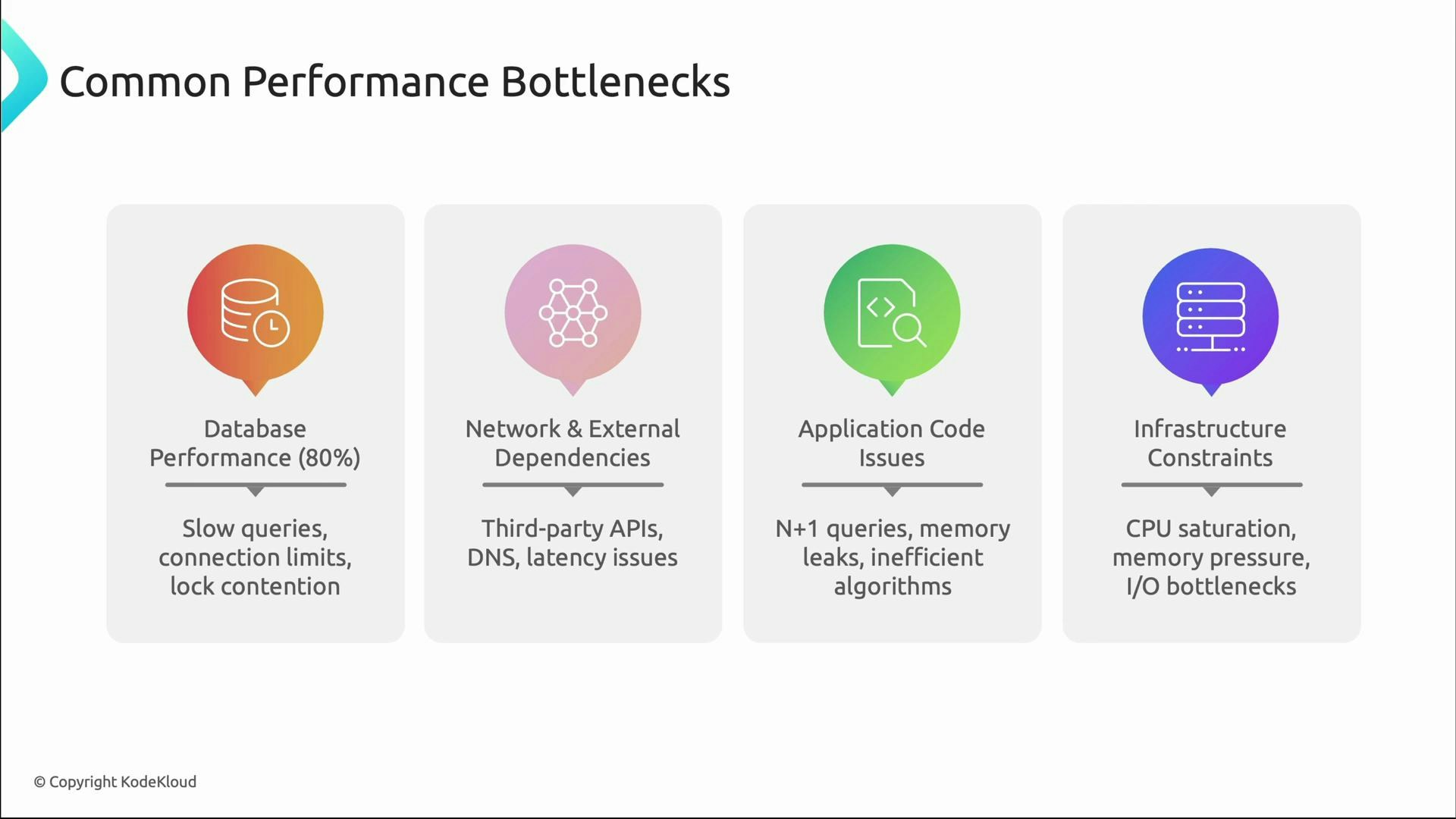
Once you detect slow performance (via p95/p99 or user reports), narrow down the root cause. Common bottlenecks:- Database: slow queries, connection pool exhaustion, lock contention, missing indexes.
- Network & external dependencies: third-party APIs, DNS latency, network saturation.
- Application code: N+1 queries, inefficient algorithms, memory leaks.
- Infrastructure saturation: CPU, memory, disk I/O limits.
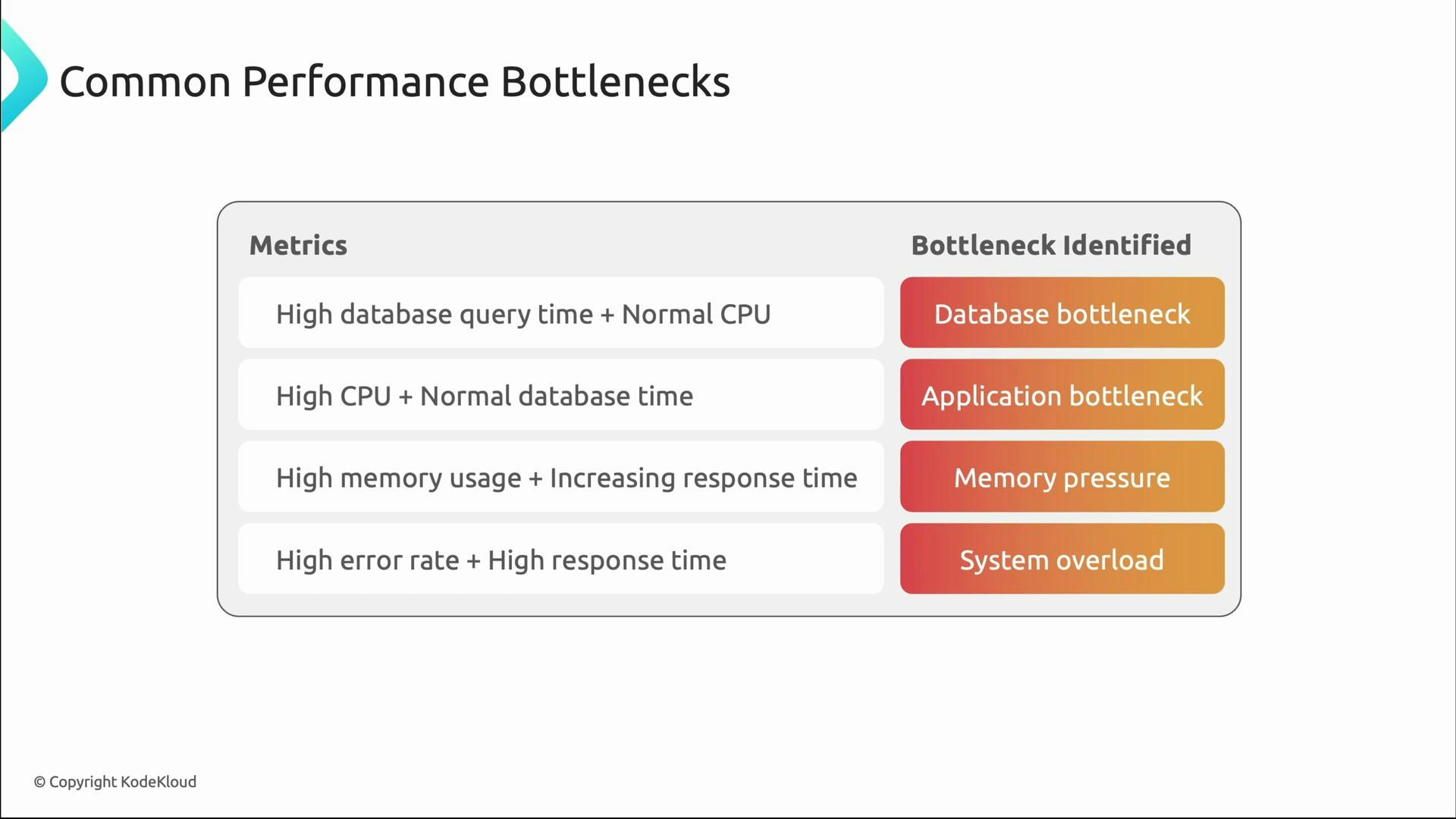
- High DB query time with normal CPU → database bottleneck.
- Spiking CPU with stable DB times → CPU-bound application work or inefficient code.
- Rising memory over time with increasing latency → memory pressure or leaks.
- High error rates + high latency → overload or cascading failures.
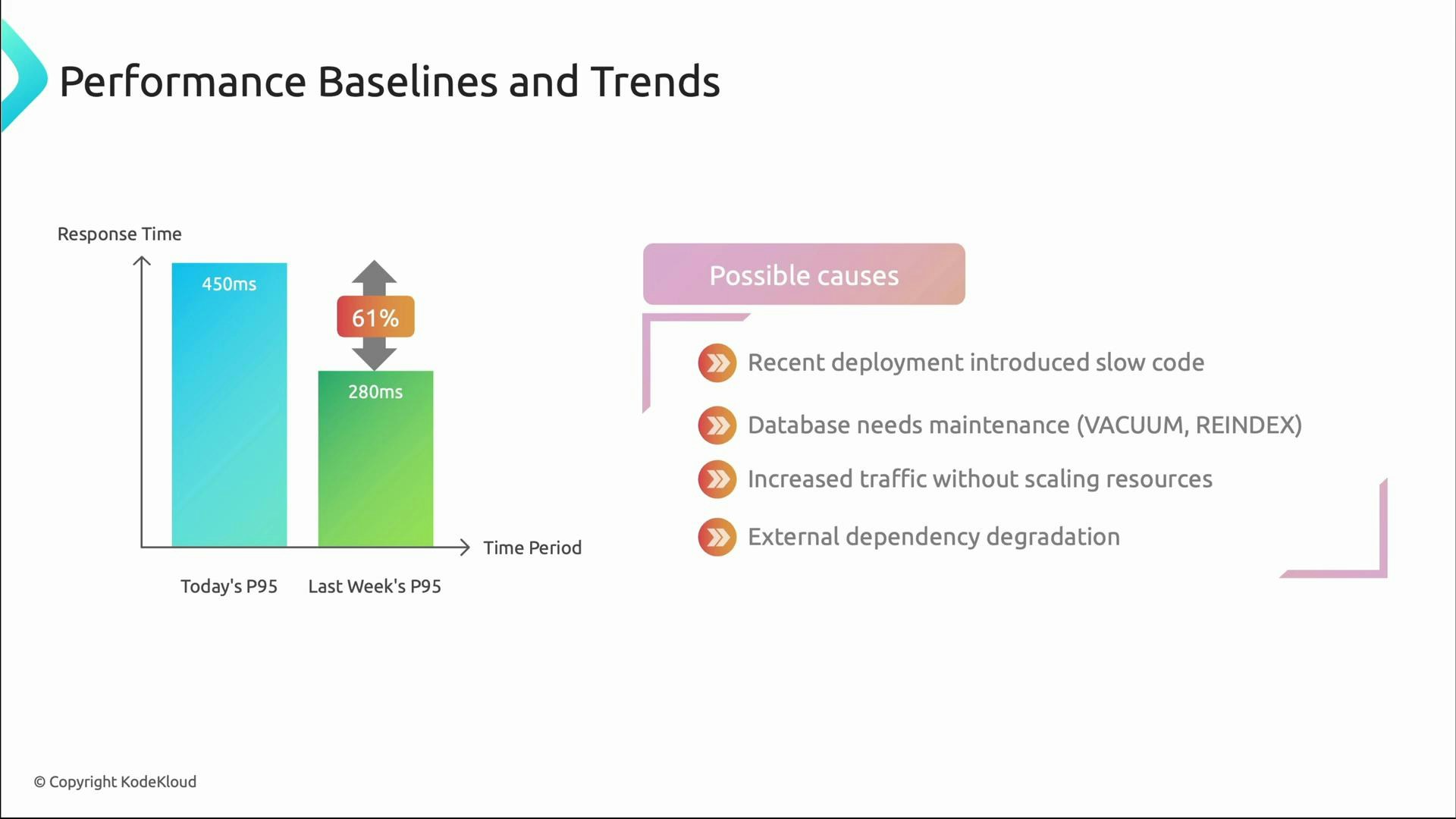
Baselines and trends: defining “normal”
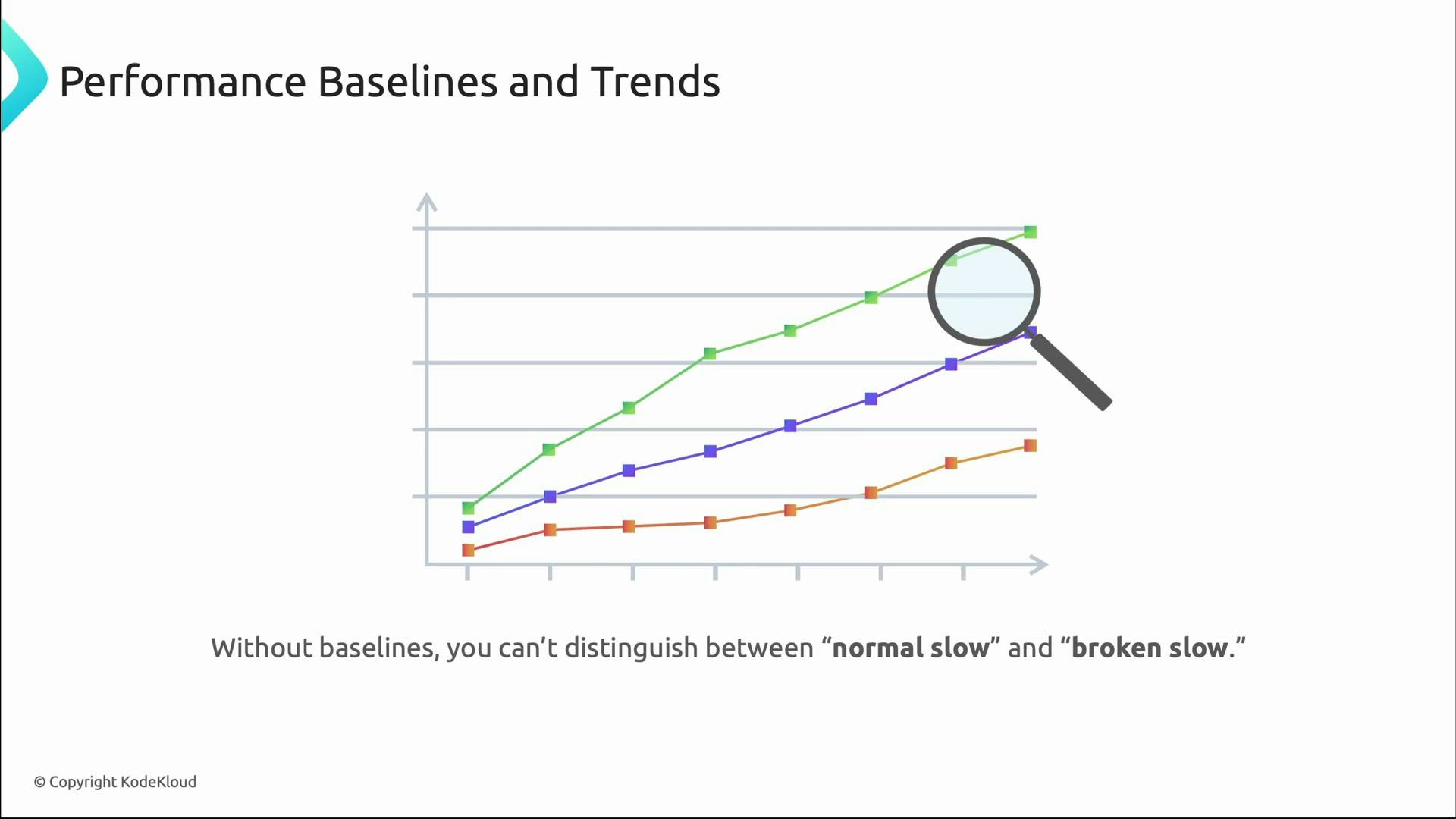
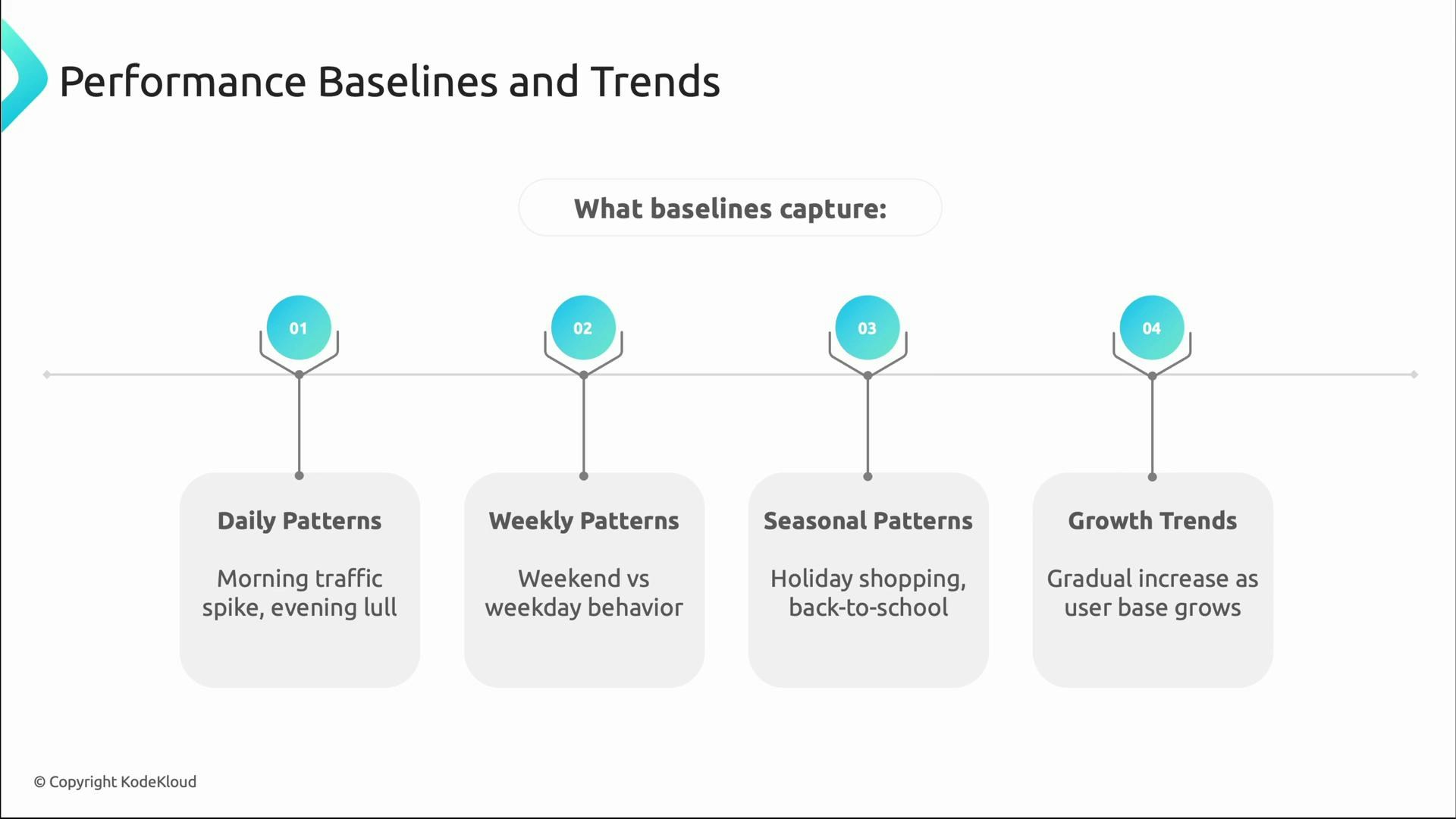
Performance monitoring becomes actionable when you know what “normal” is. Baselines capture typical behavior over different time scales so that deviations are meaningful:- Daily patterns: peak login times and evening lull.
- Weekly patterns: weekday vs weekend differences.
- Seasonal patterns: holiday shopping or periodic campaigns.
- Growth trends: gradual changes as user base increases.
Alerts that reduce noise and improve actionability
Baselines enable smarter alerting. Use a mix of immediate, trend, capacity, and SLO alerts tied to error budgets.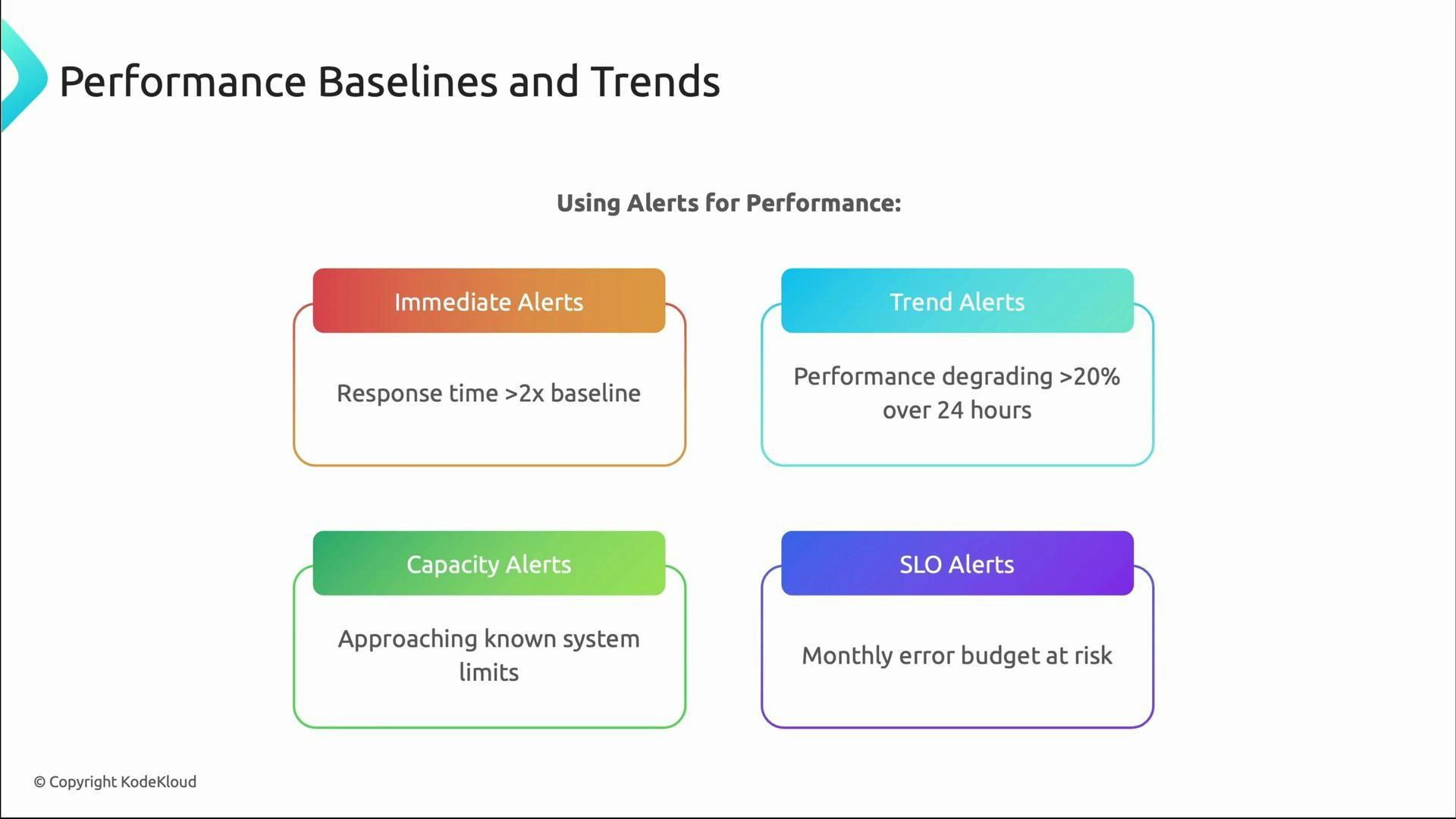
- Use dynamic thresholds relative to baselines rather than static numbers.
- Combine multiple signals (latency + error rate + saturation) to reduce false positives.
- Route alerts based on ownership and runbooks to speed remediation.
- Tie alerts to SLOs and error budgets to prioritize work.
Quick checklist to shift from reactive to proactive
- Instrument user-facing metrics (latency, throughput, errors, availability).
- Track tail latency (p95, p99) in addition to averages.
- Establish baselines for expected daily/weekly/seasonal patterns.
- Correlate system metrics to user impact for faster diagnosis.
- Configure targeted, SLO-driven alerts and maintain runbooks.
Useful references
- Google SRE resources: https://sre.google/books/
- Prometheus monitoring: https://prometheus.io/docs/introduction/overview/
- Kubernetes concepts (for capacity and autoscaling): https://kubernetes.io/docs/concepts/