

kubectl, eliminating the need to retype flags every time you interact with your cluster.
1. Direct API Access with curl
If your API server is atmy-kube-playground:6443 and you’ve generated:
- CA certificate:
ca.crt - Client certificate:
admin.crt - Client key:
admin.key
2. Equivalent kubectl Commands
Withkubectl, the same request requires these flags:
By default,
kubectl looks for ~/.kube/config. You can override with --kubeconfig=PATH.3. Creating and Using a kubeconfig File
Save your cluster, user, and context definitions in a YAML file (e.g.,config), then run:
4. Structure of a kubeconfig File
A kubeconfig has three top-level sections: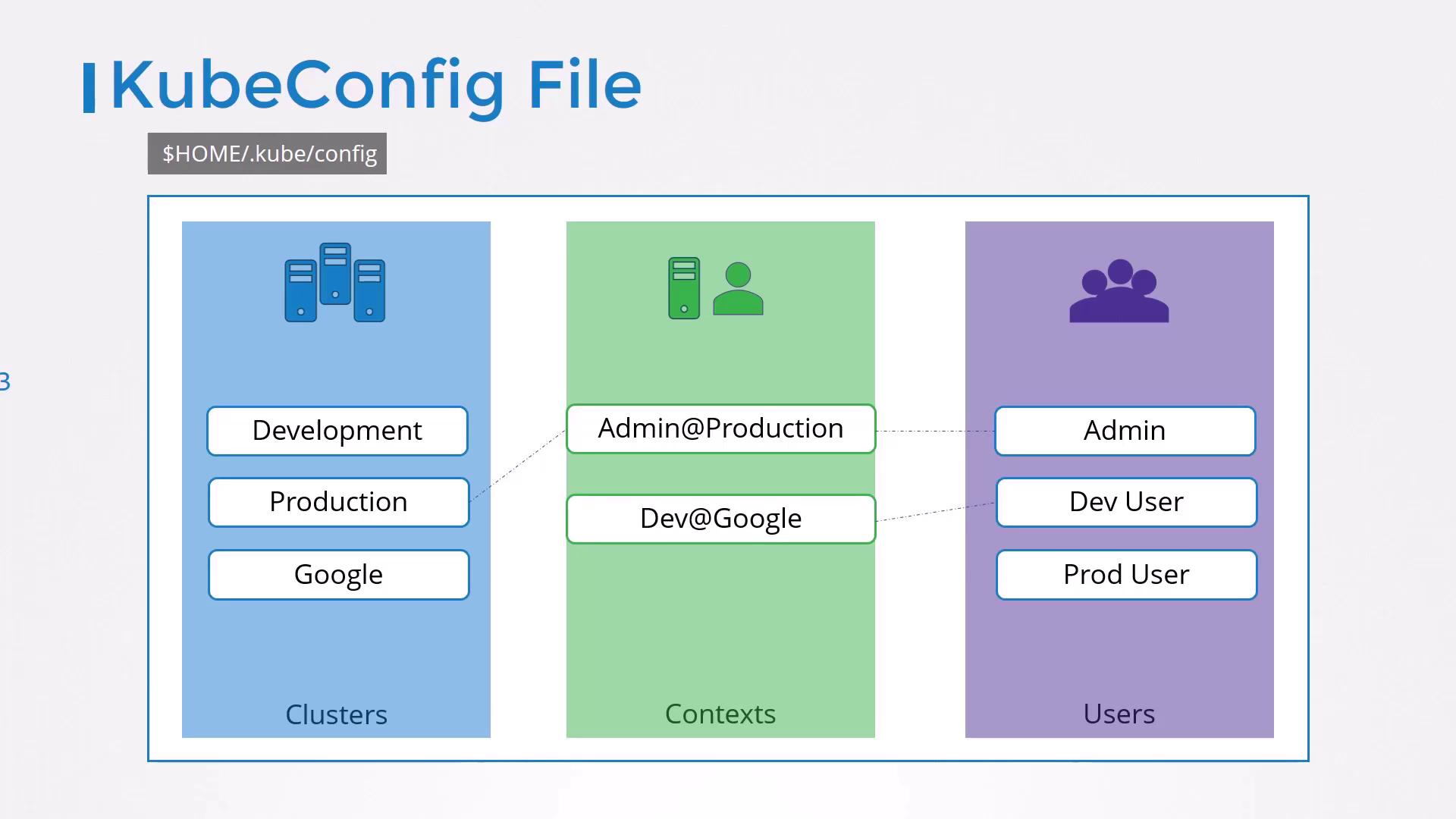
4.1 Minimal Example
5. Managing Multiple Clusters, Users, and Contexts
You can add as many entries as needed:5.1 Viewing and Switching Contexts
Use built-in commands to inspect or switch contexts:6. Setting a Default Namespace
Embednamespace in the context to avoid adding -n on every command:
kubectl get pods under this context defaults to the finance namespace.
7. Embedding Certificate Data Directly
Inline your certs and keys as base64 to avoid external files:Embedding secrets directly in your config can increase exposure risk. Always secure your files and consider encryption at rest.
8. Practice Exercises
- Create a second context for a staging cluster.
- Switch between contexts without retyping server flags.
- Embed certificates and verify connectivity.
- Troubleshoot an invalid certificate scenario.