

- High-Level Overview
- Step 1: DNS Resolution & Discovery
- Step 2: Port Scanning & Docker Daemon Exposure
- Step 3: Remote Docker API Enumeration
- Step 4: Container Escape via Dirty COW
- Step 5: Kubernetes Cluster Enumeration
- Step 6: Extracting Database Credentials
- Step 7: Tampering with Votes
- Attack Summary & Mitigations
- References
High-Level Overview
It’s the final day of the election between cats and dogs. Voters submit ballots at www.vote.com, and live results appear at www.result.com. Currently, dogs lead 71% to 29%: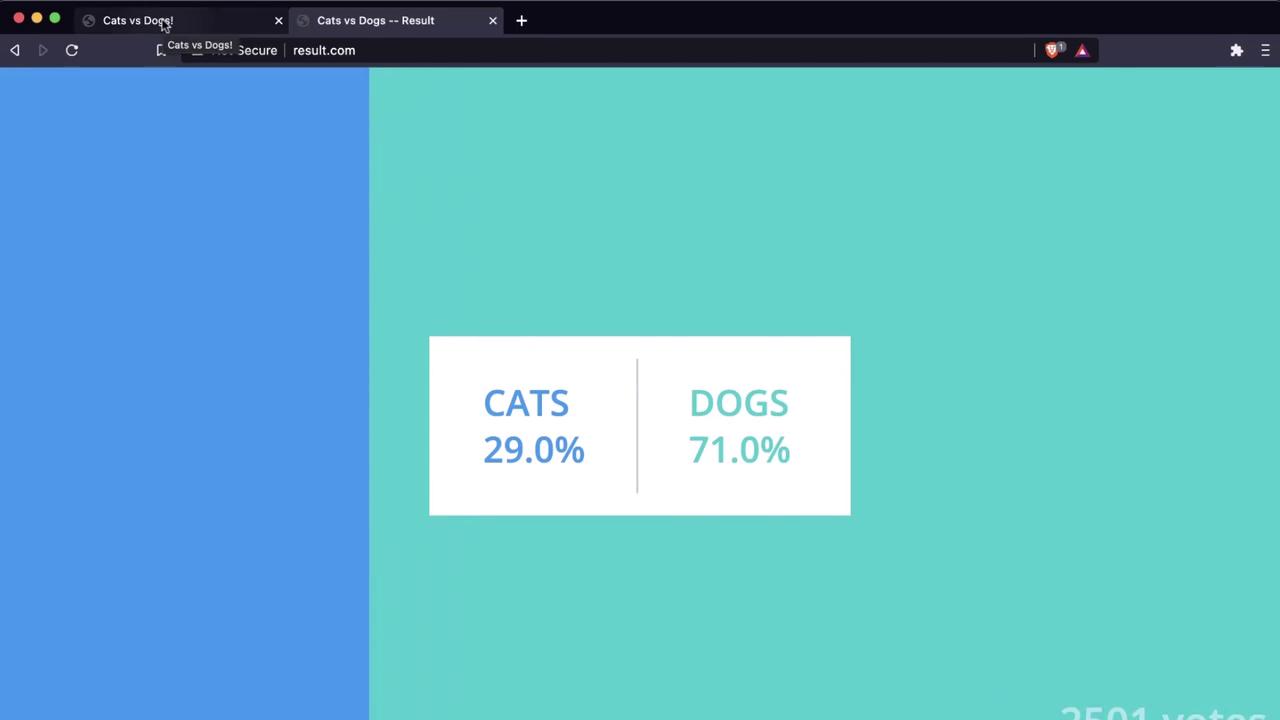
- Shared hosting (same IP for both domains)
- An exposed Docker daemon on port 2375
- A container escape via Dirty COW
- An unsecured Kubernetes Dashboard on port 30080
- Database credentials in plain environment variables
- A direct path to flip votes via a SQL update
Step 1: DNS Resolution & Discovery
First, she resolves both domains:104.21.63.124, indicating a shared host.
Step 2: Port Scanning & Docker Daemon Exposure
A quick port scan reveals an open Docker API port:An exposed Docker daemon on port
2375 allows unauthenticated remote commands. Always secure Docker API with TLS and authentication.Step 3: Remote Docker API Enumeration
With the API open, she lists containers and checks the Docker Engine version:- Containers: Multiple
k8s_*entries, indicating Kubernetes workloads - Server Version: Docker Engine 19.03.6, API v1.40
Step 4: Container Escape via Dirty COW
She launches a privileged Ubuntu container and exploits Dirty COW:Dirty COW is a Linux kernel privilege escalation vulnerability (CVE-2016-5195). Always keep kernels patched and restrict
--privileged container usage.Step 5: Kubernetes Cluster Enumeration
On the host, she inspects mounts and kernel info:k8s_ prefixes reveal a Kubernetes cluster. By examining iptables NAT rules, she discovers port 30080 forwarding to the Kubernetes Dashboard.
Visiting http://104.21.63.124:30080 shows an unsecured dashboard:
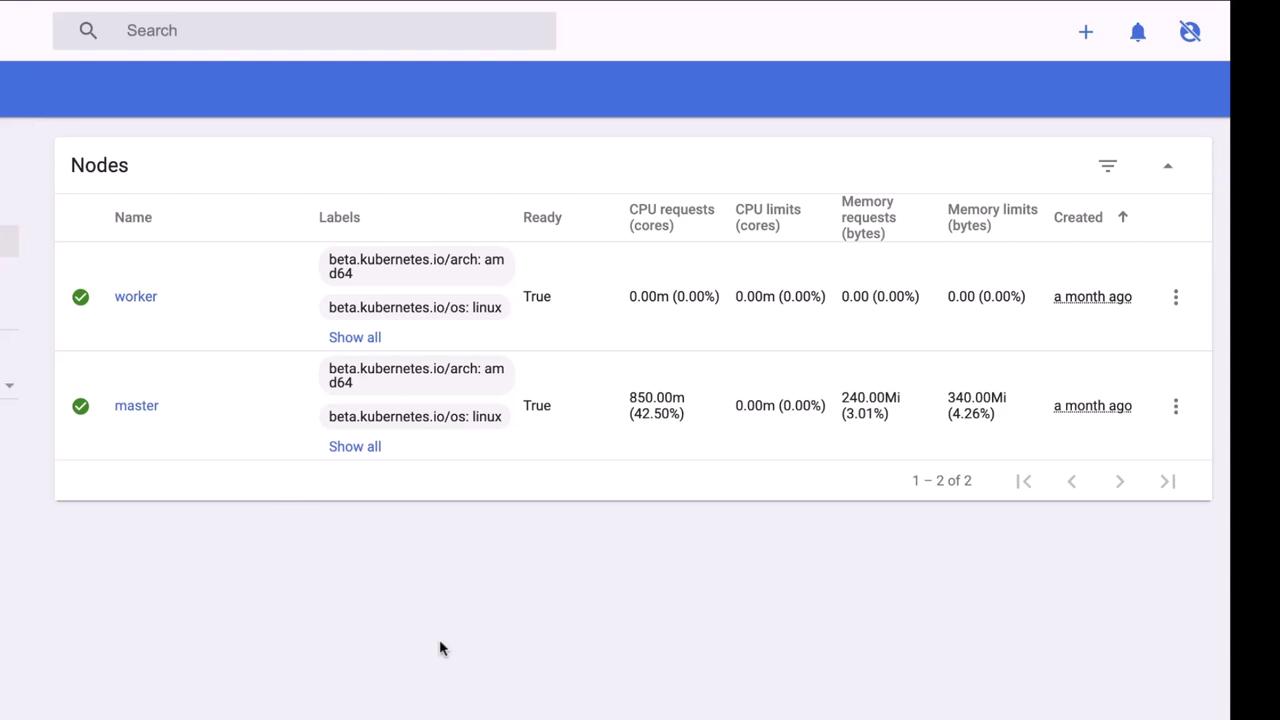
db, redis, vote, result, worker—are visible:
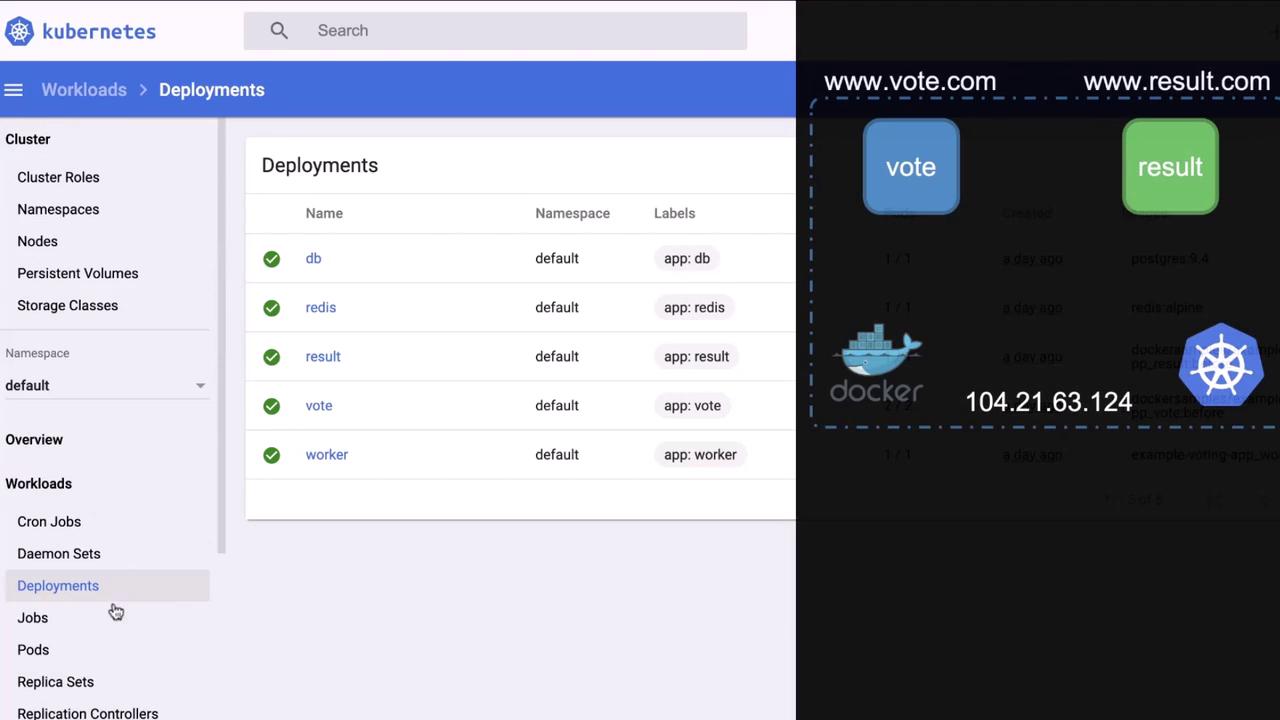
An unauthenticated Kubernetes Dashboard exposes cluster control. Always enforce RBAC, authentication, and network policies.
Step 6: Extracting Database Credentials
In the DB deployment’s environment variables, she finds Postgres credentials. She then executes into the DB container: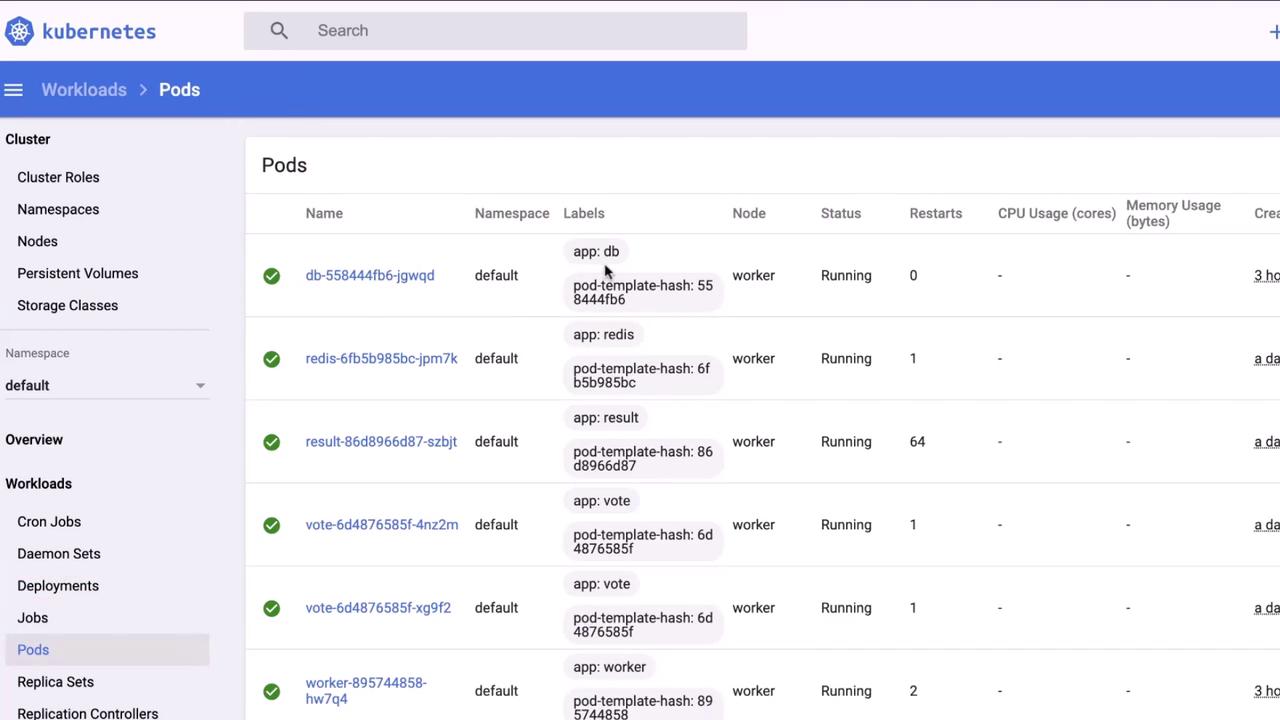
Step 7: Tampering with Votes
With DB access, she flips all dog votes to cats:Attack Summary & Mitigations
References
- Kubernetes Documentation
- Docker Remote API
- Dirty COW Vulnerability (CVE-2016-5195)
- Kubernetes Dashboard Security
- PostgreSQL Documentation