

Licensing models: predictable vs. consumption-based
Microsoft offers two primary licensing approaches for Copilot:- Monthly per-user license — a predictable, flat monthly fee per licensed user. This traditional model simplifies budgeting and finance: if you assign Copilot to 500 employees, the monthly cost is fixed regardless of usage. Ideal for broad rollouts where AI becomes a standard productivity tool across the organization.
- Pay-as-you-go (consumption-based) — flexible, usage-driven billing where costs scale with actual AI consumption (similar to a utility bill). This is useful for pilots, proofs of concept, seasonal spikes, or custom agents with unpredictable usage patterns. For example, a company piloting a new support agent may prefer paying only for requests processed rather than committing to fixed per-user licenses.
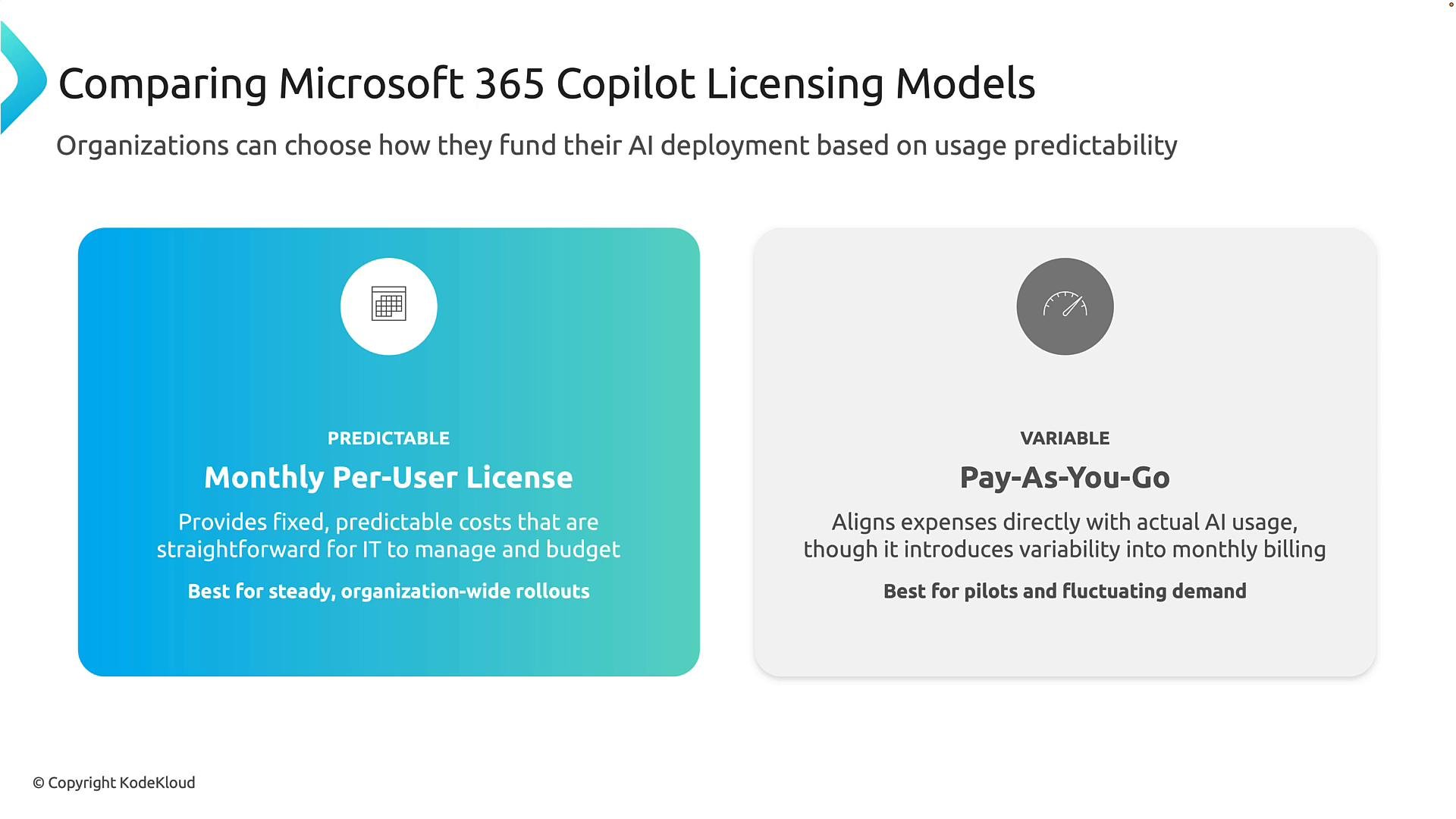
Choose per-user licensing for broad, consistent adoption. Choose consumption billing when usage is uncertain or highly variable (pilots, seasonal workloads, or custom agents).
Major Copilot licensing options (overview)
Below is a concise overview of the common Microsoft Copilot plans and how they are typically billed. Use this as a starting point for procurement discussions and cost comparisons.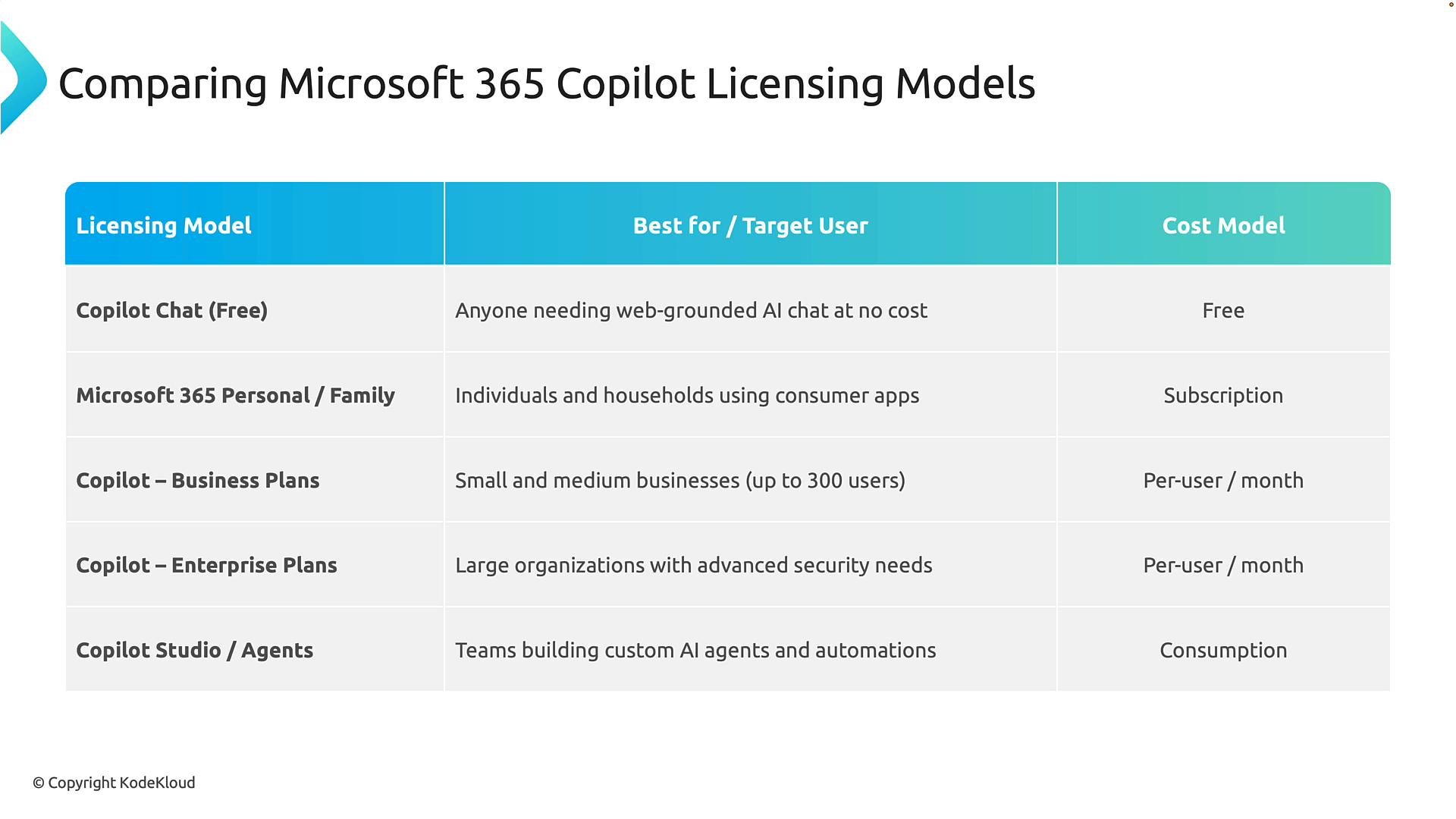
How to choose: procurement and governance considerations
When determining which model suits your organization, evaluate these factors:- Deployment scale — large, organization-wide rollouts typically favor per-user licensing for predictable costs.
- Usage variability — pilots, seasonal demand, and custom agents often benefit from consumption billing.
- Governance and compliance — enterprise plans provide controls, auditing, and integration features that matter for regulated environments.
- Cost forecasting — per-user models simplify financial planning; consumption models require monitoring and cost-management controls to prevent unexpected spend.
- Development and experimentation — Copilot Studio / Agents enables rapid development of custom assistants but introduces usage-based costs tied to agent activity.
Licensing terms, plan features, and pricing can change. Always confirm current details with Microsoft Sales or the official Microsoft documentation before finalizing procurement.
Next steps and resources
This licensing flexibility helps align procurement to deployment strategy and expected AI usage. Next, review how Copilot and agent capabilities will be deployed, managed, and governed in your environment — including identity, data access, auditing, and tenant-level controls. Useful references:- Microsoft 365 Copilot overview
- Copilot for Microsoft 365 pricing and plans
- Copilot Studio and agent development guidance