

Centralized compliance and governance
Microsoft Purview provides a single, unified portal for data protection, compliance, and governance. Instead of using multiple disconnected tools, organizations can manage retention, classification, data loss prevention, eDiscovery, and auditing from one place. Centralized management reduces administrative overhead, provides consistent policy enforcement across Microsoft 365 and hybrid environments, and improves visibility across the data estate.- Compliance administrators can manage retention and legal holds.
- Security teams can investigate sensitive-data risks.
- Data governance teams can catalog and classify information.
Use strict RBAC and licensing controls for eDiscovery-related roles. Grant elevated eDiscovery permissions only after appropriate approvals and oversight to reduce data exposure risk.
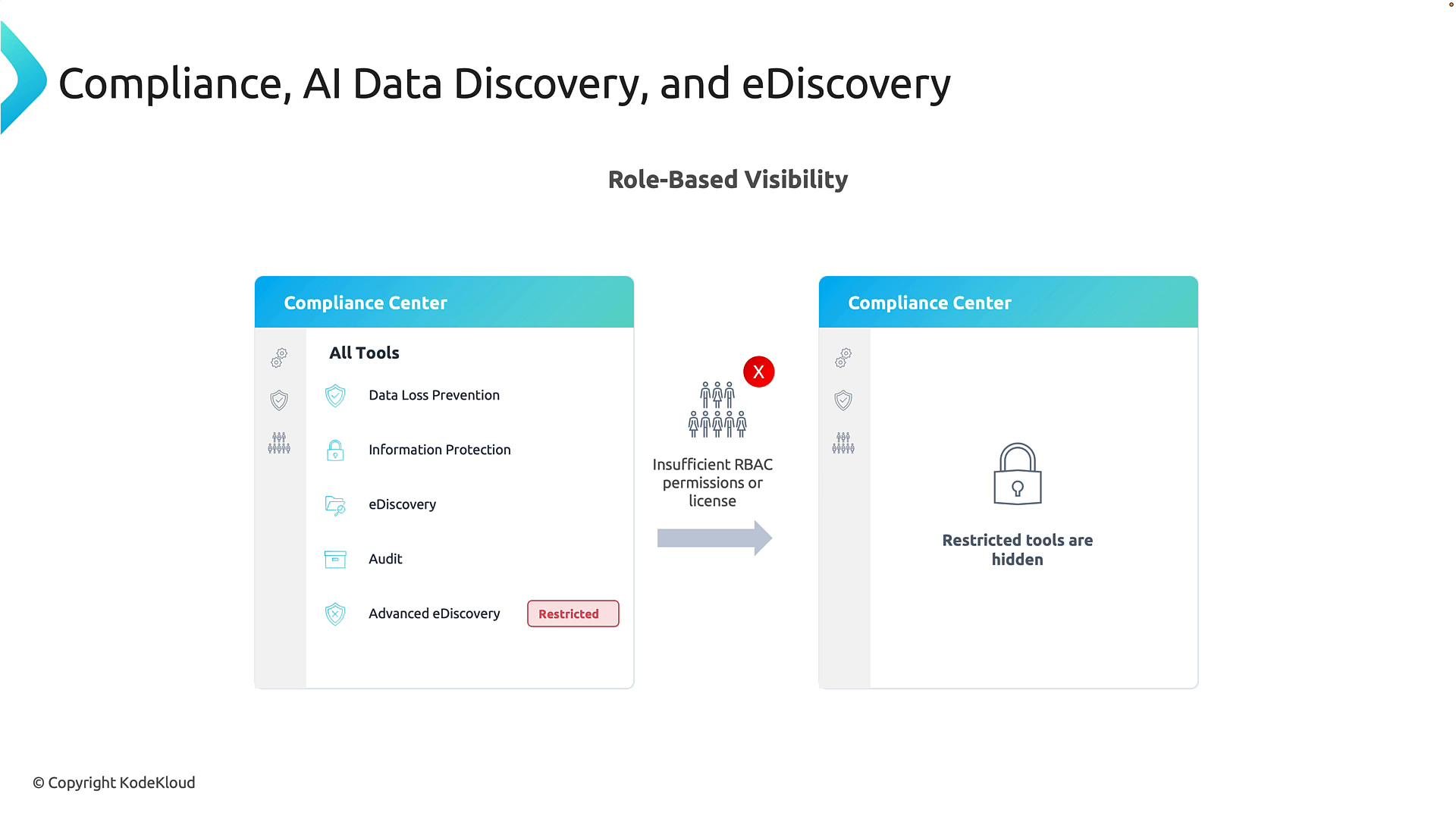
Role-Based Access Control (RBAC) and visibility
Security and compliance tools surface highly sensitive content. Purview uses RBAC to ensure users only see and can act on tools and data for which they are authorized. If a user lacks the appropriate permissions or licensing, features are hidden from their portal — minimizing accidental access and simplifying the interface.- RBAC reduces the attack surface by limiting who can run broad searches or place content on hold.
- Licensing gates are also enforced: some features (for example, Advanced eDiscovery) are available only with additional licensing.
eDiscovery: power and responsibility
eDiscovery enables searching mailboxes, SharePoint sites, OneDrive accounts, and Teams content across an organization. With sufficient permissions, administrators can execute targeted or broad searches, preview content, and place items on legal hold. Because eDiscovery can access highly sensitive data (including executive mailboxes), eDiscovery roles should be restricted and audited. Advanced eDiscovery capabilities are typically limited to a small set of trusted users and may require additional licensing. Key considerations:- Assign content-search and case-management permissions only to vetted personnel.
- Track and review eDiscovery activity in audit logs.
- Use least-privilege principles and approval workflows for elevated access.
Managing role groups in Purview
To review built-in role groups and the permissions they grant, open the Purview portal and go to:Settings → Roles and scopes → Role groups
Select a role group (for example, Purview Administrators, eDiscovery Manager) to view its permissions. The portal lists the actions each role can perform and the scope of those actions.
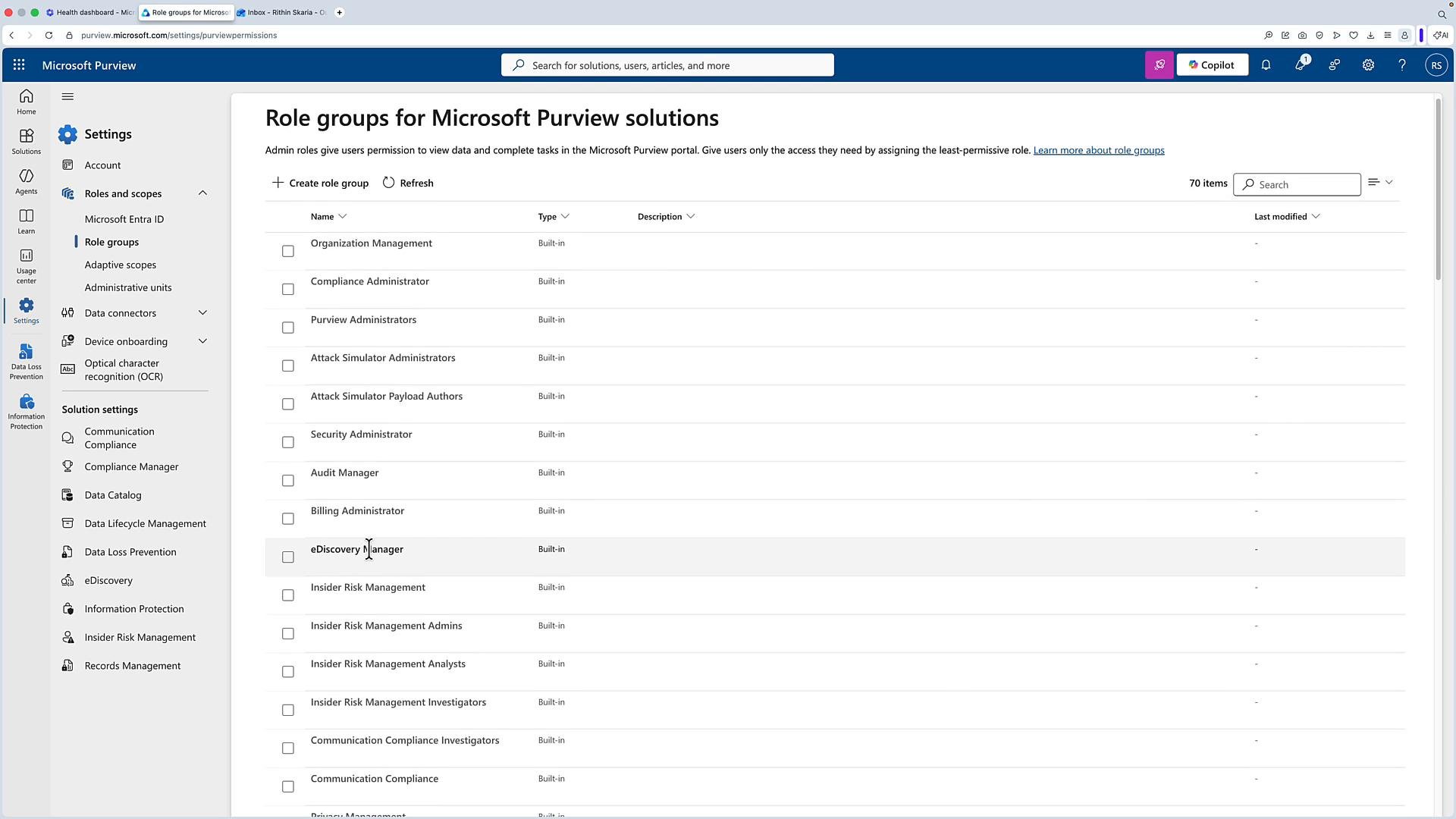
Common Purview role groups and typical permissions
Assign roles conservatively and document approvals for elevated privileges.
Best practices
- Enforce least privilege: give users only the permissions required for their role.
- Require approvals for assignment of eDiscovery Manager or Advanced eDiscovery roles.
- Monitor and audit eDiscovery activities to detect unusual searches or exports.
- Combine RBAC with conditional access and lifecycle processes (onboarding/offboarding).
- Microsoft Purview documentation: https://learn.microsoft.com/microsoft-365/compliance/microsoft-purview-overview
- eDiscovery overview: https://learn.microsoft.com/microsoft-365/compliance/ediscovery