

-
Standard Copilot
Standard Copilot delivers immediate, individual productivity gains with minimal or no customization. Typical ad hoc tasks include:- Summarizing long documents and reports
- Drafting or polishing emails
- Creating presentation outlines or slides
- Analyzing spreadsheets and generating insights
- Preparing meeting notes and action items
-
Prebuilt Agents
Prebuilt agents are purpose-built for frequent, high-volume scenarios and automate repetitive tasks. They’re quick to deploy and deliver rapid value without heavy development. Examples:- An HR agent that answers leave policy and benefits questions
- An IT help agent that guides employees through password resets and common troubleshooting
-
User-Created Agents
User-created agents are lightweight, department-focused solutions built by business users using low-code/no-code tools or templates. They solve routine, operational problems without extensive engineering. Examples:- A sales assistant that returns product specs and pricing guidance
- A finance helper that answers budget FAQs and pulls simple reports
-
SharePoint Agents
SharePoint agents are tuned to surface precise knowledge from SharePoint and document repositories. They help employees find the exact policy, procedure, or technical guidance they need. Example:- An employee queries the agent for a policy detail and receives the relevant section plus a link to the source document.
-
Advanced Agents
Advanced agents orchestrate complex workflows across multiple systems, apply custom business logic, and integrate with external APIs. They manage multi-step actions and automate end-to-end business processes. Example:- A new-hire onboarding agent that coordinates tasks across HR systems, identity management, training portals, and approval workflows, automating initiation through completion.
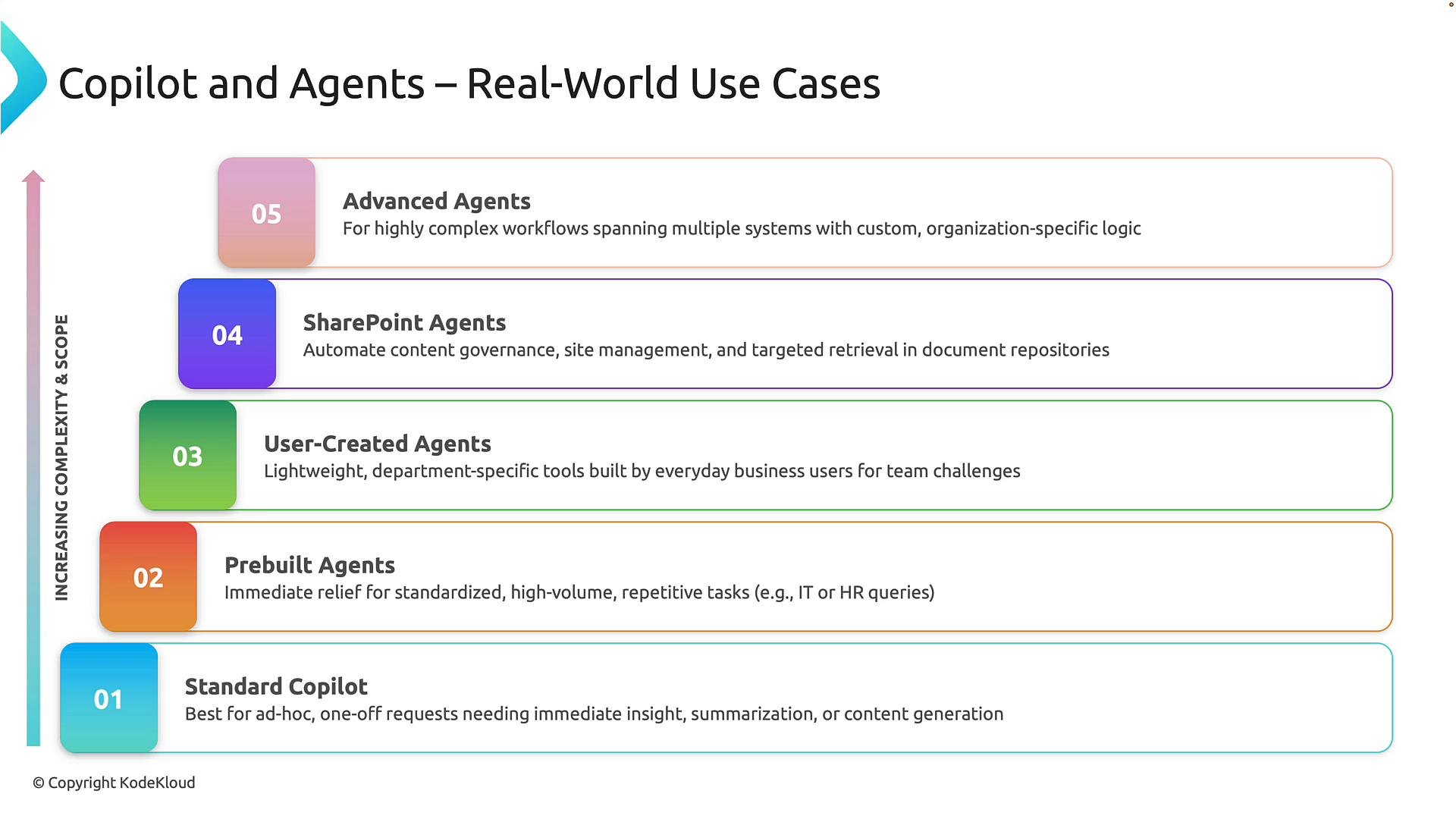
Key takeaway: Start with Standard Copilot to capture quick productivity wins. Expand to prebuilt and user-created agents to scale common scenarios, use SharePoint agents to surface institutional knowledge, and adopt advanced agents when you need end-to-end automation across multiple systems.
Important: As agent complexity grows, implement governance early — role-based permissions, data access policies, audit logging, monitoring, and integration testing are essential before broad deployment.
- Microsoft 365 Copilot overview: https://learn.microsoft.com/microsoft-365/copilot/overview
- Best practices for automation governance: https://learn.microsoft.com/azure/architecture/best-practices/governance
- SharePoint development and content management: https://learn.microsoft.com/sharepoint/