

Copilot across Microsoft 365 apps
Copilot is integrated into Word, Excel, PowerPoint, Outlook, and Teams. It helps with drafting, summarizing, data analysis, slide creation, email triage, and meeting recaps — cutting repetitive work and enabling higher-value tasks.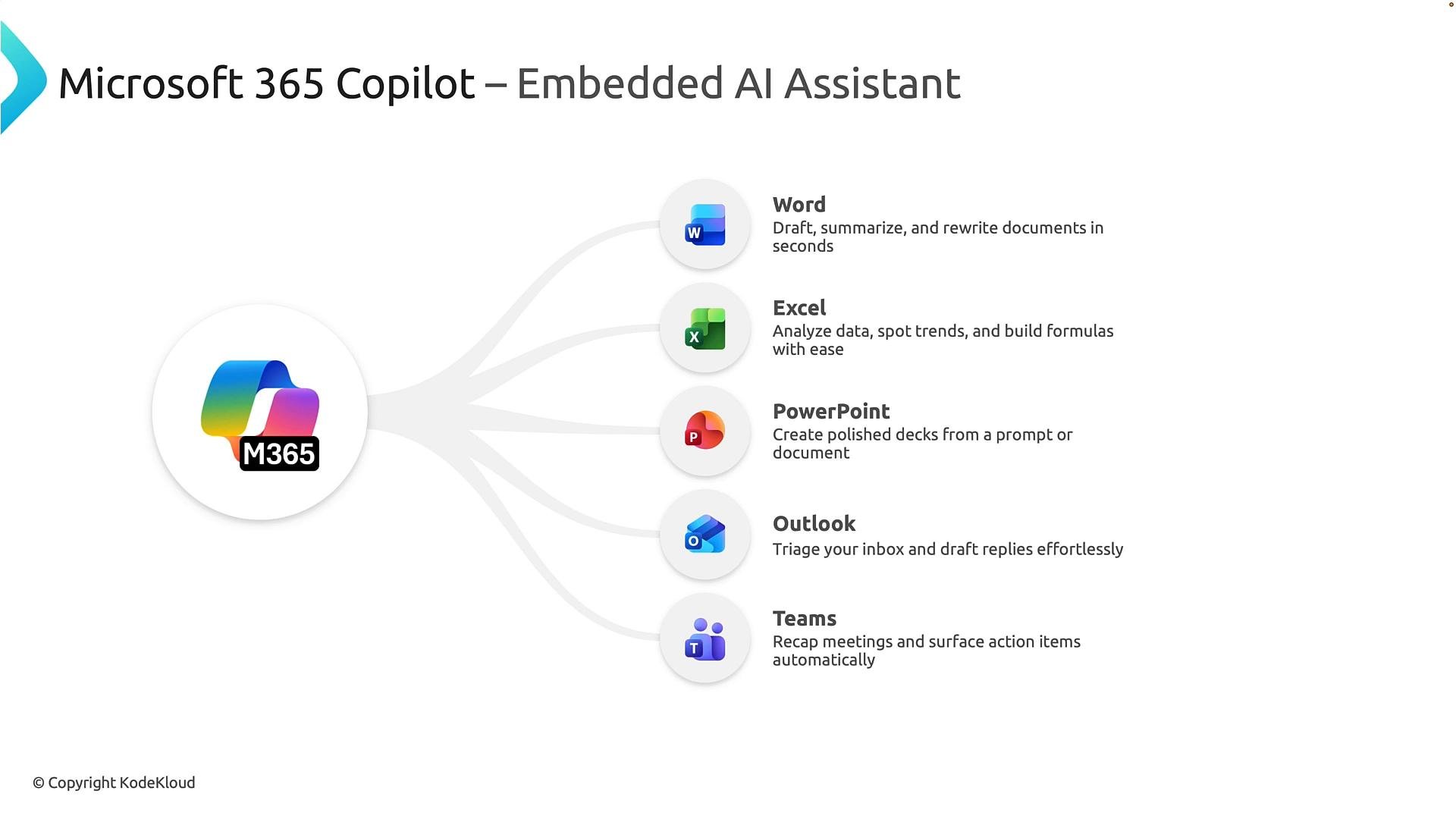
How Copilot accesses data — tenant-aware and permission-trimmed
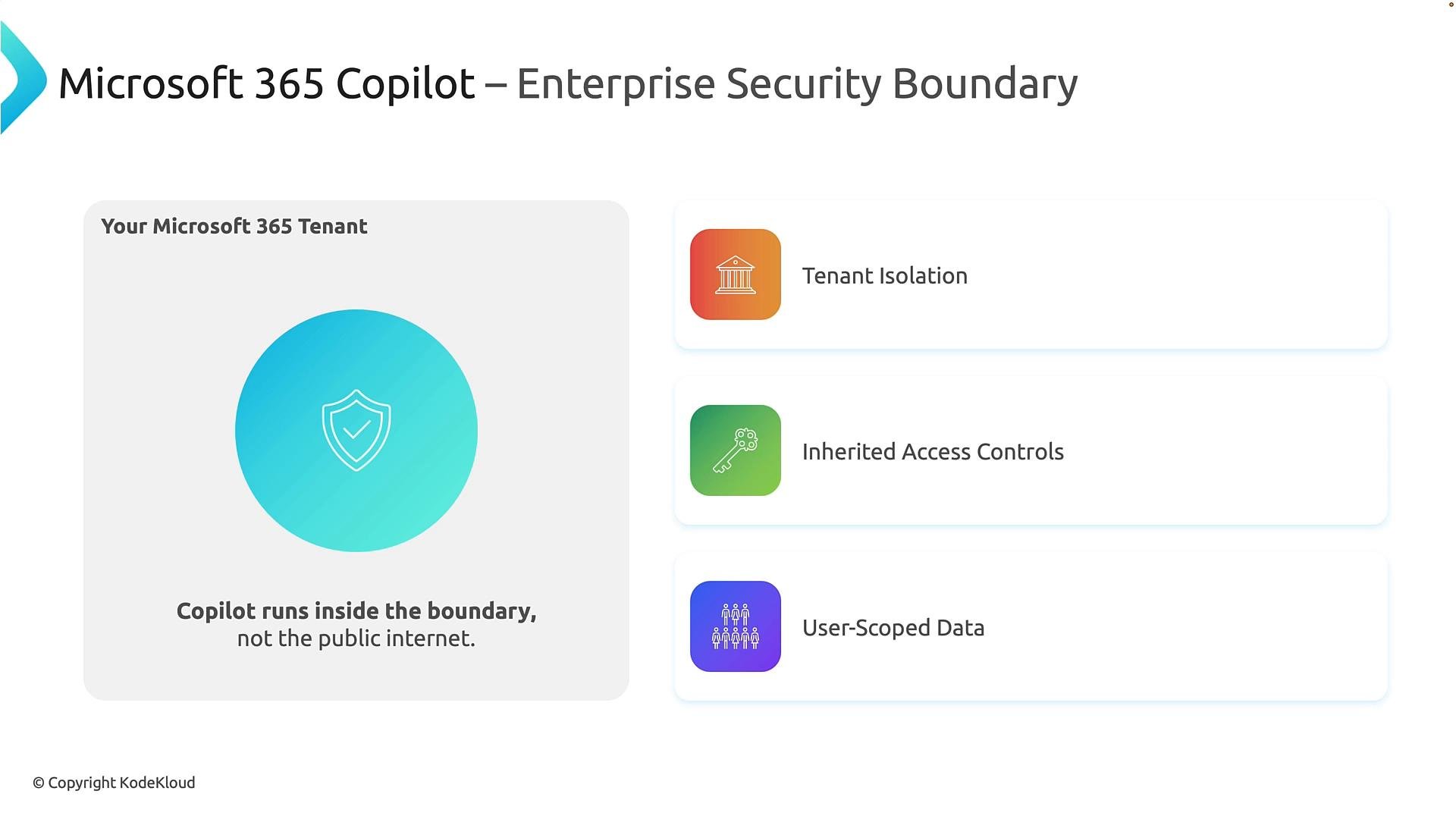
A key organizational question is: how does Copilot access enterprise data while keeping it secure? Copilot runs inside your Microsoft 365 tenant and honors the same access controls users already have. It does not grant new access or expose content to users who are not authorized. Three core security properties define this model:- Tenant isolation — Data remains separated between organizations.
- Inherited access controls — Copilot enforces the user’s existing permissions.
- User-scoped data — Outputs are generated based on the requesting user’s access.
Copilot does not bypass existing security controls. It surfaces and synthesizes only the content a user is already authorized to access.
Core architecture: how Copilot produces grounded, compliant responses
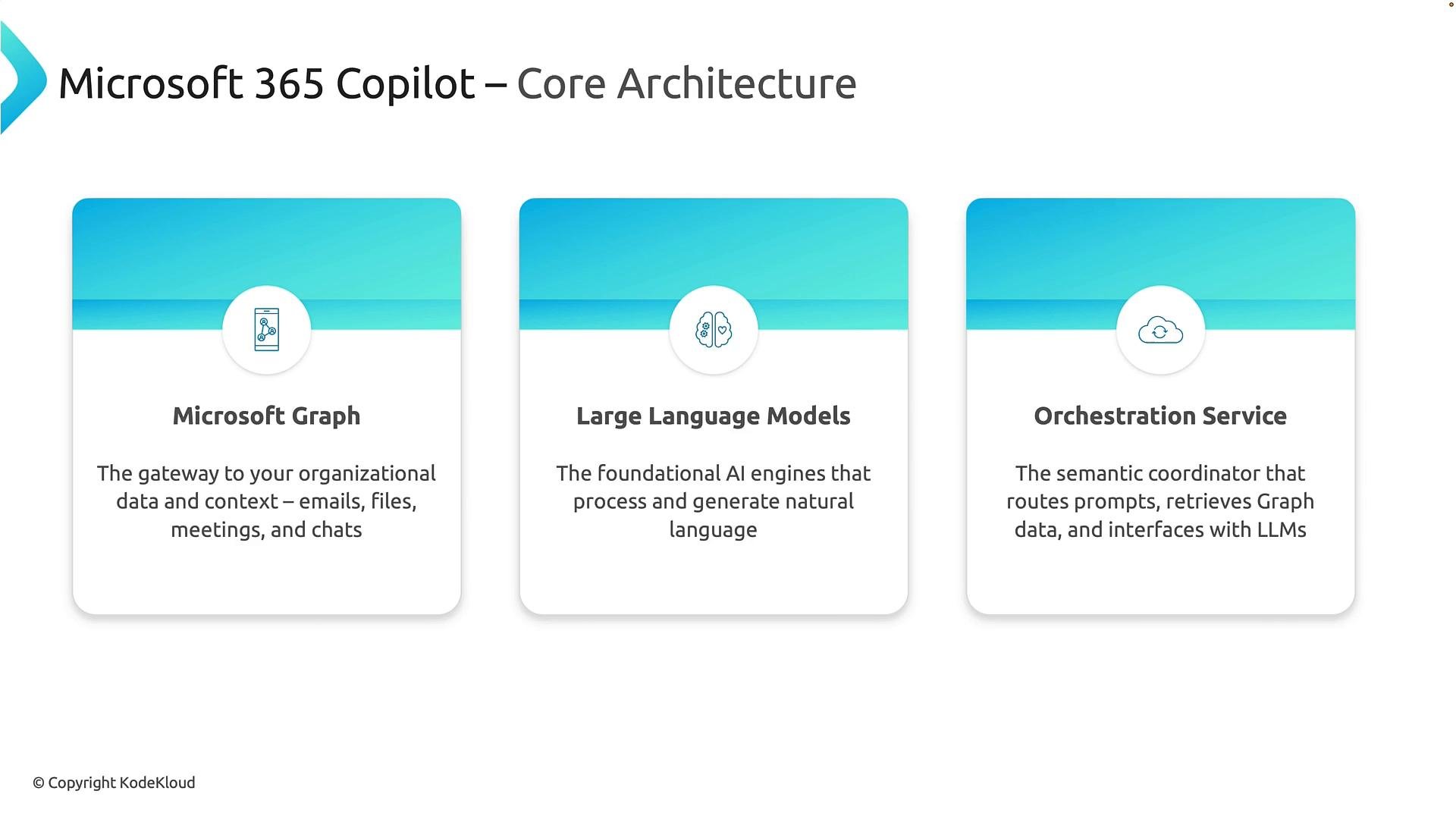
Copilot is built from three collaborating layers:- Microsoft Graph — the knowledge layer and permission-aware gateway to Microsoft 365 content (Exchange, SharePoint, OneDrive, Teams, Viva, etc.).
- Large Language Models (LLMs) — the reasoning and language engines that interpret prompts and generate responses.
- Orchestration service (semantic coordinator) — the component that determines required context, retrieves permission-trimmed data from Microsoft Graph, applies policies and compliance checks, and constructs the enriched prompt sent to the LLM.
- The user submits a prompt (for example, “Summarize all customer issues discussed last month”).
- The orchestration service identifies necessary content and retrieves permission-trimmed context from Microsoft Graph.
- The enriched prompt and context are sent to the LLM for grounding and reasoning.
- Enterprise guardrails, compliance, and policy checks are applied to the generated output before returning it to the user.
Microsoft Graph — the organizational memory
Microsoft Graph provides a unified, permission-aware view of enterprise content and relationships: people, teams, files, meetings, chats, calendars, and tasks. Instead of searching multiple endpoints, the orchestration layer queries Graph for relevant, permission-trimmed data to ground LLM responses in real business context.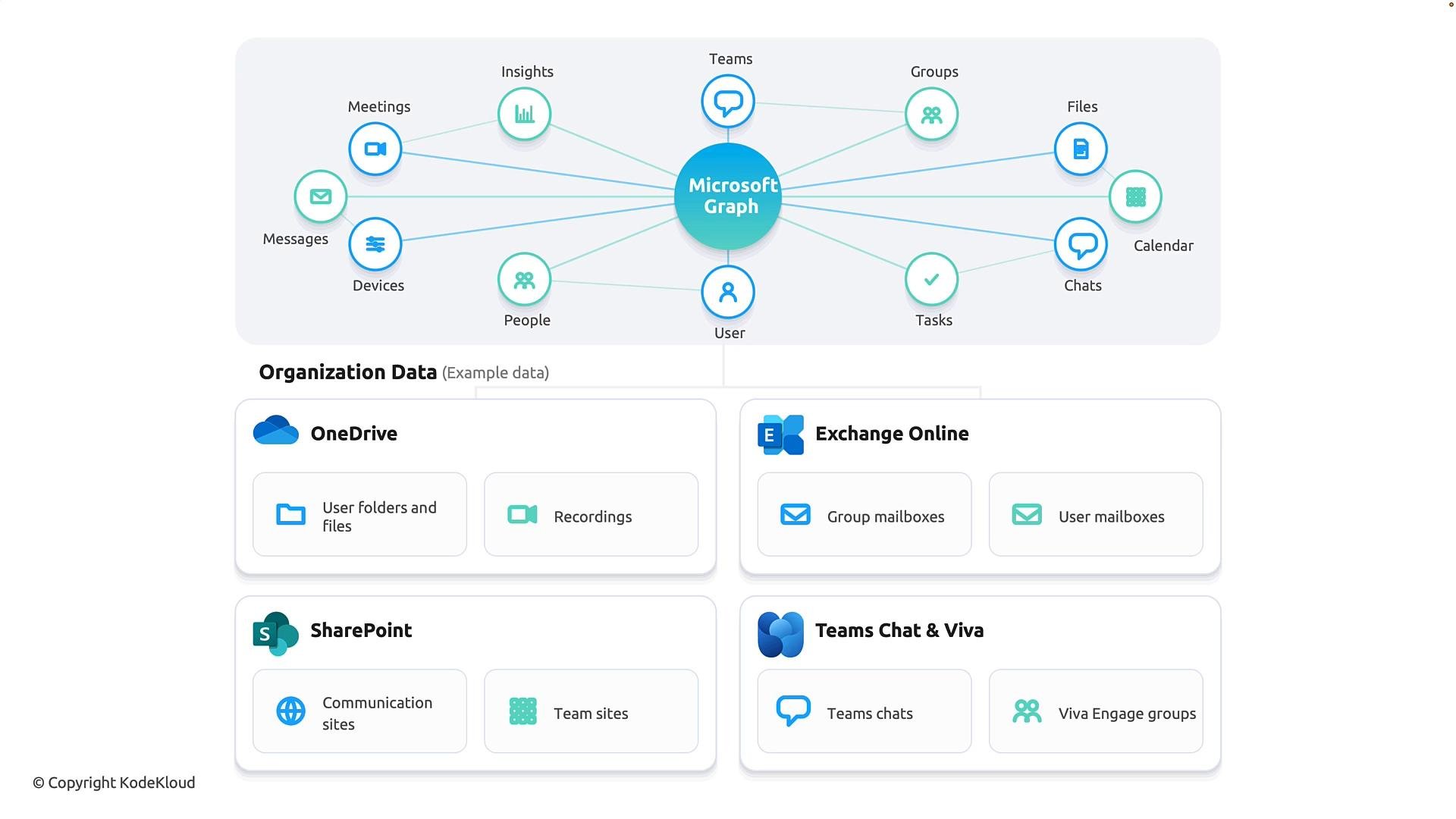
LLMs — the reasoning and language layer
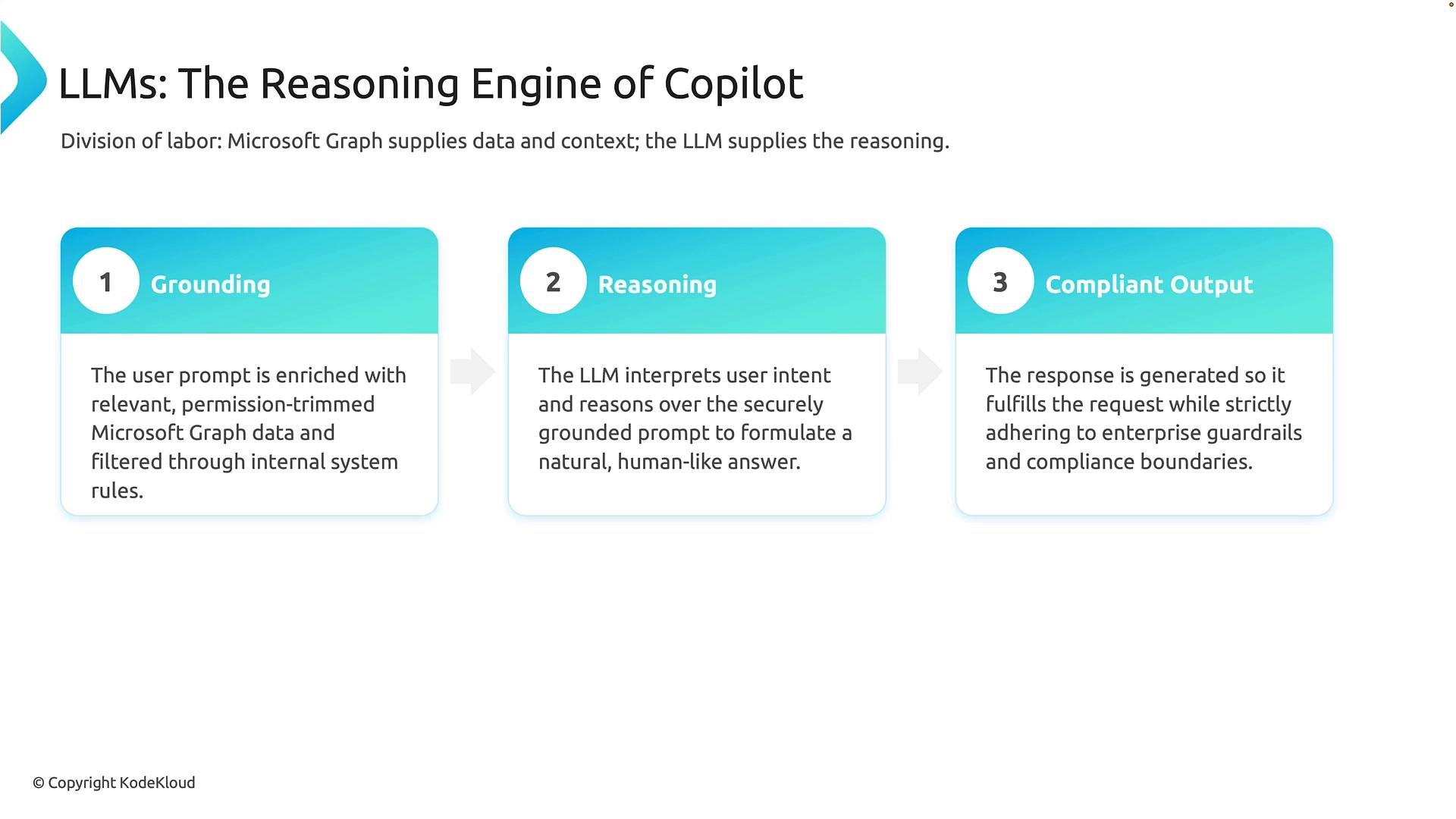
Think of Microsoft Graph as providing business knowledge and the LLM as the reasoning engine. The end-to-end interaction unfolds in three stages:- Grounding — The orchestration service enriches the user prompt with permission-trimmed Graph content.
- Reasoning — The LLM interprets intent, synthesizes information, and performs analysis.
- Compliant output — Organizational safeguards and compliance checks are applied before delivering the response.
Request flow summary
- User submits a prompt.
- Orchestration retrieves permission-trimmed context from Microsoft Graph and applies system policies.
- The LLM performs grounding and reasoning on the enriched prompt.
- Guardrails and compliance checks vet the output before it is returned.
Copilot in the Microsoft 365 user experience
Here are practical examples of how Copilot appears in the apps. Inside Outlook on the web you can open Copilot to draft or edit emails. For example:- “Send an email to admin saying that I’ll be delayed for the board meeting.” Copilot can draft the email for review even if “admin” isn’t in your contacts.
- “Summarize this thread” yields a concise summary: key points, whether it’s a security or compliance alert, who performed actions, and potential follow-ups. Copilot can draft suggested replies or follow-up tasks.
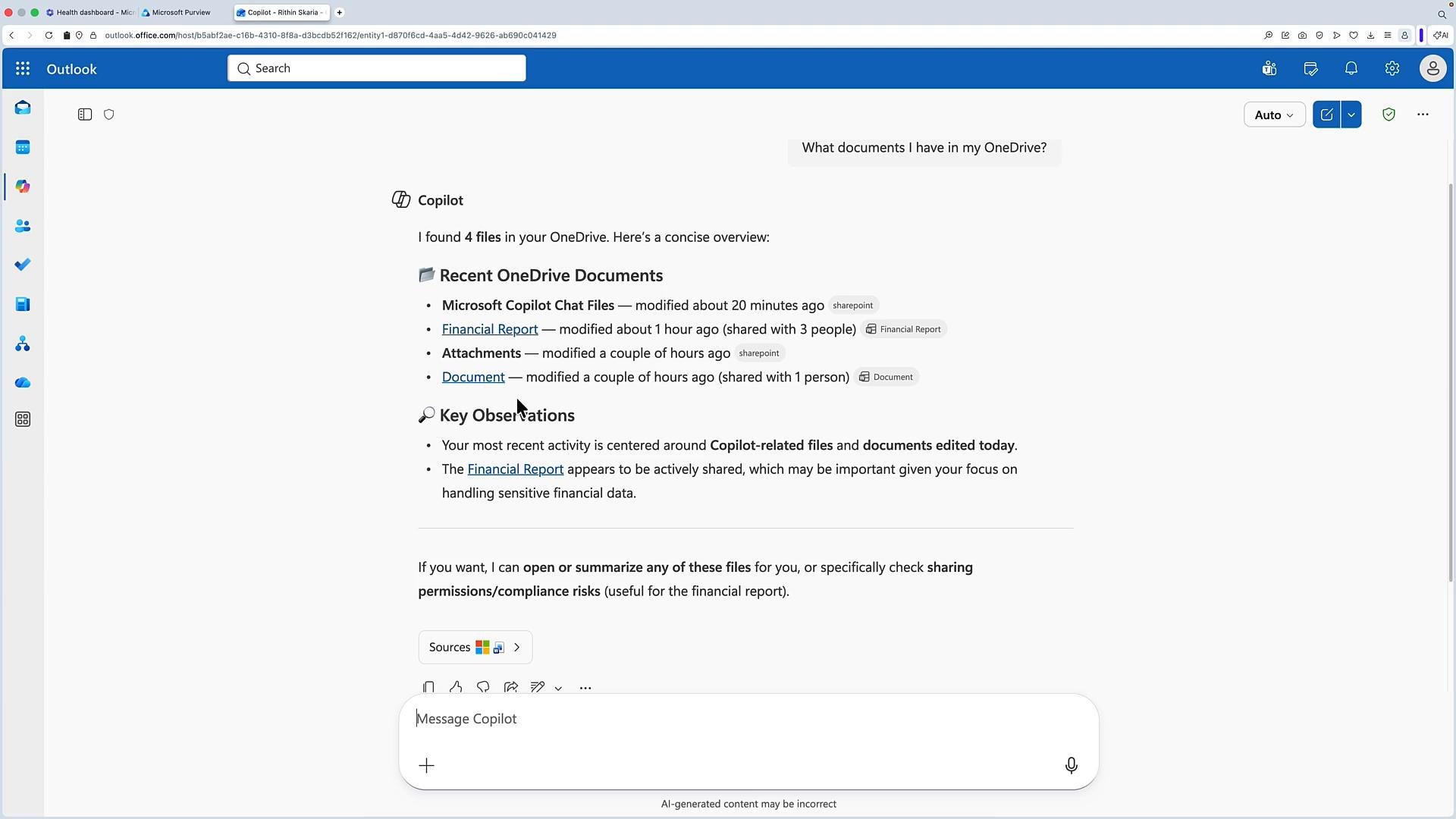
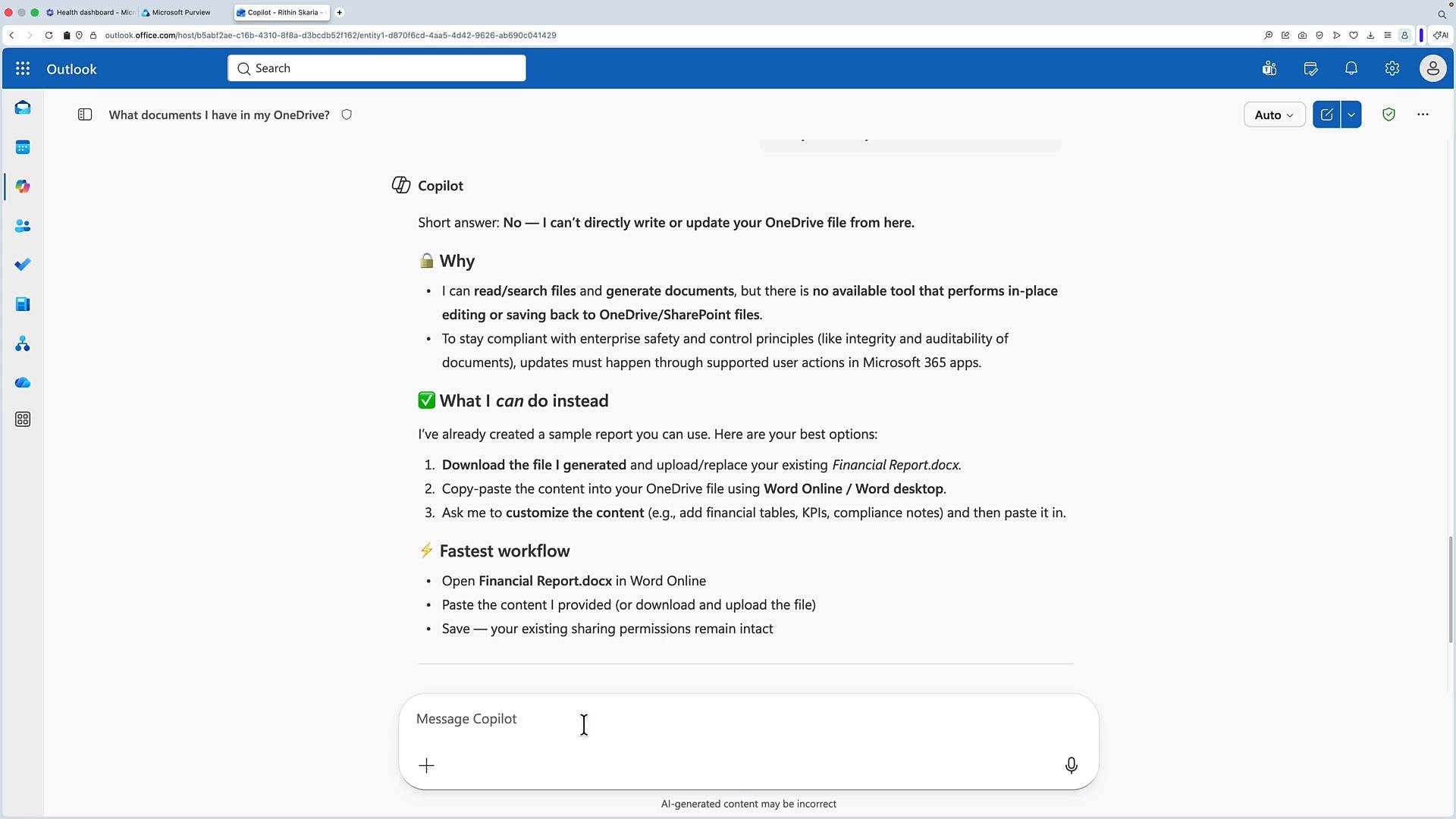
- Data protection and retention settings applied to chats and prompts are respected.
- Administrators can configure available models and set response policies.
- Users can select response styles (quick answers vs. deeper reasoning).
Key takeaways
- Copilot is an embedded AI assistant across Microsoft 365 apps that accelerates drafting, summarization, analysis, and meeting recaps.
- It runs inside your tenant boundary and enforces existing permissions — Copilot cannot access content a user isn’t authorized to view.
- The architecture combines Microsoft Graph (knowledge), orchestration (permission-trimmed context and policy enforcement), and LLMs (reasoning and language) to deliver grounded, compliant outputs.
- Microsoft Graph overview: https://learn.microsoft.com/graph/overview
- Microsoft 365 documentation: https://learn.microsoft.com/microsoft-365
- Microsoft Copilot information: https://learn.microsoft.com/microsoft-365/copilot