

Zero Trust fundamentals in Microsoft 365
Zero Trust is the principle of “never trust, always verify.” In Microsoft 365, policy enforcement—primarily via Conditional Access—sits at the center of access decisions. Microsoft aggregates telemetry, threat intelligence, and risk signals from multiple sources to evaluate each access attempt and adapt protections automatically. Key signal sources and roles:- Identity: Microsoft Entra ID (formerly Azure AD) provides core identity and access management. Microsoft Defender for Identity adds signals from on-premises Active Directory, detecting suspicious authentication and lateral movement.
- Endpoints: Microsoft Endpoint Manager (including Intune) checks device health, compliance, and endpoint security posture before access is allowed.
- Applications and cloud services: Microsoft Defender for Cloud Apps (formerly MCAS) monitors user activity and sessions in SaaS and cloud apps to surface risky behavior.
- Data protection: Microsoft Purview classifies, labels, encrypts, and applies protection policies (DLP, retention, sensitivity labels) to sensitive information.
Core components and signals (at-a-glance)
Phased approach: a practical Zero Trust roadmap
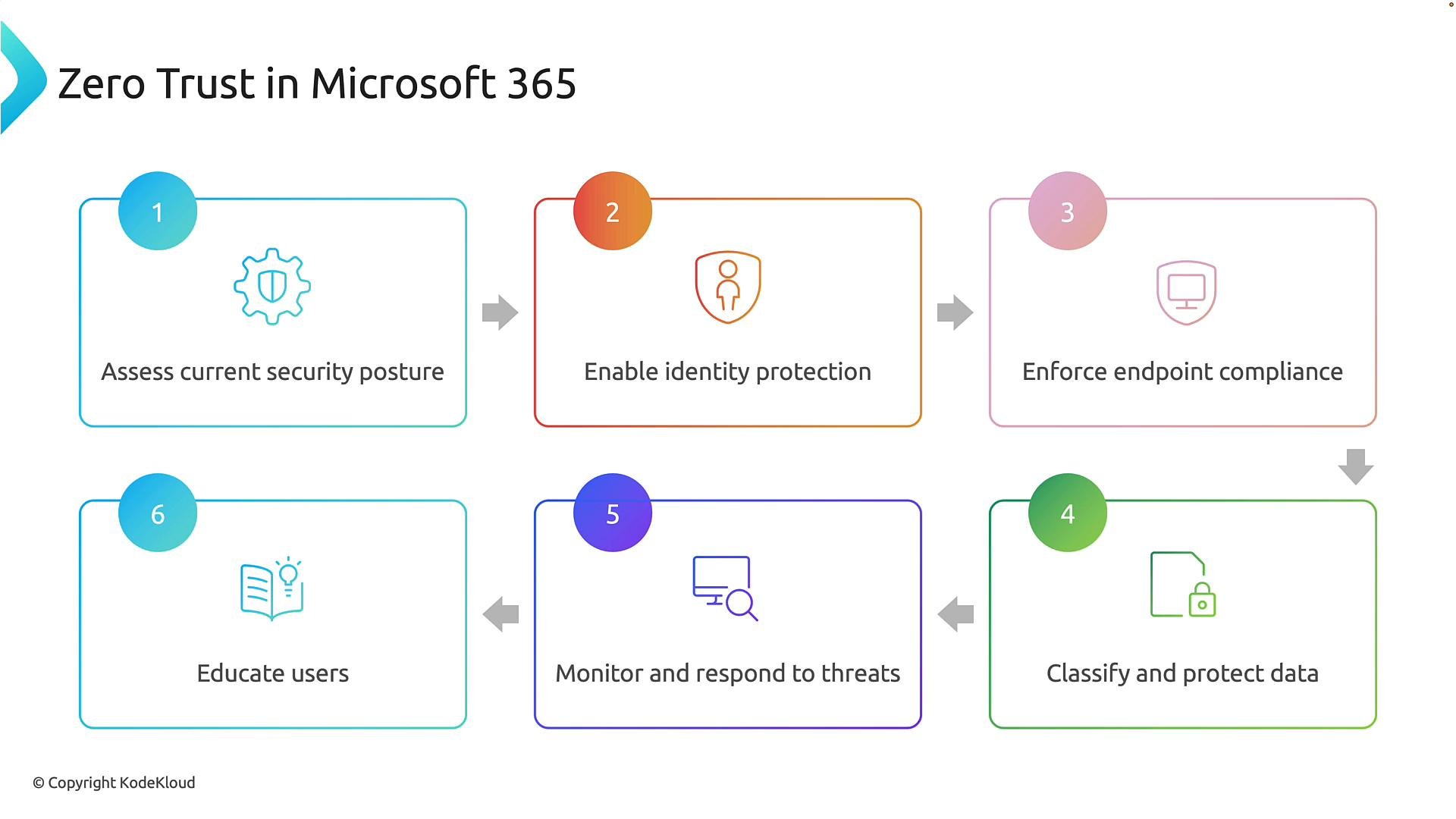
Zero Trust is a journey, not a one-time project. Microsoft recommends a phased approach that progressively hardens identity, devices, apps, and data:-
Assess current security posture
- Inventory identities, devices, apps, and data. Identify gaps, high-risk users, and critical assets.
-
Enable identity protection
- Implement MFA broadly, configure Conditional Access policies (risk-based and location/device constraints), enable identity risk detection.
-
Enforce endpoint compliance
- Require device compliance through Intune and Conditional Access. Ensure patching, encryption, antivirus, and disk protection are enforced.
-
Classify and protect data
- Discover sensitive data, apply sensitivity labels, and enforce DLP and encryption with Microsoft Purview.
-
Monitor and respond to threats
- Enable Microsoft Defender solutions for endpoint, identity, and cloud app threat detection and incident response workflows.
-
Educate users
- Provide security awareness training (phishing resistance, password hygiene, safe data handling). People remain a critical control.
Typical early deployment checklist
- Enforce MFA for all accounts.
- Create Conditional Access policies that require compliant devices for high-value apps.
- Roll out Intune device enrollment and baseline compliance policies.
- Apply sensitivity labels to confidential content and configure DLP for critical locations.
- Enable Defender alerting and streamline incident response playbooks.
- Conduct targeted security awareness campaigns for privileged users and high-risk groups.
Example access decision (how signals combine)
A user signs in:- From a corporate-managed, compliant device in a normal location → access granted with standard privileges.
- From an unmanaged device in a new country with an atypical risk score → Conditional Access evaluates the combined risk signals and can require MFA, restrict access to web-only or browser-isolated sessions, or block access completely.
Implementation stages and operational focus
Implementation includes:- Identity protection: baseline MFA, password protection, identity governance.
- Conditional Access policy design: policy scoping, testing, sequencing, and exclusions.
- Intune device compliance and configuration management: enrollment, compliance policies, configuration profiles, update rings.
- Monitoring and troubleshooting: logging, alert tuning, SIEM integration (Microsoft Sentinel), and automated playbooks.
- Information protection strategies: classification, labeling, encryption, DLP, and retention.
Zero Trust is continuous: design your policies and operational processes to evaluate trust at every access attempt and adapt automatically as risk signals change.
Links and references
- Microsoft Entra (Azure AD) documentation: https://learn.microsoft.com/en-us/azure/active-directory/
- Microsoft Endpoint Manager (Intune) documentation: https://learn.microsoft.com/en-us/mem/intune/
- Microsoft Defender for Endpoint: https://learn.microsoft.com/en-us/microsoft-365/security/defender-endpoint/
- Microsoft Defender for Cloud Apps: https://learn.microsoft.com/en-us/cloud-app-security/
- Microsoft Purview (Information Protection & Governance): https://learn.microsoft.com/en-us/microsoft-365/compliance/