

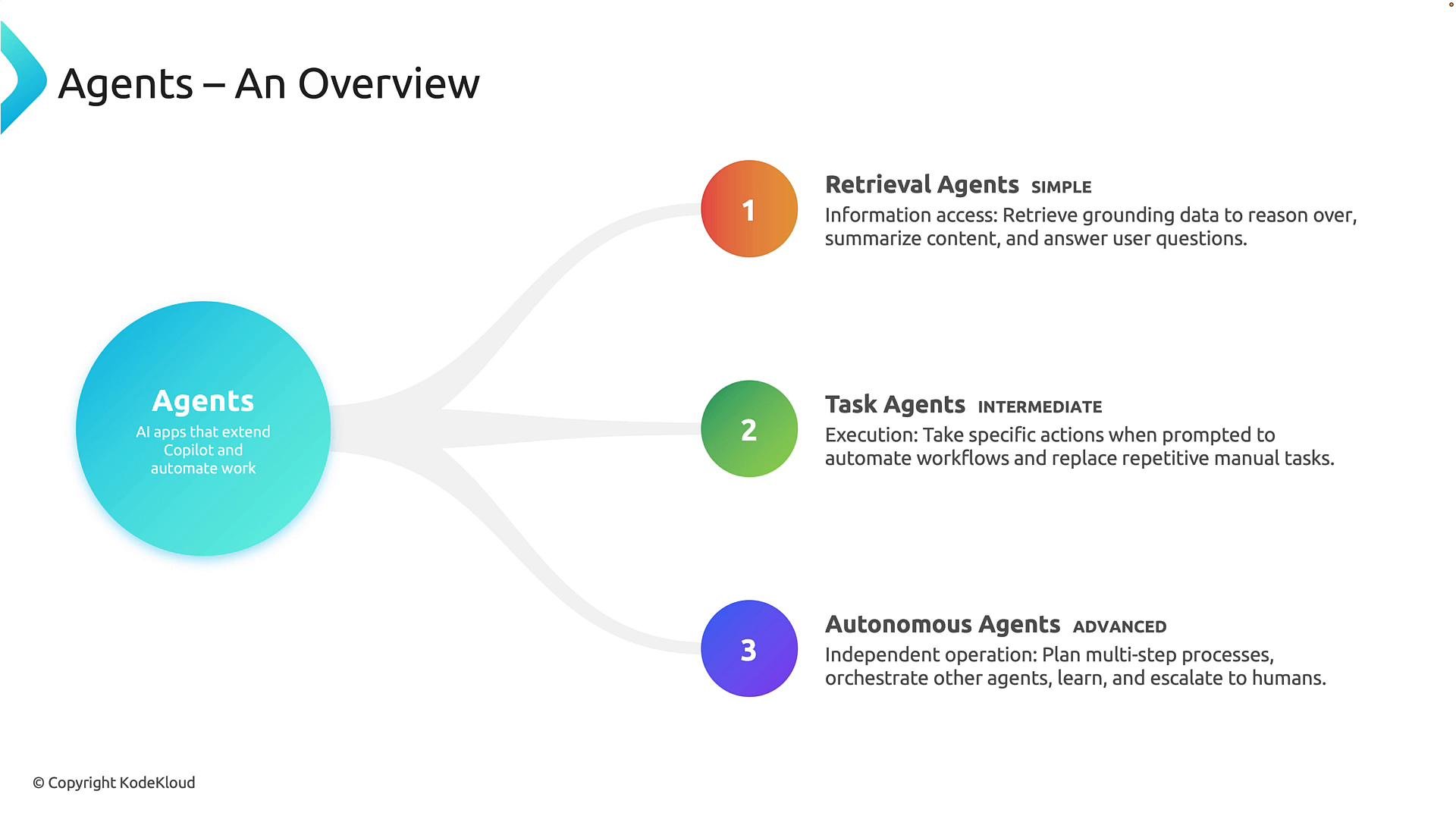
1) Retrieval agents (simple)
Retrieval agents focus on locating, organizing, and presenting information. Their main role is to gather grounding data that downstream reasoning, summarization, or person-facing answers can rely on. Examples:- An HR user asks, “What is our organization’s remote work policy?”
The retrieval agent searches approved sources such as SharePoint, policy handbooks, and knowledge bases, then returns the most relevant policy excerpts and citations. - A sales rep asks, “Show me all interactions with customer XYZ over the last six months.”
The agent aggregates emails, meeting notes, CRM records, and related documents, then summarizes the interactions.
2) Task agents (intermediate)
Task agents carry out specific business processes when directed by a user. Think of them as digital workers that automate repeatable administrative tasks and workflows. Examples:- A manager says, “Create a new project workspace, schedule a kickoff meeting, and notify the project team.”
A task agent can provision the workspace, add relevant members, create the calendar event, and send the invitation automatically. - An employee onboarding agent: when a new hire joins, the agent can create user accounts, assign Microsoft 365 licenses, add Teams memberships, schedule orientation sessions, and send welcome communications.
3) Autonomous agents (advanced)
Autonomous agents manage complex, multi-step processes with minimal human intervention. They plan activities, coordinate with other agents, monitor conditions, make recommendations, and escalate issues when necessary. Examples:- Supply chain: an autonomous agent continuously monitors inventory levels, supplier performance, shipping delays, and demand forecasts. If inventory drops below a threshold, it may identify alternate suppliers, create purchase requests, notify stakeholders, and track resolution.
- Customer support: an autonomous agent triages incoming cases, gathers supporting information, coordinates with specialized agents, resolves routine issues autonomously, and escalates only high-priority cases to human staff.
Progression and considerations
There is a natural progression from retrieval → task → autonomous agents:- Retrieval agents answer questions and surface evidence.
- Task agents perform actions and automate defined workflows.
- Autonomous agents manage processes end-to-end and make contextual decisions.
As automation increases, include clear governance, audit trails, and human-in-the-loop checkpoints to manage risk and maintain compliance.
- Microsoft 365 Copilot overview
- Microsoft security and compliance
- Designing trustworthy AI systems (guidance and best practices)