

Creating a Replication Controller
Let’s start by creating a replication controller definition file namedrc-definition.yaml. Every Kubernetes definition file comprises four main sections: API version, kind, metadata, and spec. For our replication controller:
- apiVersion: Set to
v1because the Replication Controller is supported under this version. - kind: Set to
ReplicationController. - metadata: Contains the name (
myapp-rc) and labels (appandtype) for identification. - spec: Defines the desired state, including the number of replicas and a Pod template.
template section. Ensure the Pod details are indented correctly under template to nest them properly as the replication controller’s child.
Below is the combined definition:
myapp-rc, indicating their management origin.
Introducing ReplicaSets
The ReplicaSet is the modern, recommended approach for ensuring a specified number of Pod replicas. In a ReplicaSet definition:- apiVersion: Use
apps/v1(instead ofv1). - kind: Set to
ReplicaSet. - metadata and template: Similar to the replication controller, but with an additional required field.
- selector: The
matchLabelsselector identifies which Pods are managed by the ReplicaSet. This field is important because it allows the ReplicaSet to adopt existing Pods that match the provided labels.
Understanding Labels and Selectors
Labels are key-value pairs assigned to Kubernetes objects that enable you to group and select resources. For example, if you deploy three instances of a front-end application as Pods, you can label them accordingly and create a ReplicaSet with a matching selector. This tells the ReplicaSet which Pods to monitor. Even if the Pods already exist, the ReplicaSet will only create new ones if an existing Pod dies, ensuring that the desired number is maintained. Below is a snippet showing matching labels in a ReplicaSet selector and the corresponding Pod metadata:Ensure that the labels defined in the ReplicaSet’s selector exactly match those in the Pod template. Mismatches can lead to unexpected behavior where the ReplicaSet fails to manage the intended Pods.
Scaling a ReplicaSet
If you need to scale your ReplicaSet from 3 to 6 replicas, there are two common approaches:-
Update the Definition File:
Modify thereplicasfield in yourreplicaset-definition.yamlfile to 6, then apply the change using: -
Use the kubectl Scale Command:
Scale directly from the command line with one of these commands:Or by specifying the ReplicaSet name:
Remember that when you use the scale command, the change only affects the running ReplicaSet. The original definition file will still show the previous replica count until you update it.
Command Review
Below is a quick reference for essential Kubernetes commands used in this lesson:
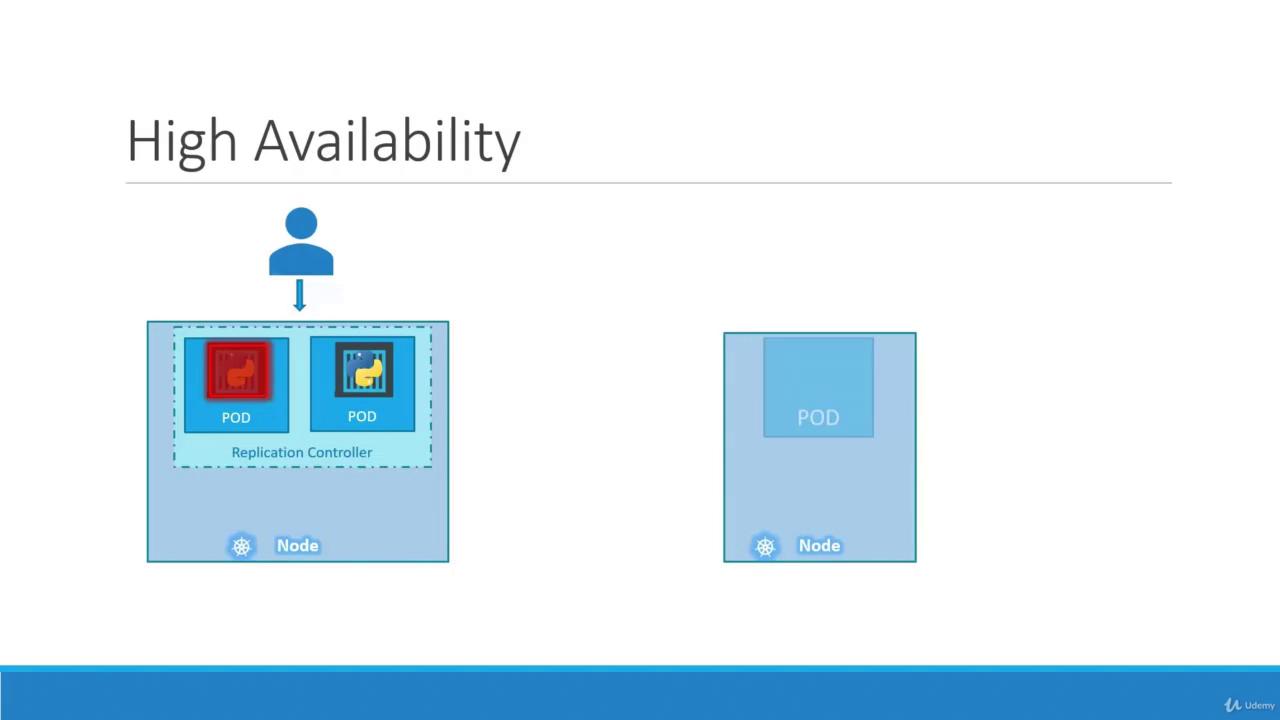
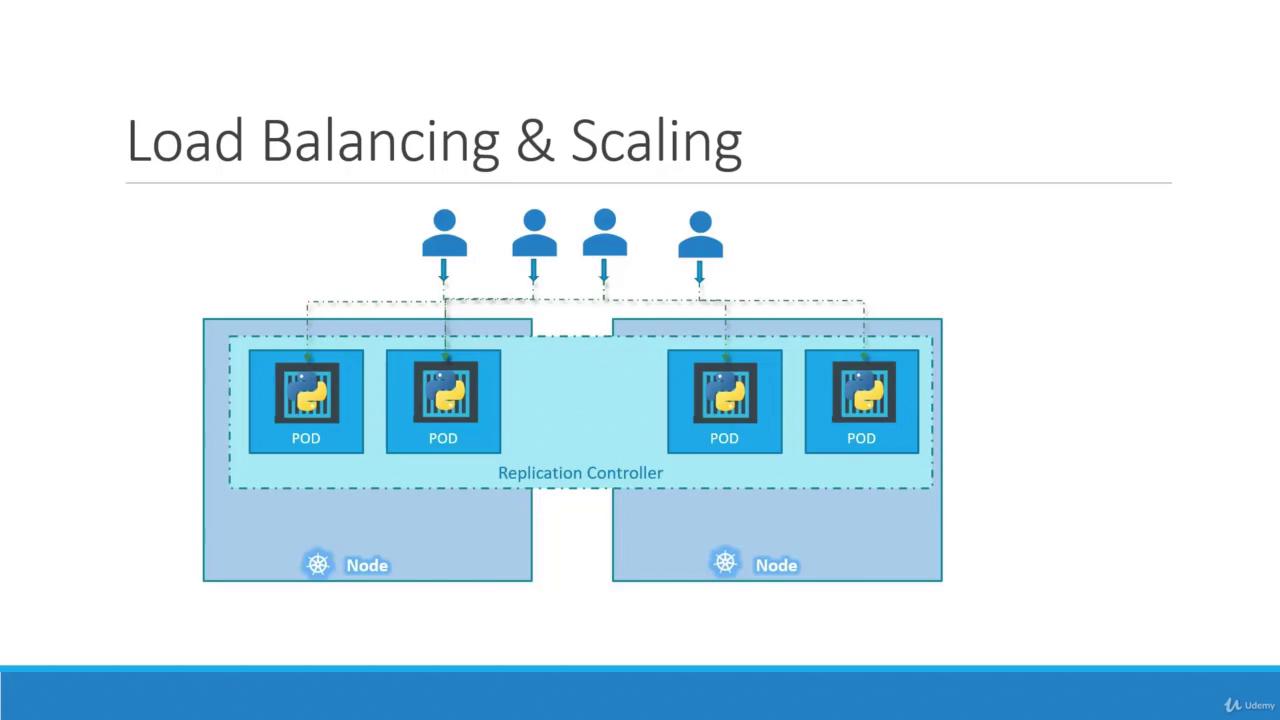
This concludes our lesson on replication controllers and ReplicaSets. These controllers ensure that your applications remain highly available, efficiently scaled, and properly load balanced within your Kubernetes cluster.