

Locate the default kubeconfig
Find the current home directory and inspect the default kubeconfig (usually $HOME/.kube/config):- Clusters defined: 1
- Users defined: 1
- Contexts defined: 1
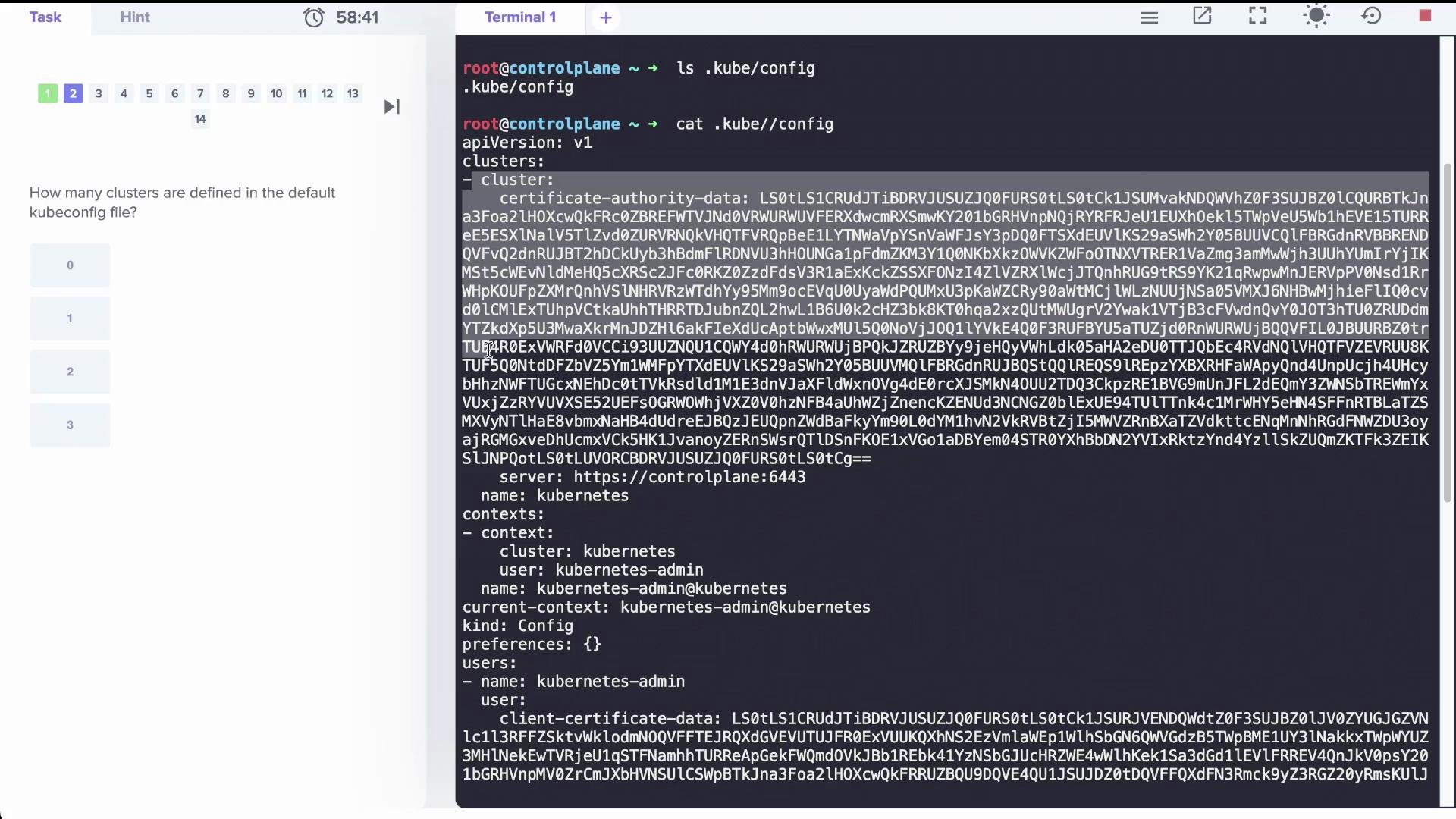
The value in current-context is the name of the context in use. The context lists which cluster and which user to use — the “user” entry is a reference name, not necessarily the actual system username.
Inspect a custom kubeconfig file
Here is an example custom kubeconfig stored at/root/my-kube-config. It contains multiple clusters, contexts, and users:
Switch context using a specific kubeconfig file
To switch to a context defined in a non-default kubeconfig file without affecting your default config, include the--kubeconfig flag:
--kubeconfig /root/my-kube-config.
Make the custom kubeconfig the default
If you’d prefer not to pass--kubeconfig every time, replace your default kubeconfig with the custom file:
kubectl config view:
Diagnose and fix an authentication error (client-certificate mismatch)
With the current context set toresearch, running a kubectl command may produce an error indicating kubectl cannot read the client certificate referenced in the kubeconfig:
/etc/kubernetes/pki/users/dev-user/developer-user.crt and /etc/kubernetes/pki/users/dev-user/developer-user.key, but the files present are named dev-user.crt and dev-user.key. Update the kubeconfig to point to the correct certificate and key.
The kubectl config set-credentials command modifies the kubeconfig file kubectl is currently using (typically $HOME/.kube/config). Back up that file before making changes.
dev-user credential entry to reference the correct certificate and key:
dev-user and access the cluster.
Quick reference
Links and references
- Kubernetes kubeconfig and contexts: https://kubernetes.io/docs/concepts/configuration/organize-cluster-access-kubeconfig/
- kubectl config documentation: https://kubernetes.io/docs/reference/generated/kubectl/kubectl-commands#config
- Best practices for client certificate authentication: https://kubernetes.io/docs/reference/access-authn-authz/certificate-signing-requests/