

Using a Node Selector
Below is an example of a simple node selector to schedule a Pod on a node labeled as Large:Transition to Node Affinity
With node affinity, you can achieve the same scheduling requirements with more flexibility. The following YAML configuration demonstrates how to specify the node affinity equivalent:Explanation of the Configuration
- Under
spec, theaffinityfield is introduced with a child field namednodeAffinity. - The property
requiredDuringSchedulingIgnoredDuringExecutionensures that the scheduler places the Pod on a node that complies with the specified rules. Once the Pod runs, modifications to node labels are ignored. - Inside
nodeSelectorTerms(an array), you define one or more match expressions. Each match expression includes:- A
key(e.g., “size”) - An
operator(e.g.,In) that specifies how the label’s value is evaluated using the providedvalueslist. In this case, the Pod will be placed on nodes where the label “size” is set to “Large”.
- A
If your deployment requires extra flexibility—say, allowing execution on either a large or medium node—simply add both values to the
values list.Excluding Nodes Using Node Affinity
To exclude nodes with a specific label value, you can use theNotIn operator. For instance:
Using the Exists Operator
When you simply need to check for the presence of a label, regardless of its value, theExists operator is ideal:
Exists operator does not require a values array since it only verifies the existence of the specified label.
Node Affinity Types
After defining affinity rules, the Kubernetes scheduler evaluates these rules when placing Pods on nodes. Here’s how different affinity types work:-
Required During Scheduling, Ignored During Execution:
- During Scheduling: The Pod must run on a node that meets the affinity rules; if there’s no match, the Pod is not scheduled.
- During Execution: Once running, changes to node labels do not affect the Pod.
-
Preferred During Scheduling, Ignored During Execution:
- During Scheduling: The scheduler prefers nodes that meet the affinity rules but will schedule the Pod on any available node if no perfect match exists.
- During Execution: Similar to the required type, changes to node labels do not impact the running Pod.
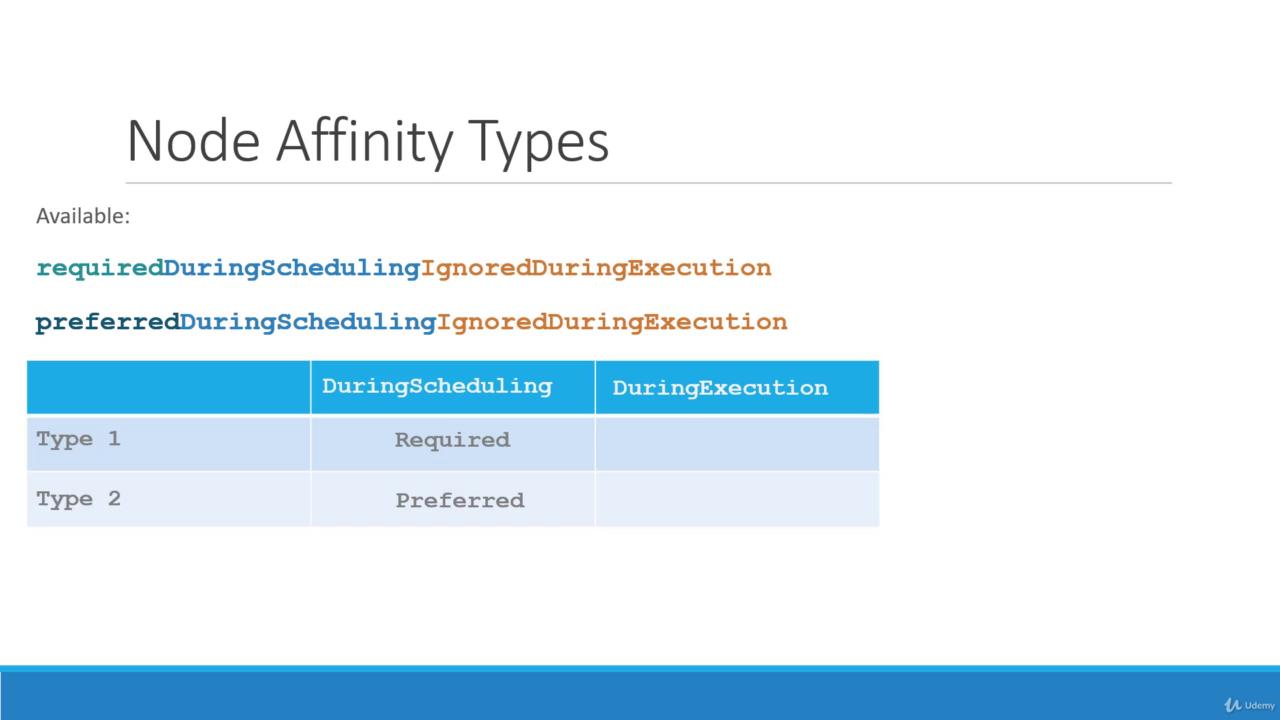
“Required During Scheduling, Ignored During Execution” mandates that a Pod only starts on a node meeting the rules, whereas “Preferred During Scheduling, Ignored During Execution” allows flexibility during scheduling by placing the Pod on an alternative node if necessary.
Future Enhancements
There is ongoing discussion about a new category called “required during execution.” Unlike current settings, this model would evict a running Pod if its node’s labels change, making it non-compliant with the affinity rules. For instance, if a node loses its “size=Large” label while hosting a Pod configured with this future type, the Pod would be terminated. Currently, with the “ignored during execution” setting, the Pod continues to run despite changes.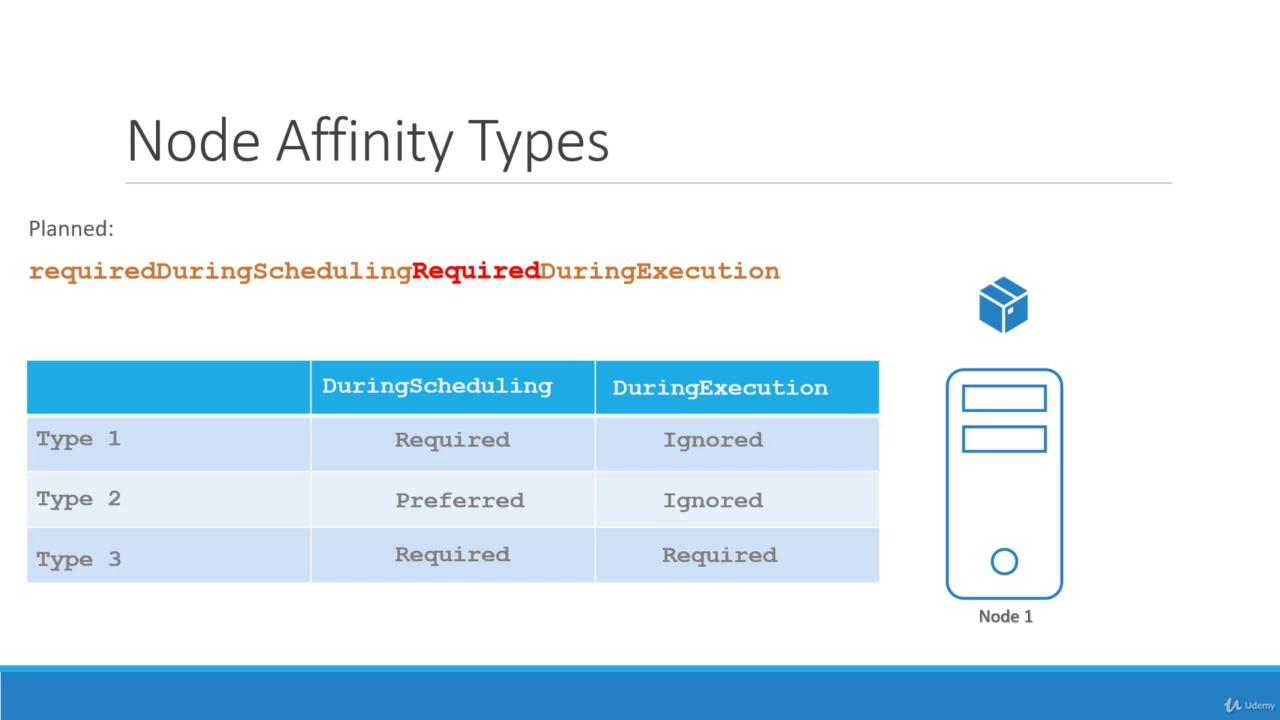
The diagram illustrates the three node affinity types, highlighting that while current models ignore label changes post-scheduling, a “required during execution” model would enforce rules dynamically by evicting Pods when necessary.
Conclusion
This guide has covered the fundamentals of node affinity: from basic node selectors to advanced expressions usingIn, NotIn, and Exists operators. Understanding these configurations will help you tailor your Kubernetes deployments for optimized scheduling.
Proceed to practice these rules with coding exercises, and stay tuned for upcoming sections comparing taints and tolerations with node affinity.
For further details, you may also refer to the following resources: