

API Group Lifecycle Example
Imagine contributing to the Kubernetes project by creating an API group namedkodekloud.com that contains two resources: Course and Webinar. Initially, both resources are developed and tested in-house. Once ready for integration, a pull request is created, and the API group is released as an alpha version (specifically, v1alpha1). For example, a YAML file to create a Course might look like:
Webinar resource is no longer needed, the first rule of the API deprecation policy states that API elements can only be removed by incrementing the API group’s version. Therefore, the Webinar resource is removed in the subsequent version (v1alpha2), while v1alpha1 remains available. The Course definition in the two versions is as follows:
Round-Trip Conversion Between API Versions
The second rule of the API deprecation policy mandates that API objects must support round-trip conversion between versions without any loss of information (except for complete REST resources that do not exist in all versions). For instance, consider aCourse object created in v1alpha1 with a spec field:
duration is introduced. The conversion to v1alpha2 could be represented as:
duration must be provided in v1alpha1—even if only as a placeholder—so that the round-trip conversion retains its integrity.
Evolving Through Beta to GA
After addressing bugs and refining the API in the alpha stages, the next phase is beta. For example, after releasing the first beta version (v1beta1), further refinements result in v1beta2, and finally, the stable GA version (v1) is released. The typical evolution follows this sequence:
- v1alpha1 → v1alpha2 (with potentially additional alpha versions)
- v1beta1 and v1beta2 (both beta versions are supported for a defined period)
- v1 GA (stable release)
- GA: At least 12 months or three releases.
- Beta: At least nine months or three releases.
- Alpha: No support beyond the current release.
- In release x,
v1alpha1is introduced. - In release x+1,
v1alpha2is introduced. Since alpha versions do not have extended support beyond the next release,v1alpha1is dropped.
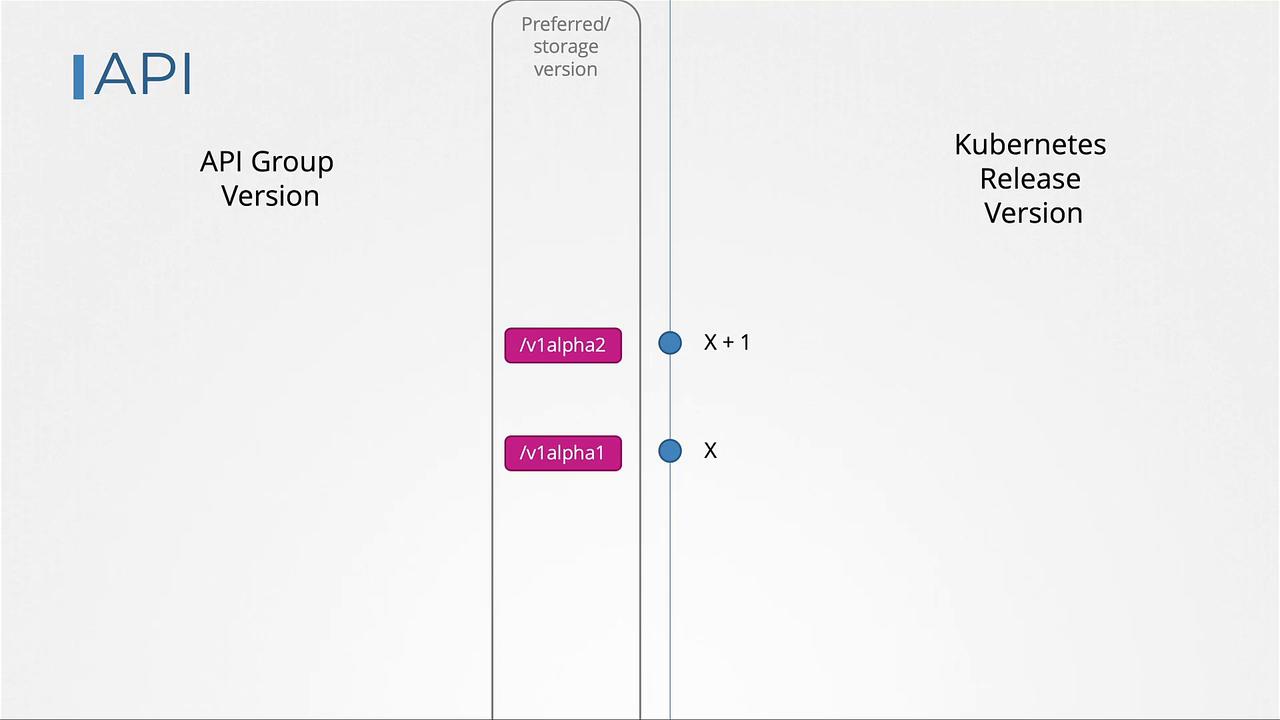
v1alpha1 is removed, this change must be clearly documented in the release notes. Future updates may also include the removal of deprecated APIs, such as v1alpha2, urging users to migrate to newer versions.
In release x+2, the first beta version (v1beta1) appears. Over subsequent releases (x+3, x+4, etc.), both the current and previous beta versions are supported for compatibility. During this overlap:
- The older beta version (e.g.,
v1beta1) is deprecated but is not removed immediately. - Users receive deprecation warnings prompting migration to the newer beta version.
- The preferred API version (and storage version) remains unchanged until the next release when only the newer version is supported.
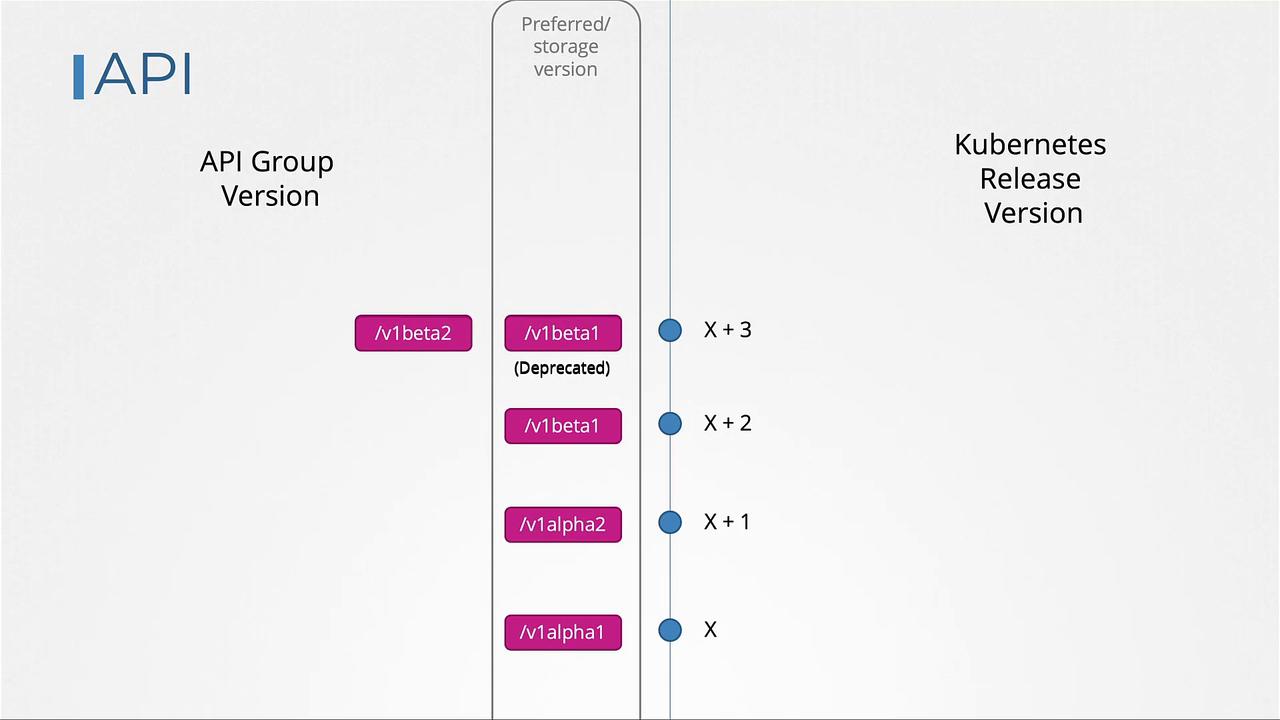
v1beta1 and v1beta2) remain available temporarily until they satisfy the support duration requirements. In release x+6, v1beta1 may be removed after supporting it for three releases, while v1beta2 continues to be supported until it completes its deprecation period and is eventually dropped (e.g., in release x+8).
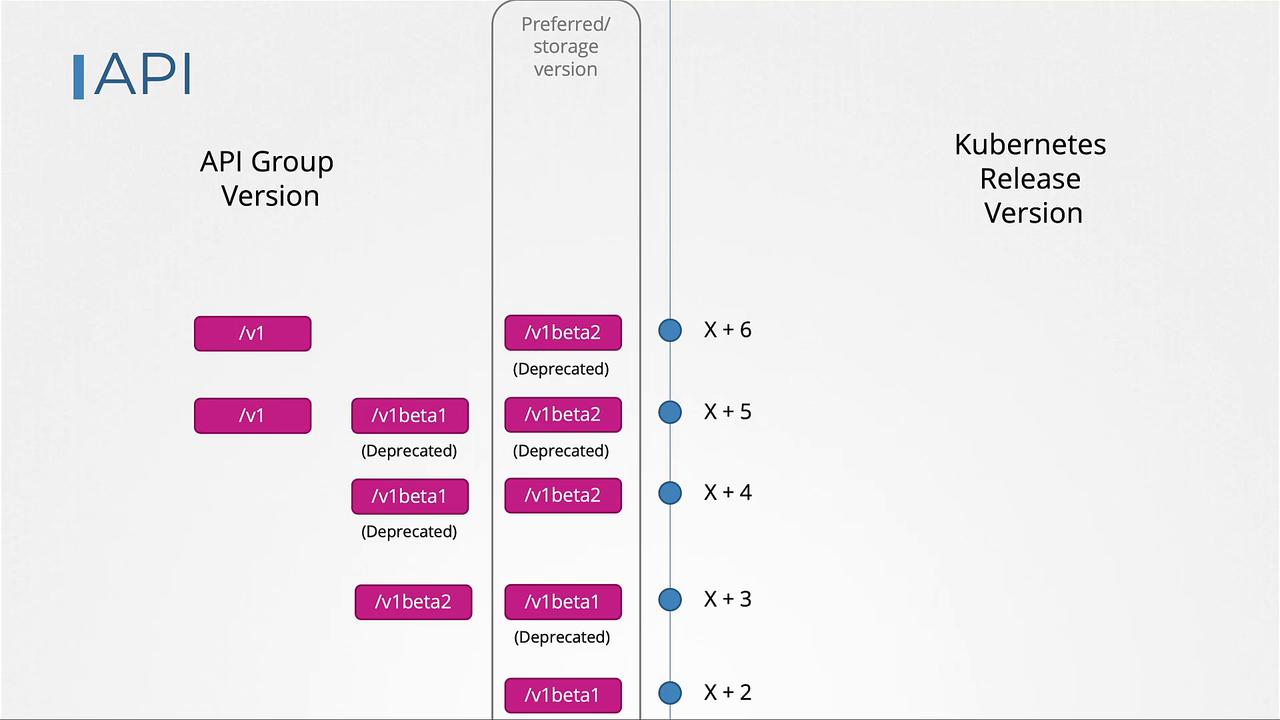
Introducing a New API Version (v2)
When a new major API version such asv2alpha1 is introduced, the previous stable version (v1, GA) is not immediately deprecated. The third rule of the API deprecation policy specifies that an API version must not be deprecated until an equivalent or more stable version is available. Since v2alpha1 is an alpha release and v1 is in GA, v1 continues to be supported. The new version will then progress through its lifecycle—v2alpha2, v2beta1, v2beta2, and finally v2—before it can deprecate v1.
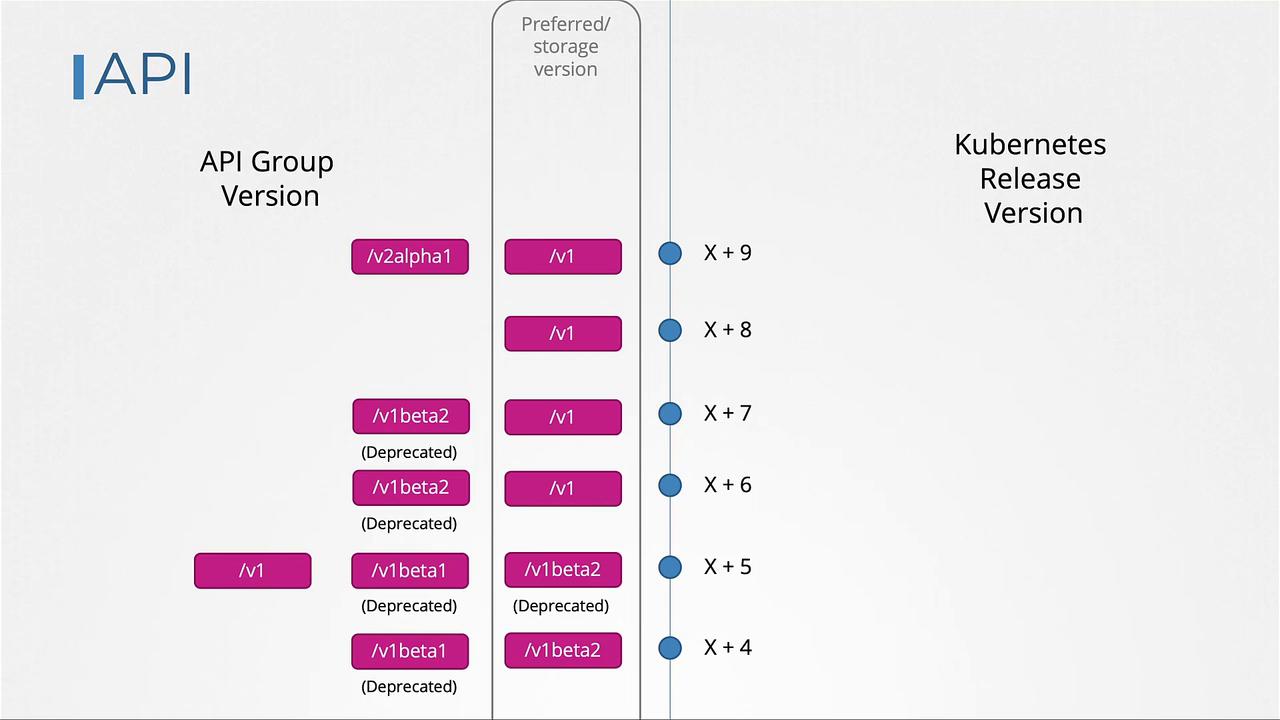
Using kubectl convert
As Kubernetes evolves and older API versions are removed, manifest files must be updated to the current API versions. For example, if you have a YAML file with a deployment definition usingv1beta1 and your Kubernetes upgrade removes that version, you must update your manifest to use apps/v1:
kubectl convert command is an efficient tool. To convert your deployment file to apps/v1, run:
kubectl convert command might not be installed by default as it is available as a separate plugin. Follow these steps to install it:
kubectl convert plugin.
Thank you for your time, and see you in the next lesson.