A Brief History of Container Runtimes
Initially, Docker emerged as the leading container tool with a user-friendly interface that simplified container management. Its early dominance meant that Kubernetes was built exclusively around Docker container orchestration. However, as Kubernetes grew in popularity, support for additional container runtimes became necessary. Runtimes like Rocket began adhering to the Open Container Initiative (OCI) standards, which define an image specification and a runtime specification for container operations. To enable multiple runtimes, Kubernetes introduced the Container Runtime Interface (CRI). This interface allowed any runtime compliant with OCI standards to integrate with Kubernetes. Because Docker was developed before the advent of CRI, it did not natively support these standards. Kubernetes resolved this by implementing the Docker Shim—a temporary bridge that enabled Docker to work with the new CRI framework.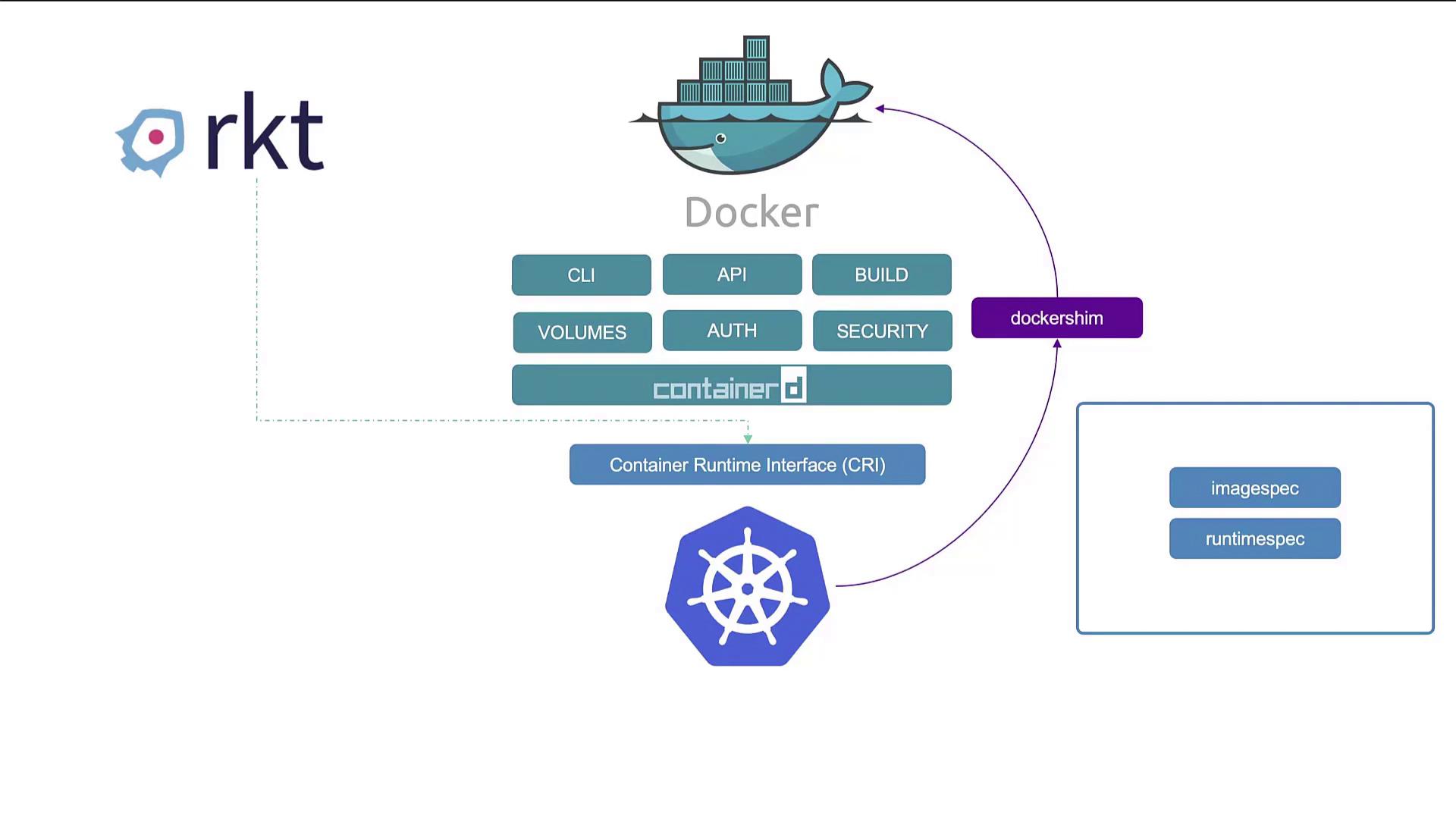
Diving Deeper into ContainerD
ContainerD has matured into an independent project and is a graduated project within the CNCF. This means you can install ContainerD as a standalone container runtime without relying on Docker. To install ContainerD, extract the archive using the following commands: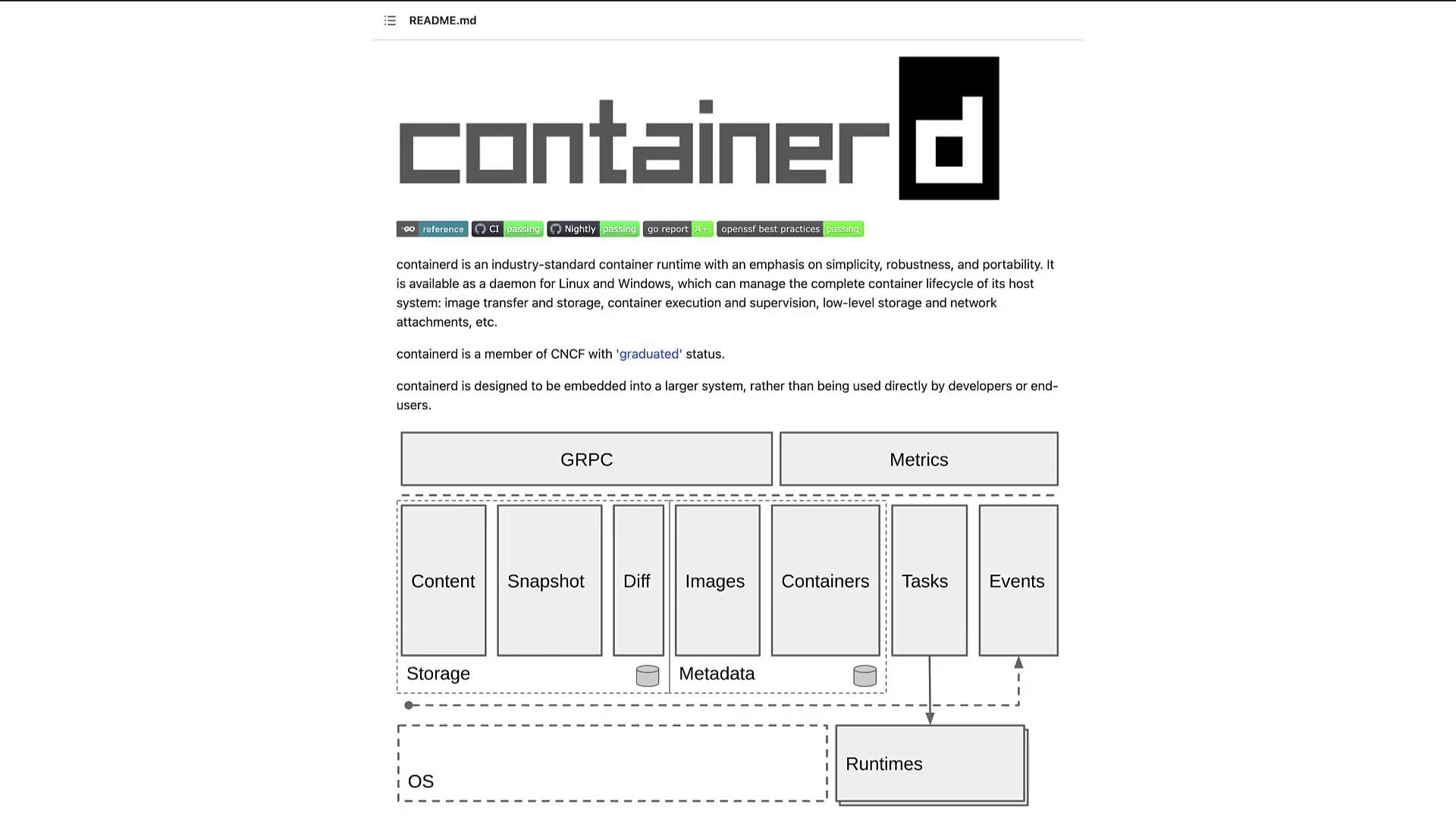
Running Containers: ctr vs. nerdctl
Traditionally, Docker users employed commands such asdocker run to start containers. With ContainerD installed independently, similar operations can be performed using the “ctr” tool. For example, to pull an image and run a container, you would execute:
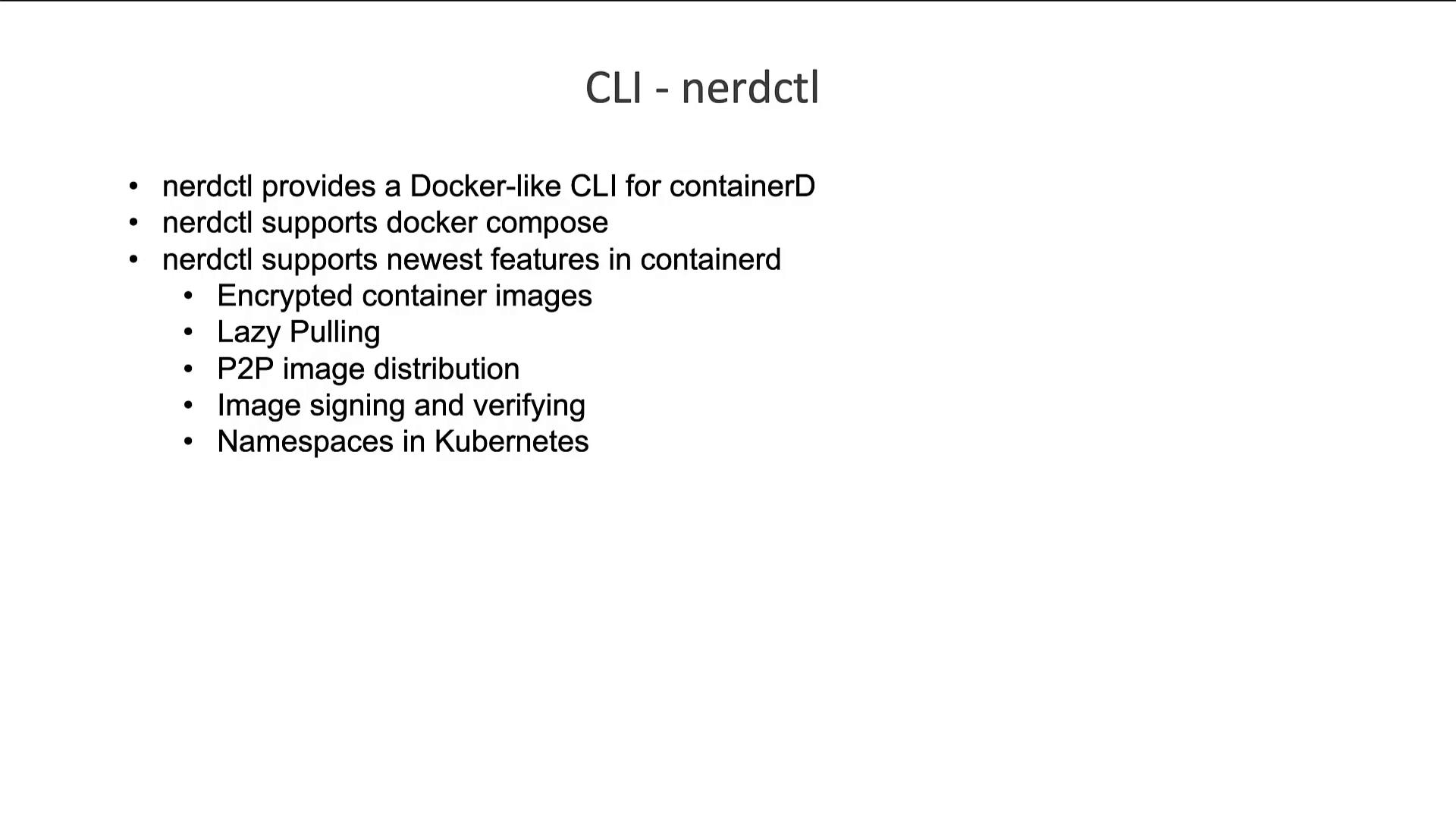
For more user-friendly operations, consider using nerdctl—a Docker-like CLI developed for ContainerD. Nerdctl not only mimics Docker command syntax but also supports enhanced features like encrypted images, lazy pulling, peer-to-peer image distribution, image signing, and Kubernetes namespace integration.
Interacting with CRI-Compatible Runtimes: crictl
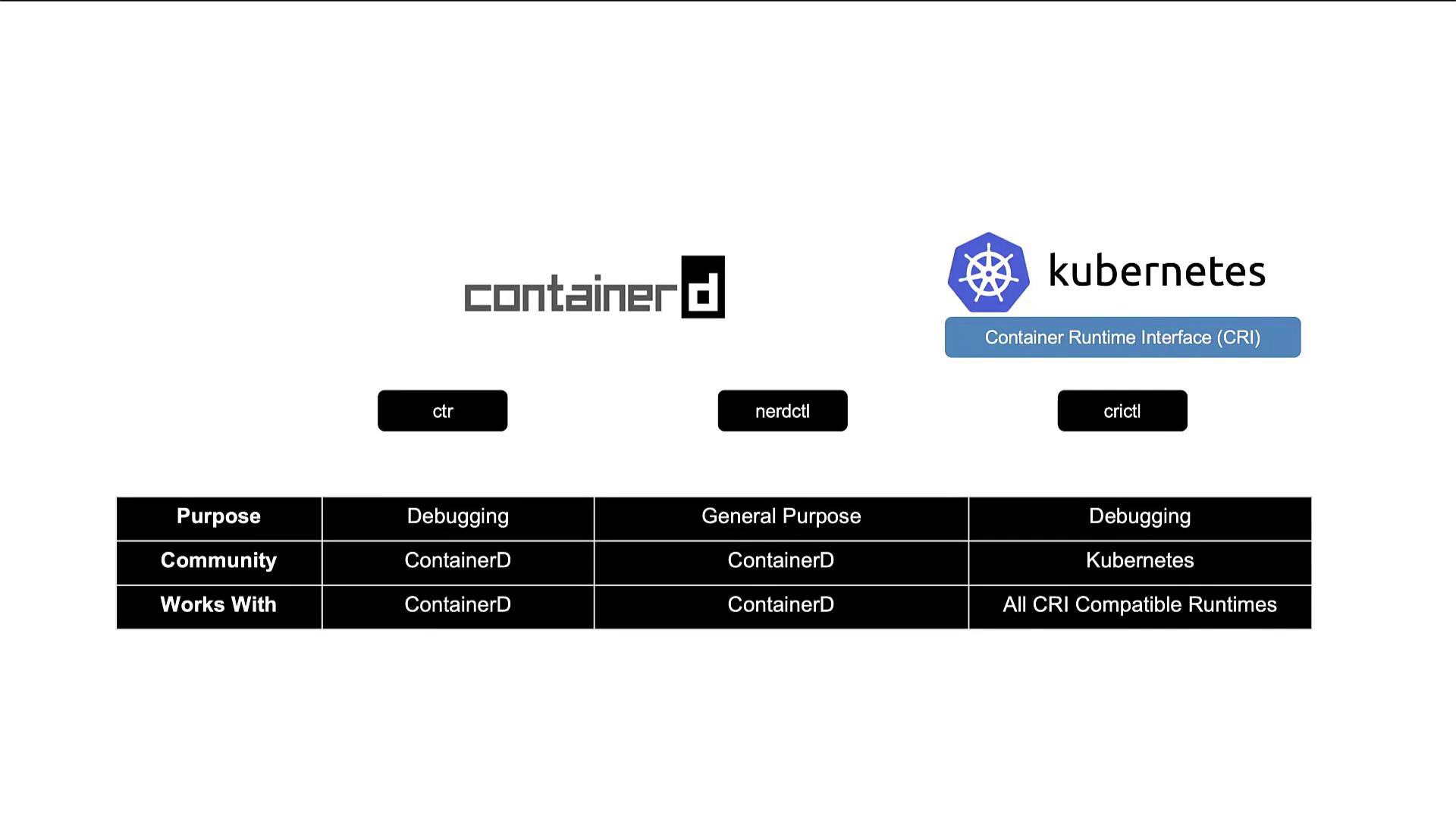
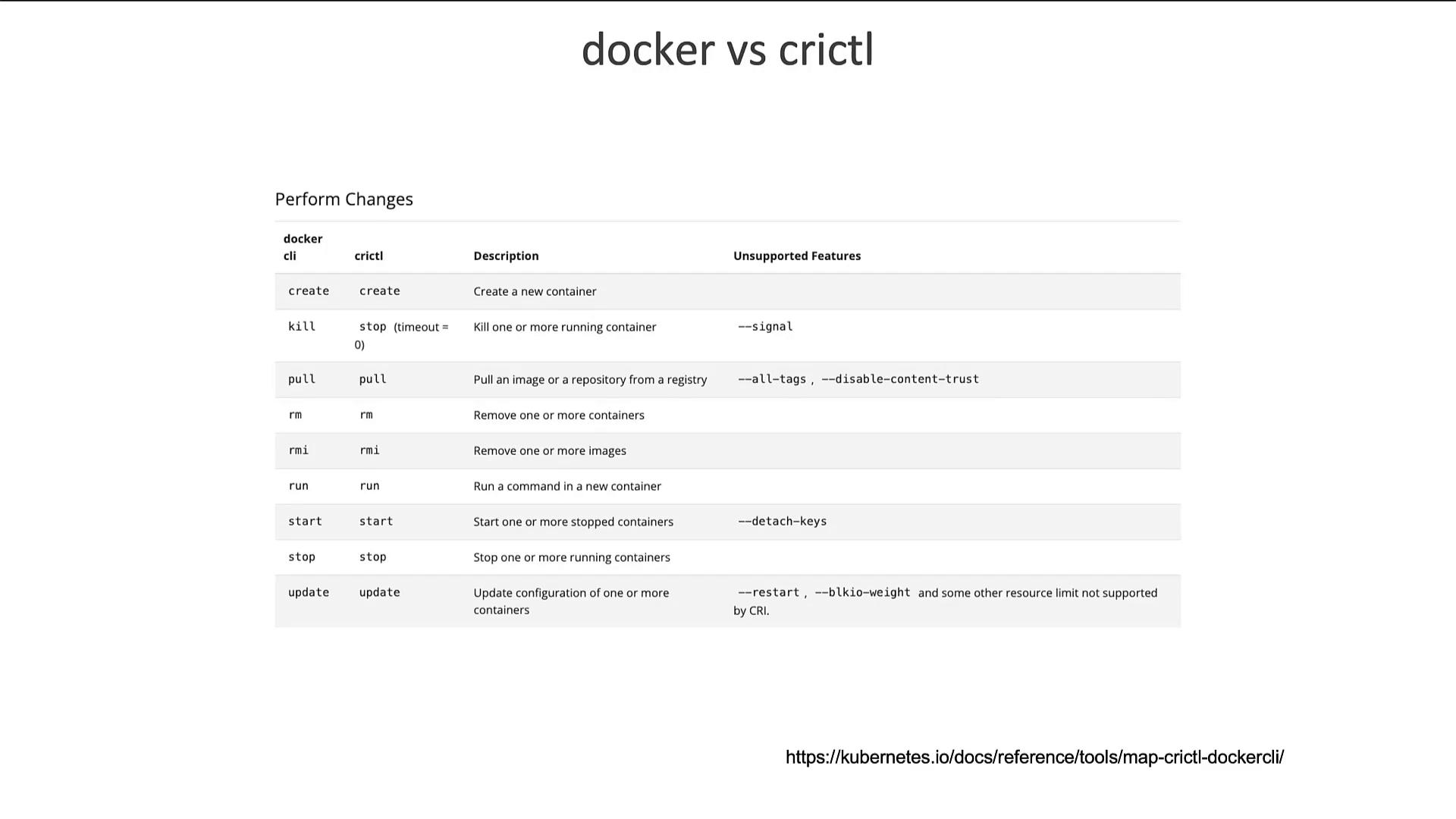
crictl is a versatile command line tool developed by the Kubernetes community. Unlike ctr or nerdctl, which are specific to ContainerD, crictl is designed to work with any CRI-compatible runtime, such as ContainerD and CRI-O. Its primary focus is on debugging and inspecting container runtimes, not on extensive daily container management. For example, you can use crictl to pull images, list available images or containers, and execute commands within containers: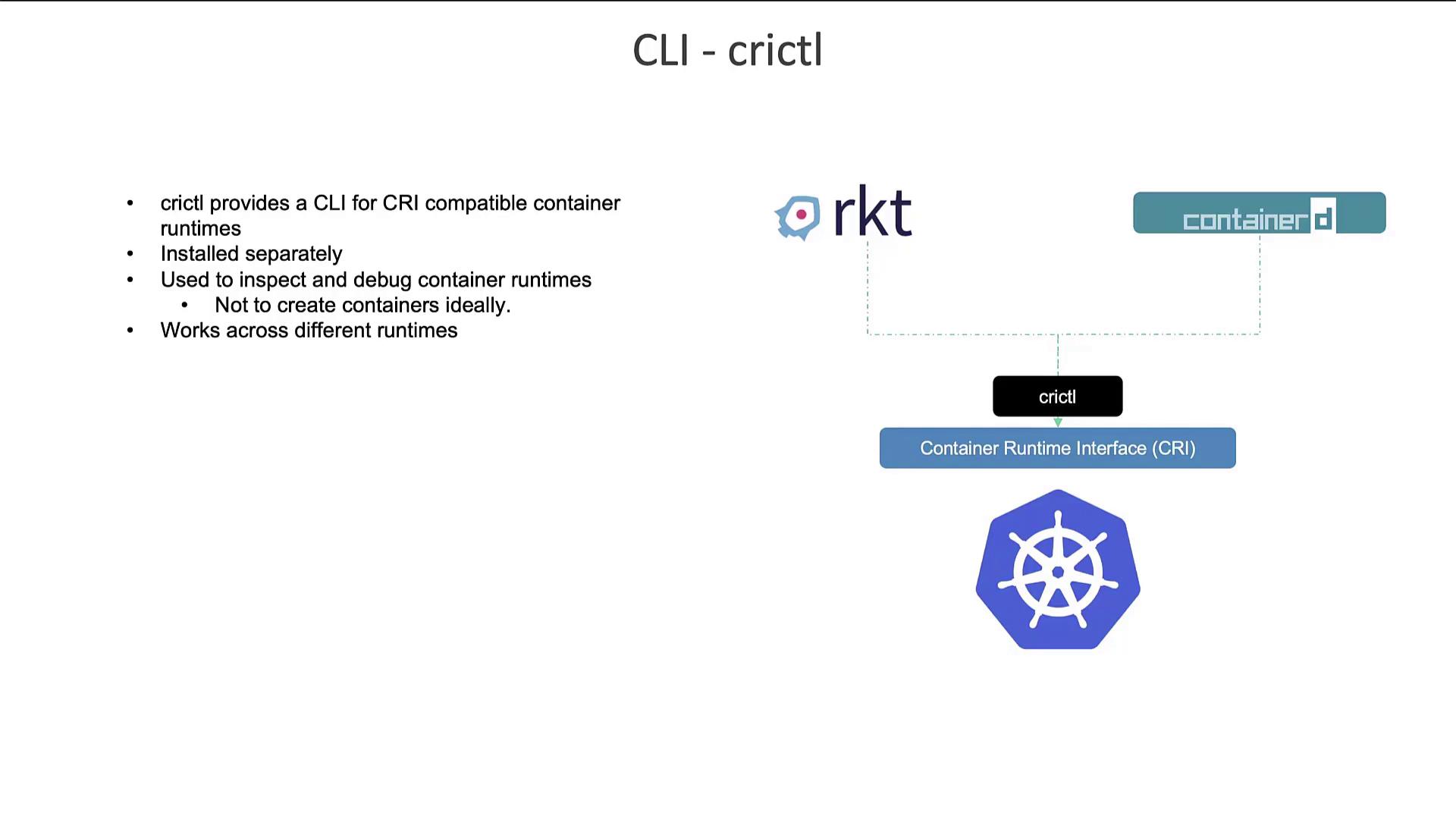

Configuration Changes in Kubernetes 1.24
Before Kubernetes 1.24, CRI tools attempted connections to runtime endpoints in a default order, including:- unix:///var/run/dockershim.sock
- unix:///run/containerd/containerd.sock
- unix:///run/crio/crio.sock
- unix:///var/run/cri-dockerd.sock
- unix:///run/crio/crio.sock
- unix:///var/run/cri-dockerd.sock
Summary
To summarize, there are three key command line tools associated with container runtimes:- ctr – A debugging-oriented utility included with ContainerD that is used mainly for troubleshooting.
- nerdctl – A Docker-like CLI developed for ContainerD, offering a more comprehensive feature set for regular container operations.
- crictl – A versatile CLI tool from the Kubernetes community that works with any CRI-compatible runtime (including ContainerD and CRI-O) and is designed for debugging and inspection.