

Traditional Service Exposure
Imagine deploying an online store application accessible via “myonlinestore.com”. Your application is containerized in Docker and deployed as a Pod within a Deployment on your Kubernetes cluster. Additionally, your architecture includes a MySQL database deployed as a Pod and exposed internally using a ClusterIP service for secure communication with your application. To allow external access, you initially create a service of type NodePort. For instance, assigning port 38080 to your application enables users to access it by visiting: http://[Node-IP]:38080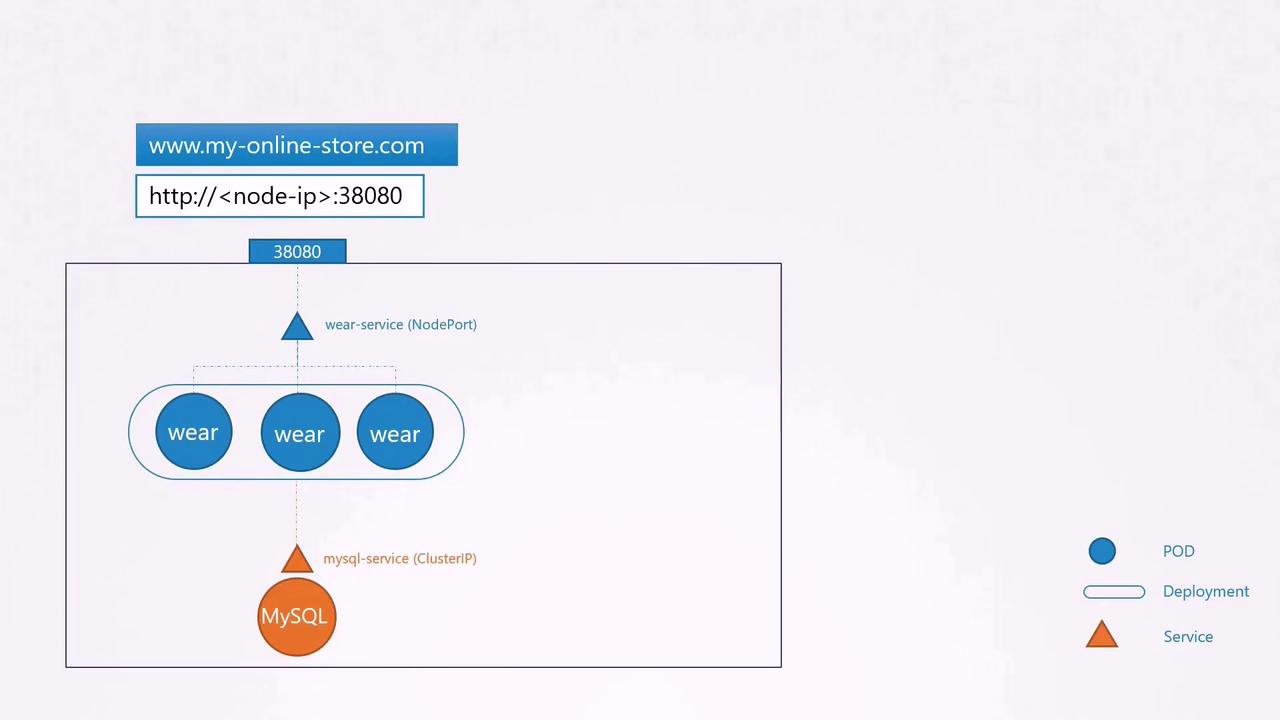
Scaling with Multiple Services
As your business expands, you may introduce additional services. For example, suppose you add a video streaming service accessible via myonlinestore.com/watch, while keeping your original application available at myonlinestore.com/wear. In this case, you might deploy them as separate Deployments in the same cluster. A service named “video-service” of type LoadBalancer could be created, and Kubernetes would provision a separate external port (such as 38082) along with a dedicated GCP load balancer for that service.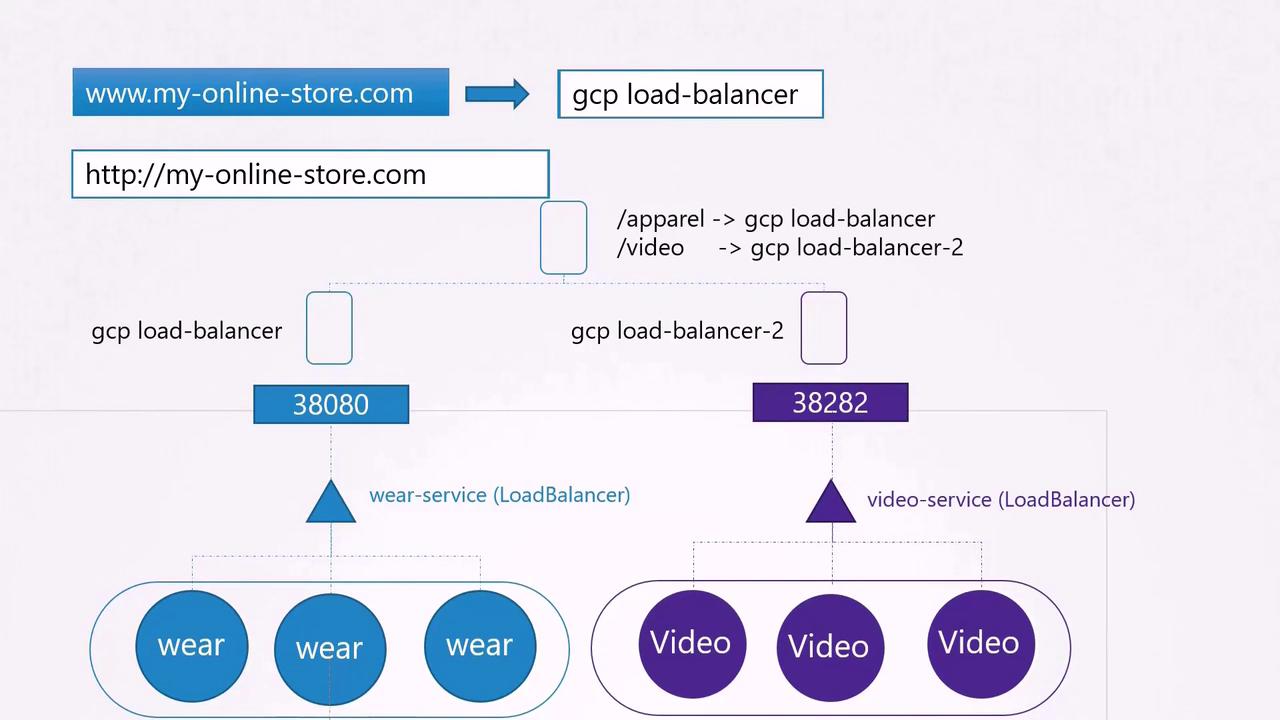
Enter Ingress
Ingress provides a streamlined solution by offering a single externally accessible URL that can handle SSL, authentication, and URL-based routing. Think of Ingress as a layer-seven load balancer running within your Kubernetes cluster, and it is configured with native Kubernetes objects. Although you still require an external exposure mechanism (via a NodePort or cloud LoadBalancer), all advanced load balancing and routing rules are managed centrally by the Ingress controller.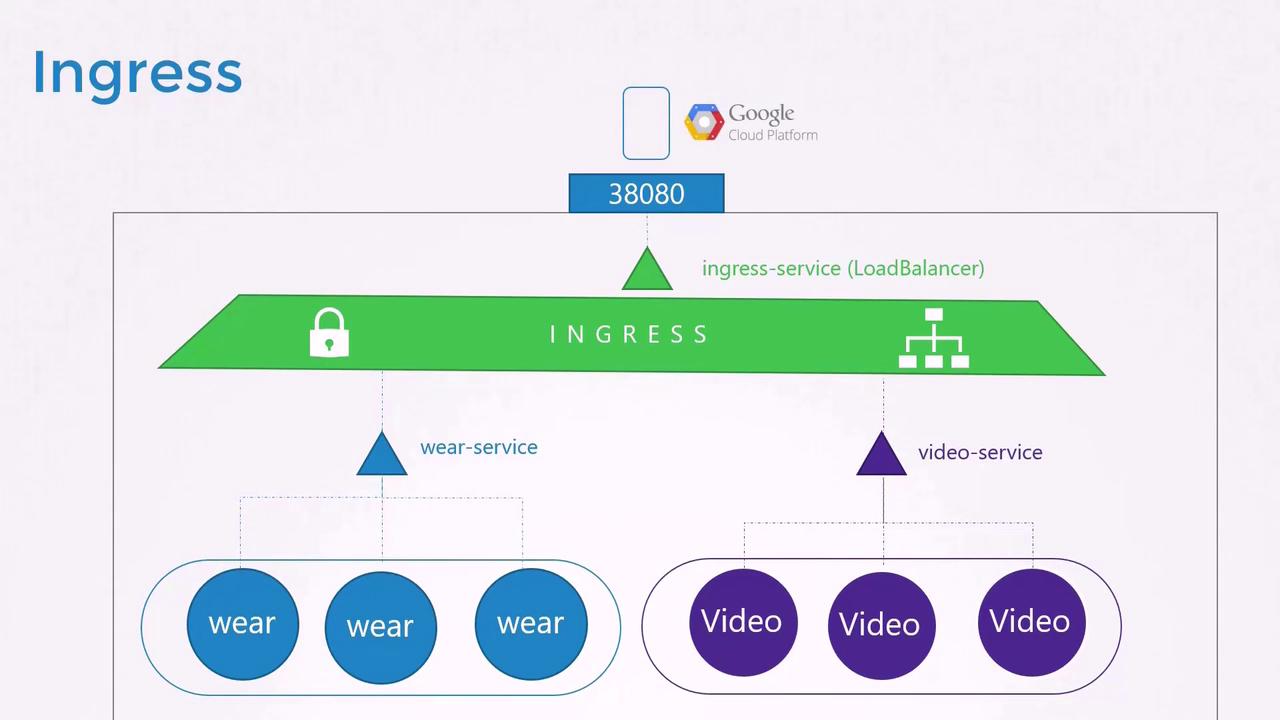
Ingress Controllers
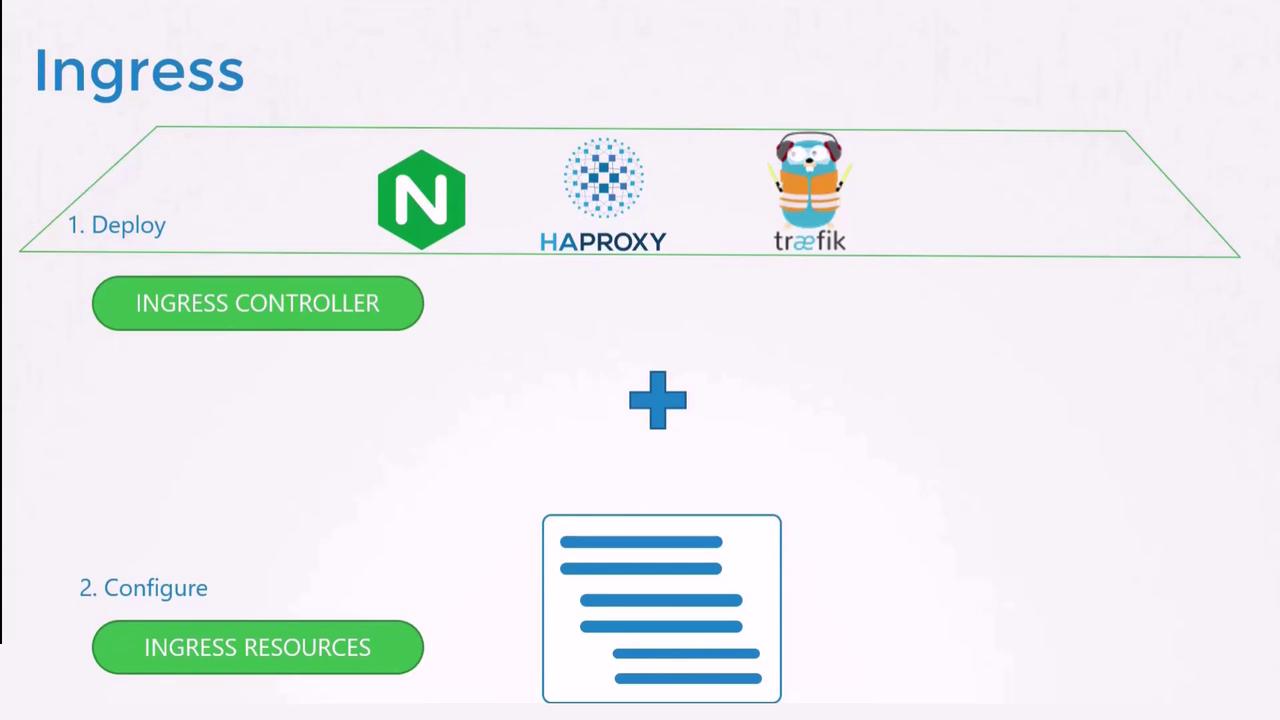
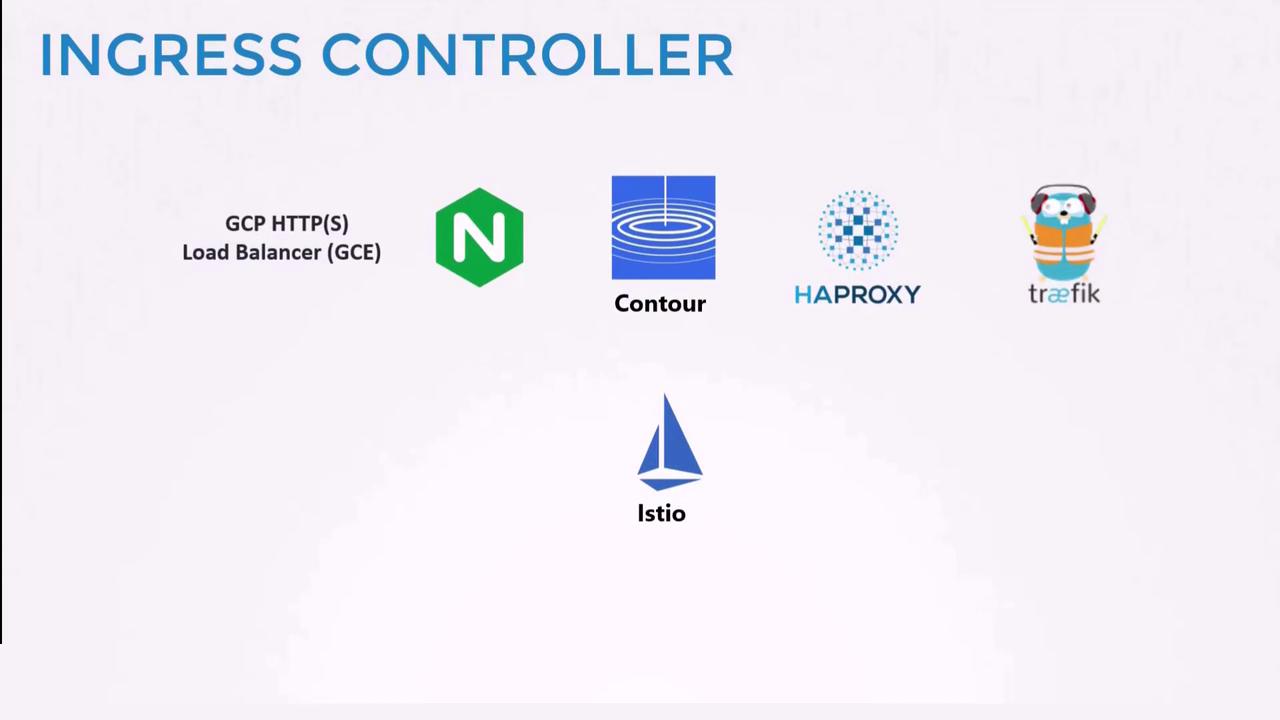
Ingress requires two key components to function effectively:- Ingress Controller: A specialized implementation (for example, NGINX, HAProxy, or Traefik) that actively manages the underlying load balancing.
- Ingress Resources: Kubernetes YAML definitions that specify routing rules for directing incoming traffic.
Remember that a Kubernetes cluster does not include an Ingress controller by default – you must deploy one. In this lesson, we use NGINX as our example.
Deploying an NGINX Ingress Controller
Below is an example of a Deployment configuration for the NGINX Ingress controller. This configuration creates a single replica of the NGINX controller with appropriate labels:Deploying an Ingress controller involves:
- A Deployment for the NGINX Ingress controller.
- A Service to expose it externally using NodePort.
- A ConfigMap to manage controller configurations.
- A ServiceAccount to authenticate and authorize the controller’s operations.
Ingress Resources
An Ingress resource defines the rules that instruct the Ingress controller on routing incoming requests. There are three common scenarios:- Default Backend: Routes all traffic to a single backend service.
- Path-Based Routing: Directs traffic based on URL path segments.
- Host-Based Routing: Routes traffic according to the domain name in the request.
Default Backend Example
The following Ingress resource routes all incoming traffic to the “wear-service” on port 80:Path-Based Routing Example
For services accessible via specific URL paths (e.g., “/wear” and “/watch”), define an Ingress resource with multiple path rules:Host-Based Routing Example
For routing based on domain names, specify the host field in your Ingress resource. The following example directs traffic for “wear.my-online-store.com” and “watch.my-online-store.com” to separate backend services:Handling Unmatched Traffic
For requests that do not match any defined rules (for example, if a user navigates to myonlinestore.com/listen), it is recommended to set up a default backend. This backend can serve a custom 404 Not Found page or any other appropriate response.Summary
- Services (ClusterIP, NodePort, LoadBalancer) provide various ways to expose your applications.
- Ingress consolidates external access through a single URL, simplifying SSL termination, load balancing, and routing.
- Deploy an Ingress Controller (e.g., NGINX) to continuously monitor and update configurations based on Ingress resources.
- Define Ingress Resources with specific routing rules to direct incoming traffic to the correct backend services.
Next Steps
In the practice test section, you will engage with two types of labs:- An environment where an Ingress controller, corresponding resources, and applications are already deployed. In this lab, you will explore existing configurations, gather important data, and answer relevant questions.
- A more challenging lab where you will deploy an Ingress controller and configure Ingress resources from scratch.