

What happened (quick summary)
The build failed during the pre-build step when CodeBuild attempted to run:aws ecr get-login-password --region $AWS_DEFAULT_REGION | docker login --username AWS --password-stdin <ECR_URI>
The error in the logs shows the CodeBuild service role did not have permission to call ecr:GetAuthorizationToken, so authentication to ECR failed and the build exited.
Inspecting the CodeBuild logs
Check the CodeBuild logs to find the failing step. The build downloads the source first and then executes the commands inbuildspec.yml. Below is an excerpt from the failing run:
Root cause
- The CodeBuild service role (the assumed role in the log) was missing permissions to call
ecr:GetAuthorizationToken. Without that action CodeBuild cannot obtain credentials to authenticate Docker to ECR.
Fix: grant ECR permissions to the CodeBuild service role
Follow these steps to resolve the issue:- Copy the assumed role ARN from the error message (the
assumed-role/...value). - Open the AWS Console → IAM → Roles.
- Search for and select the CodeBuild service role shown in the logs.
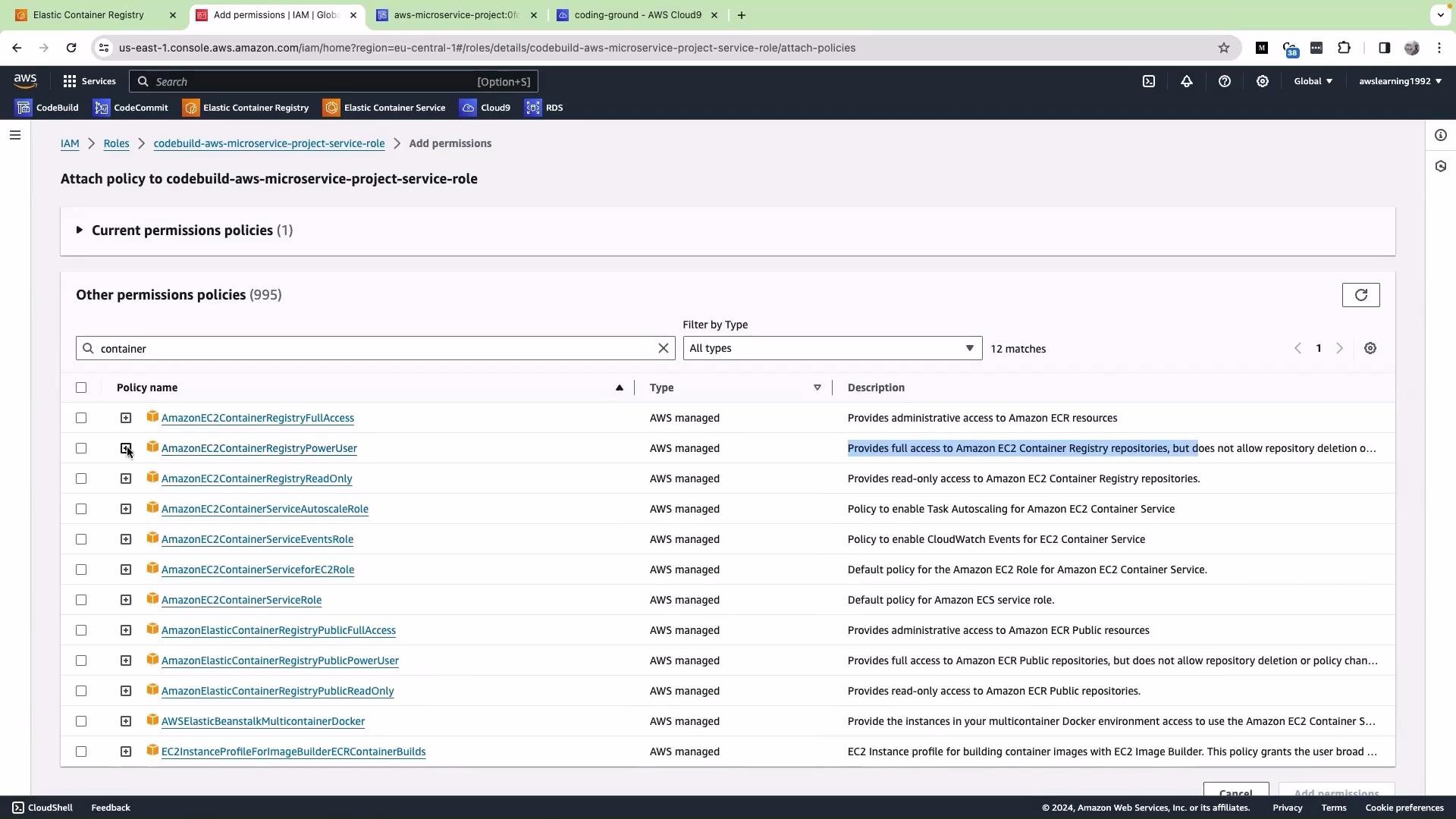
- Click “Attach policies”.
- Search for
containerto find ECR related managed policies. - Select the managed policy AmazonEC2ContainerRegistryPowerUser (this grants the ECR actions CodeBuild needs for build and push).
- Click “Add permissions” to attach the policy.
Successful run — authentication, image build, and push
After fixing the role permissions the build logs should show successful ECR login, image creation, tagging, and push. Example successful pre-build and build lines: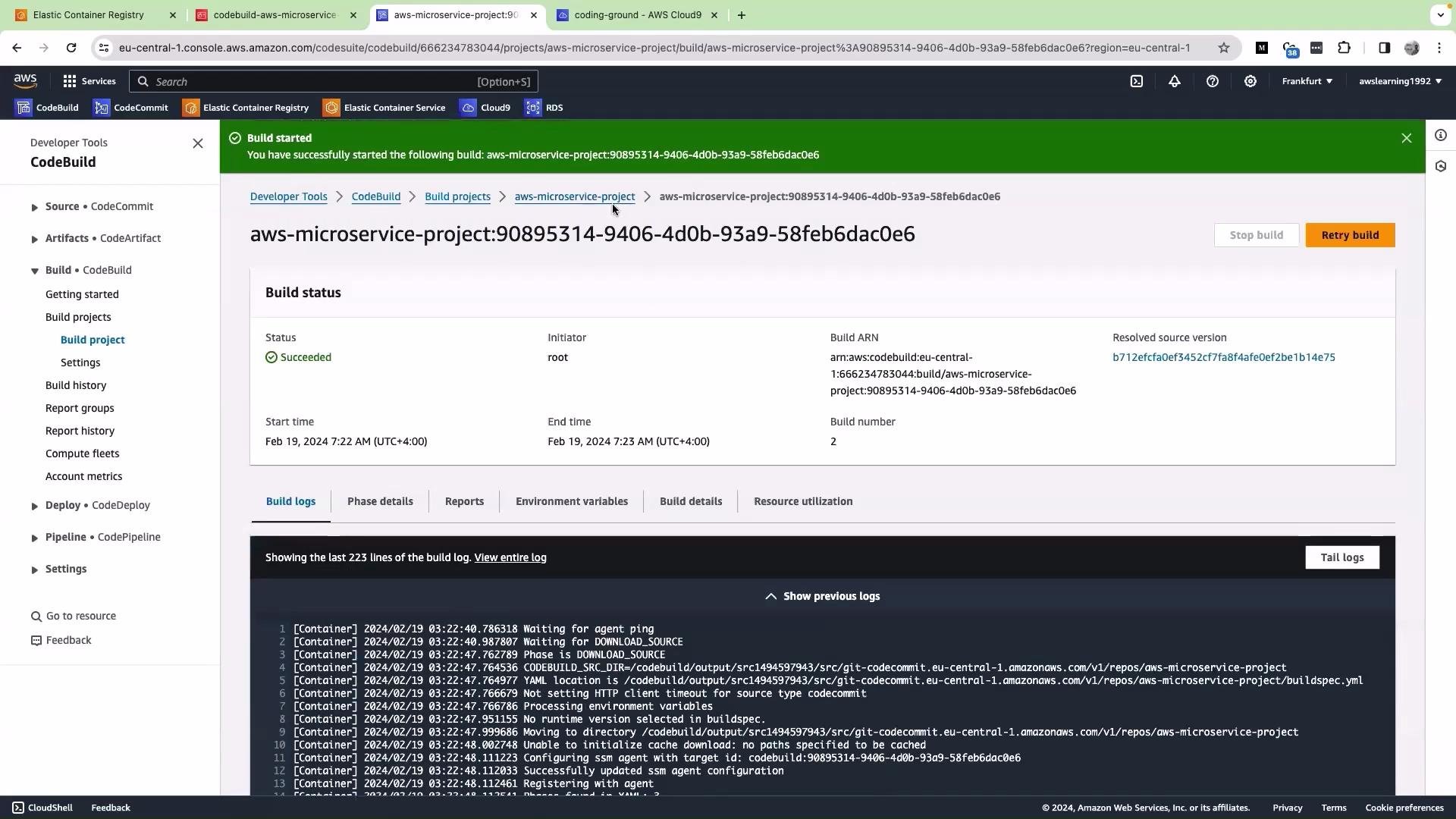
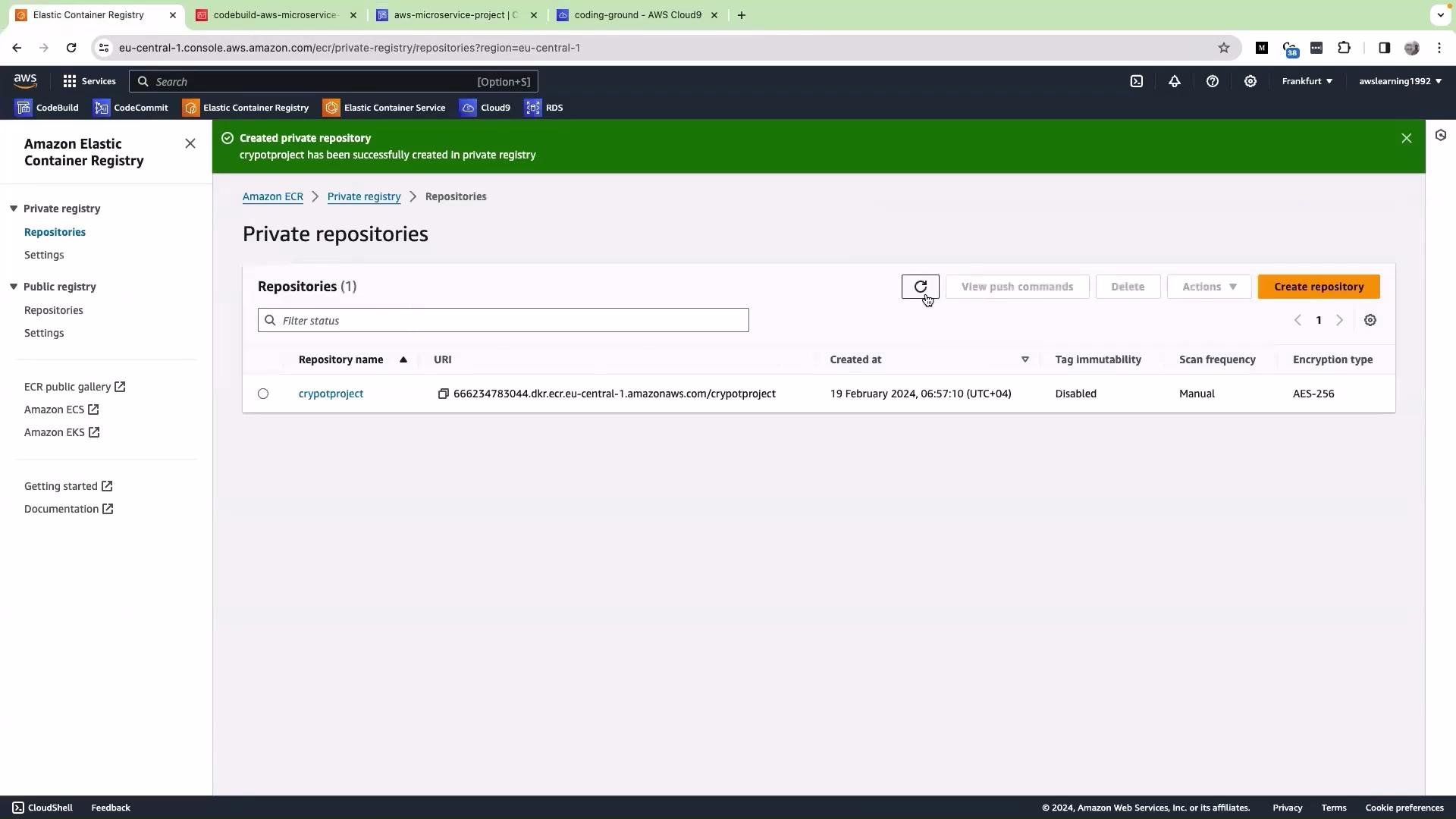
latest and the short commit hash should appear.
Recommended IAM permissions (least privilege guidance)
For production systems prefer least-privilege policies instead of broad managed policies. Below is a compact mapping of common ECR actions CodeBuild needs and why:
Example minimal IAM policy (scope the
Resource ARN to your repository where possible). Replace <ACCOUNT_ID> and <REGION> and <REPOSITORY_NAME> with your values:
ecr:GetAuthorizationTokenis a global call that typically requiresResource: "*". You can keep that action broader while scoping the rest to specific repo ARNs if you need tighter permissions.- If your builds use image caching or multiple repositories, include those repository ARNs as additional
Resourceentries.
Quick checklist
- Verify the service role shown in the CodeBuild logs is the role you updated.
- Attach a managed policy (AmazonEC2ContainerRegistryPowerUser) for quick fixes, or create a scoped custom policy for least privilege.
- Re-run the build and confirm
Login Succeededand successfuldocker push. - Confirm images and tags appear in the ECR console.
For production environments, prefer granting least privilege. Instead of attaching a broad managed policy, consider creating a custom IAM policy that includes only the specific ECR actions CodeBuild needs (e.g.,
ecr:GetAuthorizationToken, ecr:BatchCheckLayerAvailability, ecr:InitiateLayerUpload, ecr:UploadLayerPart, ecr:CompleteLayerUpload, ecr:PutImage) and scope the resource ARNs to the specific repository.References
- Amazon ECR documentation: https://docs.aws.amazon.com/AmazonECR/latest/userguide/what-is-ecr.html
- IAM policies and best practices: https://docs.aws.amazon.com/IAM/latest/UserGuide/best-practices.html