

- ECS cluster: a logical grouping of resources where your tasks run.
- Service: runs and maintains a specified number of copies (the desired count) of a task definition on the cluster.
- Task definition: the immutable blueprint that describes one or more containers, CPU/memory, networking mode, IAM roles, environment variables, and other runtime parameters.
- Task: a running instantiation of a task definition. A task can contain multiple containers and can be started manually or managed by a service.
- Container: the packaged unit containing your application code and runtime dependencies.
- You register a task definition (e.g., revision 1). A service uses that task definition to launch tasks.
- Each running copy created by the service is called a task.
- When you update your application, register a new task definition revision (e.g., revision 2) and update the service to use it.
- The service performs a deployment (usually a rolling deployment), replacing tasks running the old revision with tasks running the new one while keeping the desired count.
- Deployment behavior (how many tasks are replaced at once) is controlled by the service deployment configuration — e.g.,
minimumHealthyPercentandmaximumPercent. AWS also supports other deployment strategies such as Blue/Green via CodeDeploy.
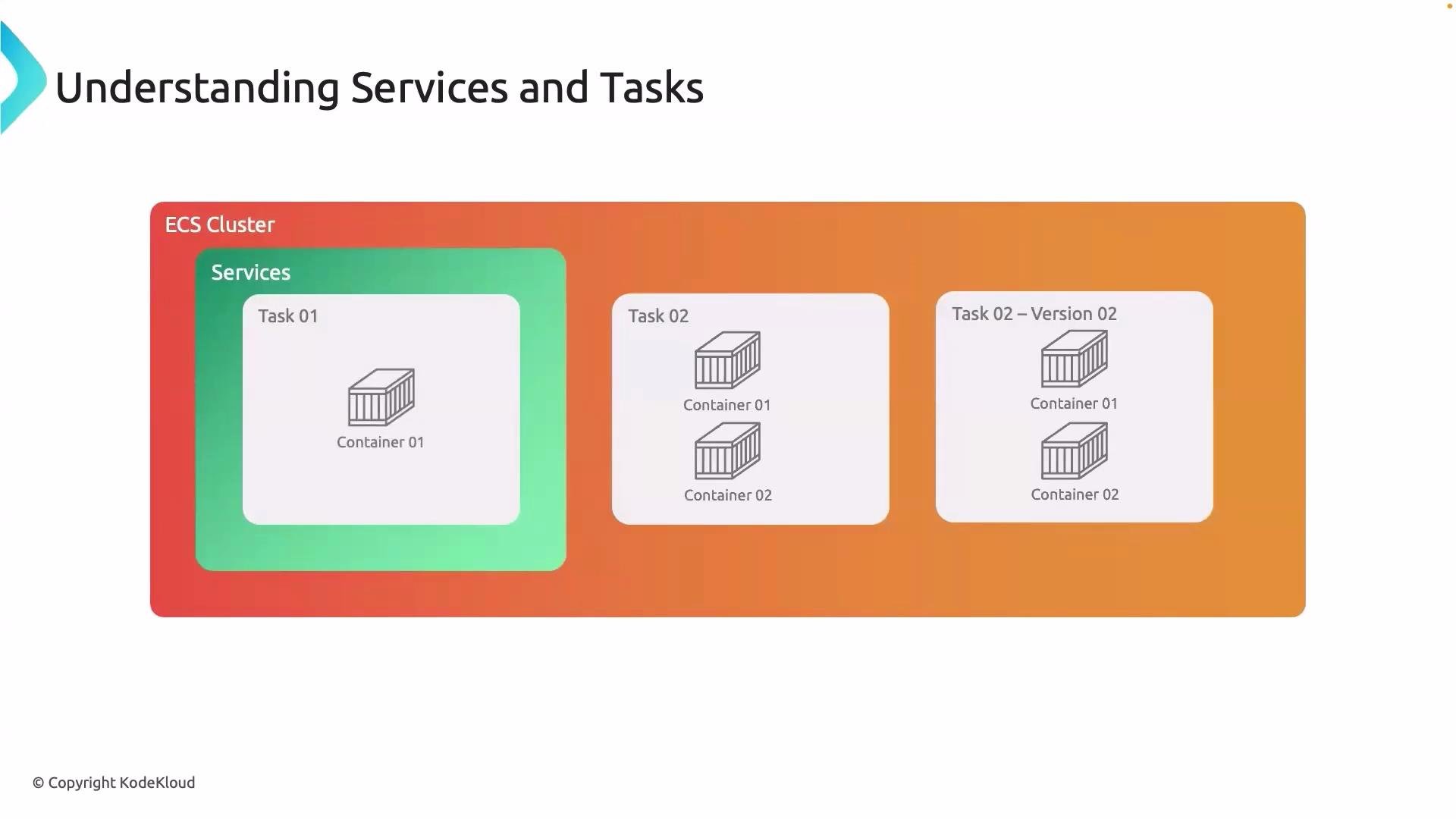
- The diagram shows an ECS cluster containing a service.
- The service launches multiple tasks—each is an instance of a task definition.
- Each task can include one or more containers that work together.
- Multiple task definition revisions (for example, v1 and v2) are illustrated to show how a service can roll between revisions during updates.
A service ensures the desired number of task instances are running and performs controlled, automated deployments when you switch to a new task definition revision. Remember: the task definition is the immutable blueprint; a task is the running copy of that blueprint.
CLI tip: start a task manually
- Tasks do not need to be managed by a service. You can start them directly using the AWS CLI:
- Use a service when you need high availability, automatic restarts, scaling, or rolling deployments.
- Use
run-taskfor one-off jobs, batch processing, or tasks that don’t require continuous management.
- With this understanding, you’re ready to deploy a Docker image from Amazon ECR onto your ECS cluster by creating a task definition and a service that runs it.