

- Rebuild the Docker image and push a new task definition revision from CodeBuild.
- Deploy the new task definition revision to an ECS service and observe the failed rolling update.
- Manually roll back to the previously working revision and explain why ECS did not automatically restore the service.
1) Build pipeline: CodeBuild buildspec
Below is the buildspec used in CodeBuild to build, tag, and push the Docker image. Note that the tagging was corrected so bothlatest and the commit-hash tag are pushed.
- Prefer using immutable tags (commit hash or image digest) in the task definition to avoid ambiguity during rollbacks.
- Pushing both
latestand a commit-tag helps during development, but relying onlatestfor production rollbacks can cause recovered revisions to pull the same broken image.
2) Application change that caused the failure
We intentionally introduced a code change that caused the container to fail at runtime. The fixed snippet below shows the application after addingapp and handling error in the login route while keeping the commented-out route and the commented blocks that originally introduced the issue.
3) Git commands used to prepare the image
Commands executed to amend a commit and push a new change (output examples included):4) Task definition registration
When CodeBuild completed, it updated thetask-definition.json and registered a new task definition revision. The relevant portion of the registered task-definition (revision 6) is shown below:
task-definition.json, so the task definition revision is correlated with the image tag.
5) Deploying the new revision in ECS
From the ECS console we updated the service to use revision 6. On the Update Service page we selected revision 6 and clicked Update.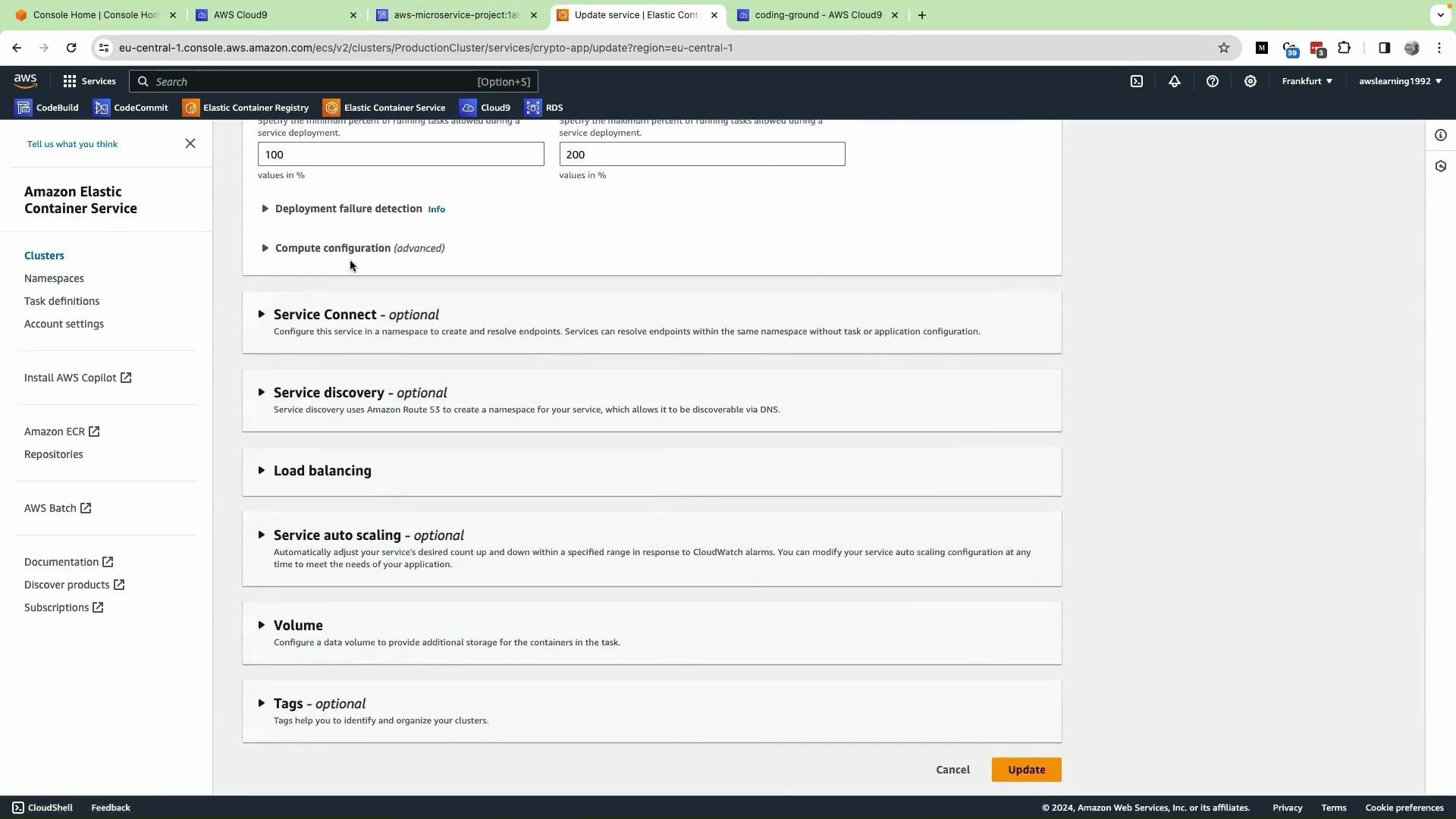
- ECS started tasks for revision 6, but they failed to reach a RUNNING state.
- The deployment hung in a loop: tasks were repeatedly started and stopped due to container start errors caused by the introduced change.
- ECS kept trying to bring up the failing revision instead of returning to the previously working revision.
6) Manual rollback performed
To recover we manually reverted the service back to the last-known working revision:- Open the service in the ECS console and click Update service.
- Select the previous working task definition revision (revision 5).
- Click Update.
- ECS started tasks using revision 5 and the corresponding image.
- The new failing deployment was drained and the service returned to a healthy RUNNING state.
Why ECS did not automatically roll back
Automatic rollback in ECS is not guaranteed by default. Two common blockers are:
- No automatic detection and abort: ECS will continue attempting a deployment until it either succeeds or you enable the deployment circuit breaker or external automation to stop it.
- Non-immutable image tags: If both the old and new task definitions reference a moving tag like
latest, rolling back the task definition may still pull the same broken image.
repo@sha256:...) and enable the ECS deployment circuit breaker or monitoring automation to detect and recover from faulty deployments.Quick reference: Common causes and mitigation
Note: In the table cell above
latest is shown as inline code to avoid parsing/ambiguity.
Recap and recommended hardening steps
- Reproduced a failing rolling update by pushing a new task definition revision with a runtime error.
- ECS attempted the rolling update, but the deployment repeatedly failed and did not auto-rollback.
- Manual rollback to the previous task definition revision restored the service.
- Root cause: mutable image tags (
latest) and lack of an automatic deployment abort mechanism.
- Use immutable image tags (commit-hash tags or digests) in task definitions.
- Enable the ECS deployment circuit breaker to automatically stop unhealthy deployments:
- Implement health checks (load balancer and container-level) and CloudWatch alarms to detect failed deployments quickly.
- Ensure CI/CD injects the immutable image identifier into the task definition that you register.
- Amazon ECS task definitions: https://docs.aws.amazon.com/AmazonECS/latest/developerguide/task_definitions.html
- ECS deployment circuit breaker: https://docs.aws.amazon.com/AmazonECS/latest/developerguide/deployment-type-ecs.html#deployment-circuit-breaker
- Amazon ECR best practices for image tags and immutability: https://docs.aws.amazon.com/AmazonECR/latest/userguide/image-tag-mutability.html