

Adding the AWS EC2 Deployment Stage
After the “Push Docker Image” stage, we introduce a new stage named “Deploy - AWS EC2”. The first step is to remove any references to the Docker registry. The basic structure of the pipeline stages is as follows:Generating the SSH Agent Block
You can generate an SSH agent snippet by searching for “SSH”. This snippet will help you insert the proper command using your credentials. The following code demonstrates the required SSH configuration:StrictHostKeyChecking=no prevents runtime prompts when connecting to a new host. Note that the EC2 instance’s IP address is hard-coded, so you might consider making this dynamic later.
Removing the Existing Container and Running the New Docker Image
Before deploying the new Docker image, the script connects to the EC2 instance and checks if a container named “solar-system” is already running. If found, it stops and removes the container. Below is an improved version of the deployment command:- Environment variables for MongoDB (
MONGO_URI,MONGO_USERNAME, andMONGO_PASSWORD) - Port mapping from 3000 to 3000
- The Docker image tagged with
$GIT_COMMITfrom Docker Hub
Incorporating Scripted Steps into the Declarative Pipeline
Because the Jenkins Declarative Pipeline does not directly support inline Groovy conditional statements, use thescript block to execute such commands. Below is the complete deployment stage with the script block:
script block ensures that your shell commands with control structures execute correctly within the declarative pipeline.
Adding a When Condition for Feature Branches
To ensure that the AWS deployment stage executes only on feature branches, use thewhen condition with a branch pattern. Below is the final version of the deployment stage with this condition:
when clause checks if the branch name starts with “feature”. If it matches, the stage is executed.
Example of a Declarative Pipeline with a Script Block
Below is a simplified example of a complete declarative Jenkins pipeline that uses ascript block for running a loop:
script block when incorporating control structures in a declarative pipeline.
Global Environment and Pipeline Configuration Overview
The snippet below shows the global configuration in the Jenkinsfile, including environment variables and tooling setup:Verifying the Deployment
After the pipeline runs, you can verify the deployment by checking the logs. You should see messages indicating that SSH has connected to your EC2 instance, checked for the “solar-system” container, and removed it if necessary. An example log output might look like:Using When Conditions for Controlled Deployment
Below is an image that visually demonstrates how you can configure when conditions in the Jenkins interface. Do not modify the image link or its description: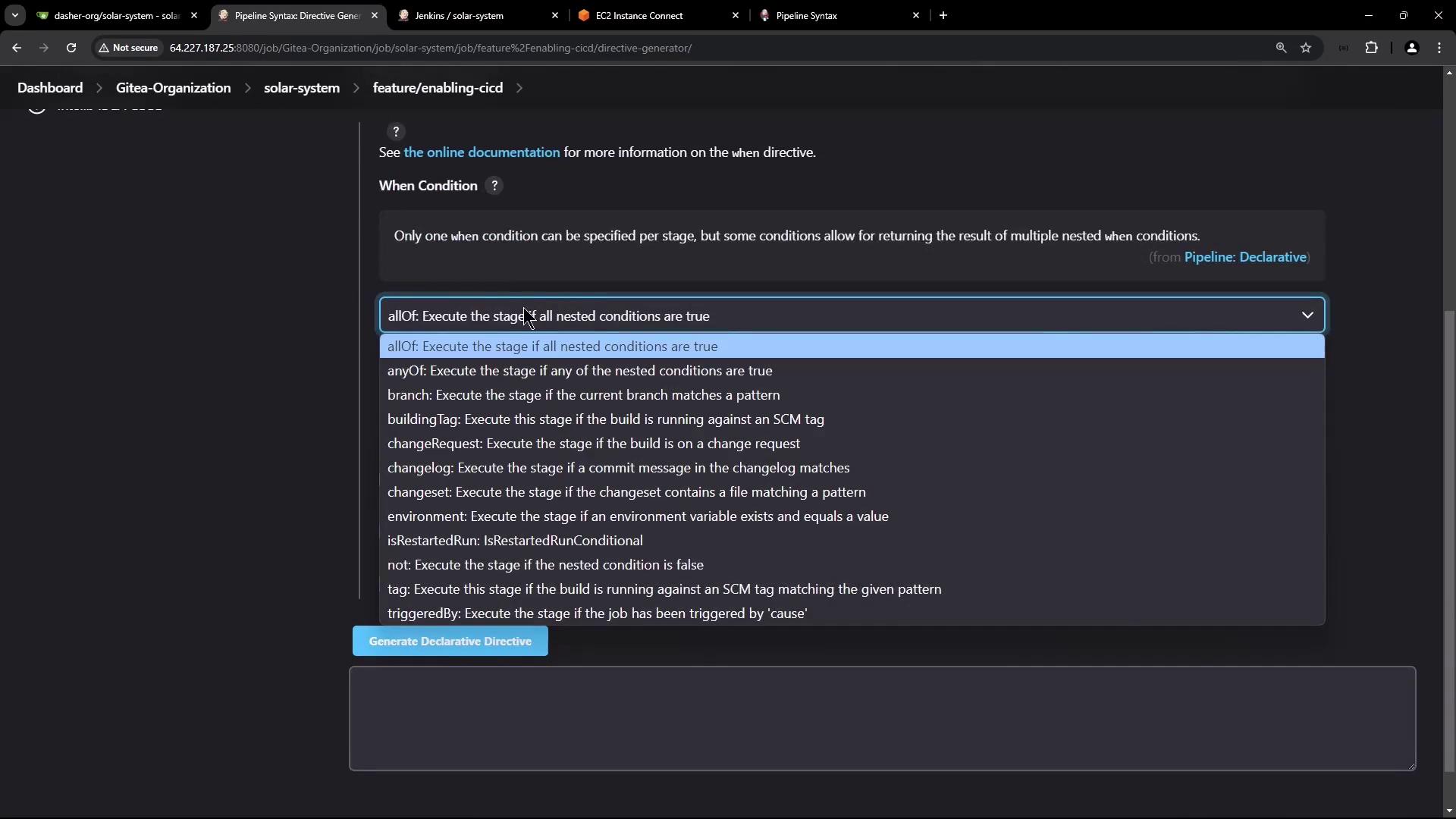
Conclusion
In this article, we enhanced our Jenkins pipeline to deploy Docker containers onto an AWS EC2 instance by:- Utilizing the SSH agent to securely connect to EC2.
- Checking for and removing an existing “solar-system” container before deploying the new container.
- Implementing Docker commands within a
scriptblock to support conditional logic. - Adding a
whencondition to ensure that the deployment stage only executes for feature branches.