Learn to update Docker image tags in Kubernetes deployment manifests and integrate changes using a Jenkins pipeline with Argo CD.
In this lesson, you will learn how to update the Docker image tag in a Kubernetes deployment manifest and integrate this change using a Jenkins pipeline that triggers Argo CD. Previously, the manifest repository “solar-system-gitops-argo-cd” was imported, which contains a Kubernetes folder holding the deployment YAML file. Now, we need to update the image tag in that file so that the deployment reflects the Docker image built by Jenkins.─────────────────────────────────────────────
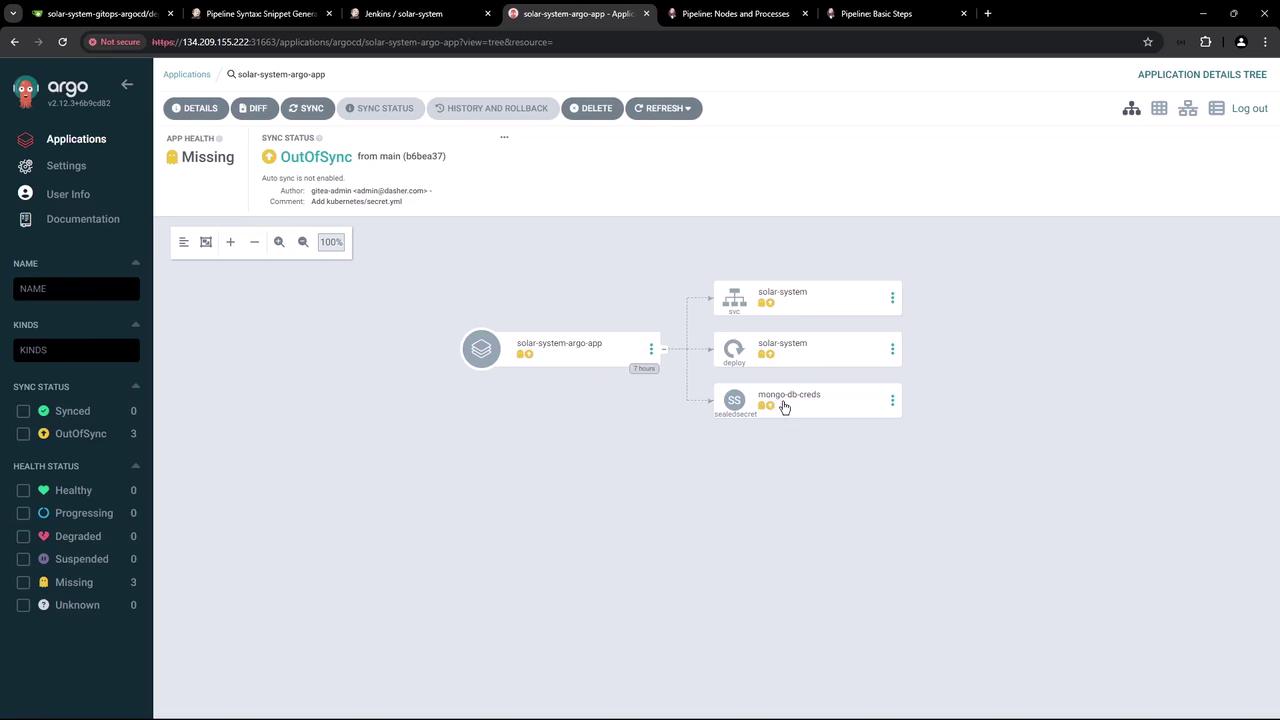
Every time a new Docker image is built by Jenkins, the image tag in this file must be updated. After making the change, synchronize the update using Argo CD.Below is a screenshot of Argo CD showing an application (solar-system-argo-app) in an OutOfSync state:
To verify that the Kubernetes cluster has not yet applied the deployment, run:
Copy
Ask AI
kubectl -n solar-system get all
This command confirms that no resources exist because Argo CD has not synced the changes.─────────────────────────────────────────────
The Jenkins pipeline stage named “K8S Update Image Tag” is designed to update the image tag and is executed only on pull request branches (i.e., branches whose names start with “PR”). This stage performs the following actions:
Clones the manifest repository from the main branch.
Changes into the Kubernetes directory.
Creates a new feature branch using the Jenkins environment variable $BUILD_ID.
Utilizes the sed command to update the image tag in the deployment YAML file to match the commit hash stored in $GIT_COMMIT.
Configures Git, commits the change, and pushes the feature branch to the remote repository.
Below is an example of this pipeline stage:
Copy
Ask AI
stage('K8S Update Image Tag') { when { branch 'PR*' } steps { sh 'git clone -b main http://64.227.187.25:5555/dasher-org/solar-system-gitops-argocd' dir('solar-system-gitops-argocd/kubernetes') { sh ''' ##### Replace Docker Tag ##### git checkout main git checkout -b feature-$BUILD_ID sed -i "s#siddharth67/solar-system:$GIT_COMMIT#siddharth67/solar-system:$GIT_COMMIT#g" deployment.yml cat deployment.yml ##### Commit and Push to Feature Branch ##### git config --global user.email "[email protected]" git config --global user.name "Jenkins" git remote set-url origin http://[email protected]:5555/dasher-org/solar-system-gitops-argocd git add . git commit -am "Updated docker image" git push -u origin feature-$BUILD_ID ''' } } post { always { // Clean up the manifest repository to avoid clone conflicts in subsequent runs. script { if (fileExists('solar-system-gitops-argocd')) { sh 'rm -rf solar-system-gitops-argocd' } } } }}
Additionally, a pipeline stage responsible for pushing the Docker image may look like this:
Before committing the changes, Jenkins must be configured with the appropriate credentials. A Gitea (or GitHub) token is stored in Jenkins and referenced as the environment variable GITEA_TOKEN. An example environment section in the Jenkinsfile is as follows:
Copy
Ask AI
pipeline { agent any environment { MONGO_URI = "mongodb+srv://supercluster.d83jj.mongodb.net/superData" MONGO_DB_CREDS = credentials('mongo-db-credentials') MONGO_USERNAME = credentials('mongo-db-username') MONGO_PASSWORD = credentials('mongo-db-password') SONAR_SCANNER_HOME = tool 'sonarqube-scanner-610' GITEA_TOKEN = credentials('gitea-api-token') } stages { // Your stages such as "Installing Dependencies", "Unit Testing", etc. }}
To generate the Gitea token, navigate to your repository’s settings (in Gitea, for example) and create a new access token with read/write repository permissions.
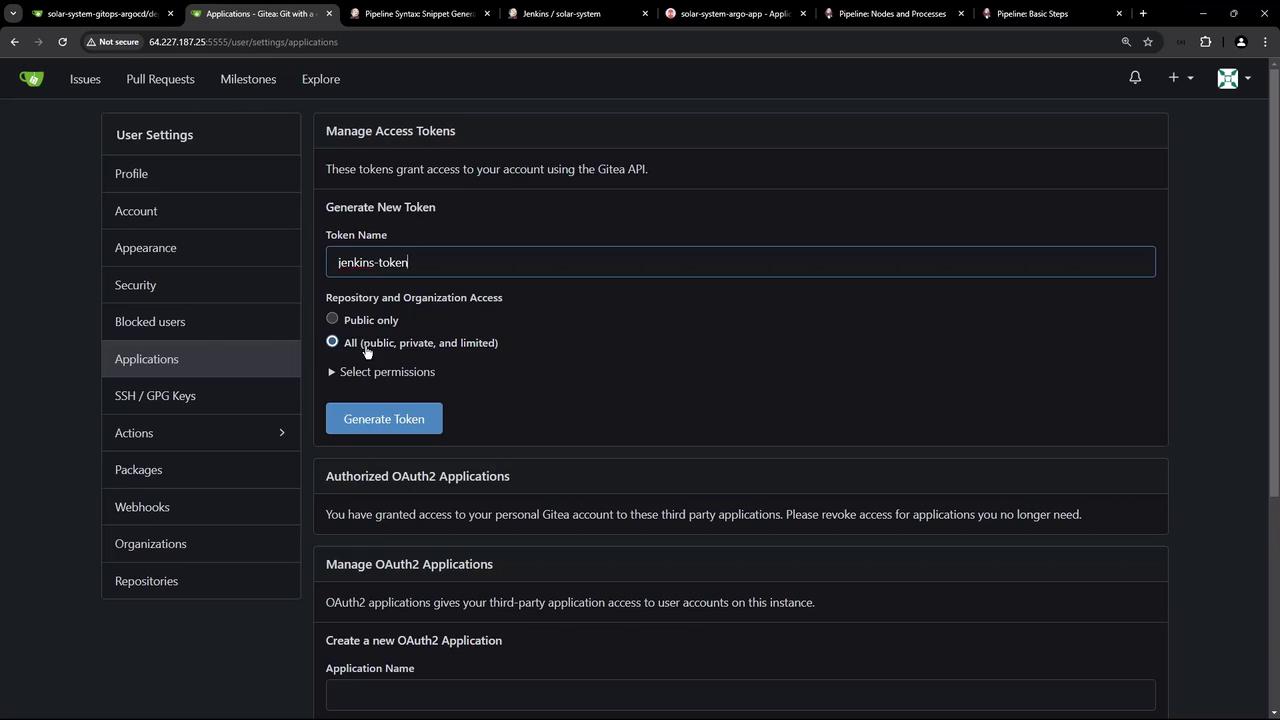
The following image illustrates the Gitea token generation process:
Once the Jenkins pipeline runs, a new feature branch (for example, feature-1) is created in the manifest repository with the updated deployment configurations. You can verify this by inspecting the repository branches:
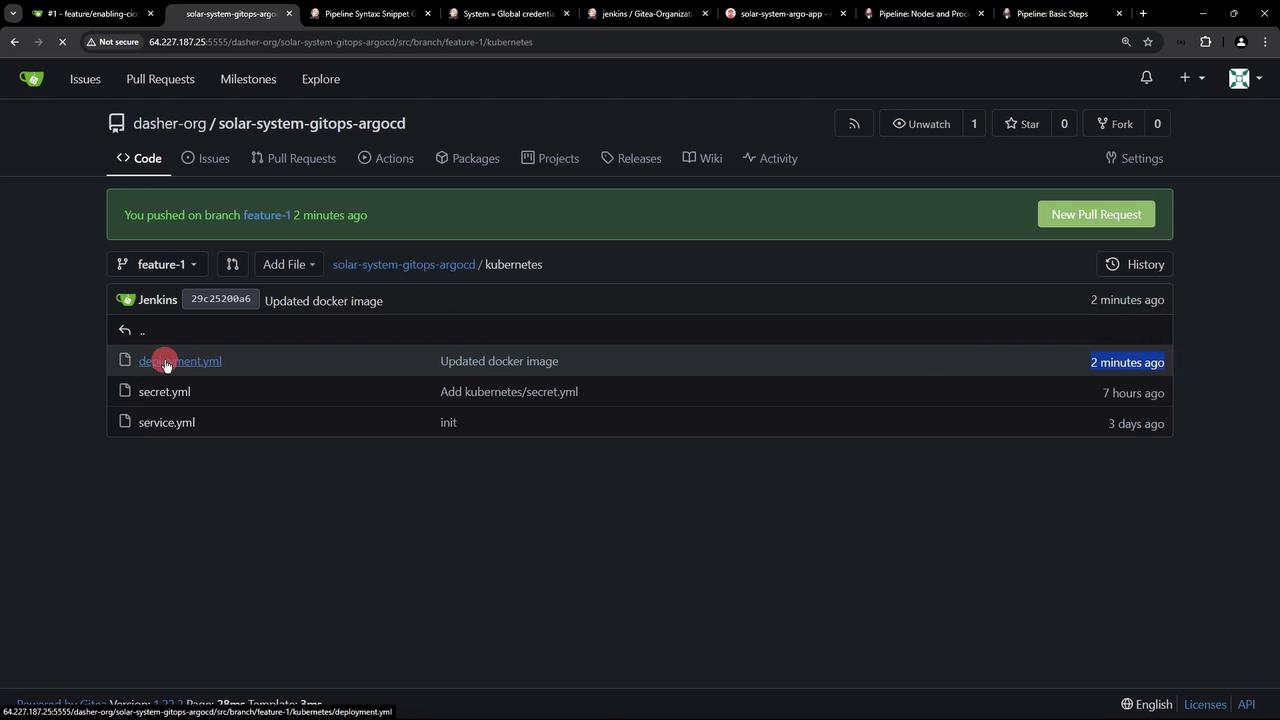
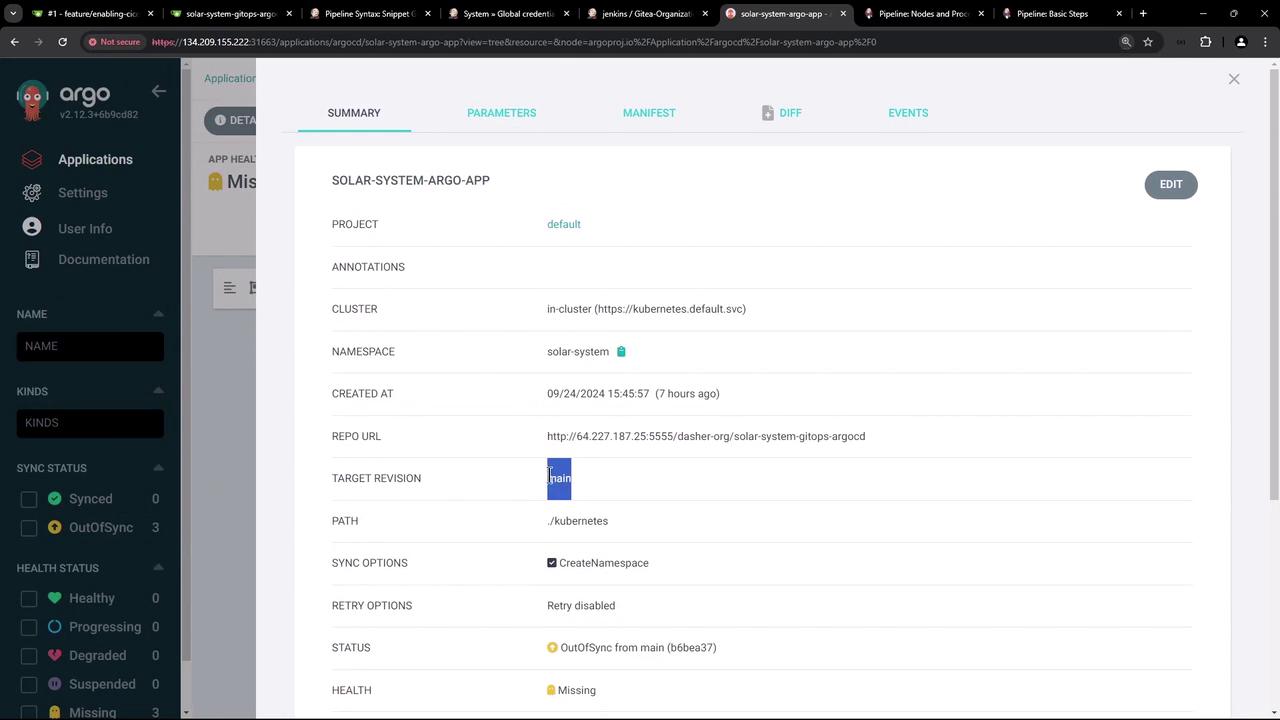
Keep in mind that Argo CD is configured to monitor only the main branch. Since these updates reside in a feature branch, they are not yet deployed. Once you initiate and merge a pull request from the feature branch into main, Argo CD will detect the changes and perform a sync.For example, after merging, the deployment YAML in the main branch might appear as follows:
After performing a manual refresh in Argo CD, the application dashboard should confirm the target revision and the updated image. Below is a screenshot of the Argo CD dashboard:
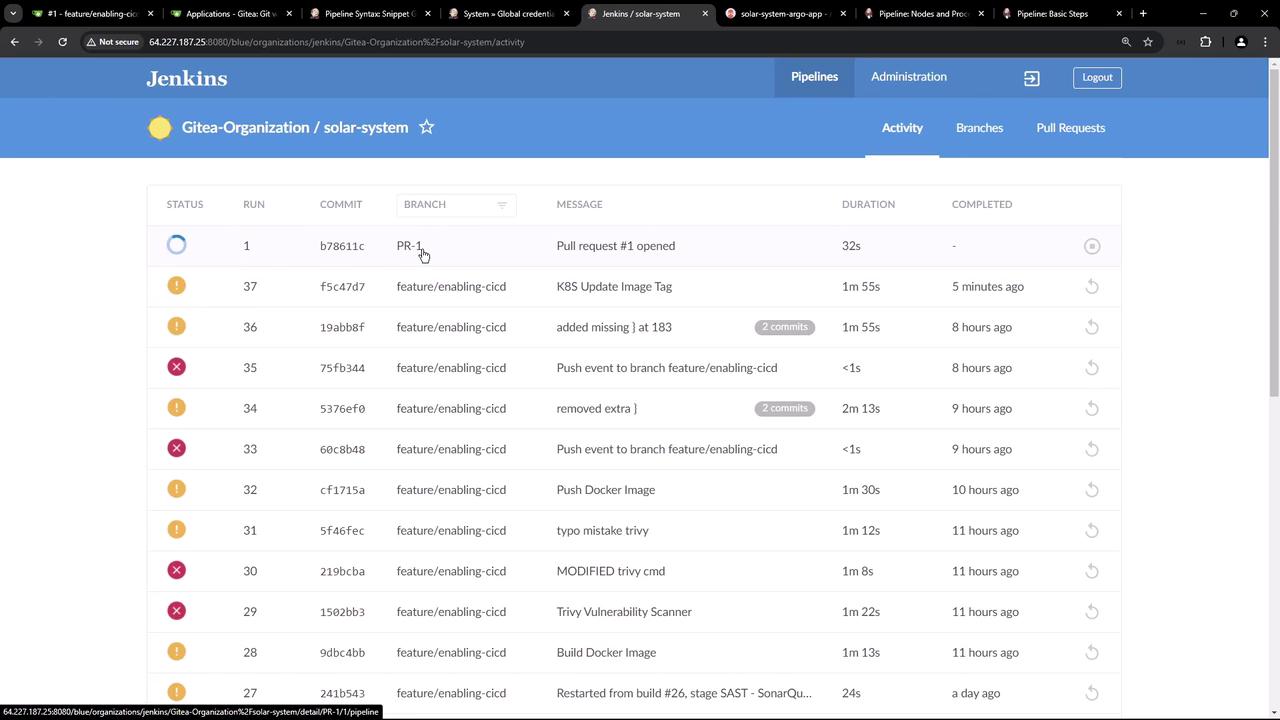
Furthermore, the Jenkins dashboard provides pipeline activity details for branch-specific builds and pull requests:
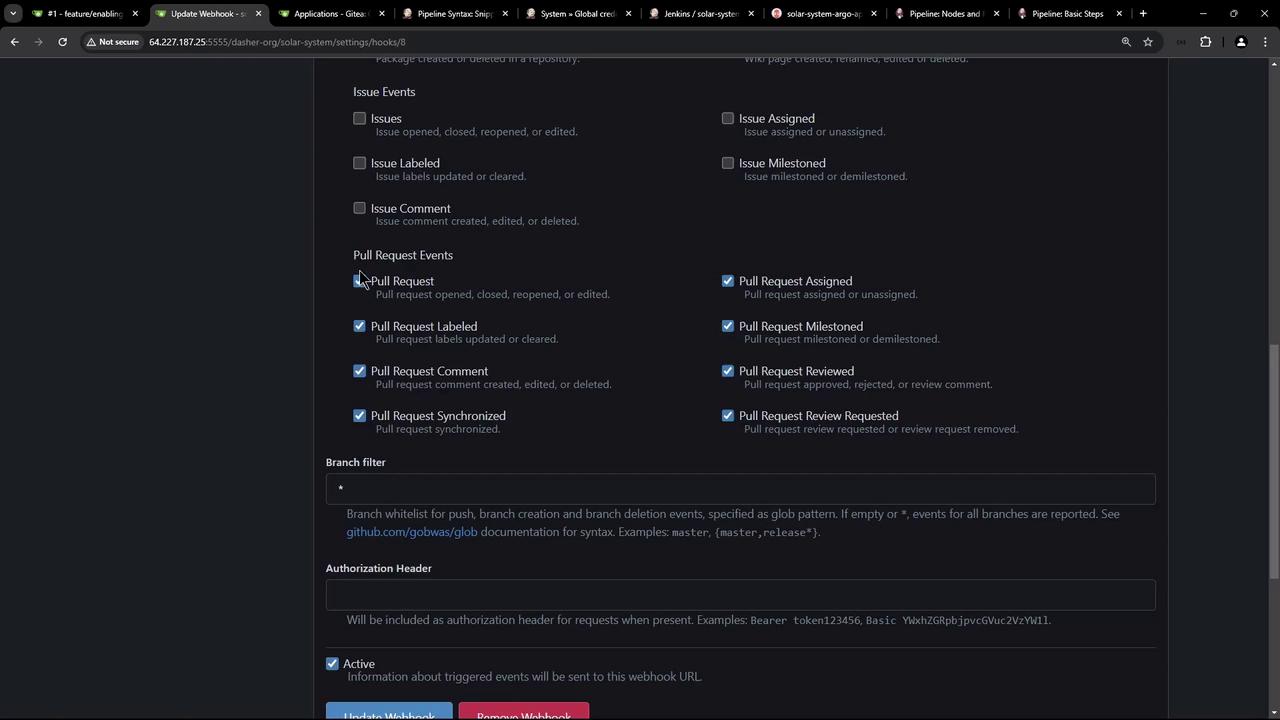
Webhook configurations in your repository settings ensure that pull request events automatically trigger the Jenkins pipeline:
This lesson demonstrated how to automate the update of a Kubernetes deployment’s Docker image tag using Jenkins. By cloning the manifest repository, creating a feature branch, updating the YAML file using the sed command, and pushing changes with proper authentication, you can seamlessly integrate with Argo CD. The updated manifest is synchronized to the cluster only after merging the changes into the main branch, ensuring continuous deployment consistency.Moving forward, we will explore automating the pull request process to merge manifest changes from feature branches into the main branch.Thank you.