Modifying global security settings is similar to temporarily unlocking a highly secured door—it should be done with extreme caution and re-secured immediately afterward.
Markup Formatting Security
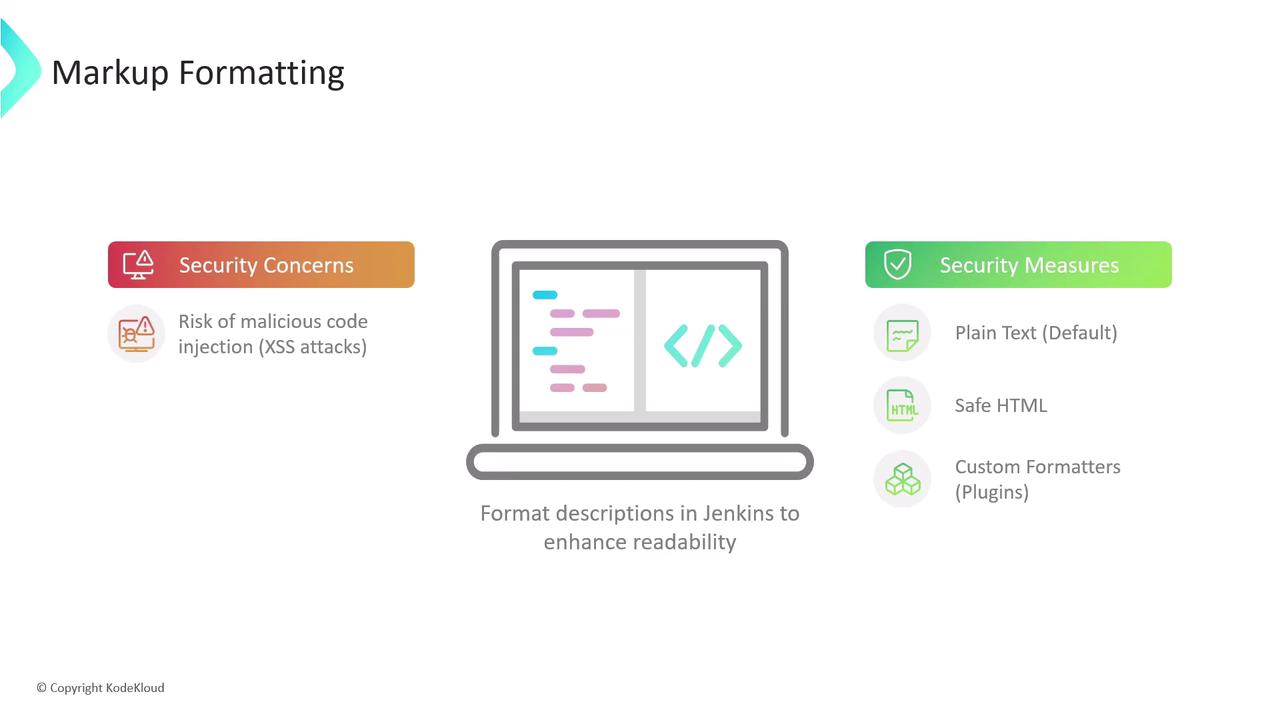
One key global security feature in Jenkins involves markup formatting. Jenkins allows descriptions in jobs, views, and system messages to be formatted for enhanced readability. Without proper controls, there is a risk of injecting malicious code through these formatting options, potentially leading to cross-site scripting (XSS) vulnerabilities. To mitigate this risk, Jenkins offers several markup formatter options:- Plain Text (Default): Treats all input as plain text by escaping any characters that could be interpreted as code. This is the most secure option.
- Safe HTML: Permits basic HTML formatting while removing potentially dangerous elements, thereby preventing XSS attacks.
- Custom Markup Formatters: Available through plugins, these allow more advanced formatting options. However, they should be configured carefully to maintain security.
Example of Markup Formatting
When using the plain text formatter, any HTML tags in a system message are rendered as simple text. For example, consider the following code snippet:CSRF Protection
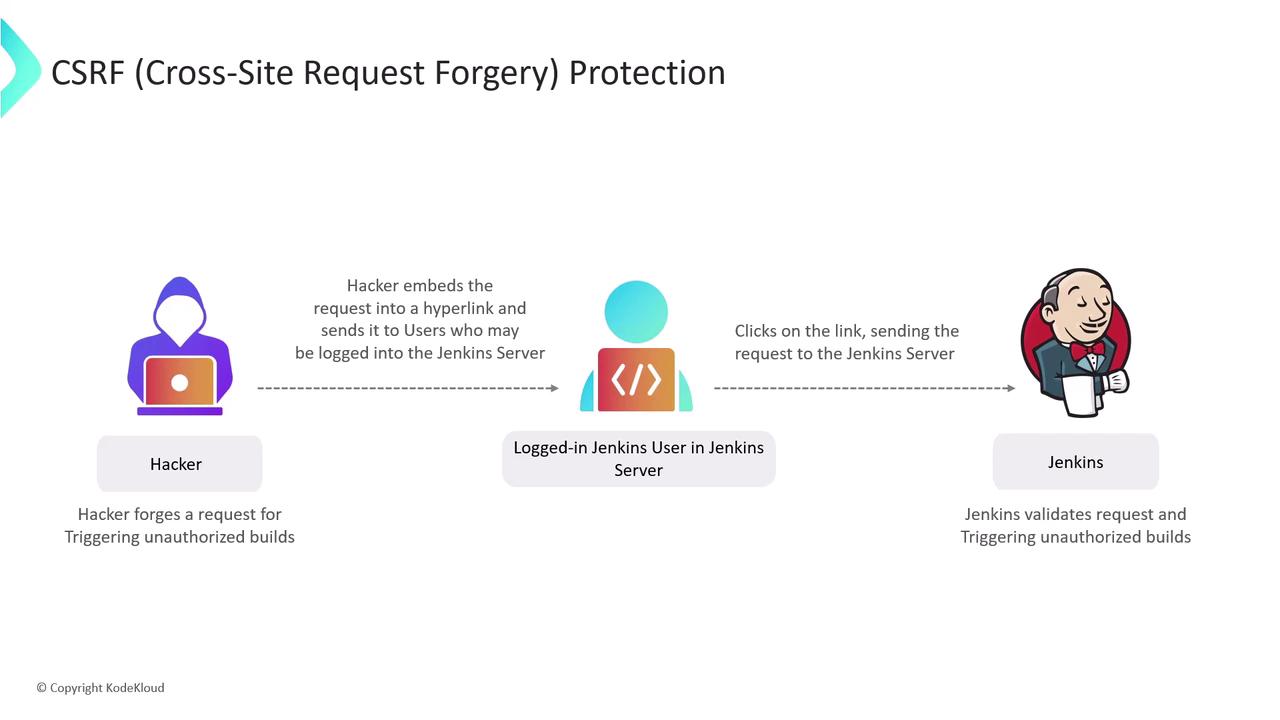
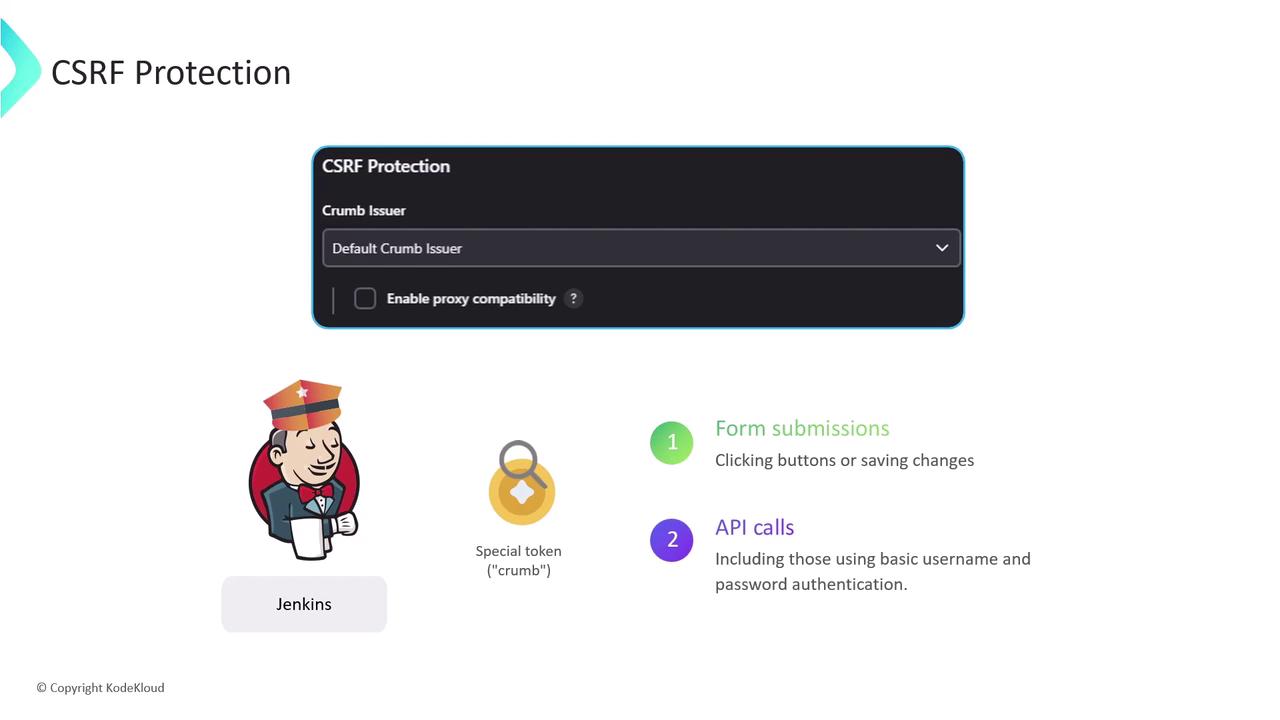
Another essential Jenkins security measure is protection against Cross-Site Request Forgery (CSRF). CSRF is a web vulnerability that tricks authenticated users into performing unintended actions on Jenkins. An attacker might send a malicious link or script, exploiting the user’s active session to execute unauthorized commands—such as triggering builds, deleting builds or artifacts, or modifying configurations.