Step 1: Create a Feature Branch
Before making any changes, create a new branch to work on Slack notifications safely. For example, create a branch namedfeature/enabling-slack:
Step 2: Modify the Jenkinsfile to Configure Slack Notifications
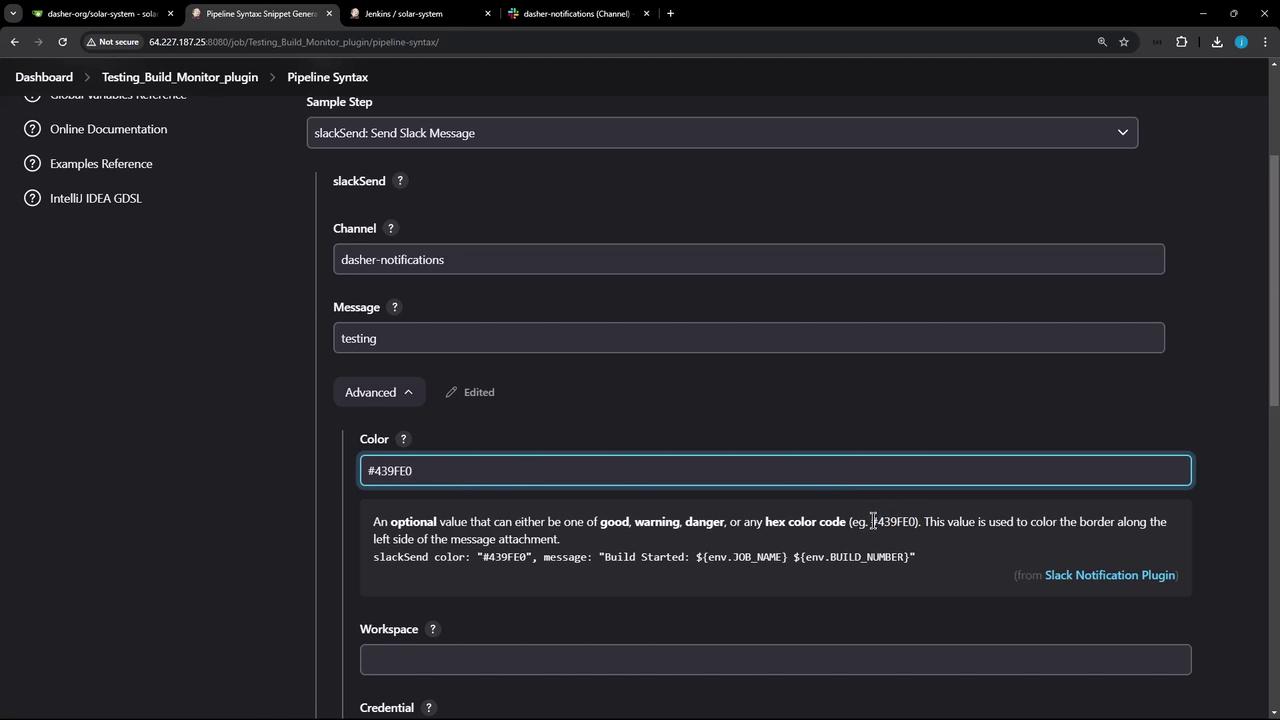
Update your Jenkinsfile to include Slack notifications. Open the Pipeline Syntax Generator and search for Slack commands likeslackSend, slackUploadFile, or those used for user ID resolution. In this guide, we focus on the slackSend command.
You will need to specify:
- The Slack channel (e.g., “dasher-notifications”)
- A message (e.g., “Testing”)
- An optional color based on the build result (green for success, red for failure)
Step 3: Implement Slack Notifications in the Post Section
Add the Slack notification command in thepost block of your stages to handle conditions like success, failure, aborted, or unstable builds. For example:
To simplify maintenance when working with many stages (20 or more), consider creating a reusable Groovy method for sending Slack notifications rather than adding duplicate post blocks in every stage.
Step 4: Create a Reusable Groovy Notification Method
Add the following Groovy method before the pipeline block in your Jenkinsfile. This method accepts an optional build status (defaulting to ‘STARTED’), determines the notification color, and constructs a message using the job details.Step 5: Integrate the Notification Method into Your Pipeline
Invoke the reusable notification method in thepost always section of your pipeline to ensure that a notification is sent regardless of build outcome:
post always block will invoke the slackNotificationMethod, sending a Slack notification with details like the build ID, URL, and job name. Jenkins is preconfigured with the necessary channel and token credentials, so you don’t have to manually set them in your script.
Example: Stage with Post Block
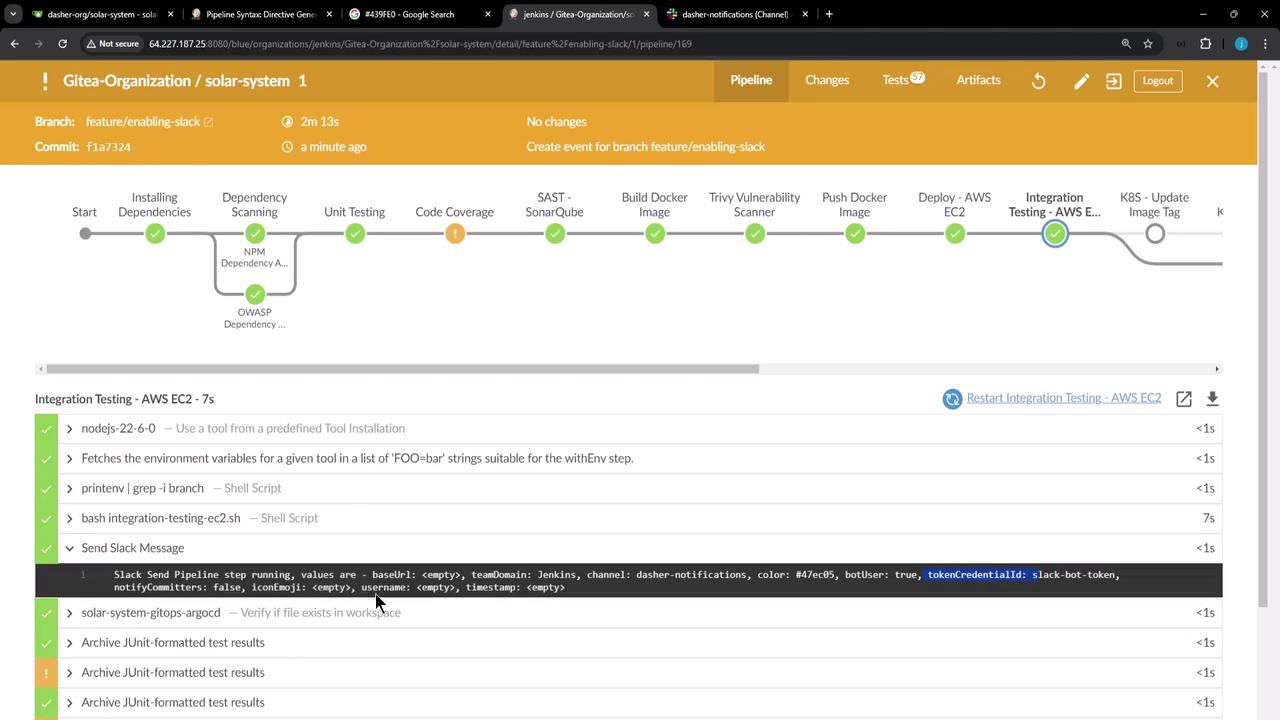
This is an example of a stage with its corresponding post block that includes Slack notifications and additional cleanup steps:feature/enabling-slack branch, the pipeline executes all stages and sends Slack notifications with detailed build information. You might notice console logs similar to:
Step 6: Handling Specific Build Scenarios
In your Jenkinsfile for code coverage, acatchError block can be used to adjust the build result, ensuring that the Slack notification method receives the correct parameter:
exit 1 command in a stage. For example:
post always block will trigger a failure notification with the corresponding red color.
Below is the final version of the reusable Groovy method used throughout the Jenkinsfile:
Conclusion
In larger environments, consider using shared libraries to reuse common methods (like the Slack notification method) across multiple Jenkinsfiles. This approach maintains consistency while reducing duplicated code and simplifying maintenance.