

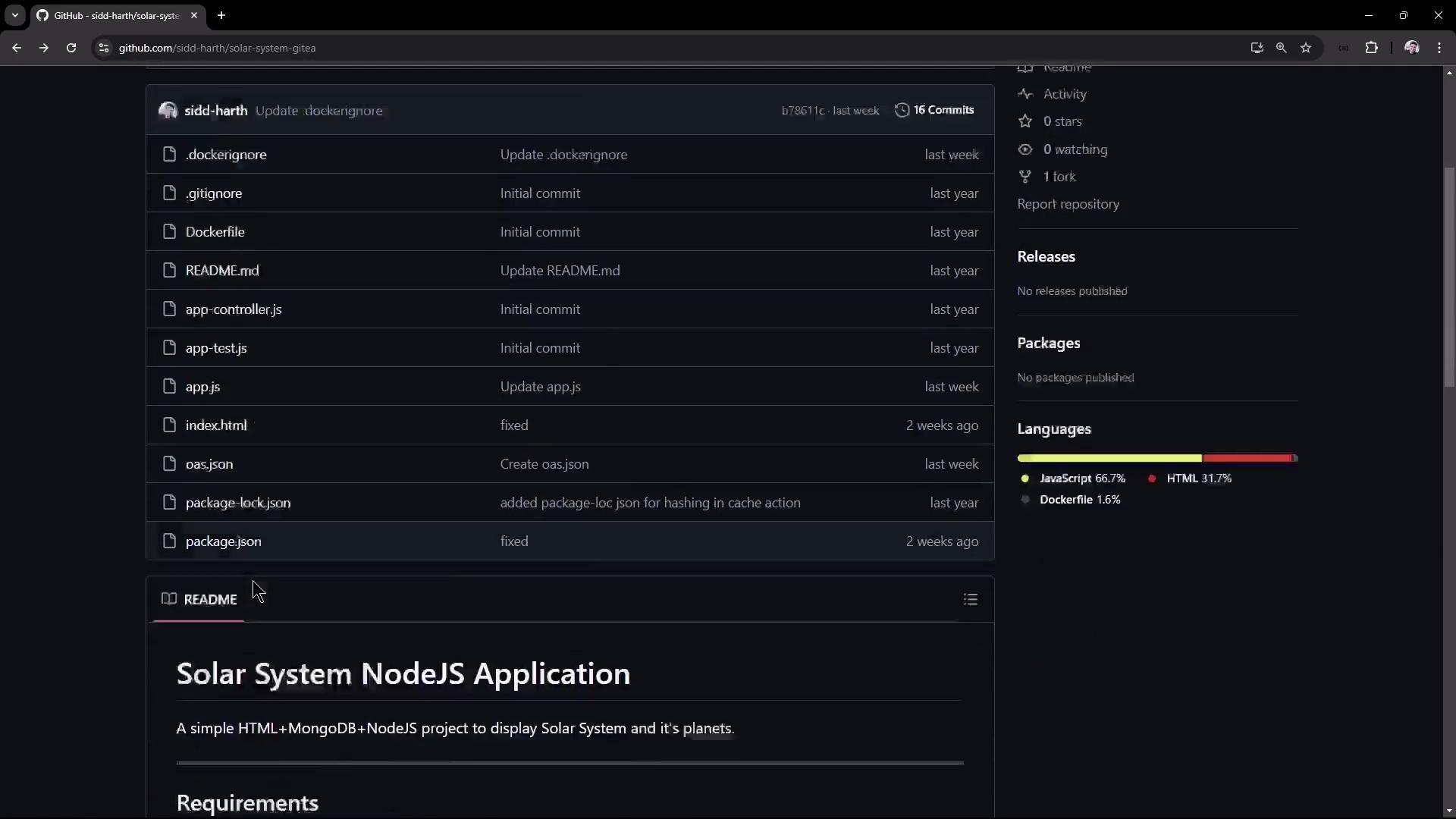
- A small HTML frontend
- Server startup code (app.js)
- Controller logic and Mongoose model (app.controller.js)
- Frontend client script (client.js)
- Unit tests (app-test.js)
- Dockerfile for containerization
- OpenAPI 3.0 spec for the API
Prerequisites (quick checks)
Ensure Node.js and npm are installed and available on your PATH:
Clone the repository:
package.json — scripts & coverage policy
The project defines start, test, and coverage scripts. NYC enforces a minimum of 90% line coverage via package.json:app.js — server startup and MongoDB connection
app.js boots Express and connects to MongoDB using Mongoose. At runtime the app expects these environment variables:- MONGO_URI
- MONGO_USERNAME
- MONGO_PASSWORD
Ensure MONGO_URI, MONGO_USERNAME, and MONGO_PASSWORD are provided in your
environment before running tests or starting the server. Without a valid
MONGO_URI, mongoose.connect will fail with “The
uri parameter to openUri()
must be a string, got ‘undefined‘“.app.controller.js — data model and API endpoints
The application uses a Mongoose Schema for planets and exposes several endpoints. Example model and routes (simplified):client.js — frontend behavior and fetch handling
The client script fetches /os on window load and writes the host/pod name into the page. The snippet below demonstrates robust fetch handling and wiring the click handler:app-test.js — Mocha + Chai (integration style)
Tests use chai-http to exercise endpoints. The test suite shows how the API is validated and how mocha-junit-reporter produces JUnit XML for CI:Dockerfile — containerize the app
A sample Dockerfile used for building images:OpenAPI snippet
The repo includes an OpenAPI 3.0 specification for the API (partial):Install dependencies
Install modules locally:Running tests — common failure mode and mitigation
If you run npm test without MONGO_URI set, app.js will try to connect to MongoDB and Mongoose will throw an error during startup:- Provide real environment variables (MONGO_URI, MONGO_USERNAME, MONGO_PASSWORD), or
- Mock the database connection in tests (recommended for CI), or
- Use a local MongoDB instance, or
- Temporarily hardcode a connection string (not recommended—see warning below).
Never commit real credentials. If you must hardcode a connection string for
local debugging, ensure it is removed before committing and never store
production secrets in source control.
Successful test run and JUnit report
When the DB connection is satisfied (or tests are mocked), mocha exits with code 0 and produces a JUnit XML via mocha-junit-reporter, which CI systems can consume:Code coverage with NYC
Running coverage uses nyc and enforces the threshold defined in package.json. If coverage is below the threshold, the command exits non-zero—useful to fail or gate CI pipelines:Start the application locally
Start the server:Web UI screenshot
Open the UI to search planets and inspect the host/pod name displayed: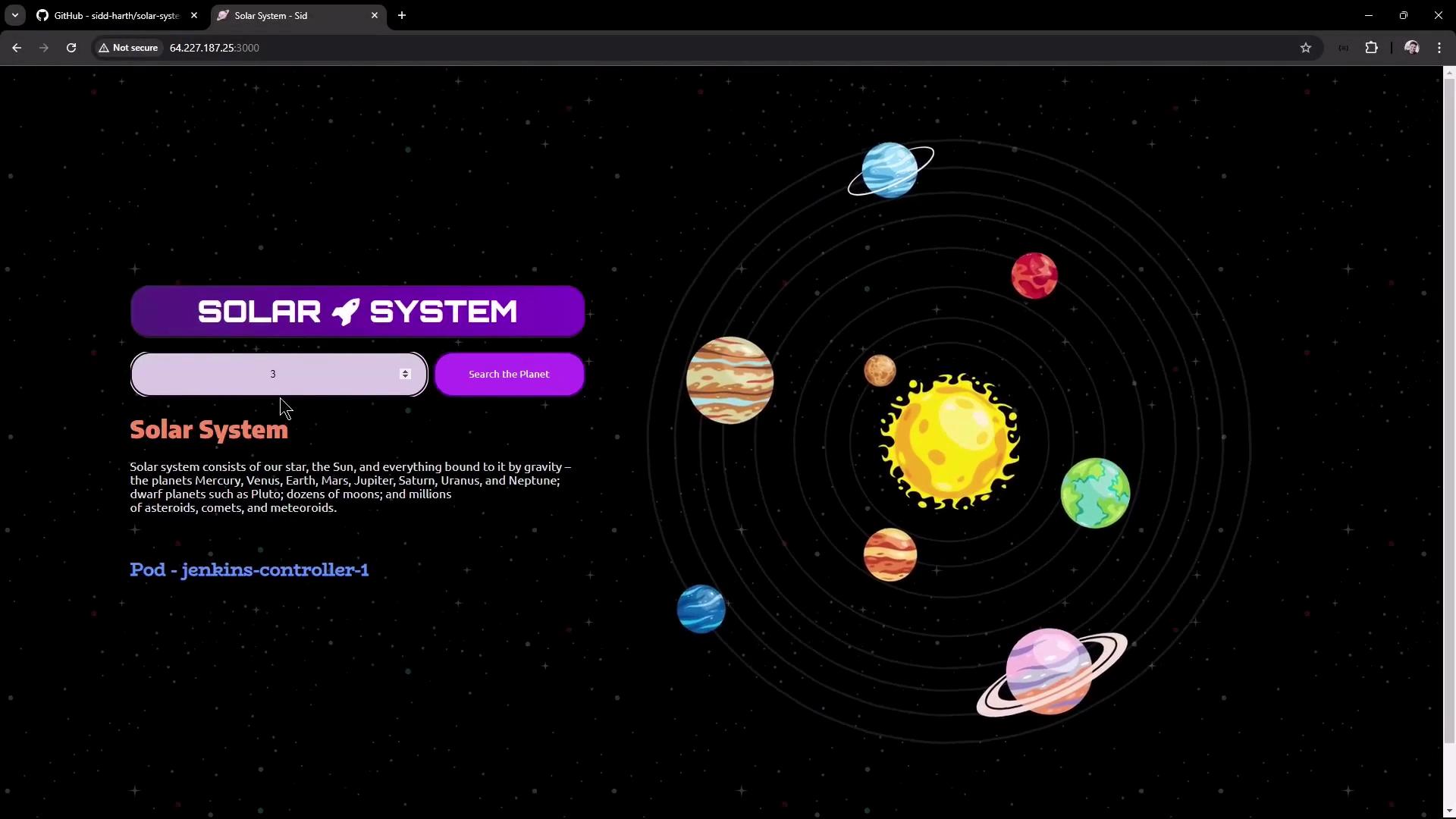
API endpoints (summary)
Example JSON responses:
- GET /os
- GET /live
- GET /ready
Wrap-up
You have now:- Examined the repository structure and key files (app.js, app.controller.js, client.js, tests, Dockerfile, OpenAPI)
- Installed dependencies and run tests locally
- Learned common failure modes (missing MONGO_URI) and mitigations
- Collected code coverage using nyc
- Started the app and verified the UI and basic endpoints