

Logging In and Retrieving Posts
First, we log in a user, update a variable, and retrieve all posts using our Postman Essentials application. The image below illustrates a login request using the POST method with form data for the username and password. The response includes an access token and token type.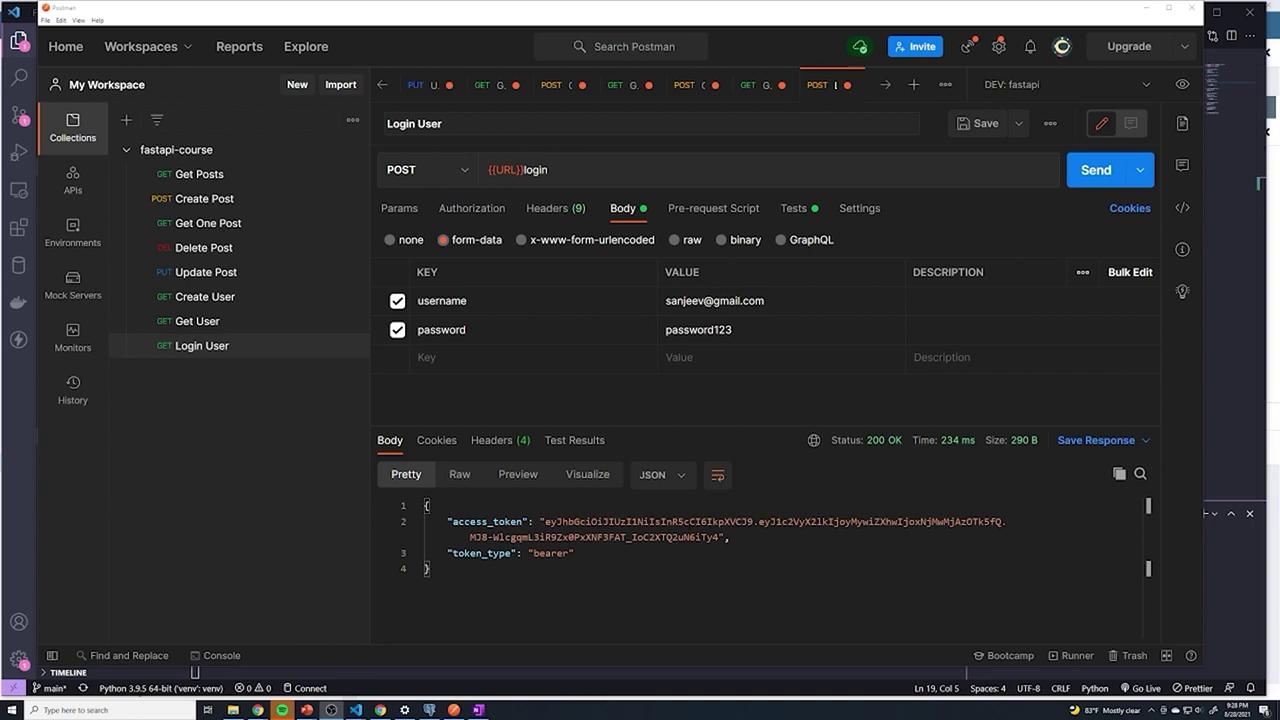
Updating the Posts Endpoint
Examine the code in the posts router, specifically the endpoint for retrieving all posts. The response model referencesschemas.Post:
PostBase, which currently includes fields like “title”, “content”, and “published”. It also defines the “id” and “created_at” fields that are generated at the database level:
Reviewing the Get Single Post Endpoint
Thepost.py file contains similar schema definitions for retrieving an individual post:
schemas.Post), updating it once is sufficient.
Updating a Post
The update post endpoint is defined as follows:All endpoints currently reference the updated
schemas.Post to include owner information. This single change now propagates across various functionalities like retrieving a post, updating a post, and creating a post.Handling Owner ID During Post Creation
An issue arises when creating a post. If a new post is submitted without an owner ID (since this field is not provided in the request body), the database generates an error due to the NOT NULL constraint on the “owner_id” column:This error indicates that while “owner_id” is mandatory in the database, the current logic does not automatically assign it during post creation. We will address this mechanism in the next article.