In this guide, we elevate our GitHub Actions workflow by configuring Python, upgrading pip, installing dependencies, and running tests with Pytest. Follow the steps below to create an efficient CI/CD pipeline tailored for Python projects.

1. Checking Out the Repository

The first step in our workflow is to pull the Git repository. This ensures that all subsequent actions have access to the latest version of your code. For example:
After the checkout step, the logs typically display output similar to:

2. Setting Up Python

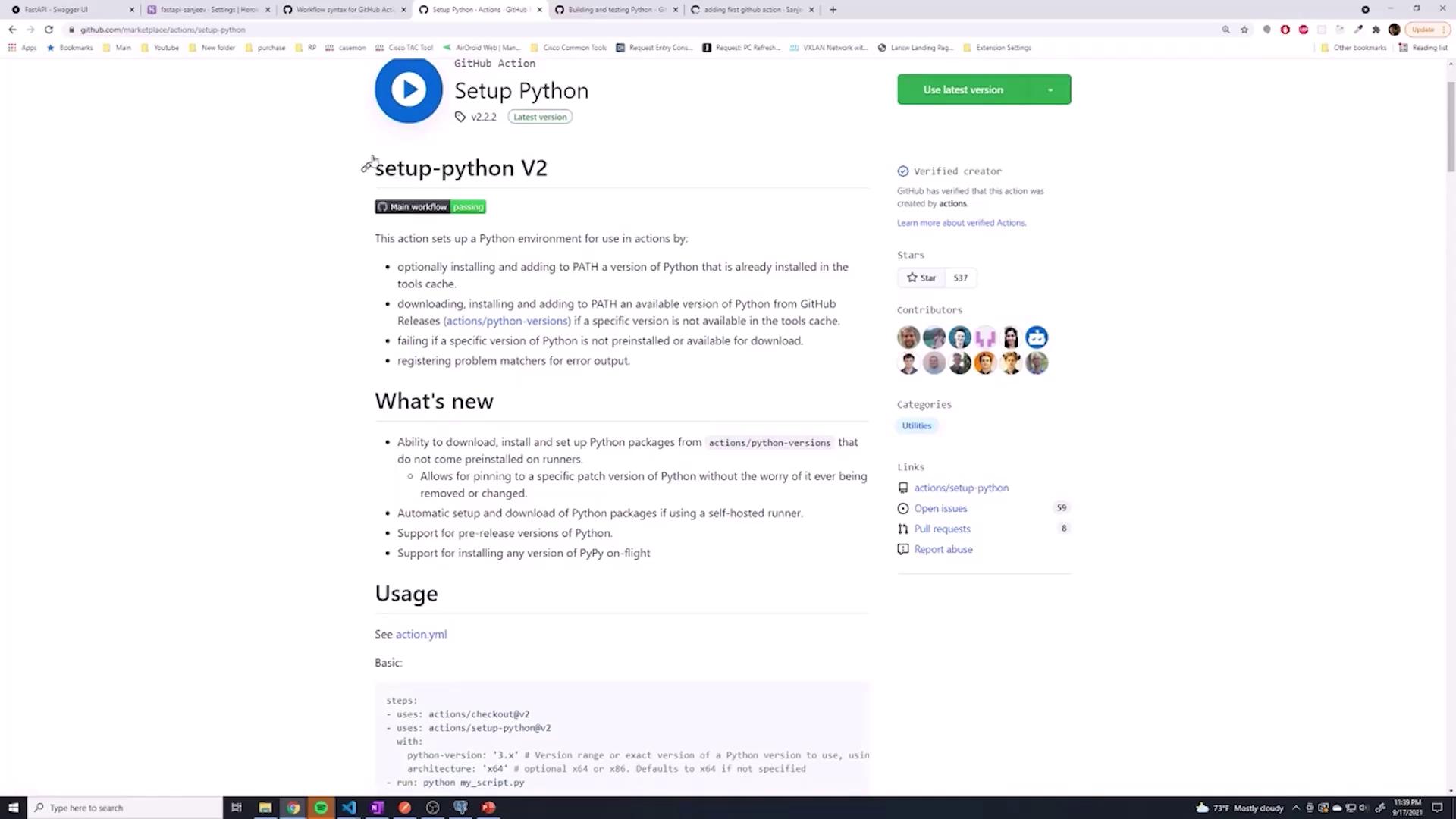
It is possible to install Python manually (e.g., using sudo apt install python3), but using a pre-built GitHub Action simplifies the process considerably. The actions/setup-python@v2 action not only installs Python but also lets you test your code against multiple Python versions if needed. In this guide, we will configure Python version 3.9.
Upon successful installation, the console will display messages confirming that Python has been configured correctly:
For visual reference, see the image below which shows the GitHub page for the Python setup action:
The image shows a GitHub page for "Setup Python," detailing a GitHub Action for setting up a Python environment, including features and usage instructions.
:::note Tip Using the setup-python action makes it easy to extend your pipeline to test multiple versions of Python by simply adjusting the matrix strategy. :::

3. Upgrading pip and Installing Dependencies

After setting up Python, it is important to upgrade pip to ensure you are using the latest package management features. The next step is to install your project dependencies from the requirements.txt file.
After pushing these updates, you will see log outputs similar to:
This confirms that your repository was successfully checked out, Python was installed, pip was upgraded, and your project dependencies have been installed.

4. Running Tests with Pytest

Testing is a critical step in any CI/CD pipeline. Here, we incorporate Pytest for executing your test suite. If Pytest is not already listed in your dependencies, this step will install it and run your tests.
When running Pytest, the log should show a confirmation similar to:
:::note Testing Note Ensure your test cases are properly configured in your repository. If there are any failures, review the logs carefully for troubleshooting. :::

5. Observing the Workflow Run

Upon committing and pushing your changes, navigate to the GitHub Actions tab to monitor the progress of your workflow. The pipeline executes the following sequential steps:
  • Pulling the Git repository
  • Installing Python version 3.9 using a GitHub action
  • Upgrading pip
  • Installing project dependencies from requirements.txt
  • Running Pytest to validate your code
During the workflow run, you might see a log message such as:
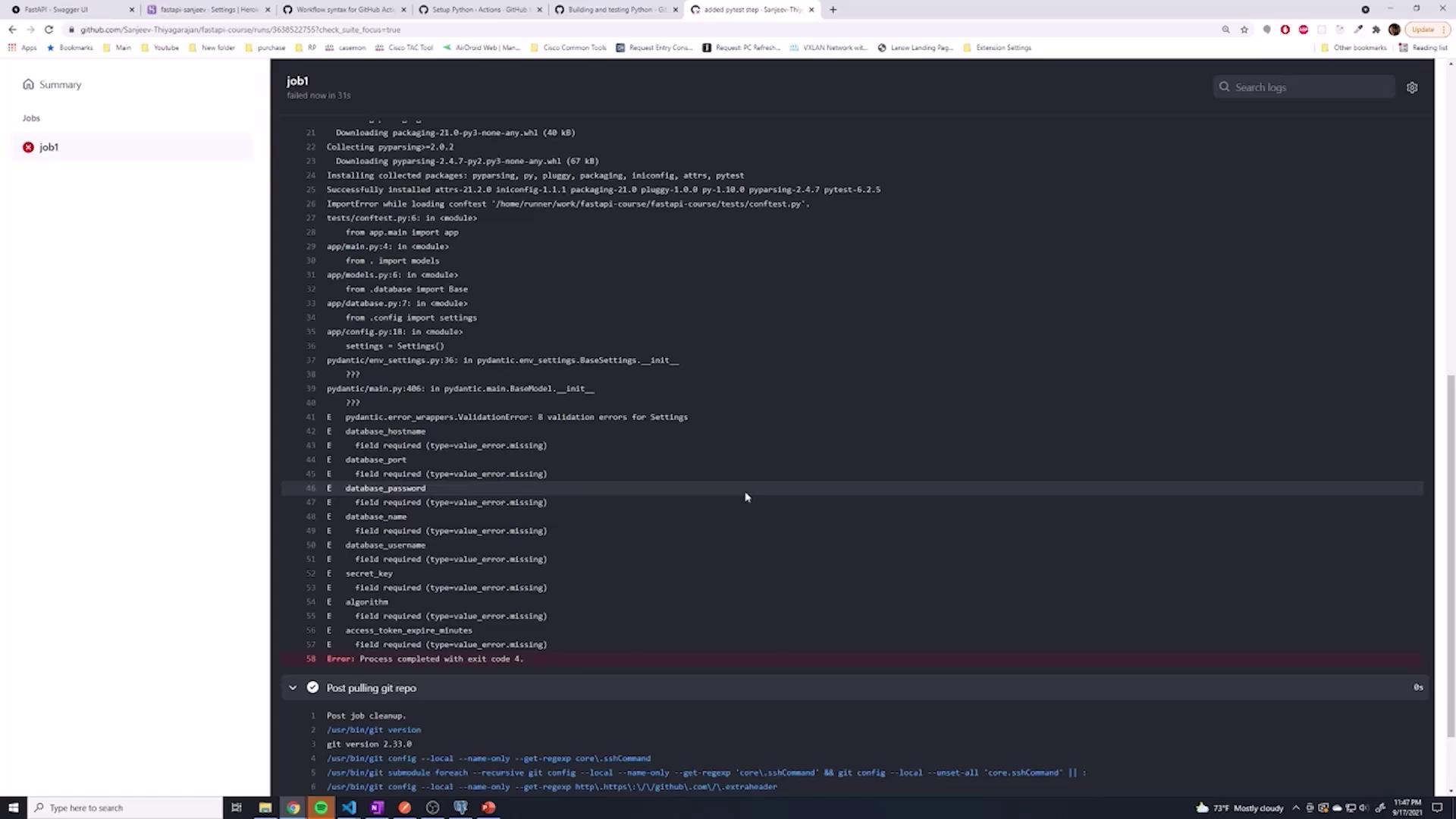
This output confirms that the workflow has begun executing correctly. If the Pytest step fails, inspect the logs for error details. In the example below, the failure occurred due to missing environment variables required for the database connection:
The image below highlights the error details from the GitHub Actions log:
The image shows a computer screen displaying a GitHub Actions log with error messages related to missing environment variables during a job run. The left side of the screen shows a navigation pane with a job labeled "job1."
:::warning Warning The failure indicates that certain environment variables for the database connection have not been set. Ensure that these variables are configured before running the tests. :::

Conclusion

In this article, we configured a GitHub Actions workflow to:
  • Checkout the repository
  • Install Python using a pre-built GitHub Action
  • Upgrade pip and install the necessary dependencies
  • Run tests with Pytest to verify that our application functions as expected
In the next lesson, we will discuss how to configure environment variables within the workflow, ensuring proper configuration for your database connections and other critical services. Happy coding!

Watch Video