

- Keep build and test steps in a dedicated
buildjob. - Create a separate
deployjob that runs only if thebuildjob succeeds. - Use vetted Marketplace Actions for common targets (Heroku, SSH) to simplify authentication and deployment logic.
Jobs: Build then Deploy
Organize your pipeline by separating CI (build/test) from CD (deploy). By default, GitHub Actions runs jobs in parallel. Make the deploy job depend on the build job usingneeds: [build] so it runs only after a successful build.
Example workflow skeleton with two jobs:
Split build/test and deploy into separate jobs and use
needs: [build] for the deploy job. This ensures deployment only runs after the build and test jobs complete successfully.Deploying to Heroku using a Marketplace Action
For Heroku, prefer a maintained Marketplace Action to avoid scripting credential setup and git pushes manually. A popular option isakhileshns/heroku-deploy.
Here is where you might search for Heroku-related Actions in the Marketplace (example screenshot):

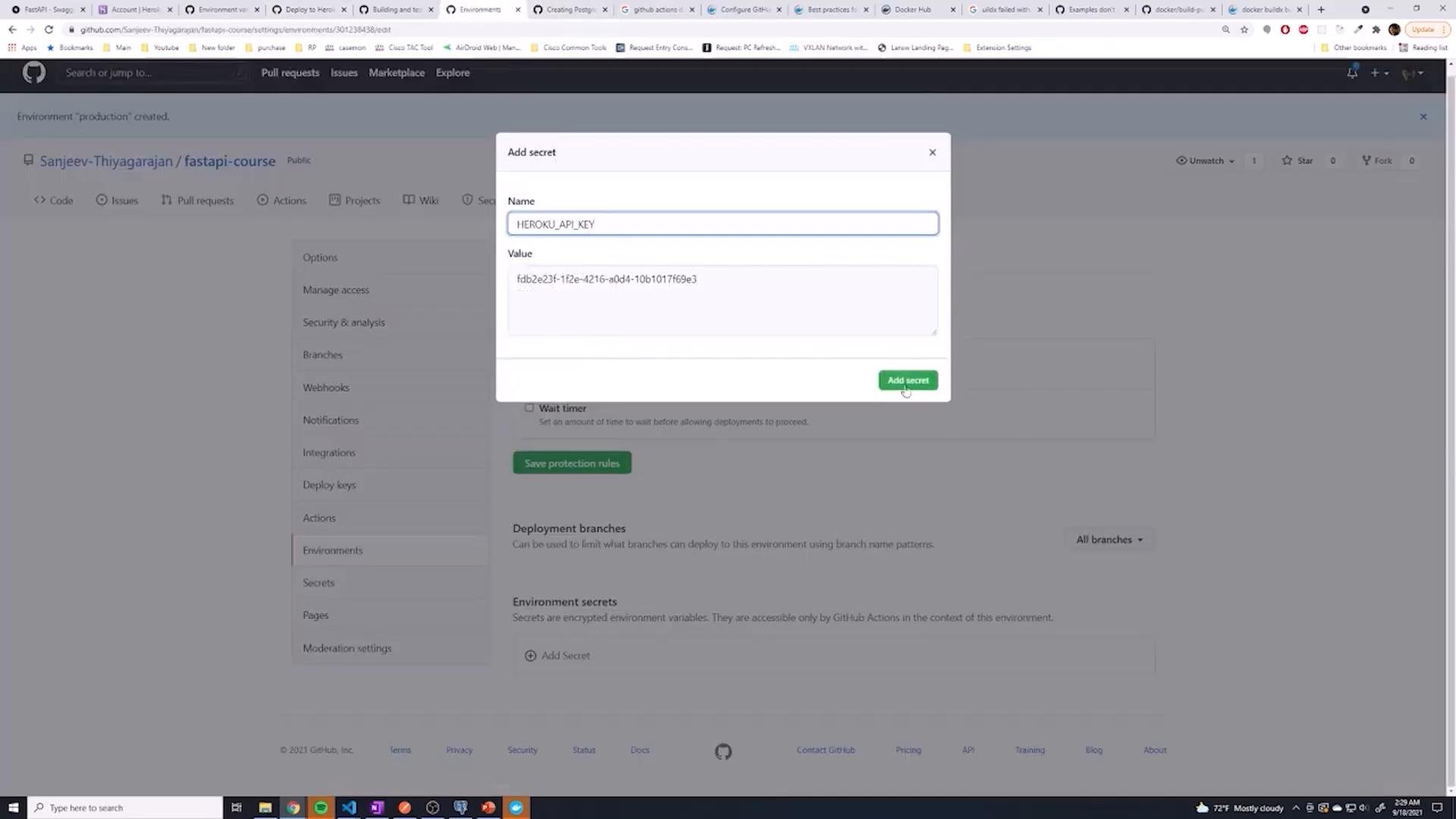
HEROKU_API_KEY secret:

Manual Heroku deploy (custom workflow)
If you need to control every step, you can use a manual.netrc approach that writes Heroku credentials to ~/.netrc and then pushes to the Heroku git remote:
git remote add with .netrc lets you authenticate non-interactively. If you prefer heroku git:remote, add a step to install the Heroku CLI first.
Confirming Deploy Runs Only on Successful Builds
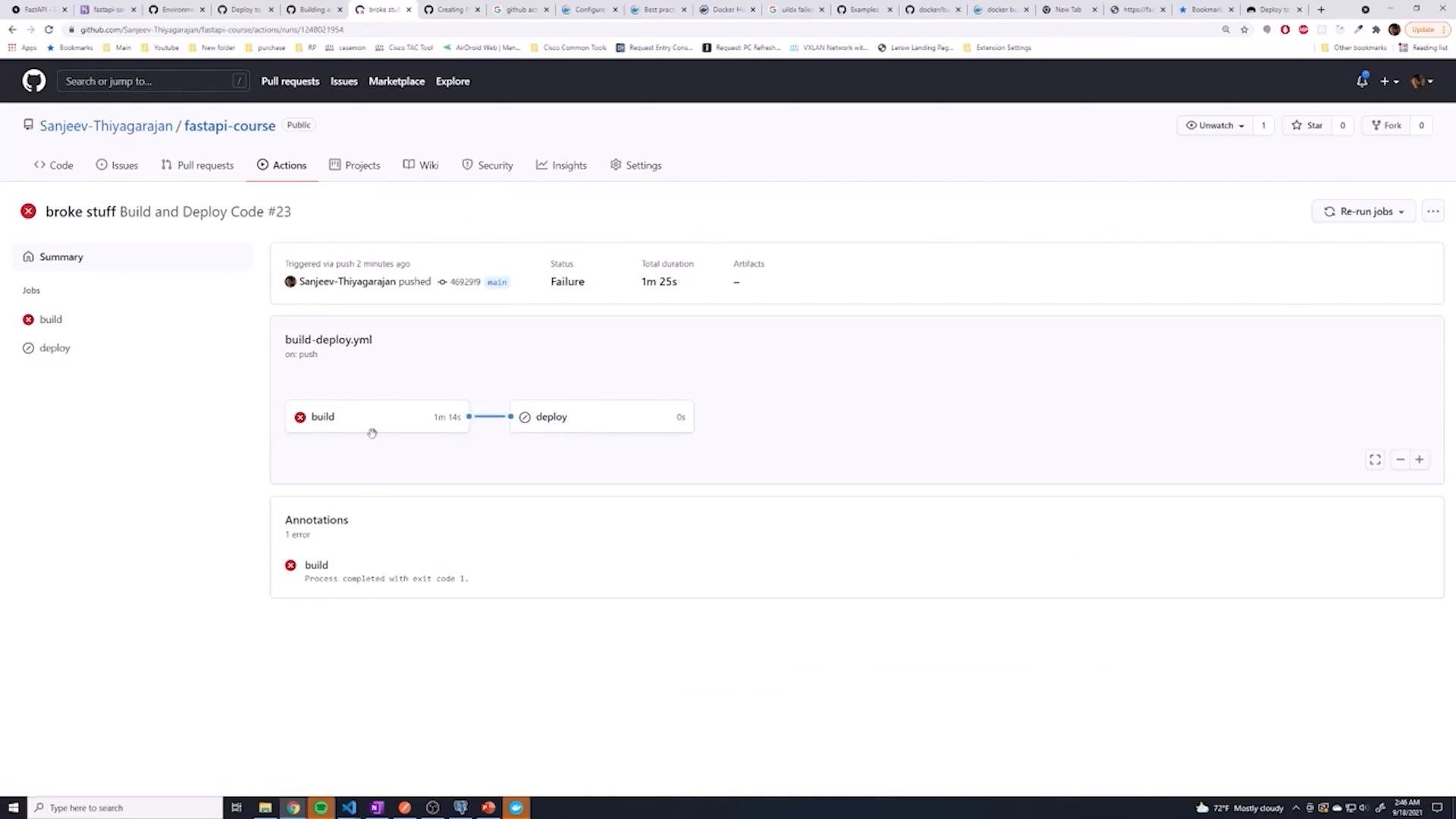
Because thedeploy job uses needs: [build], any failure in the build job (tests or dependency installation) will skip the deploy job automatically. This prevents deploying broken code.
When a test fails, GitHub Actions shows the build failure and the deploy job will be pending/skipped. Example failed workflow view:
Deploying to an Ubuntu Server via SSH
To deploy to a self-managed server (Ubuntu VPS), use a Marketplace SSH action that runs remote commands. A commonly used option isappleboy/ssh-action.
You can search SSH-related actions in the Marketplace (example screenshot):

- Store server connection info as secrets:
PROD_HOST,PROD_USERNAME, and eitherPROD_PASSWORDor a private key secret. - Use the SSH action to run commands that pull the latest code and restart services.
appleboy/ssh-action with password-based auth and piping the password into sudo -S for systemctl restart:
If
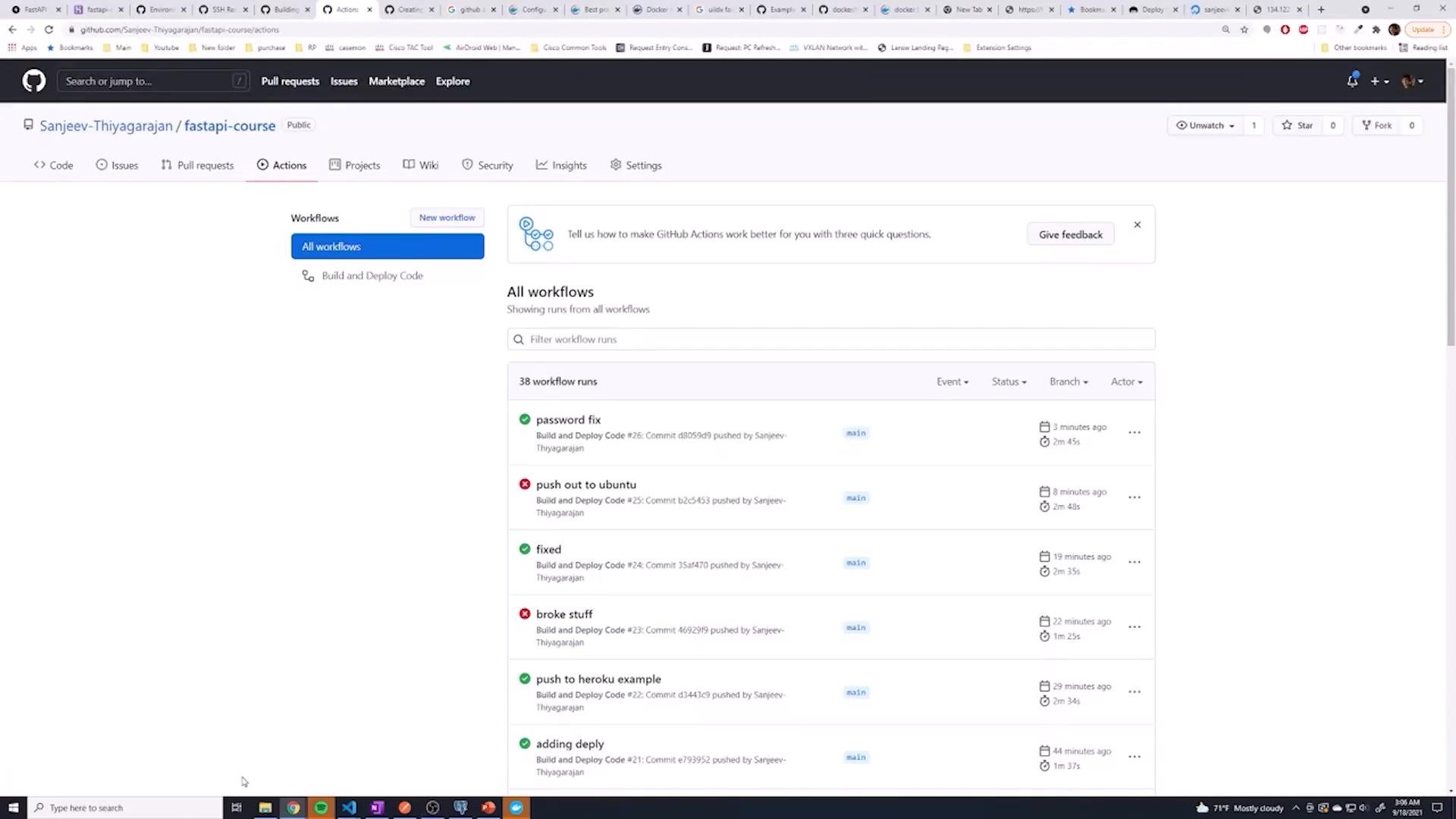
sudo on the remote server requires a password, use sudo -S and pipe the password from a secret (echo ${{ secrets.PROD_PASSWORD }} | sudo -S <command>) or configure passwordless sudo for the deploy user in /etc/sudoers. Passwordless sudo for specific commands is generally safer than embedding full privileged passwords in CI scripts.sudo -S or set up an appropriate sudoers entry and re-run the pipeline. After fixing this, the Actions run status should show green for both build and deploy:
Quick Reference: Marketplace Actions Comparison
Best Practices & Summary
- Use separate
buildanddeployjobs and connect them withneeds: [build]to enforce deployment only on successful builds. - Prefer Marketplace Actions (for Heroku and SSH) to reduce scripting and common credential pitfalls.
- Store all sensitive values in GitHub Secrets or environment-level secrets:
HEROKU_API_KEY,HEROKU_APP_NAME,HEROKU_EMAIL,PROD_HOST,PROD_USERNAME,PROD_PASSWORD, etc. - For Heroku use
akhileshns/heroku-deployto automate authentication and pushes. - For SSH deployments use
appleboy/ssh-actionand handlesudoeither by piping the password withsudo -Sor configuring passwordless sudo for deploy tasks. - The CI will stop on failures (tests/install errors) and the
deployjob will be skipped due to theneedsdependency — preventing broken code from reaching production.
Links and References
- GitHub Actions Documentation
- akhileshns/heroku-deploy: https://github.com/akhileshns/heroku-deploy
- appleboy/ssh-action: https://github.com/appleboy/ssh-action
- Heroku Docs: API Key and Account Settings