Setting Up a New Request in Postman
Begin by creating a new request in Postman using the same URL structure as for deleting a post (e.g.,/posts/{id}). When updating a post, your request body must include all data fields defined in the post schema: title, content, a published flag, and an optional rating.
For instance, sending only a title like the example below will not work with the PUT method because it expects data for every field:
Understanding the FastAPI Application
The following snippet shows a basic FastAPI application that defines a Post model and stores posts in a list. Notice the helper functions used to locate posts by their ID.Ensure that the Postman request body is set as raw JSON. The initial test might just update a single field, but remember to include all required fields for a successful update.
Testing the Update Operation in Postman
When testing in Postman, if you attempt to update only one field with:The DELETE Operation for Context
Below is the DELETE endpoint implementation that removes a post based on its ID:Implementing the PUT Operation
The new PUT operation checks whether the post exists using thefind_index_post helper function. If the post is not found, it raises a 404 error; otherwise, it updates the post by replacing the old values with the new data while preserving the original ID.
Verifying the Update
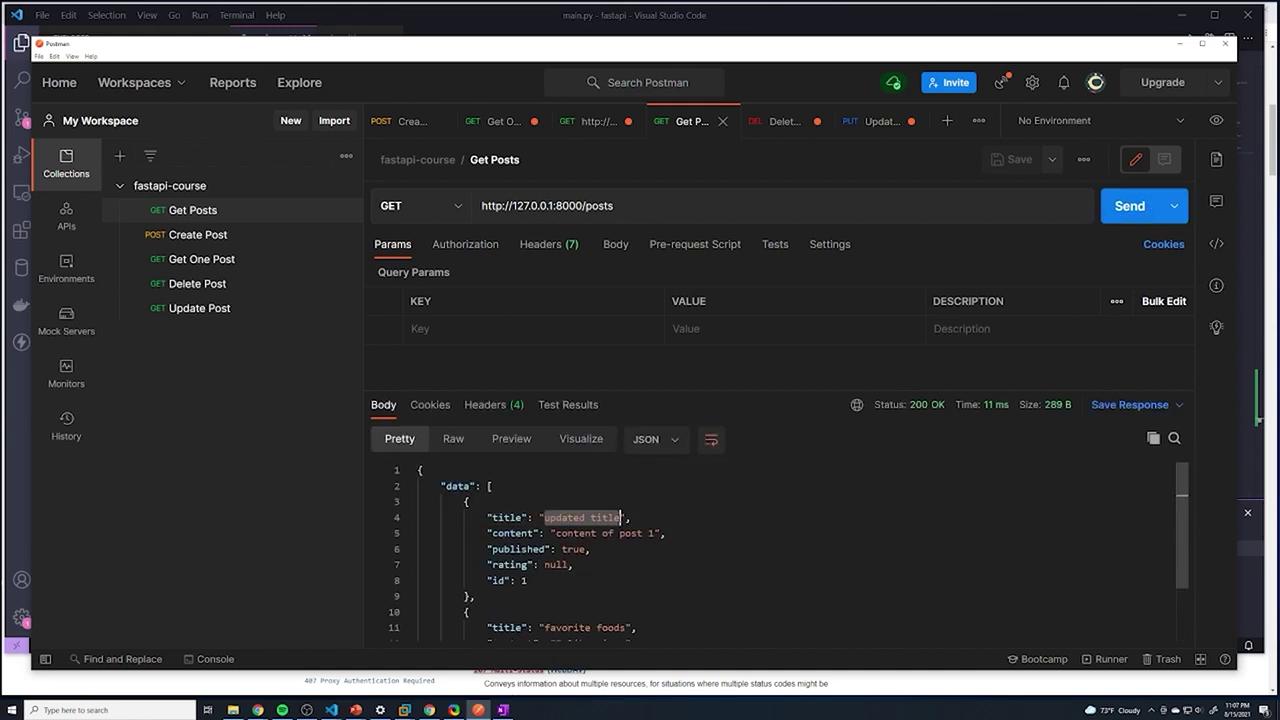
After updating a post (for example, changing the title to “updated title” and content to “This is the new content”), you should receive a response like:/posts. The updated list of posts should display the modified data:
Review the JSON response in Postman to ensure every post object includes all the expected fields. This helps verify that the data is persisted correctly.