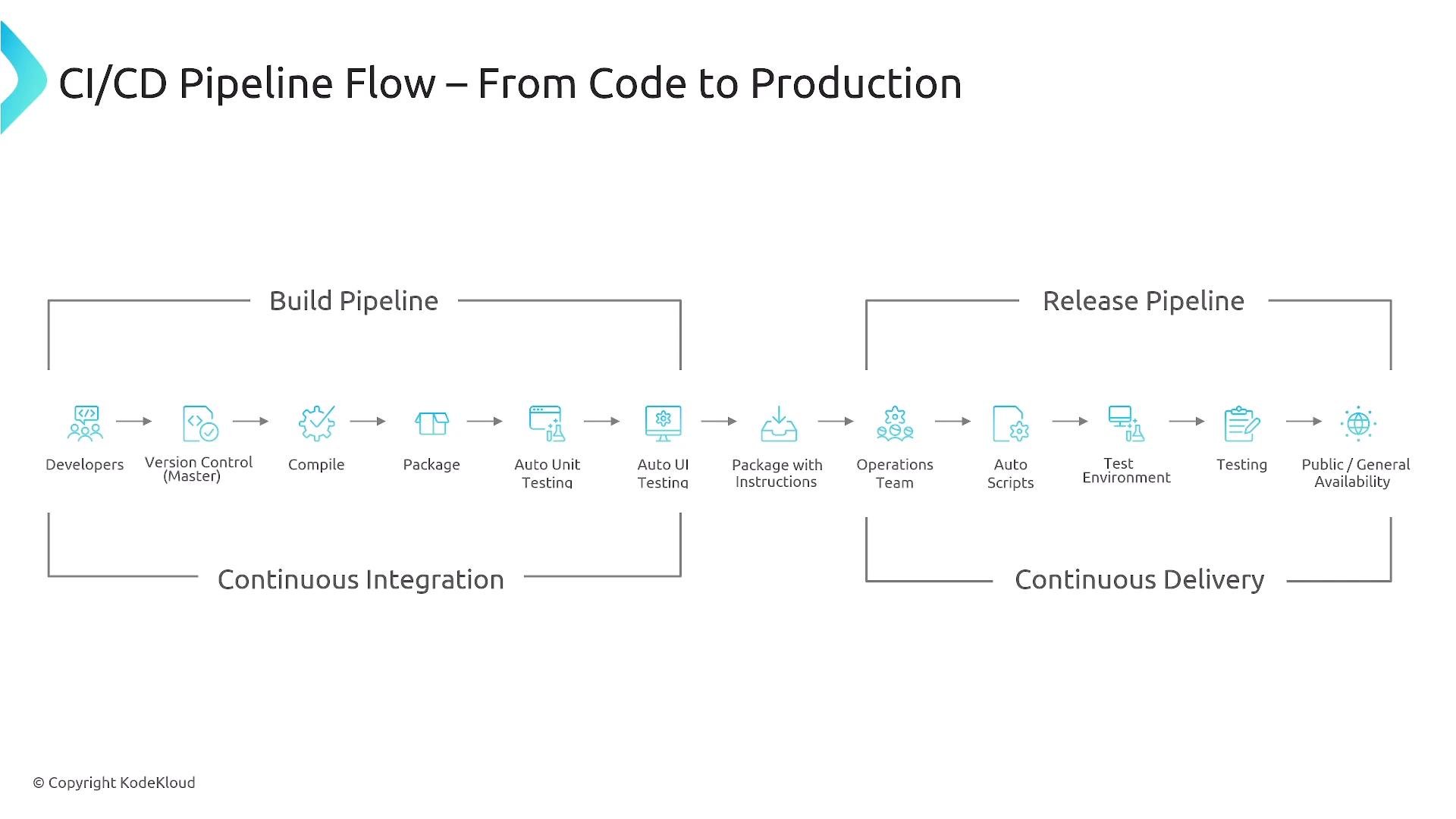
Welcome. In this lesson we cover the fundamentals of Continuous Integration (CI): why CI matters, the typical CI pipeline stages, how security and quality integrate into CI, and how CI supports platform engineering and GitOps workflows. Continuous Integration is the first half of the CI/CD lifecycle. It ensures code changes are built, tested, and turned into a deployable, versioned artifact. This foundation enables reliable, repeatable software delivery and accelerates feature delivery across environments by providing rapid feedback and traceability from source to runtime. To illustrate the overall flow from source to production, consider the high-level CI/CD pipeline below.
A CI/CD pipeline diagram titled "CI/CD Pipeline Flow – From Code to Production" showing the build pipeline (developers → version control → compile → package → automated unit/UI testing) and the release pipeline (operations → automation/scripts → test environment → testing → public/general availability). It highlights Continuous Integration on the left and Continuous Delivery on the right.
Overview: what CI is responsible for
  • Fetch the exact code snapshot (commit SHA or tag) to ensure reproducible builds.
  • Resolve and pin dependencies (lockfiles) to prevent version drift.
  • Build/compile and package the application into a deployable artifact.
  • Run automated static analysis, unit and integration tests, and lightweight security scans.
  • Publish a versioned artifact only if it passes quality and security gates.
Automated quality gates and fast feedback are core to CI: the pipeline acts as an automated verifier for every change. Small batch sizes, deterministic builds, and rapid failure feedback enable teams to move confidently and iterate quickly. Callouts and best practice highlights:
Aim for quick, deterministic feedback loops: optimize for build times under 5 minutes for most commits, keep tests isolated and parallelizable, and enforce strict dependency pinning (lockfiles) to avoid “works on my machine” issues.
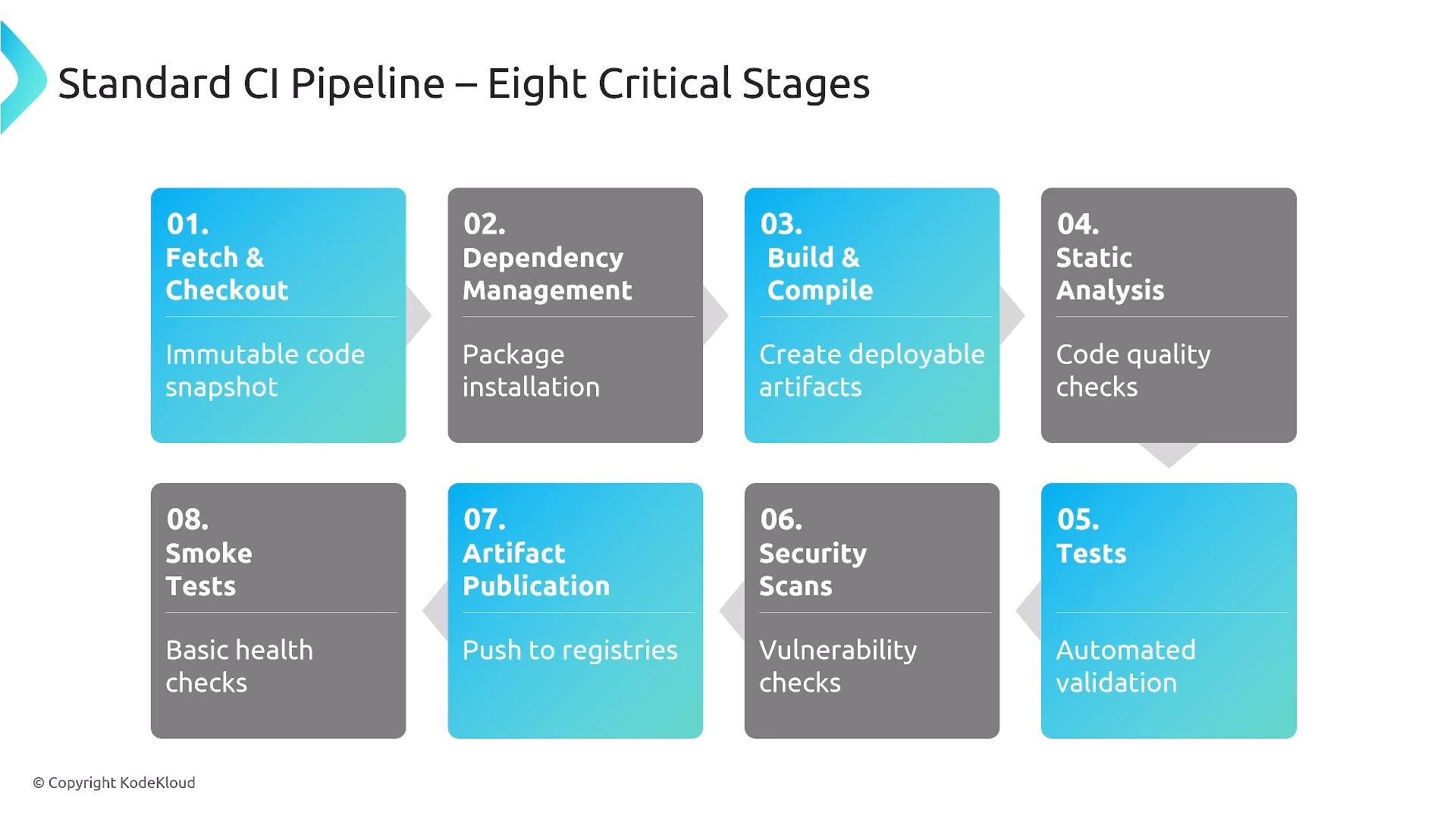
Standard CI pipeline — eight critical stages A typical CI pipeline can be split into common stages. Below is a standard eight-stage breakdown that many teams adopt as a baseline.
A slide diagram titled "Standard CI Pipeline — Eight Critical Stages" showing eight numbered boxes for pipeline steps: 01 Fetch & Checkout, 02 Dependency Management, 03 Build & Compile, 04 Static Analysis, 05 Tests, 06 Security Scans, 07 Artifact Publication, and 08 Smoke Tests. Each box contains a brief note about the task (e.g., "Immutable code snapshot", "Package installation", "Create deployable artifacts", "Code quality checks").
Quick reference table — CI pipeline stages Foundation stages (1–3): producing an immutable artifact Stages 1–3 focus on creating a deterministic artifact from source. Key practices include:
  • Always build from an immutable code snapshot (commit SHA or tag).
  • Use lockfiles (package-lock.json, go.sum, Pipfile.lock, etc.) to pin dependencies.
  • Use deterministic build tools and reproducible build flags so identical inputs produce identical outputs.
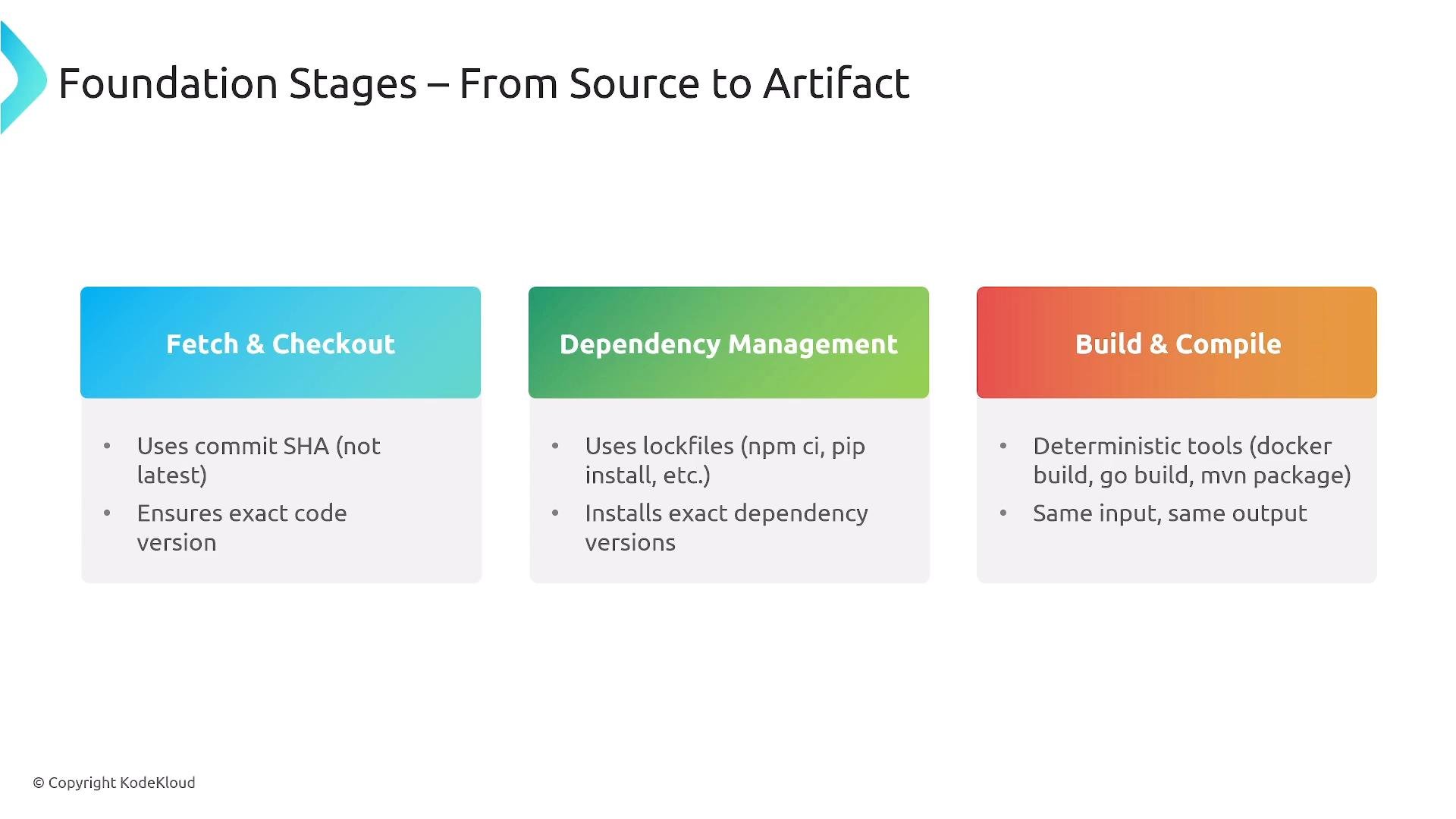
A presentation slide titled "Foundation Stages — From Source to Artifact" showing three colored panels: "Fetch & Checkout," "Dependency Management," and "Build & Compile." Each panel lists brief bullets about using commit SHAs, lockfiles to pin dependencies, and deterministic build tools.
Quality assurance in CI (stages 4–6) CI should include automated quality and security verification. Typical components:
  • Static analysis: linting, code-style checks, and basic SAST.
  • Unit and integration tests: run unit tests first; parallelize tests where possible for speed.
  • Security scans: dependency vulnerability scans, IaC scanning tools (e.g., for Terraform or CloudFormation).
  • Fail-fast behavior: stop early on critical failures to save compute and surface issues quickly.
  • Ephemeral test environments: create temporary environments for integration or end-to-end tests when needed.
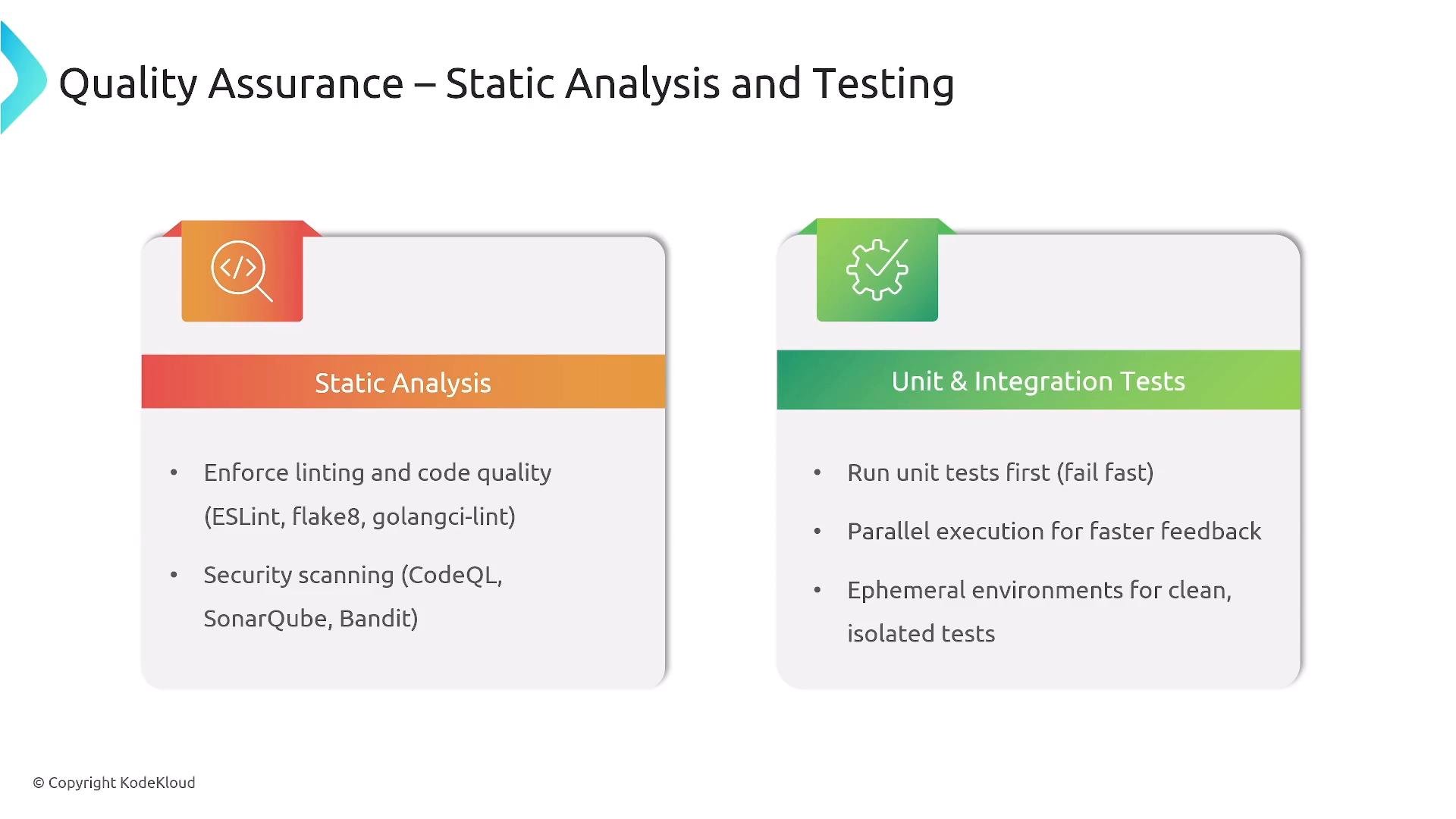
A presentation slide titled "Quality Assurance – Static Analysis and Testing" with two panels: "Static Analysis" (mentions linting, code quality and security scanning) and "Unit & Integration Tests" (mentions running unit tests first, parallel execution and ephemeral test environments). The slide is copyrighted to KodeKloud.
Security considerations in CI Security in CI should cover both static checks and, where feasible, runtime or dynamic testing:
  • SAST to detect code-level vulnerabilities early.
  • Dependency scanning to identify known CVEs and supply-chain risks.
  • Infrastructure-as-Code (IaC) scanning to catch misconfigurations before deployment.
  • DAST or runtime checks when artifacts are exercised in ephemeral environments (often part of CD).
  • Policy-as-code to automatically block or flag high-severity findings.
If a recurring vulnerability or misconfiguration has caused incidents before, add regression tests and targeted scans into your CI pipeline to prevent regressions. Immutable container artifacts Containers are a common artifact because of immutability: build an image, tag it (by SHA or version), push to a registry, and deploy the exact image from the registry for reproducible deployments. Example of tagging and pushing a container image:
Immutable artifacts (images, archives, or versioned bundles) provide traceability and remove “build roulette” where different builds produce different outputs. CI platform options — choose by platform vision There are many CI platforms. Choose the one that aligns with your team’s operational model and platform vision.
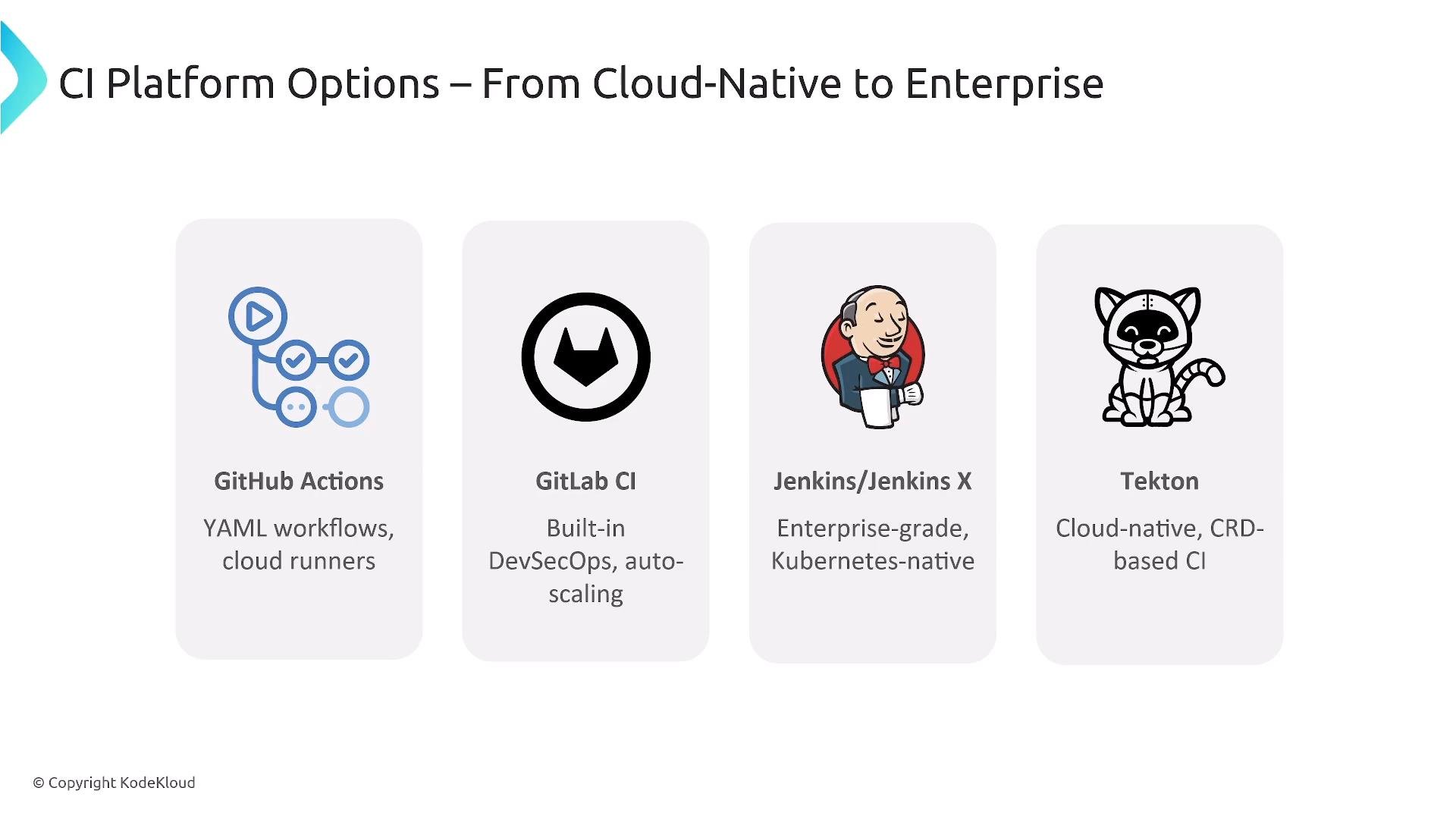
A slide titled "CI Platform Options — From Cloud-Native to Enterprise" showing four CI tools with icons: GitHub Actions, GitLab CI, Jenkins/Jenkins X, and Tekton. Each tool has a short note about its approach (YAML workflows/cloud runners; built-in DevSecOps/autoscaling; enterprise Kubernetes-native; cloud-native CRD-based CI).
Platform options summary table Tekton is particularly appealing for platform engineering teams adopting GitOps because pipelines are treated as declarative resources (CRDs), enabling pipeline lifecycle management with the same GitOps patterns used for application configuration. Measuring CI effectiveness — KPIs Track a focused set of KPIs to drive improvements in CI performance and developer experience:
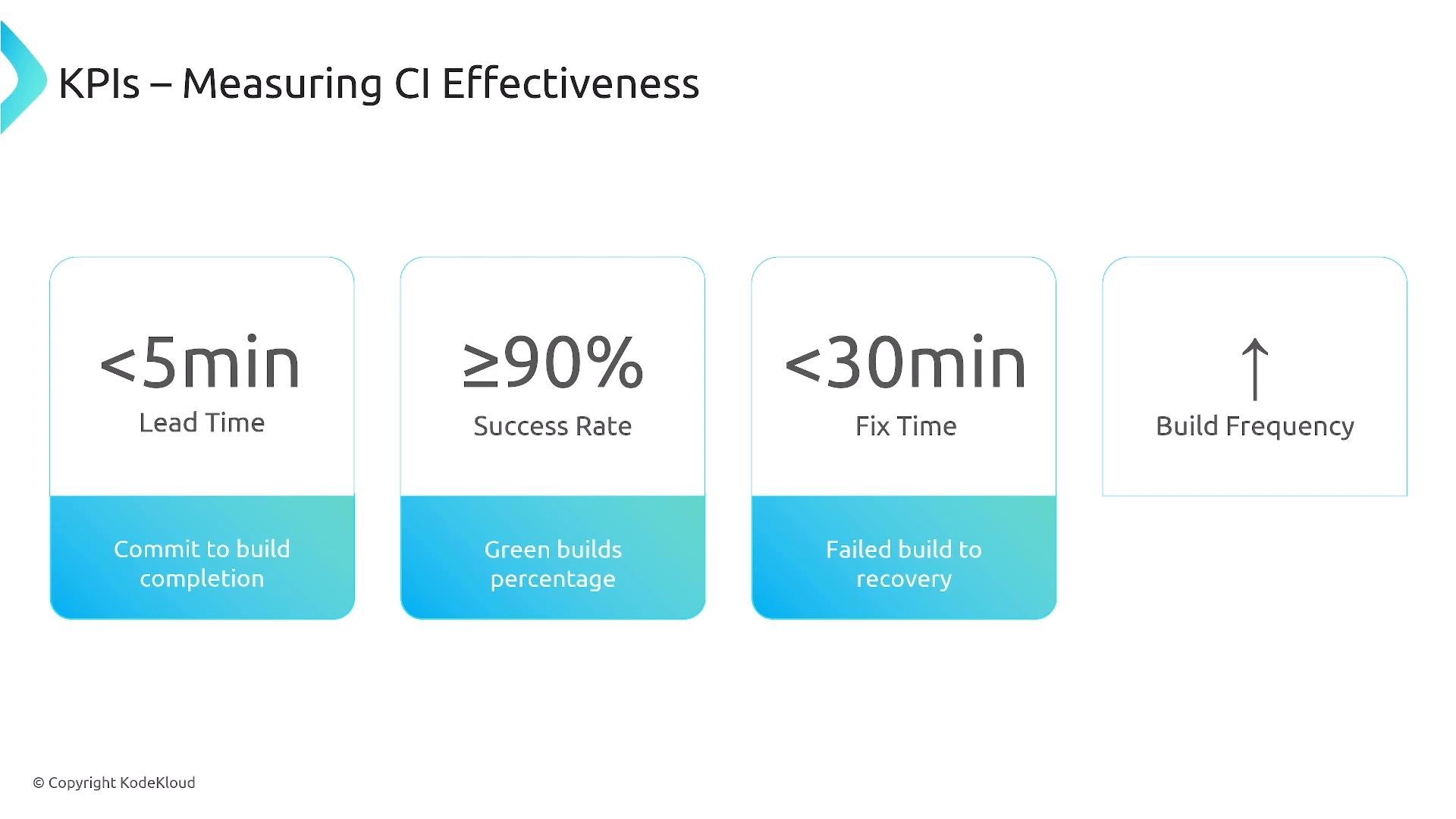
A slide titled "KPIs – Measuring CI Effectiveness" showing four metrics: lead time <5 min (commit to build completion), success rate ≥90% (green builds), fix time <30 min (failed build to recovery), and an upward arrow for increased build frequency. The layout uses four rounded boxes with blue gradient footers and brief descriptions.
Key CI KPIs Optimize slow builds by splitting work, parallelizing tests, caching dependencies, and fixing flaky tests. Platform teams often surface these KPIs on dashboards (e.g., Grafana) to prioritize pipeline and test improvements. Operational and platform best practices
  • Automate quality gates: linting, tests, and scans must be enforced by the CI pipeline.
  • Security by default: embed policy-as-code and automated scanning into CI.
  • GitOps-driven pipeline management: store pipeline definitions and templates in Git for auditability.
  • Provide reusable templates: deliver application, infrastructure, and database templates to developer teams.
  • Use immutable artifacts for traceability and reproducibility.
  • Measure and iterate on KPIs to align CI with business outcomes.
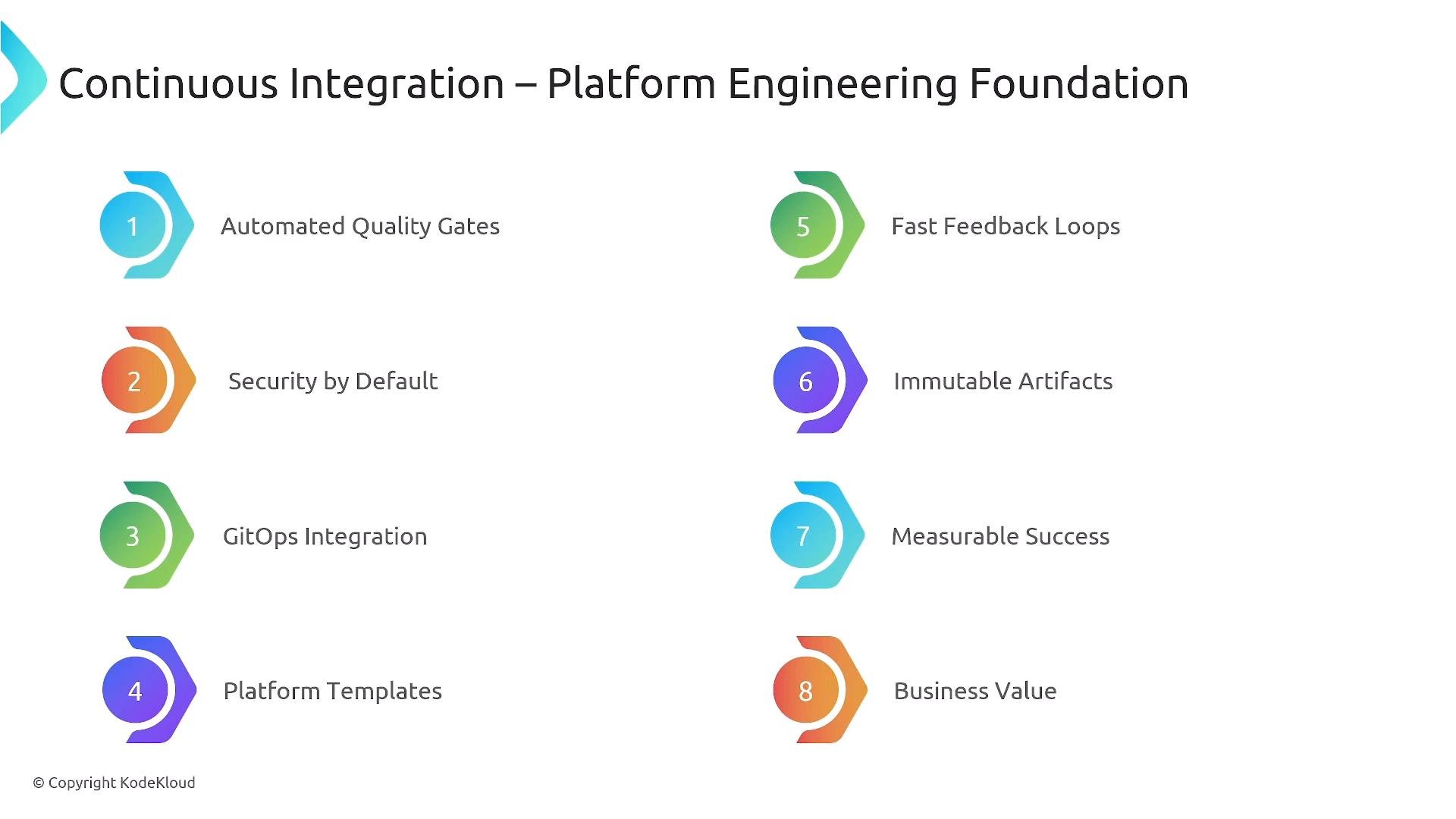
A slide titled "Continuous Integration – Platform Engineering Foundation" showing eight numbered colorful icons and labels for principles like Automated Quality Gates, Security by Default, GitOps Integration, Platform Templates, Fast Feedback Loops, Immutable Artifacts, Measurable Success, and Business Value.
Guard secrets and credentials in CI: use the platform’s secret-store features, rotate credentials regularly, and never hard-code secrets in pipeline definitions or repository files.
Next steps
  • Study Continuous Delivery and GitOps fundamentals to learn how CI-produced artifacts are promoted and deployed across environments.
  • Evaluate CI platforms against your team’s operational model (hosted vs self-managed, Kubernetes-native, GitOps support).
  • Start measuring the KPIs above and iterate to reduce lead time and improve reliability.
References and further reading Thanks for reading.

Watch Video