

spec.admission(defaults totrue) — runs the policy during admission requests (real-time).spec.background(defaults totrue) — runs the policy as part of periodic background scans.
By default both modes are enabled. A policy must run in at least one mode — disabling both
admission and background prevents the policy from executing.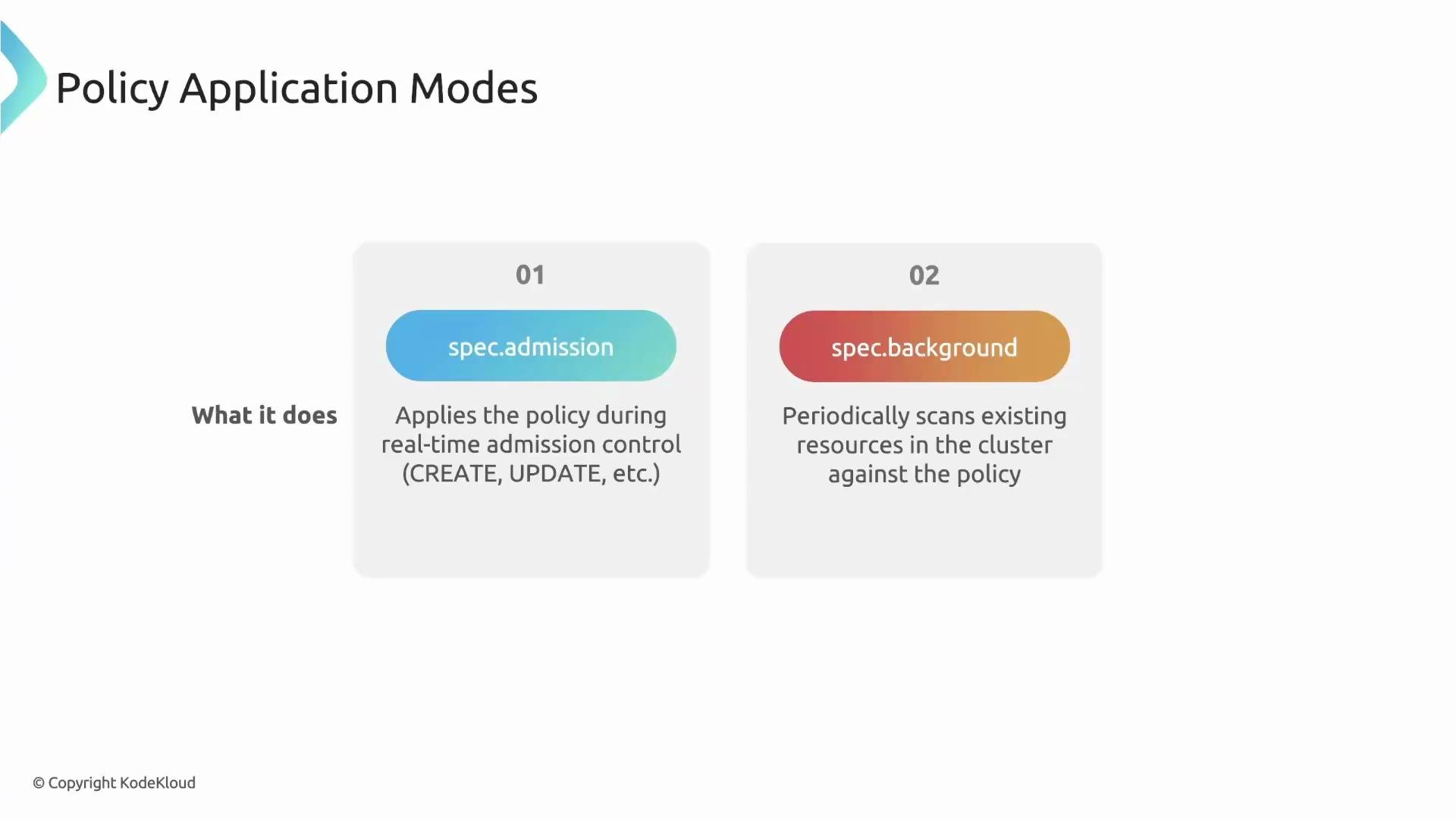
- A user, operator, or CI/CD system issues a Kubernetes API request (for example:
kubectl apply -f pod.yaml). - The API server forwards the request to Kyverno’s Admission Controller (via the admission webhook).
- The Admission Controller evaluates the resource against matching policies and returns an allow/deny decision to the API server.
- During evaluation the Admission Controller produces an ephemeral (temporary) admission report describing the result.
- The Reports Controller reads the ephemeral report and creates or updates a durable PolicyReport resource in the same namespace as the target resource.
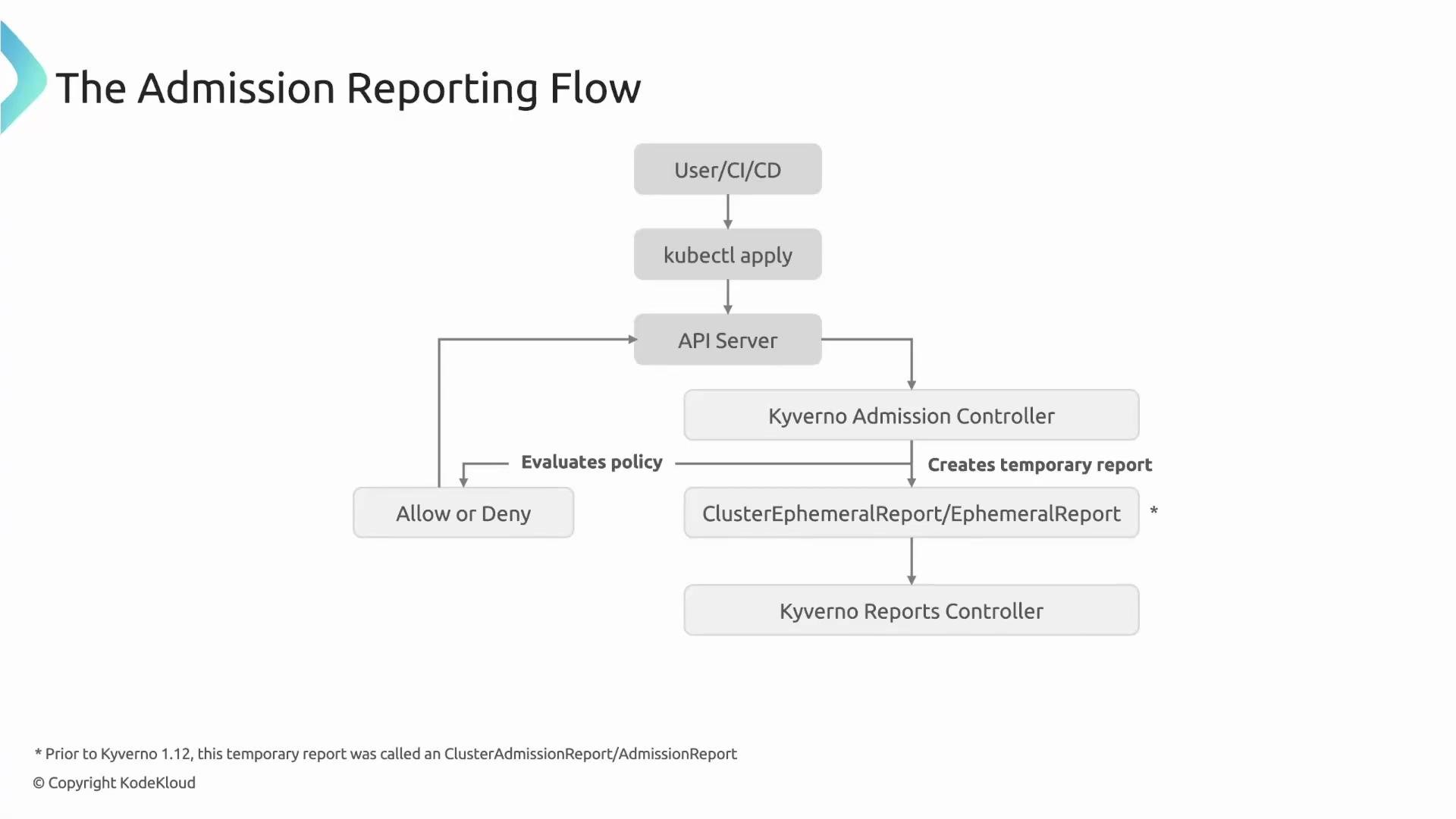
- Prior to Kyverno 1.12, intermediate admission resources were called admission reports. Starting with newer releases the pattern uses an ephemeral admission report plus a separate Reports Controller to persist PolicyReports.
- This matters because reporting behavior depends on a rule’s
failureAction(for example:EnforcevsAudit).
failureAction settings affect admission reporting
- If a resource is compliant: both
EnforceandAuditallow the resource and generate apassPolicyReport entry. - If a resource is non-compliant and the rule is
Audit: the resource is allowed; Kyverno logs the violation and afailPolicyReport is created. - If a resource is non-compliant and the rule is
Enforce: the request is blocked; because the resource is not created, no admission-linked PolicyReport is attached to that resource (no PolicyReport for blocked resources).
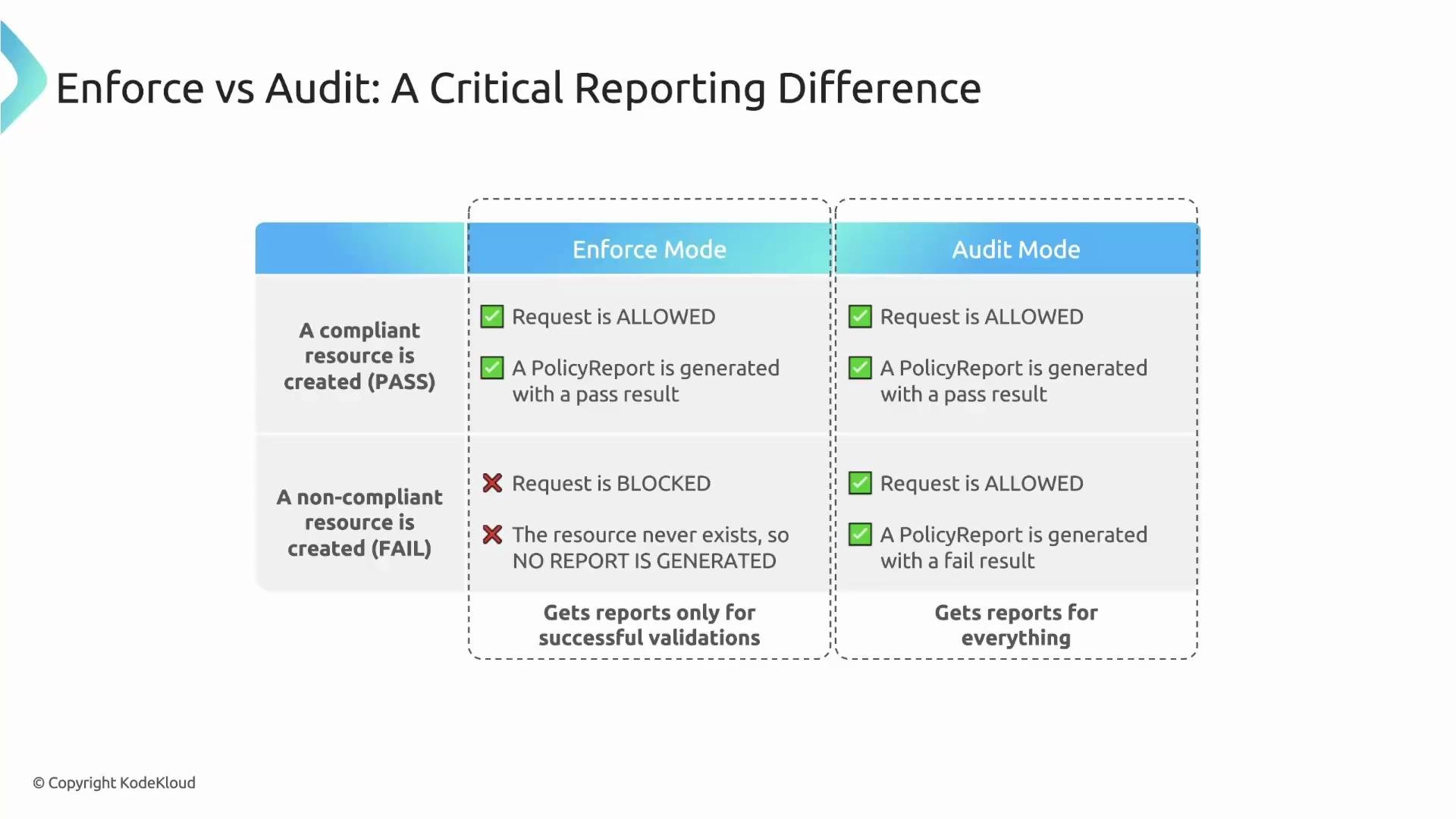
When a rule is in
Enforce mode and a request is denied, the resource is never created — therefore no admission-linked PolicyReport is attached to that resource. Use Audit mode if you want to record violations without blocking creation.team label on new Pods. The policy uses failureAction: Audit so violations are reported but not blocked.
team label:
ownerReferences.
Example PolicyReport created after the Pod is admitted:
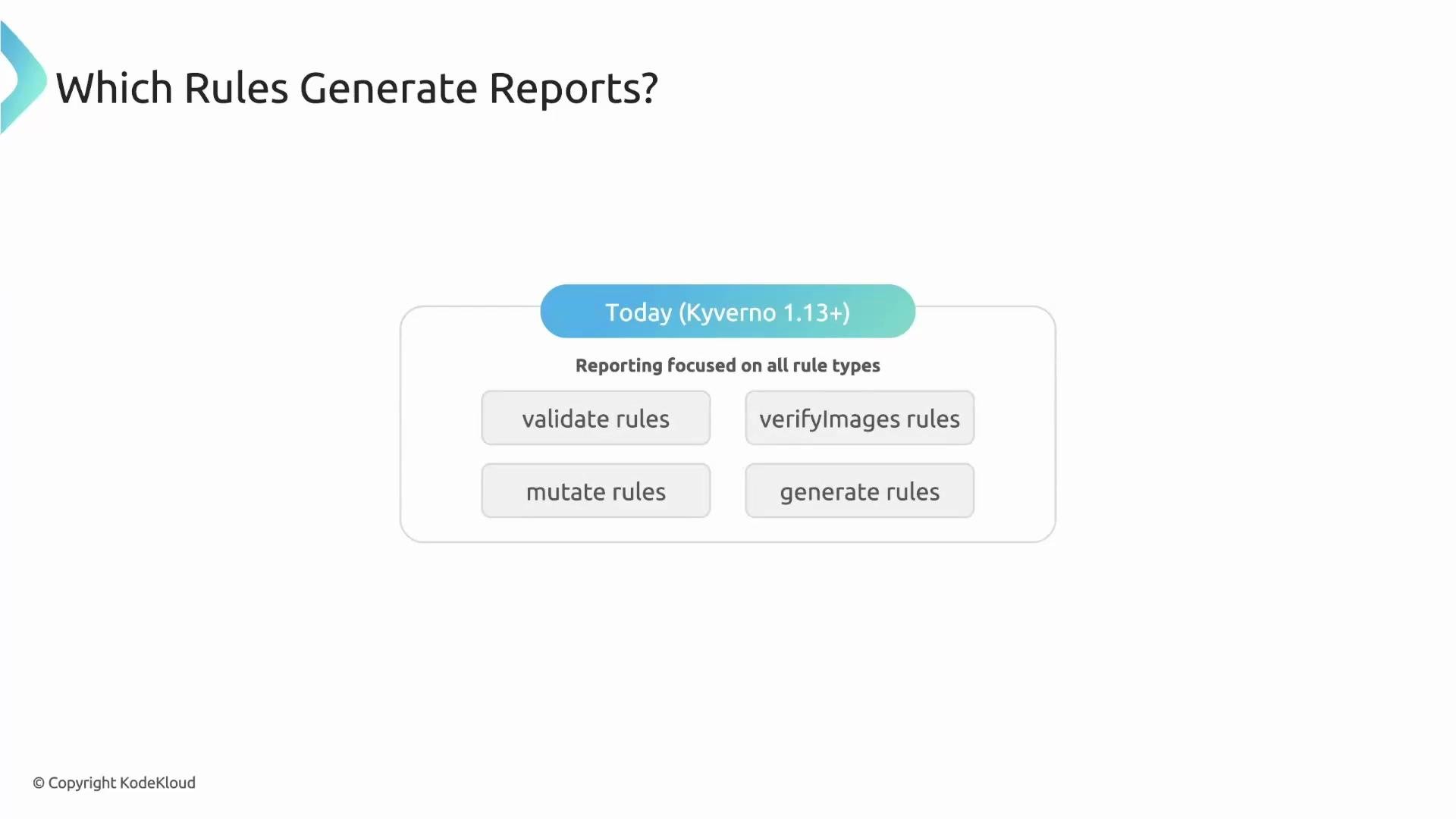
validate and verifyImages rules because they yield explicit pass/fail outcomes at admission time. As of Kyverno 1.13, reporting covers all rule types:
- validate rules
- verifyImages rules
- mutate rules (reports whether the mutation applied successfully)
- generate rules (reports whether generation was triggered)
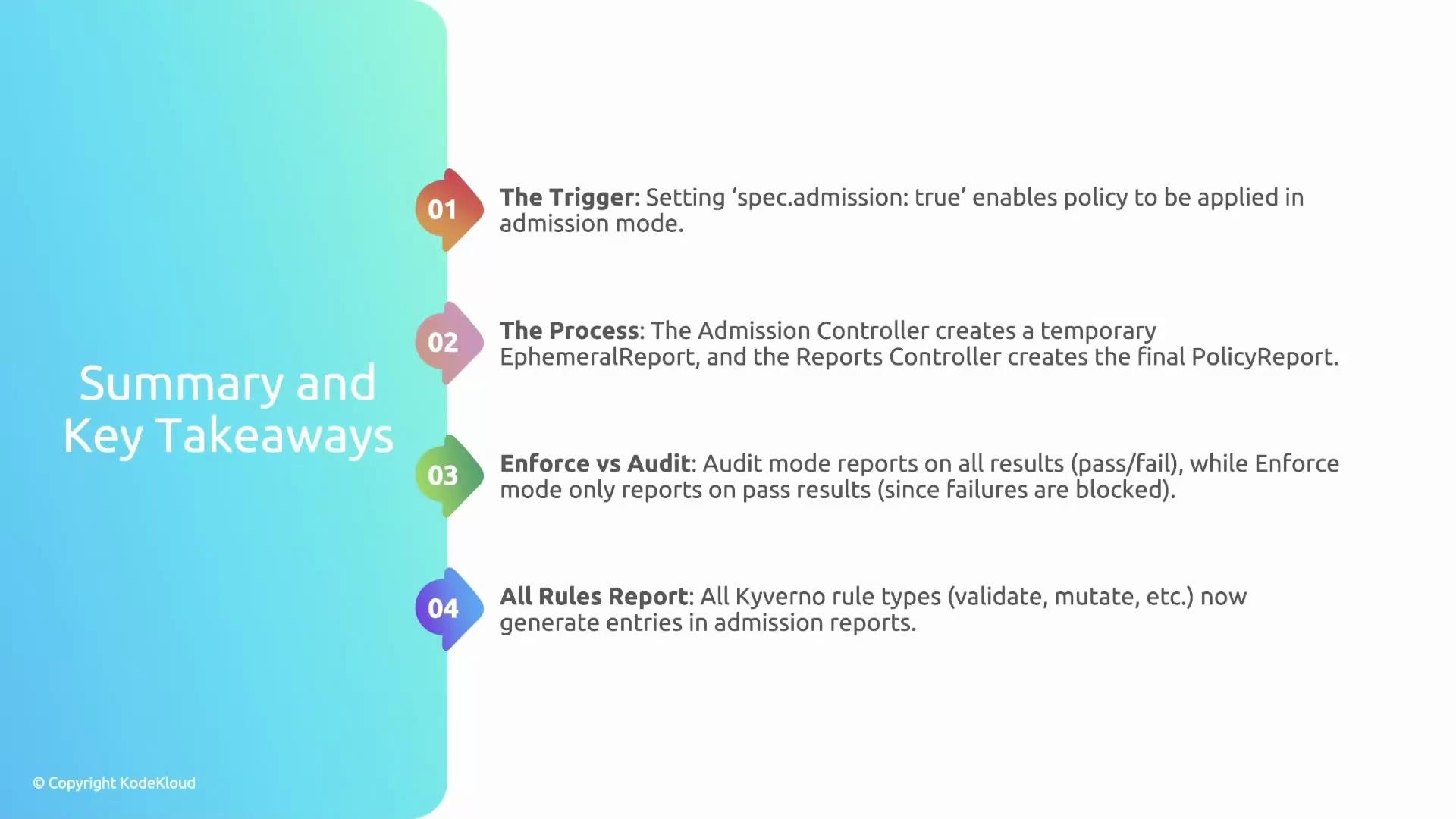
spec.admissionactivates policies for real-time admission evaluations.- The Admission Controller creates ephemeral evaluation reports; the Reports Controller persists them as PolicyReports in the target namespace.
failureAction: Auditrecords violations without blocking resources;failureAction: Enforceblocks the request and therefore does not produce an admission-linked PolicyReport for that blocked resource.- Kyverno 1.13+ generates report entries for all rule types (validate, verifyImages, mutate, generate), increasing observability of policy behavior.
- Kyverno PolicyReport details: https://kyverno.io/
- Kubernetes admission webhooks: https://kubernetes.io/docs/reference/access-authn-authz/extensible-admission-controllers/
- Kyverno reporting and PolicyReport behavior (release notes for 1.12/1.13): https://github.com/kyverno/kyverno/releases