

purpose label equals production). Often you don’t need to validate an exact value — you only need to ensure a field or label exists, or that it is not empty. Wildcards let you do that.
This lesson explains how pattern-based validation works in Kyverno and how to use wildcard characters to assert presence and non-emptiness of fields (especially labels and resource fields).
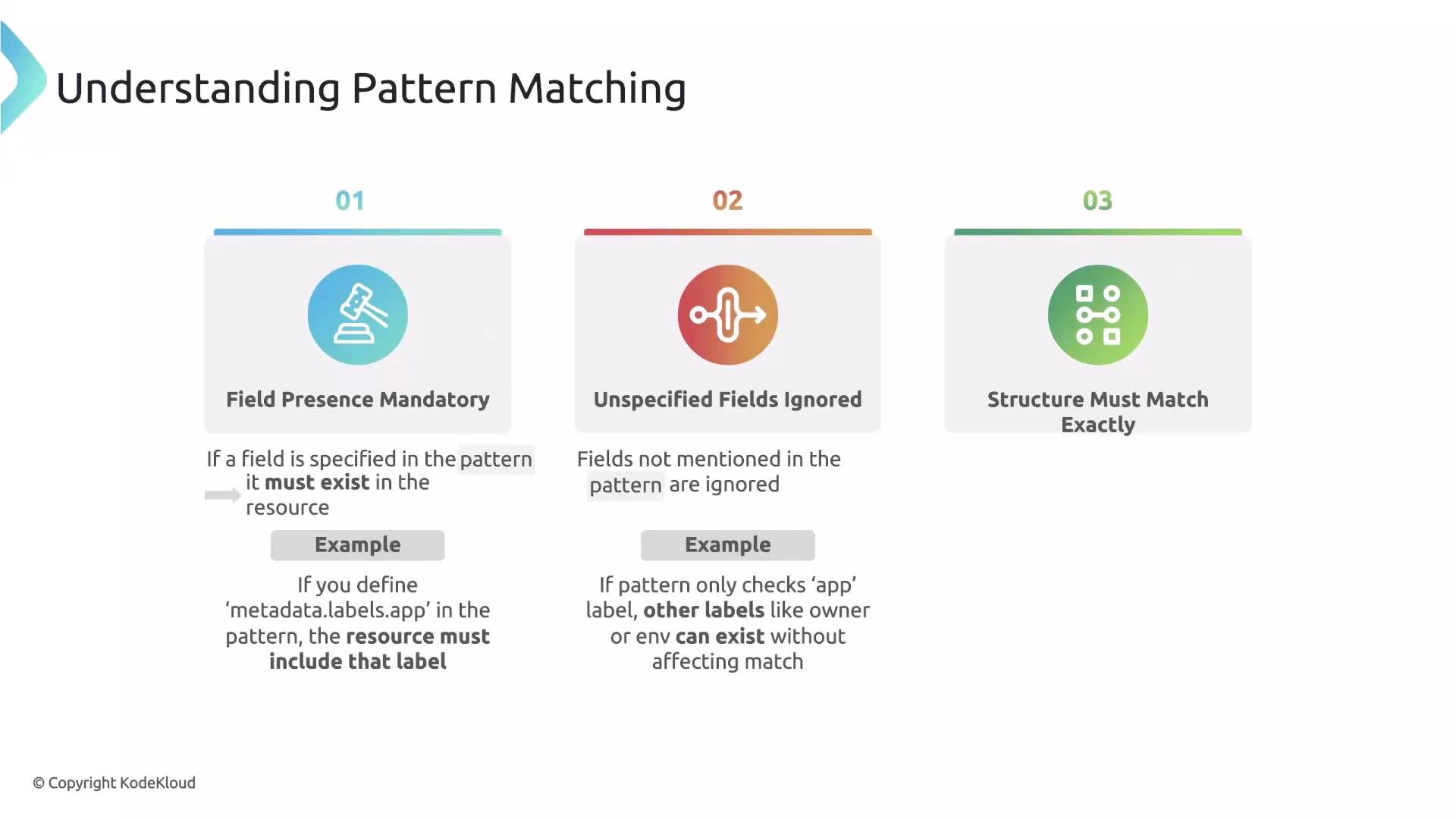
How pattern matching works: three core rules
When you write apattern in a Kyverno validate rule, keep these three rules in mind:
- Required fields: Any field you declare in
patternis required. If the resource under validation does not contain that field, validation fails.- Example: declaring
metadata.labels.appin the pattern means the resource must include theapplabel.
- Example: declaring
- Unspecified fields are ignored: Kyverno only checks fields that appear in your
pattern. Any other fields in the resource (e.g.,owner,env) are not validated unless included in the pattern. - Structure must match: If your
patternuses nested fields, the resource must use the same nested structure. Ifpatternreferencesmetadata.labels.app, the resource must havemetadata.labels— otherwise the pattern does not match.
Wildcards in Kyverno patterns
Kyverno supports two main wildcard characters in pattern values for flexible matching:*— matches zero or more characters. Use this when you only need to assert a field exists (it will also match an empty string).?— matches exactly one character (useful for very specific formats).
?*— means “at least one character”: the?ensures one character and the*allows any additional characters (including none). Use?*to ensure a field exists and is non-empty.
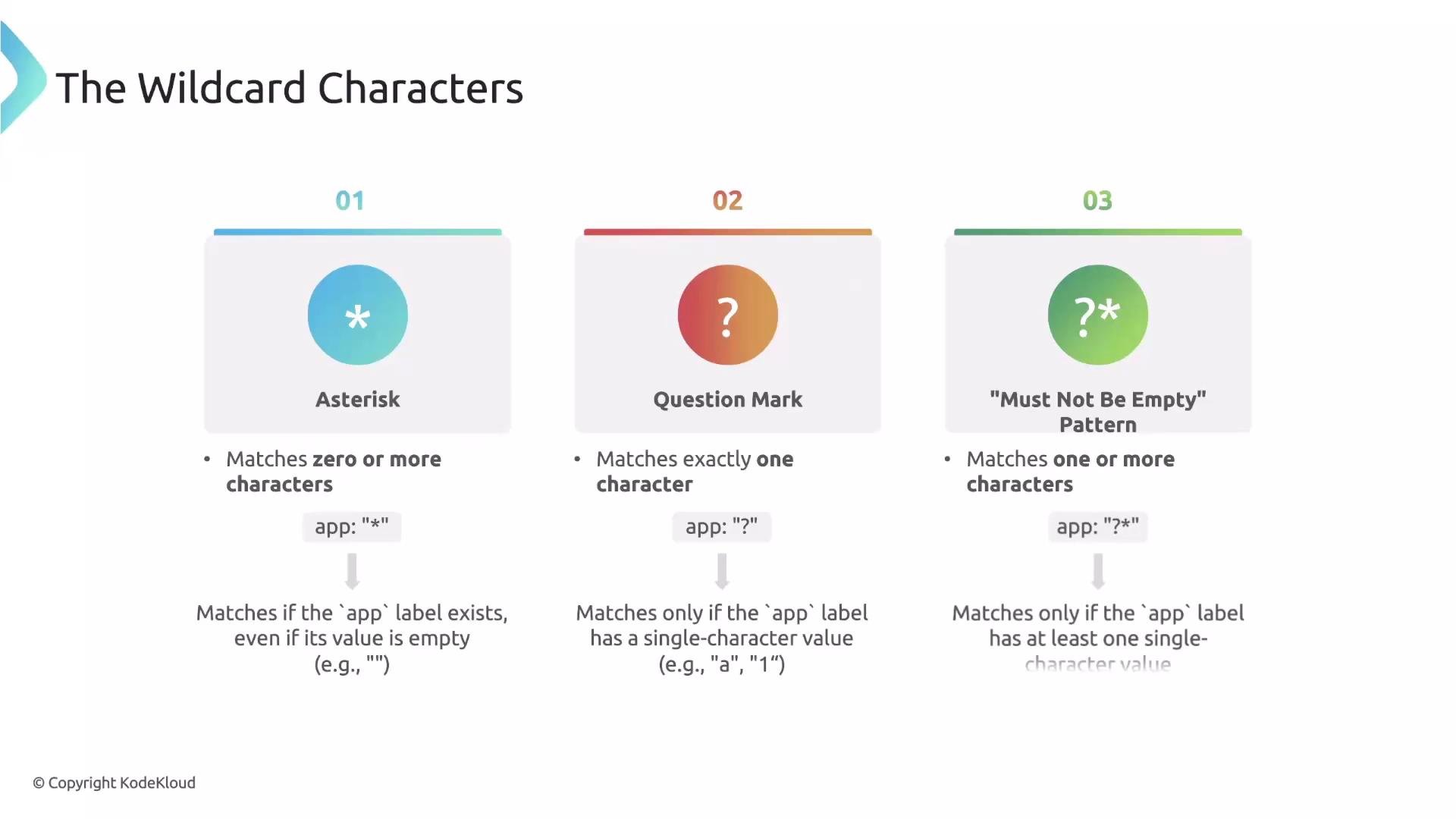
Wildcard quick reference
Examples
app: "*"— theapplabel must exist; its value may be empty.app: "?"— theapplabel must have exactly one character.app: "?*"— theapplabel must have at least one character (non-empty).
app label, but you don’t care about the specific value. Use ?* to enforce presence and non-emptiness.
Example validate rule fragment (applies to Deployments — note the path to the Pod template):
spec.template.metadata.labels.app exists on the Deployment and that its value is not empty.
If you want to validate Pods directly, use the container path for Pods:
spec.containers instead of spec.template.spec.containers. Always adjust the pattern path to match the resource type being validated.Practical security example: require resources for every container
Enforcing CPU and memory requests and limits on containers is a common best practice for cluster stability. Use a pattern that iterates over thecontainers list and requires non-empty values for the resource fields.
Example validate rule fragment (applies to Pod resources):
- The
-beforenameundercontainersindicates the pattern applies to each entry in thecontainersarray (list element patterning). name: "*"requires the container to have anamefield (value can be anything, including empty)."?*"for resource fields ensures they are present and non-empty.
Summary
- Use patterns to require fields and structures in resources.
- Use
*when you only need to assert presence (empty allowed),?for a single-char match, and?*to guarantee a non-empty value. - Adjust the pattern path to the resource type you’re validating (e.g., Pod vs Deployment template).
- Apply these techniques to enforce labels, resource requests/limits, and other cluster policy best practices.
Links and references
- Kyverno documentation — Validate rules
- Kubernetes labels and selectors
- Kubernetes resource management (requests & limits)