

pattern and anyPattern. Those approaches are great when the decision depends only on the resource’s shape or fields.
But what if the decision to allow or block depends on additional context — who is making the request and what operation they’re performing? For that we need a more powerful mechanism: deny rules.
Alex’s new challenge highlights this limit of pattern-based validation. He must prevent developers from deleting a set of ConfigMaps that are managed by the CI/CD system. The decision must consider the resource, the user, and the operation (DELETE) — all at once.
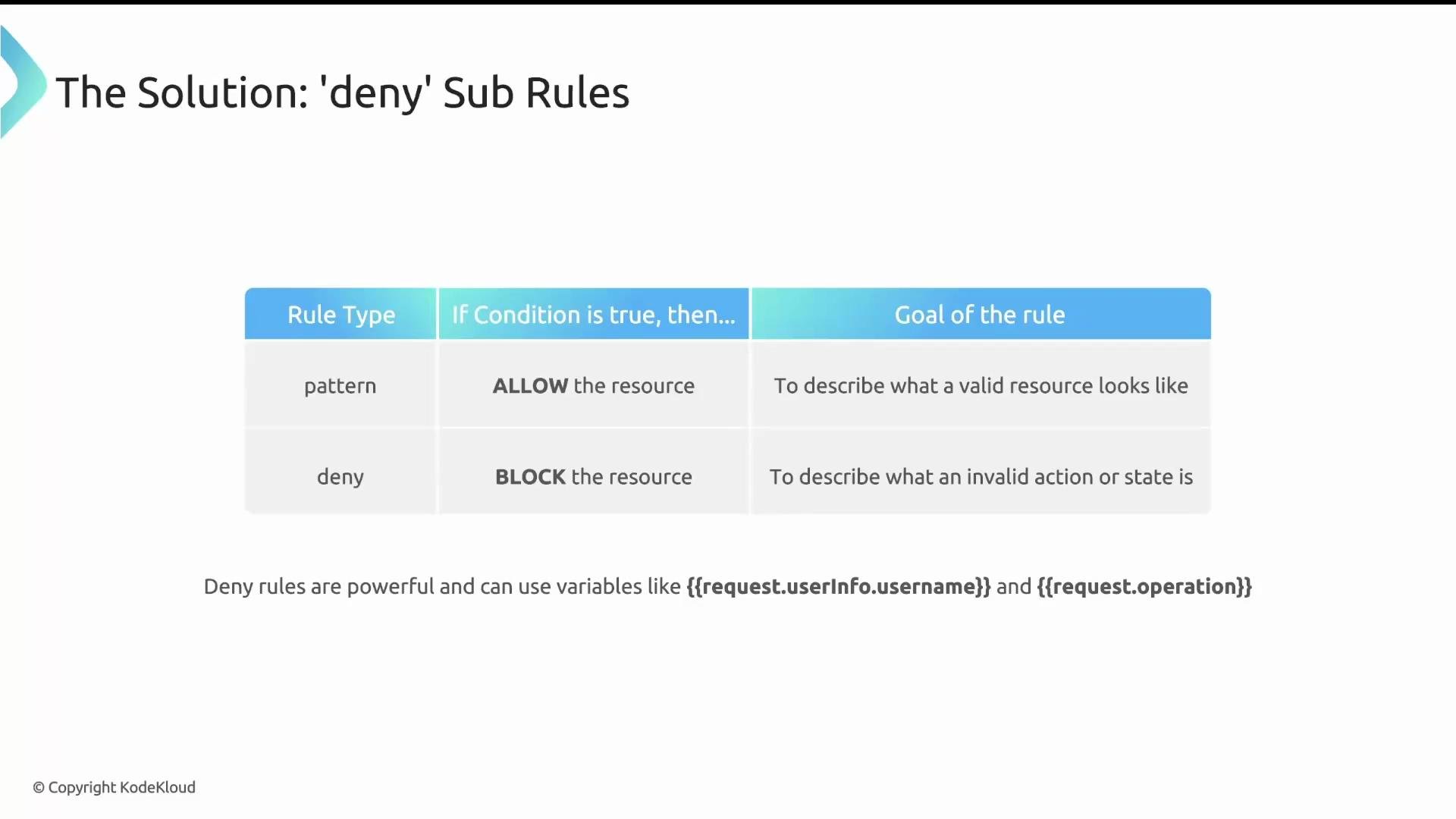
patterndescribes what a good resource looks like; if it matches, Kyverno allows the request.denydescribes what constitutes a forbidden situation; if a deny condition evaluates to true, Kyverno blocks the request.
Deny rules evaluate the admission request context — for example,
request.userInfo.username, request.operation, or anything inside request.object. If a deny condition becomes true, Kyverno denies the request.request.operation, request.userInfo.username, or fields inside request.object.
- Place a
denyblock inside the rule’svalidatesection. - Inside
deny, defineconditions. - Choose the logical grouping:
any(OR) orall(AND).anydenies the request if any single condition is true.alldenies only if every condition is true.
- Each condition has a
key, anoperator, and avalue. - Keys and values can reference admission request variables using JMESPath.
Example: deny conditions that inspect ConfigMap fields
data.team equals "eng" or data.unit equals "green", the condition becomes true and Kyverno denies the request.
Practical policy: block deletes for CI/CD-managed ConfigMaps (except cluster-admin)
Alex needs to prevent deletes for ConfigMaps labeled as managed by the CI/CD system, but still allow cluster admins to perform deletes. The solution combines match, exclude, and deny:
matchlimits which resources the rule considers.excludeprevents certain actors (e.g., cluster admins) from being affected.denyinspects the admission request (for example,request.operation) and blocks as needed.
matchrestricts the rule to resources labeledapp.kubernetes.io/managed-by=kyverno.excludeensures requests from thecluster-adminrole are ignored.denyevaluatesrequest.operation. If it equalsDELETE, the deny condition becomes true and Kyverno denies the request.
deny (an unconditional deny)
A common pattern is to use an empty deny block. This is an unconditional deny: if a request reaches that rule (after match and exclude), Kyverno will block it immediately.
Use an empty
deny: {} with caution. It will unconditionally block any request that reaches the rule, so ensure match and exclude are precise.- Use
matchandexcludeto narrowly target the resources and users affected by the rule. - Prefer specific deny conditions (using
any/all) over an unconditionaldeny: {}unless you truly want a default-deny behavior. - Test deny rules in a staging cluster before enforcing them in production.
- Reference admission fields using JMESPath: common keys include
request.operation,request.userInfo.username,request.userInfo.groups, and fields insiderequest.objectorrequest.oldObject.