

match block. Every Kyverno rule uses a match statement to tell Kyverno which resources and requests the rule should evaluate. The match block supports multiple filters (kinds, names, namespaces, selectors, operations, subject/role identity checks, etc.) that you can combine to create precise targeting. Below we walk through the most common filters, show how they combine logically, and provide practical examples.
Basic kind matching
The most common filter is the resourcekind. Use a resources block with a required kinds list inside a match entry. Items in the kinds list behave like a logical OR: the request matches if its resource kind equals any listed kind.
Names and namespaces
You can narrow matching to specific resource names and namespaces.names and namespaces are sibling filters inside the same resources object:
- Items within each list are ORed (e.g.,
names: [a, b]matches nameaORb). - Different sibling filters (e.g.,
namesandnamespaces) are combined with an implicit AND (both must be satisfied for thatresourcesentry to match).
- The resource kind must be
Pod. - The resource name must be exactly
devOR match the globtest-*. - The resource must be in the
testingORdevnamespace.
Lists inside a single filter (for example, multiple
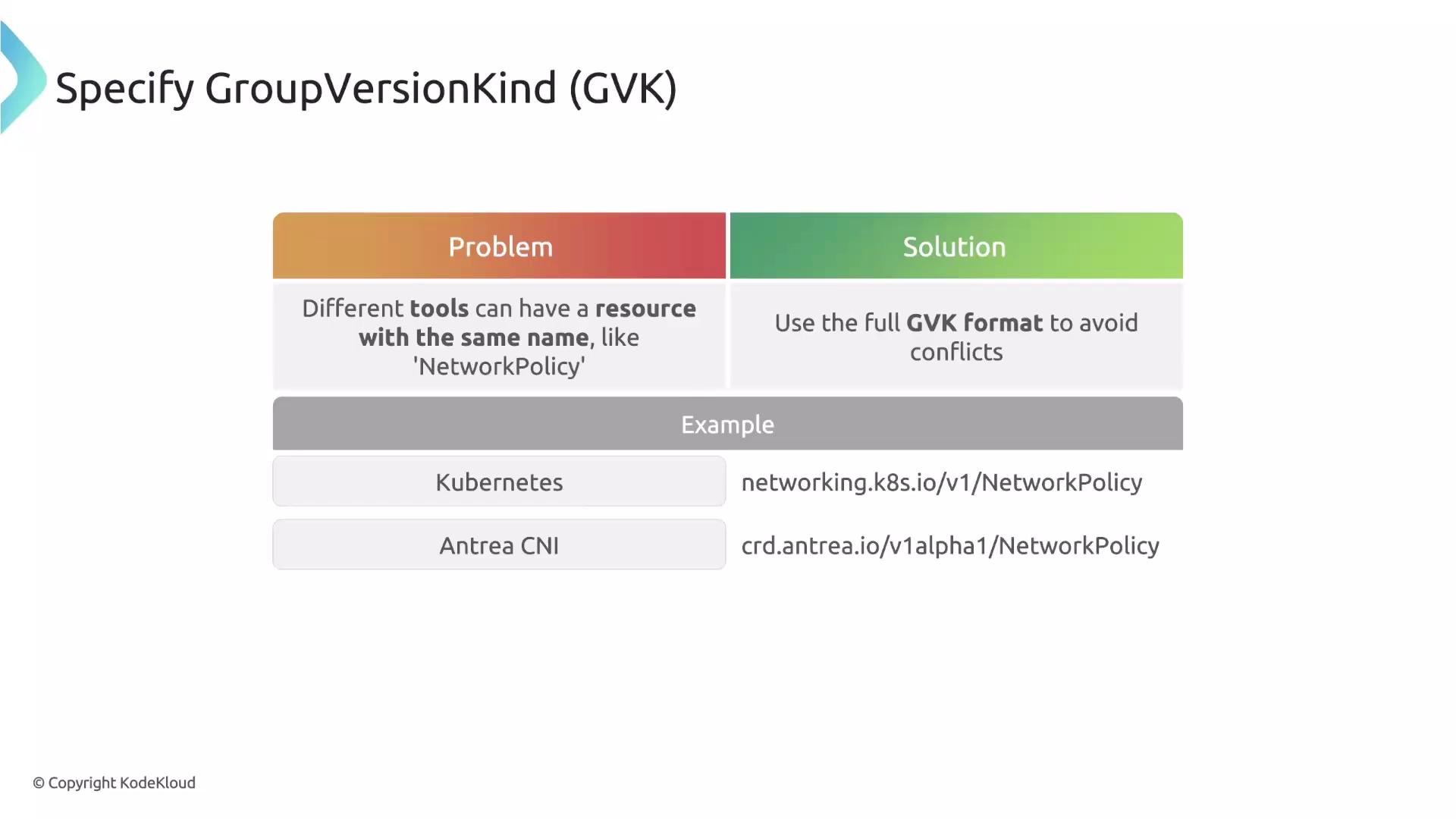
names) are ORed. Different sibling filters (for example, names and namespaces) are ANDed, so a resource must satisfy both siblings to match.Disambiguating with Group/Version/Kind (GVK)
When the samekind name exists in multiple APIs (for example, built-in Kubernetes NetworkPolicy and CNI-specific NetworkPolicy from Antrea or Calico), disambiguate using Group/Version/Kind (GVK). Specifying the full GVK prevents accidental matches across different API groups.
Label-based selection (selector)
Use selector to match resources by their labels. Combine selector with operations when you want the rule to run only for specific actions (CREATE, UPDATE, etc.). operations is a sibling of resources inside the same any item.
app: critical and only triggers on CREATE and UPDATE operations (it will not run for DELETE operations).
Namespace label selection (namespaceSelector)
Use namespaceSelector to filter resources by labels on their namespace. This is useful for applying policies across entire environments or namespaces with specific metadata.
Simple matchLabels example:
matchExpressions for more expressive rules with operators like In, NotIn, Exists, and DoesNotExist:
purpose label is production or staging, and where sensitive-data is not true.
Request identity filtering (subjects, roles, clusterRoles)
Kyverno can filter based on who is making the API request. This enables you to create exceptions for admins, service accounts, or CI/CD systems and enforce policies only for certain requesters.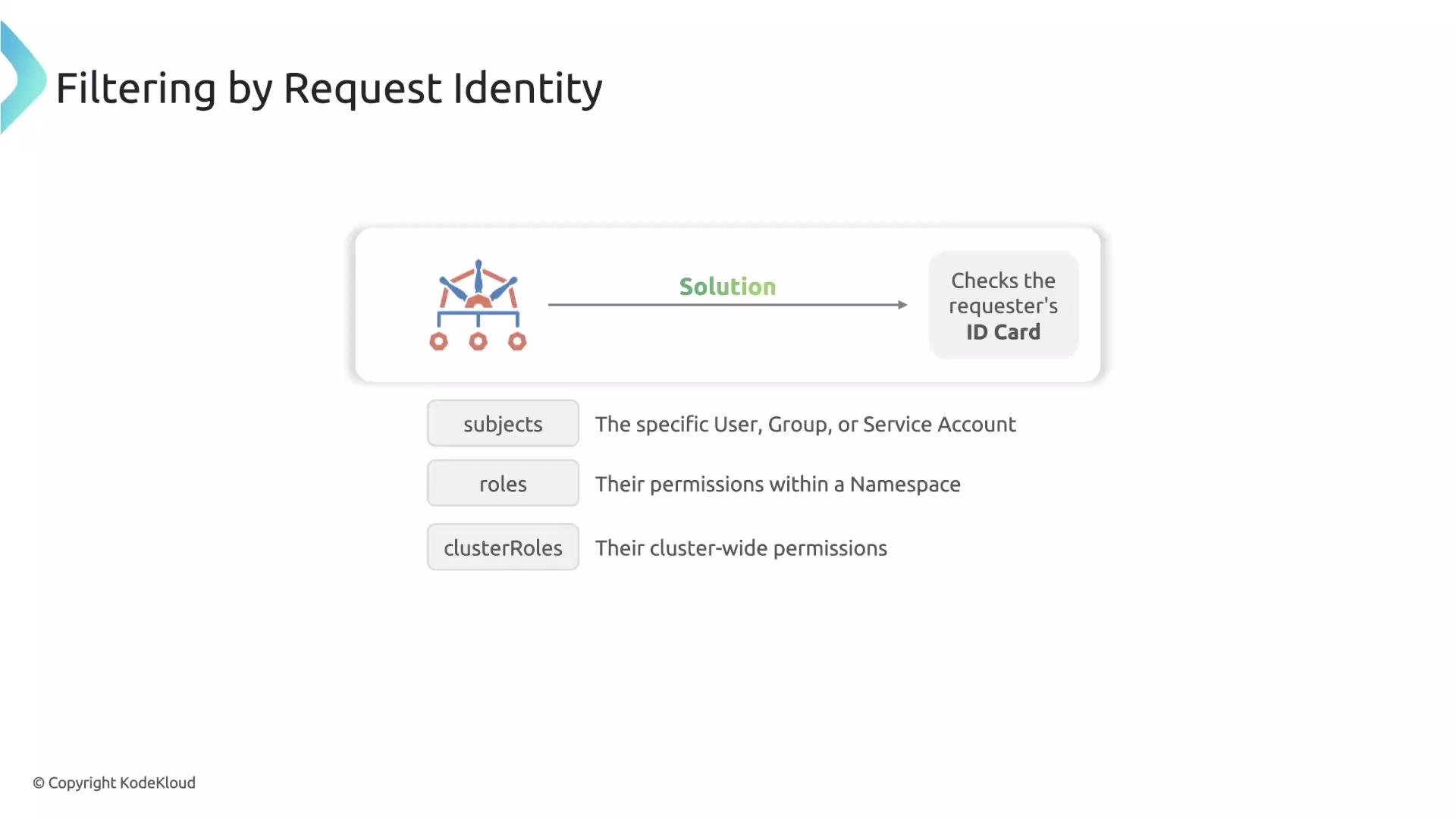
Subjects
Thesubjects block matches specific request identities. Supported kinds include User, Group, and ServiceAccount. The subjects list behaves like an OR: the request matches if it matches any subject entry.
Roles and clusterRoles
Alternatively, match by permission level usingroles (namespaced Roles) and clusterRoles (cluster-scoped ClusterRoles). These check the requester’s effective permissions.
Namespace-level role example (matches requests where the user has the edit role in the target namespace):
cluster-admin ClusterRole):
Combining resource filters with identity filters (AND semantics)
Whenresources, subjects, roles, and clusterRoles are defined at the same level inside the same any item, all sibling filters are combined with logical AND. The request must satisfy every sibling condition in that any entry to match.
- The resource is a Deployment, AND
- The requester is a member of the
adminsgroup, AND - The requester also has the
cluster-adminClusterRole.
any item does not match.
Be careful when combining identity checks and resource filters: mismatched expectations (for example, matching a subject that cannot have the listed role) will cause the
any item to fail and the rule to not apply.Complex example: combining multiple filters
You can combine the building blocks above to create very specific match criteria. In theany item below, all sibling filters must be satisfied for the request to match.
- Resource kind must be Deployment OR StatefulSet.
- Resource name must match
mongo*ORpostgres*. - Namespace must match
dev*OR be namedtest. - Resource must have label
app: mongodb. - Resource must have label
tierwith a value in[database].
any item to match.
Quick reference table
Links and references
- Kyverno match filter docs: https://kyverno.io/docs/writing-policies/match-conditions/
- Kubernetes API concepts: https://kubernetes.io/docs/concepts/overview/
- RBAC in Kubernetes: https://kubernetes.io/docs/reference/access-authn-authz/rbac/
Conclusion
Kyverno’smatch block provides powerful, composable filters to precisely target when policies apply. By combining kinds, names, namespaces, label selectors, operations, and identity checks (subjects/roles/clusterRoles), you gain fine-grained control over policy scope and enforcement.