

Inspect the cluster version
To see the Kubernetes version reported by each node, run:Semantic versioning (SemVer)
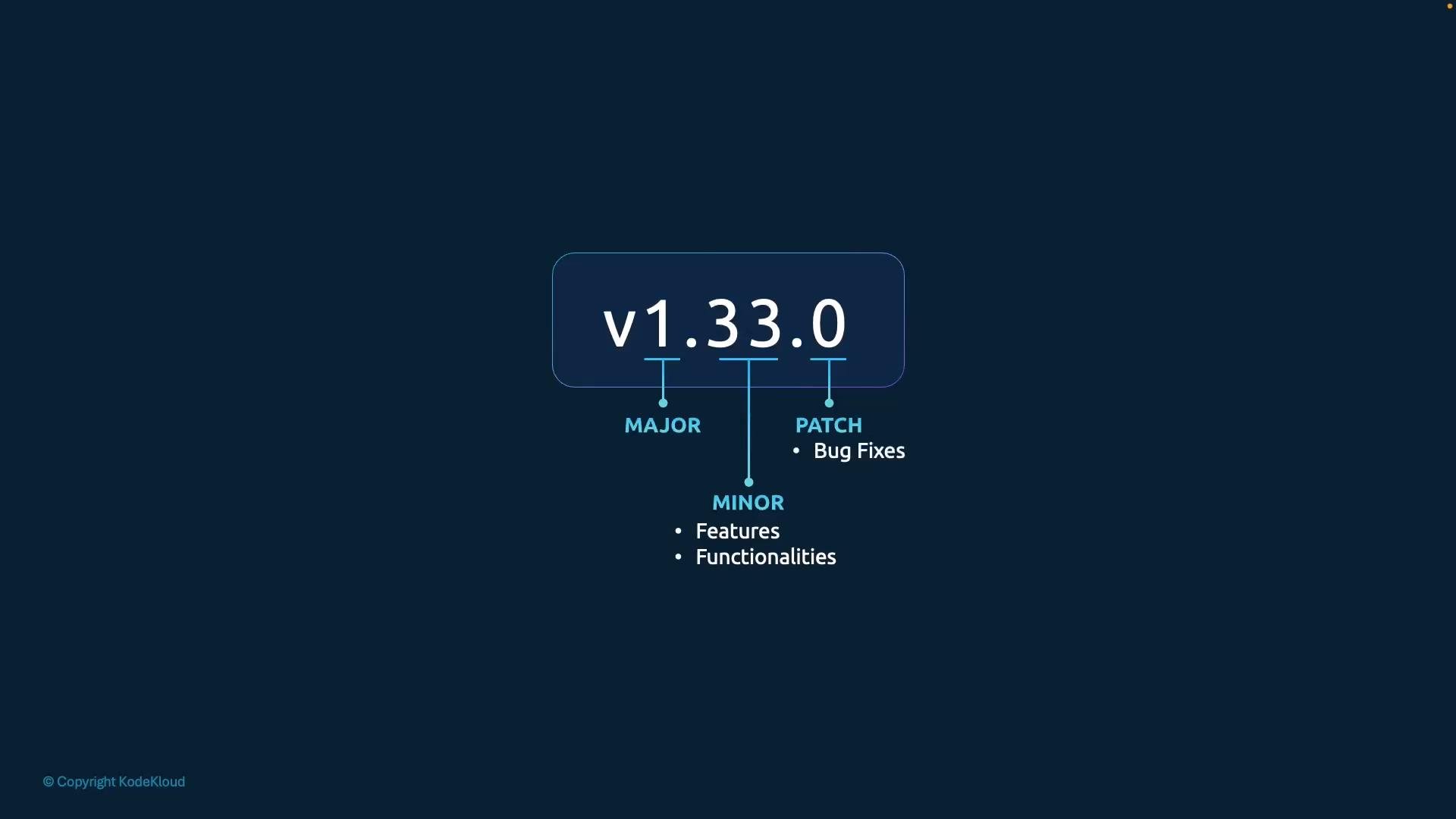
Kubernetes uses semantic versioning in the formvMAJOR.MINOR.PATCH. Each part has a clear purpose:
Release cadence and history
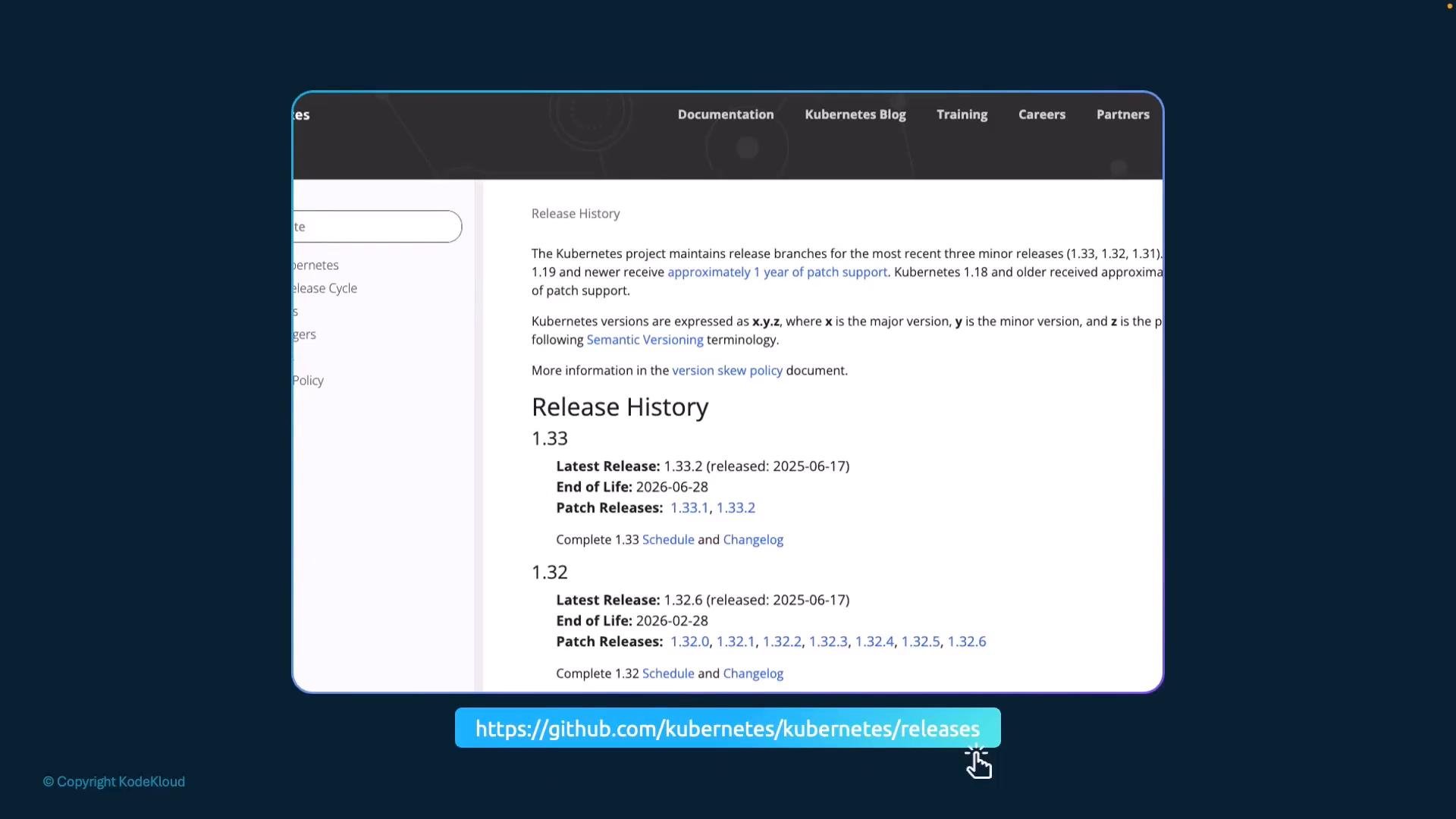
Kubernetes follows a regular release cadence:- Minor releases introduce new features and generally occur every few months.
- Patch releases address bug fixes and security issues and are published more frequently.
- The project began with v1.0 in July 2015, progressed through releases such as v1.20 (2020), and reached v1.33 in April 2025.
You can view full release notes and historical versions on the official Kubernetes releases pages:
Release artifacts and component compatibility
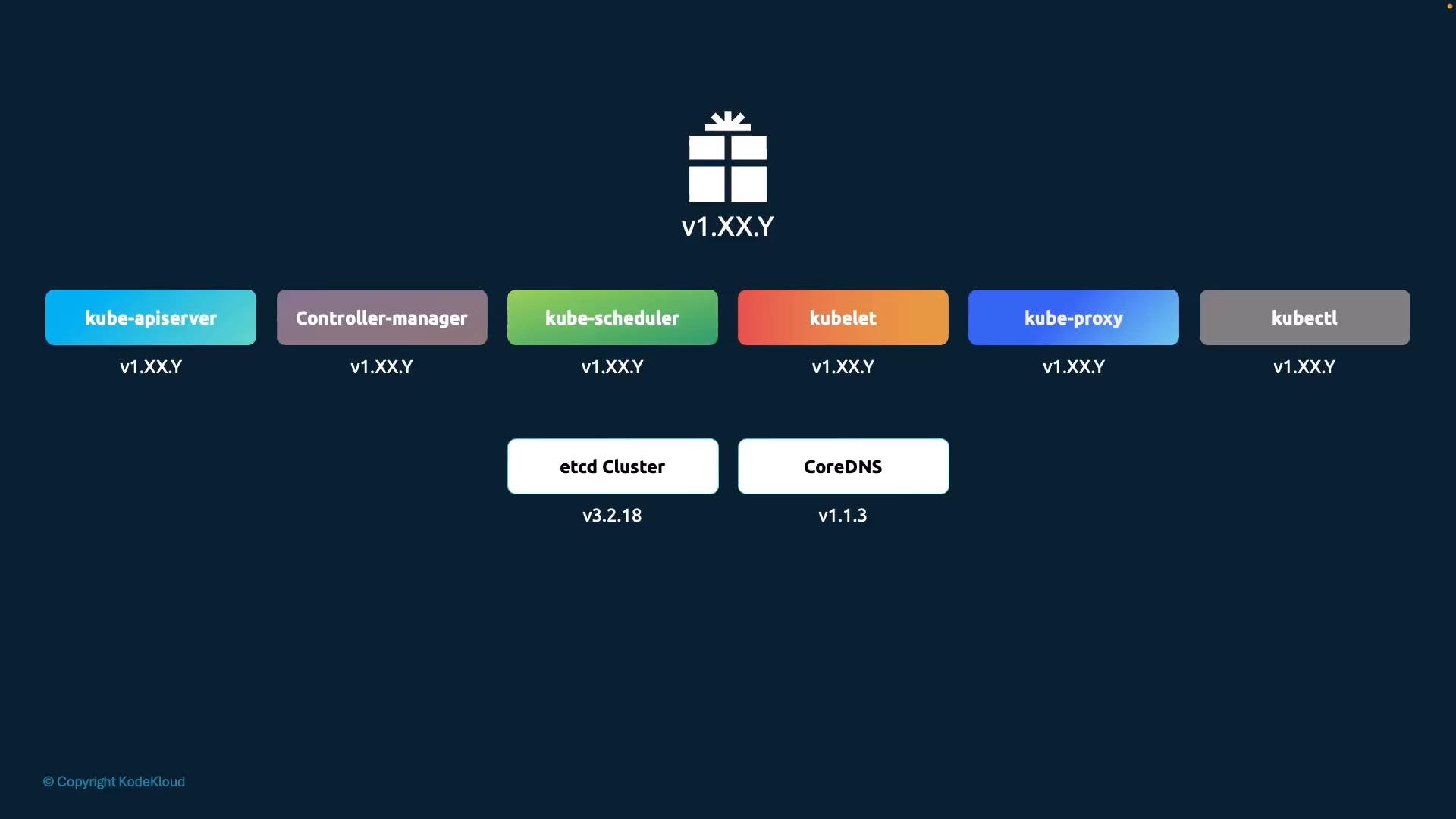
When you download a release tarball (for example,kubernetes.tar.gz) and extract it, it typically contains control plane binaries built for that Kubernetes release, such as:
kube-apiserverkube-controller-managerkube-schedulerkubectl(client utility)
- etcd cluster (storage backend)
- CoreDNS (cluster DNS)
Always consult the Kubernetes release notes for compatibility and upgrade instructions before performing an upgrade. See the official release listings: https://kubernetes.io/releases/
Planning upgrades and version management
- Verify control plane and node versions with
kubectl get nodesandkubectl version. - Consult the release notes for required component versions (etcd, CoreDNS) and any deprecations or API removals.
- Follow documented upgrade paths: upgrade control plane components first, then worker nodes.
- Test upgrades in a staging environment before applying to production.
Links and references
- Kubernetes Release Notes & Changelog
- Kubernetes on GitHub — Releases
- Semantic Versioning Specification
- Kubernetes Documentation