Documentation Index

Fetch the complete documentation index at: https://notes.kodekloud.com/llms.txt

Use this file to discover all available pages before exploring further.

This guide shows how to customize an Istio installation using the Istio Operator (IstioOperator CR). It covers creating an operator manifest, validating it with istioctl, installing/upgrading Istio, customizing gateway names and resource overrides, verifying changes, and enabling automatic sidecar injection for namespaces. Key workflow:
  1. Create an IstioOperator YAML (demo.yaml).
  2. Validate it with istioctl.
  3. Install or upgrade Istio using the file.
  4. Inspect and verify changed resources (for example, gateway resource requests/limits).
  5. Enable namespace injection and redeploy workloads.
Prerequisites
  • A Kubernetes cluster with application workloads already deployed (Bookinfo or similar).
  • istioctl available locally.
  • Istio is not yet installed in the cluster for this demo.
Initial state — workloads present and Istio client only:
root@controlplane ~ kubectl get pods
NAME                              READY   STATUS    RESTARTS   AGE
details-v1-65599dcf88-qjhsw       1/1     Running   0          12m
productpage-v1-9487c9c5b-2k9mf    1/1     Running   0          12m
ratings-v1-59b99c644-7w27z        1/1     Running   0          12m
reviews-v1-5985998544-gms7g       1/1     Running   0          12m
reviews-v2-86d6cc668-l2pvr        1/1     Running   0          12m
reviews-v3-dbb5fb5dd-b2xt4        1/1     Running   0          12m

root@controlplane ~ istioctl version
Istio is not present in the cluster: no running Istio pods in namespace "istio-system"
client version: 1.26.3
Quick reference — high-level steps
StepCommand / Action
Create operator filetouch demo.yaml and edit manifest
Validate operator fileistioctl validate -f demo.yaml
Install Istioistioctl install -f demo.yaml -y
Upgrade/Apply changesistioctl upgrade -f demo.yaml
Enable injectionkubectl label namespace default istio-injection=enabled
Create the IstioOperator file (demo.yaml) Create a minimal IstioOperator manifest. The minimal fields required are apiVersion, kind, and a spec with a profile. For this demo we use the demo profile. Commands:
root@controlplane ~ touch demo.yaml
root@controlplane ~ vim demo.yaml
Minimal example demo.yaml:
apiVersion: install.istio.io/v1alpha1
kind: IstioOperator
spec:
  profile: demo
Validate and install Istio using this file Validate the operator configuration and then install Istio with your manifest. Avoid the deprecated interactive istioctl profile workflow and use -f to supply your file.
root@controlplane ~ istioctl validate -f demo.yaml
"demo.yaml" is valid

root@controlplane ~ istioctl install -f demo.yaml -y
After installation, verify the istio-system pods:
root@controlplane ~ kubectl get pods -n istio-system
NAME                                    READY   STATUS    RESTARTS   AGE
istio-egressgateway-fbdbf94c6-j64m7    1/1     Running   0          20s
istio-ingressgateway-7f9cb54c46-lzfcv  1/1     Running   0          19s
istiod-6699bd67b9-swz6j                1/1     Running   0          24s
Inspecting the ingress gateway pod Use kubectl describe on the ingress gateway Deployment/Pod to view defaults for resource requests/limits, readiness probes, and environment variables. Example trimmed output:
# trimmed output
Limits:
  cpu: 2
  memory: 1Gi
Requests:
  cpu: 10m
  memory: 40Mi

Readiness:  http-get http://:15021/healthz/ready delay=1s timeout=1s period=2s #success=1 #failure=30

Environment:
  ISTIO_CPU_LIMIT:              2 (limits.cpu)
  ISTIO_META_WORKLOAD_NAME:     istio-ingressgateway
  ...
Mounts:
  /etc/istio/config from config-volume (rw)
  /etc/istio/proxy from istio-envoy (rw)
  ...
Deployments cannot be renamed in Kubernetes. To change a built-in gateway name you must disable the original and create a new gateway entry (the upgrade will delete the old deployment and create the new one).
Customize gateways and resource overrides To change gateway names (for example add a -gateway suffix) and set specific resource requests/limits, edit demo.yaml to add the components section. The common pattern is:
  • Disable the built-in egress/ingress gateway entries (set enabled: false) so the operator will remove the original Deployments.
  • Add new egress/ingress entries with your desired name, enabled: true, and k8s.resources overrides.
  • For ingress gateways you can also set k8s.service.ports to configure exposed ports.
Example IstioOperator excerpt (trimmed for clarity):
apiVersion: install.istio.io/v1alpha1
kind: IstioOperator
spec:
  profile: demo
  components:
    egressGateways:
    - name: istio-egress-gateway        # new name for the egress gateway
      enabled: true
      k8s:
        resources:
          requests:
            cpu: 20m
            memory: 40Mi
          limits:
            cpu: 40m
            memory: 80Mi
    ingressGateways:
    - name: istio-ingress-gateway       # new name for the ingress gateway
      enabled: true
      k8s:
        service:
          ports:
          - name: http2
            port: 80
            targetPort: 8080
          - name: https
            port: 443
            targetPort: 8443
        resources:
          requests:
            cpu: 20m
            memory: 40Mi
          limits:
            cpu: 40m
            memory: 80Mi
Note: Include the original built-in gateway entries with enabled: false if you want the operator to explicitly remove them before creating the replacements. Validate and upgrade After updating demo.yaml, validate and run an upgrade to apply changes. istioctl upgrade will reconcile resources and perform replacement of gateway Deployments.
root@controlplane ~ istioctl validate -f demo.yaml
"demo.yaml" is valid

root@controlplane ~ istioctl upgrade -f demo.yaml
This will install the Istio 1.26.3 profile "demo" into the cluster. Proceed? (y/N) y
 Istio core installed 🎉
 Istiod installed 🧠
Processing resources for Egress gateways, Ingress gateways. Waiting for Deployment/istio-system/istio-egress-gateway, Deployment/istio-system/istio-ingress-gateway...
Watch the rollout: the operator will delete the old gateway Deployments and create the new ones named according to your manifest. Use kubectl get pods -n istio-system to observe the old pods terminating and the new -gateway pods starting. After upgrade — verify the new resource settings Once new gateway pods are running, describe a gateway pod to confirm your resource overrides were applied:
root@controlplane ~ kubectl get pods -n istio-system
NAME                                       READY   STATUS    RESTARTS   AGE
istio-egress-gateway-7949ccd449-r6wcn     1/1     Running   0          36s
istio-ingress-gateway-64bf9dfb9-rn5jk     1/1     Running   0          36s
istiod-6699bd67b9-swz6j                  1/1     Running   0          5m7s
Example trimmed describe showing the overrides applied:
# trimmed output
Limits:
  cpu:    40m
  memory: 80Mi
Requests:
  cpu:    20m
  memory: 40Mi

Readiness: http-get http://:15021/healthz/ready delay=1s timeout=1s period=2s #success=1 #failure=30

Environment:
  ISTIO_CPU_LIMIT:                40m (limits.cpu)
  ISTIO_META_WORKLOAD_NAME:       istio-ingress-gateway
  ...
Enable sidecar injection and redeploy workloads Enable automatic sidecar injection for a namespace (the example uses default). Run istioctl analyze to get guidance, then label the namespace and redeploy your workloads so the Envoy sidecar init containers inject the proxy.
root@controlplane ~ istioctl analyze -n default
Info [IST0102] (Namespace default) The namespace is not enabled for Istio injection. Run 'kubectl label namespace default istio-injection=enabled' to enable it, or 'kubectl label namespace default istio-injection=disabled' to explicitly mark it as not needing injection.

root@controlplane ~ kubectl label namespace default istio-injection=enabled
namespace/default labeled
If applications (e.g., Bookinfo) are already deployed, delete and reapply them so pods are recreated with the sidecar injected:
# delete existing Bookinfo resources (if present)
root@controlplane ~ kubectl delete -f https://raw.githubusercontent.com/istio/istio/release-1.11/samples/bookinfo/platform/kube/bookinfo.yaml

# reapply Bookinfo (or your workloads)
root@controlplane ~ kubectl apply -f https://raw.githubusercontent.com/istio/istio/release-1.11/samples/bookinfo/platform/kube/bookinfo.yaml

# watch pods initialize with the sidecar
root@controlplane ~ kubectl get pods
NAME                             READY   STATUS        RESTARTS   AGE
details-v1-65599dcf88-gt4m2      0/2     Init:0/1      0          2s
productpage-v1-9487c9c5b-2l4vf   0/2     Init:0/1      0          2s
...
# shortly after
NAME                             READY   STATUS        RESTARTS   AGE
details-v1-65599dcf88-gt4m2      1/2     Running       0          8s
productpage-v1-9487c9c5b-2l4vf   1/2     Running       0          8s
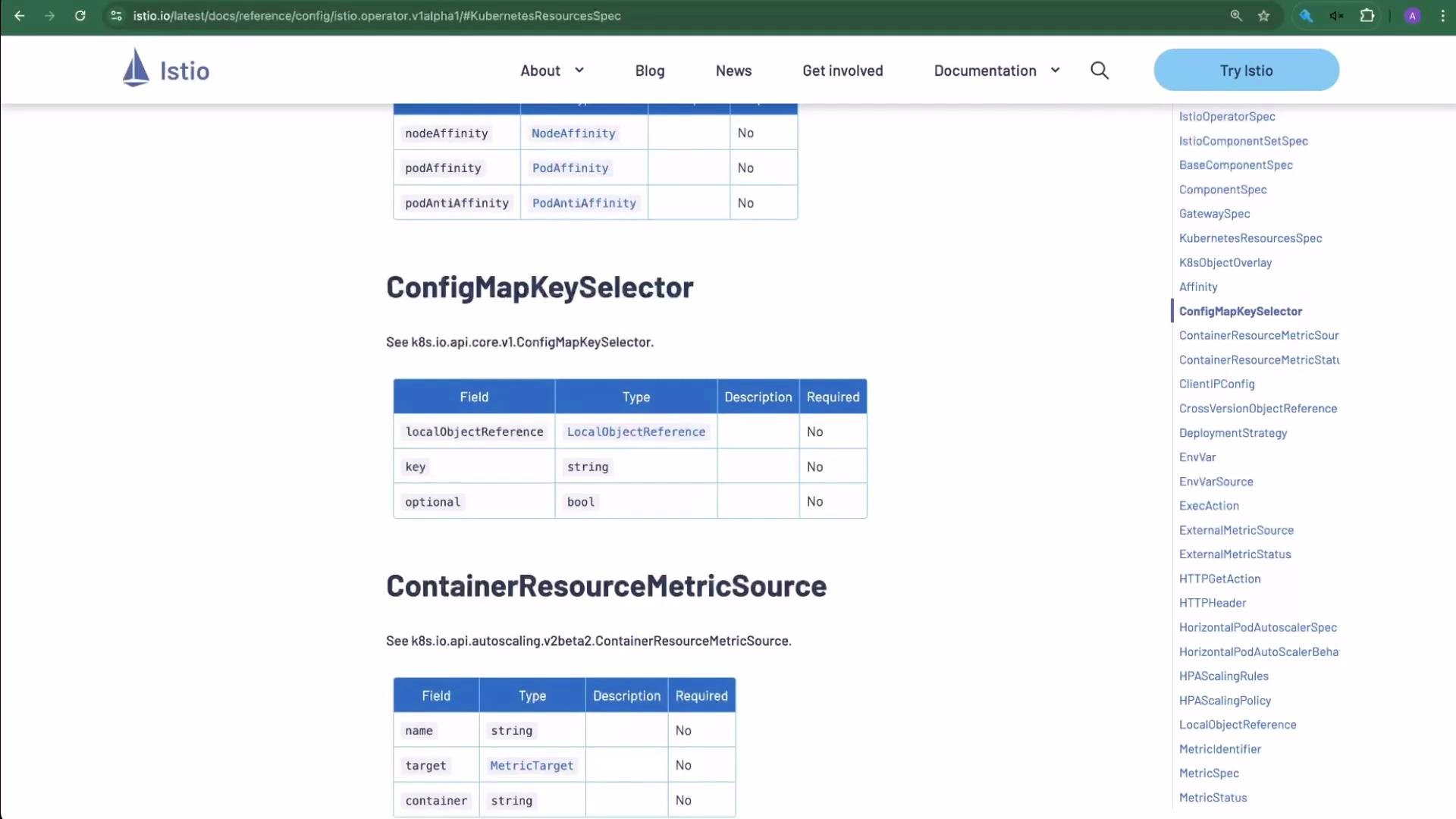
Reference: IstioOperator fields and examples Study the Istio Operator reference to learn available fields and allowed values. Commonly-tested and useful fields include:
FieldPurposeExample
profileBase profile to start fromdemo
hubImage hub/registrygcr.io/istio-testing
tagImage taglatest
revisionOperator revision (avoid dots)1-8-0
meshConfigGlobal mesh settings like access logs, tracingSee example below
componentsComponent-level overrides (gateways, pilot, etc.)egressGateways, ingressGateways
Example snippet of documented fields:
apiVersion: install.istio.io/v1alpha1
kind: IstioOperator
spec:
  profile: default
  hub: gcr.io/istio-testing
  tag: latest
  revision: 1-8-0
  meshConfig:
    accessLogFile: /dev/stdout
    enableTracing: true
  components:
    egressGateways:
    - name: istio-egressgateway
      enabled: true
A screenshot of the Istio documentation page titled "KubernetesResourcesSpec" showing a table of fields, types and descriptions for Kubernetes resource configs. The site header and a right-hand navigation menu are also visible.
Useful links and references Wrap-up and best practices
  • Prefer an IstioOperator CR (demo.yaml) for full configuration of an Istio control plane and gateways instead of interactive istioctl profile commands.
  • Always validate operator manifests with istioctl validate -f demo.yaml before installing or upgrading.
  • Apply changes with istioctl install -f demo.yaml -y or istioctl upgrade -f demo.yaml.
  • To rename built-in gateways: disable the original (set enabled: false) and add a new gateway entry with the desired name and k8s overrides — the operator will delete the old Deployment and create the new one during upgrade.
  • Label namespaces for injection and redeploy workloads to ensure Envoy proxies are injected.
Note: The istioctl profile subcommand has been removed from newer istioctl versions. See the istioctl documentation and the IstioOperator API reference for the complete list of configurable fields and examples.

Watch Video

Practice Lab