Documentation Index

Fetch the complete documentation index at: https://notes.kodekloud.com/llms.txt

Use this file to discover all available pages before exploring further.

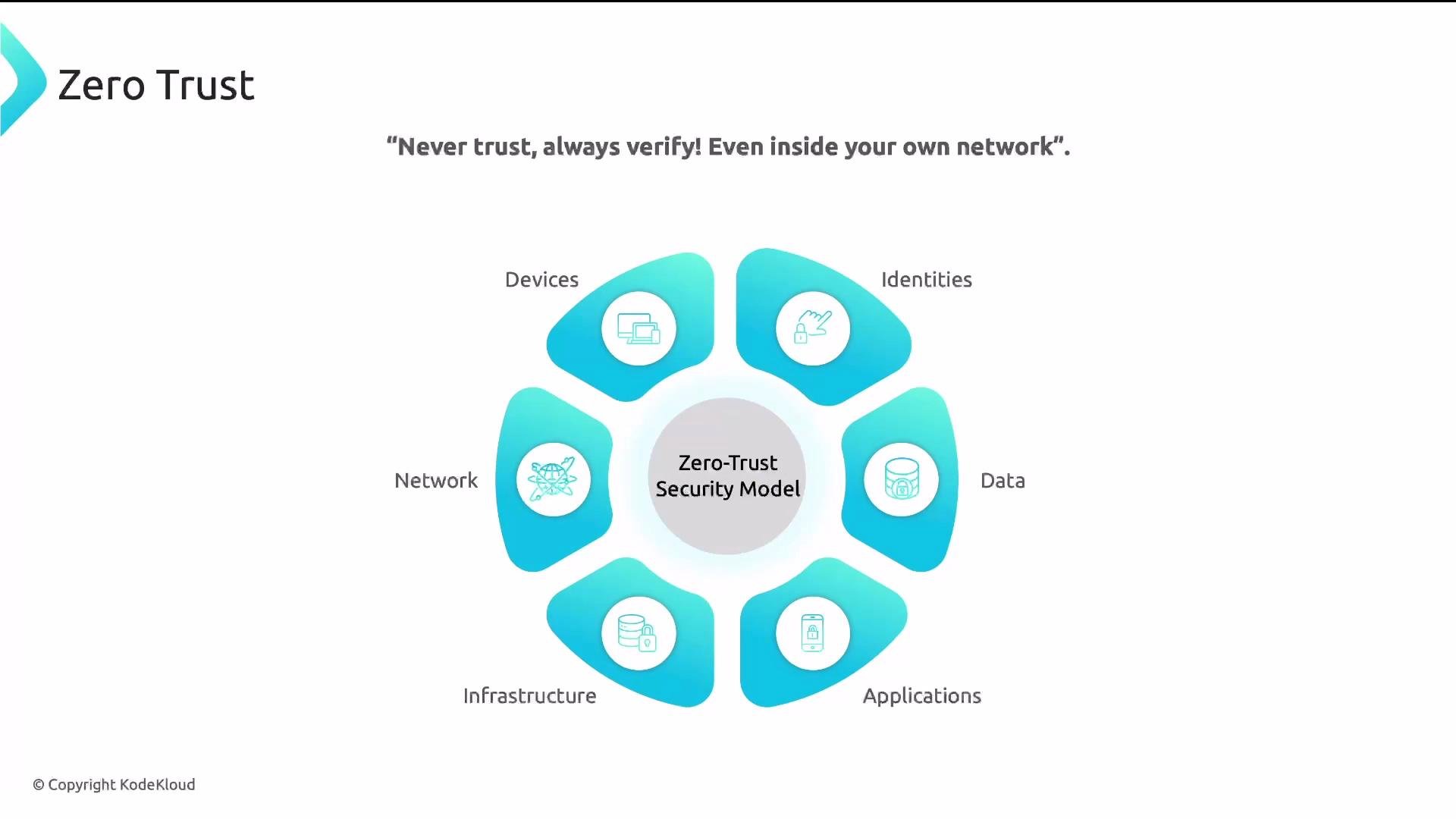
In this lesson we explain how authentication fits into the zero-trust security model and how Istio implements identity verification for both workloads and end users. Zero trust means “never trust, always verify.” Every request — even traffic inside your cluster — should be authenticated (who is making the request?) and then authorized (is that identity allowed to perform this action?).
A diagram of the Zero Trust security model with a central “Zero-Trust Security Model” circle surrounded by six elements: Devices, Identities, Data, Applications, Infrastructure, and Network. The top shows the tagline: “Never trust, always verify! Even inside your own network.”
What authentication answers
  • Does this identity truly belong to the client making the request?
  • Is the presented identity cryptographically verifiable (for workloads) or cryptographically signed and valid (for user tokens)?
Two common identity patterns in modern service meshes:
  • Transport-level (workload-to-workload) identity — mutual TLS (mTLS) issues and verifies short-lived certificates for sidecars, binding a workload to a SPIFFE identity such as: spiffe://cluster.local/ns/default/sa/my-service-account
  • Application-level (end-user or third-party) identity — JSON Web Tokens (JWTs) or OAuth tokens carried in HTTP headers (for example, Authorization: Bearer <token>) represent users or external clients and convey claims.
Zero trust is two steps: authenticate (verify who) and authorize (verify what). Istio automates mTLS for workload identities and can validate JWTs at the proxy so you can apply consistent AuthorizationPolicy rules.
How these mechanisms appear in Istio
  • mTLS: Istio can provision and rotate certificates for Envoy sidecars and validate peer certificates automatically, giving cryptographic proof of workload identity without application changes.
  • JWT: Istio (via Envoy) can validate JWTs with RequestAuthentication; after validation, AuthorizationPolicy can inspect token claims to make access decisions.
Comparison at a glance
Authentication typeTypical use caseHow Istio handles it
mTLS (transport)Workload-to-workload, service-to-serviceIstio issues short-lived certs; PeerAuthentication enforces modes (e.g., STRICT)
JWT (application)End-user or third-party HTTP clientsRequestAuthentication validates tokens (issuer, signature via JWKS); AuthorizationPolicy inspects claims
Examples (Istio resource manifests)
  1. PeerAuthentication — require mTLS in a namespace or for specific workloads
apiVersion: security.istio.io/v1beta1
kind: PeerAuthentication
metadata:
  name: default
  namespace: default
spec:
  mtls:
    mode: STRICT
Effect: Enforces strict mTLS for workloads in the default namespace. Any client without a valid workload certificate will be denied at the transport layer.
  1. RequestAuthentication — validate JWTs for workloads selected by label
apiVersion: security.istio.io/v1beta1
kind: RequestAuthentication
metadata:
  name: jwt-example
  namespace: default
spec:
  selector:
    matchLabels:
      app: httpbin
  jwtRules:
  - issuer: "https://accounts.example.com"
    jwksUri: "https://accounts.example.com/.well-known/jwks.json"
Effect: Tells Istio/Envoy to verify JWT signatures and issuer for incoming HTTP requests to workloads with app: httpbin. After successful validation, attributes such as request.auth.principal and request.auth.claims are available to AuthorizationPolicy.
  1. AuthorizationPolicy — allow requests when either mTLS principal or a validated JWT is present
apiVersion: security.istio.io/v1beta1
kind: AuthorizationPolicy
metadata:
  name: require-jwt-or-mtls
  namespace: default
spec:
  selector:
    matchLabels:
      app: httpbin
  action: ALLOW
  rules:
  - from:
    - source:
        principals: ["cluster.local/ns/default/sa/my-service-account"] # mTLS principal
    - source:
        requestPrincipals: ["*"] # any authenticated request (after RequestAuthentication)
Notes on principals and identities
  • mTLS principals in Istio are SPIFFE IDs such as spiffe://cluster.local/ns/namespace/sa/service-account.
  • After a successful RequestAuthentication, you can reference request.auth.principal and individual claims via request.auth.claims in AuthorizationPolicy expressions.
Inspecting identities in practice
  • Inspect a workload certificate: the sidecar certificate contains the SPIFFE subject and is traceable to the cluster CA.
  • Inspect an HTTP request with a JWT: a client includes Authorization: Bearer <JWT>; Istio/Envoy can validate it at the proxy before the request reaches the application.
Best practices
  • Prefer mTLS between workloads for cryptographic authenticity and confidentiality.
  • Use JWT validation for end-user or third-party authentication and combine it with AuthorizationPolicy for fine-grained access control.
  • Rotate keys and secure JWKS endpoints; validate the token issuer and signing keys before trusting claims.
  • Apply namespace- and workload-scoped policies to minimize blast radius and follow the principle of least privilege.
  • Log and audit authentication and authorization decisions for traceability.
Summary Authentication is the first enforcement point in the zero-trust model: verify each identity (workload or user) and then apply precise authorization rules based on that verified identity. Using mTLS for workload identities and JWT validation for application-level identities gives strong, auditable security controls and supports least-privilege access across your service mesh. Links and references

Watch Video