

- ALLOW_ANY (default): Envoy will pass through requests to external services that are not in Istio’s internal service registry.
- REGISTRY_ONLY: Envoy will only allow outbound traffic to services registered in Istio’s internal service registry (typically via a ServiceEntry). Any attempt to reach unknown external services will be dropped.
By default Istio runs in permissive mode (
ALLOW_ANY), so workloads can reach external services without a ServiceEntry. However, Istio will not apply traffic management, observability, or security features to those external flows unless the external services are added to the registry.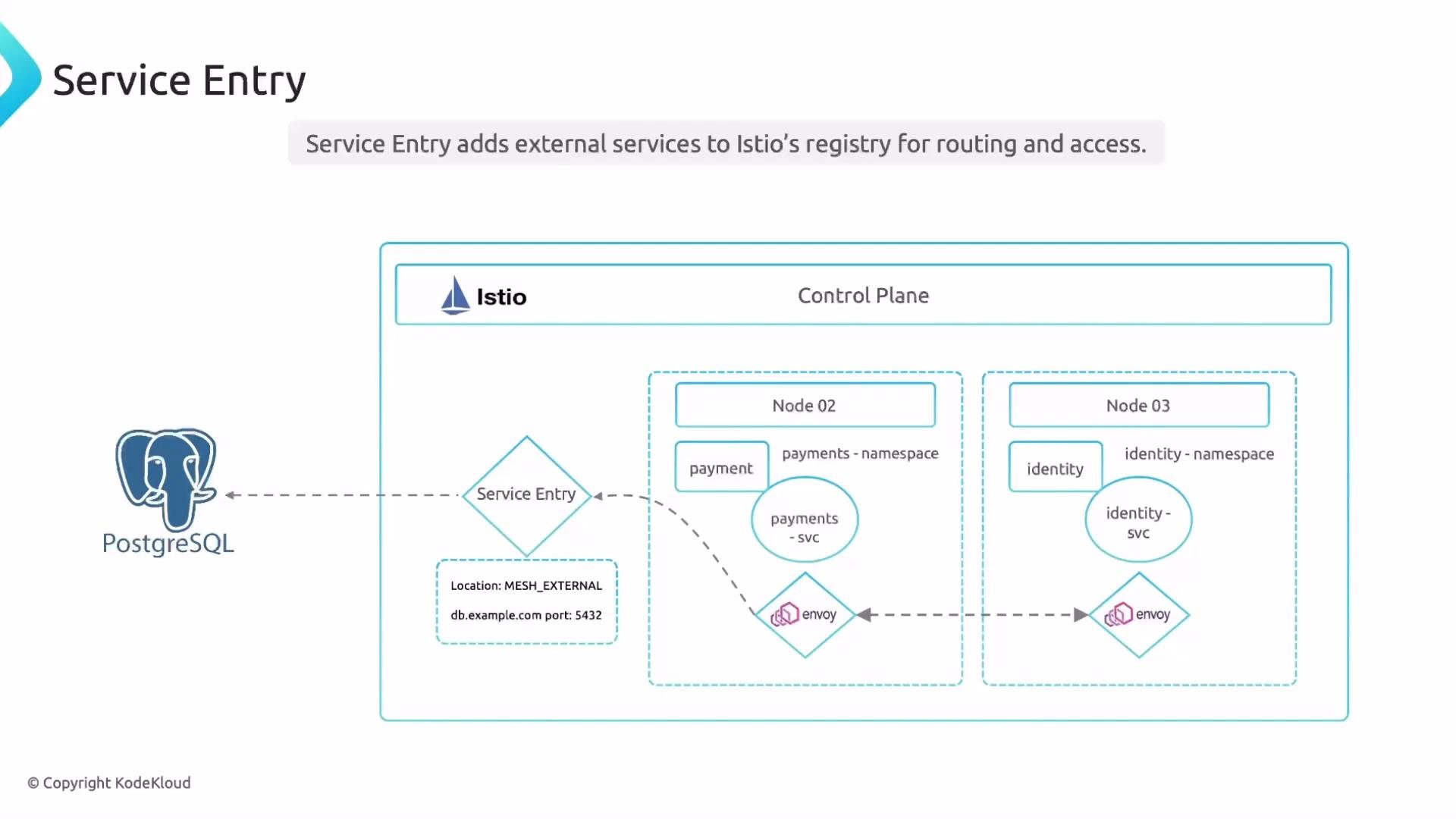
Enforcing REGISTRY_ONLY with the Istio operator
To force Envoy to only allow registry-listed services, set
meshConfig.outboundTrafficPolicy.mode to REGISTRY_ONLY in your IstioOperator manifest:
REGISTRY_ONLY, any external destination not represented in Istio’s registry will be blocked. In ALLOW_ANY mode, external destinations are reachable but not managed by Istio.
ServiceEntry example — external PostgreSQL
Below is a minimal ServiceEntry that registers an external PostgreSQL server. Note: resolution is at the same level as ports inside spec, and this resource is namespaced.
ServiceEntryis a namespaced resource. By default, aServiceEntrycreated in namespacefrontendis visible only to sidecars and workloads infrontend.- To make a
ServiceEntryavailable to other namespaces, use theexportTofield (or create the resource in a namespace that is visible to others).
If your mesh is configured with
REGISTRY_ONLY, you must ensure any external dependency is registered in the namespace(s) that require access (or exported). Failing to do so will result in blocked egress traffic.- Centralized management of external dependencies for routing and troubleshooting.
- Apply Istio traffic management features to egress (retries, timeouts, circuit breaking).
- Enforce security policies (mTLS, authorization) for outbound traffic.
- Enable observability/telemetry for external calls through Envoy.
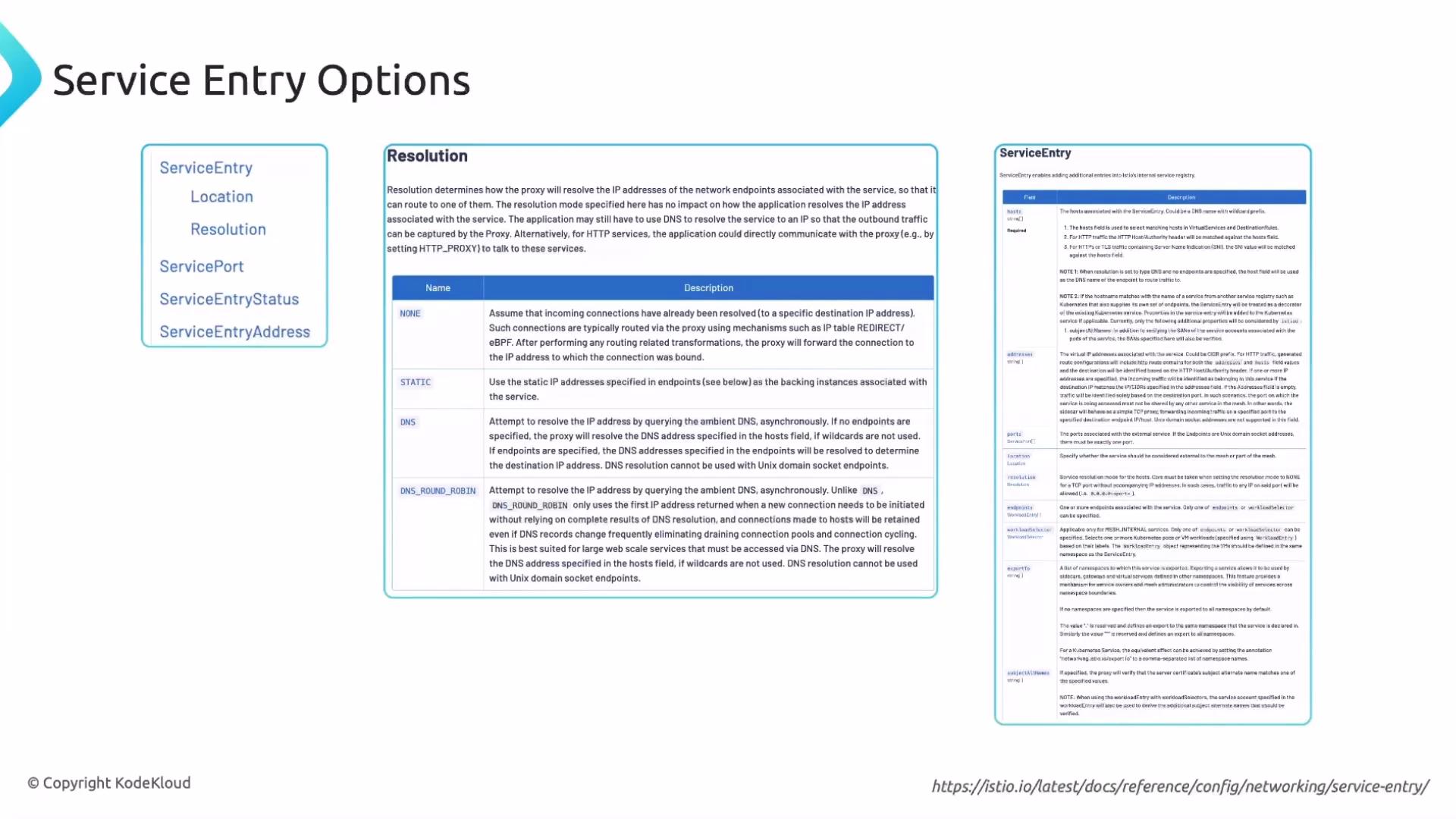
resolution field controls how Envoy discovers endpoints for the declared host. The slide below summarizes common resolution options:
References and further reading
- Istio ServiceEntry reference
- Istio outbound traffic policy (meshConfig)
- Istio Certified Associate (ICA) course
- ALLOW_ANY vs REGISTRY_ONLY determines whether Envoy allows unknown external egress.
- Use
ServiceEntryto register external dependencies when you need Istio-managed egress (routing, security, telemetry). ServiceEntryresources are namespaced — useexportTowhen cross-namespace visibility is required.- Practice creating
ServiceEntryobjects and togglingoutboundTrafficPolicyto observe differences in connectivity and telemetry.