Documentation Index

Fetch the complete documentation index at: https://notes.kodekloud.com/llms.txt

Use this file to discover all available pages before exploring further.

DestinationRules are as important as VirtualServices in Istio traffic management. A VirtualService intercepts incoming requests for a service and decides where that traffic should go (routing). DestinationRules complement VirtualServices by declaring how traffic should be handled once routing has selected the destination host—applying policies such as subsets, load balancing, connection pools, TLS, and outlier detection.
A diagram titled "Virtual Service" showing how a Kubernetes virtual service intercepts and routes traffic inside a namespace, with components labeled Service, ReplicaSet, Deployment, Pods and Containers. Dashed arrows illustrate traffic flow from the Service to multiple Pods/Containers.
In short:
  • VirtualService: decides where traffic goes (routing rules, host selection).
  • DestinationRule: decides how traffic is treated for the chosen host (per-host or per-subset policies).
A presentation slide titled "Destination Rules" showing two points: that a Destination Rule sets policies for traffic after routing, and that it applies rules once traffic reaches the Virtual Service.
Why use DestinationRules?
  • Define subsets (e.g., v1 / v2) that map to pod labels.
  • Apply different traffic policies per subset or service-level policies (load balancing, connection pools, outlier detection, TLS, etc.).
  • Enforce mTLS for service-to-service communication.
Table — quick comparison
Config objectPrimary responsibilityCommon use cases
VirtualServiceRouting rules, traffic splitting, match conditionsA/B tests, canary rollout, path-based routing
DestinationRulePost-routing policies (subsets, LB, connection pools, TLS, outlier detection)Define subsets by labels, set load balancing, enforce mTLS, circuit breaking
Example scenario: split traffic 50/50 between two versions (v1 and v2) of a service while keeping a single Kubernetes Service in front of both.
  1. Deploy two application versions. Notice they share app: frontend but differ by version label:
apiVersion: apps/v1
kind: Deployment
metadata:
  name: app-deployment-v1
  namespace: frontend
spec:
  replicas: 3
  selector:
    matchLabels:
      app: frontend
      version: v1
  template:
    metadata:
      labels:
        app: frontend
        version: v1
    spec:
      containers:
      - name: app
        image: app:1.1
apiVersion: apps/v1
kind: Deployment
metadata:
  name: app-deployment-v2
  namespace: frontend
spec:
  replicas: 3
  selector:
    matchLabels:
      app: frontend
      version: v2
  template:
    metadata:
      labels:
        app: frontend
        version: v2
    spec:
      containers:
      - name: app
        image: app:2.1
  1. Expose both versions with a single Kubernetes Service that selects app: frontend:
apiVersion: v1
kind: Service
metadata:
  name: app-svc
  namespace: frontend
spec:
  ports:
  - port: 80
    name: http
  selector:
    app: frontend
  1. Define a DestinationRule that declares the subsets for these versions. Each subset maps a name to pod label selectors (the version label):
apiVersion: networking.istio.io/v1
kind: DestinationRule
metadata:
  name: app-ds
  namespace: frontend
spec:
  host: app-svc
  subsets:
  - name: v1
    labels:
      version: v1
  - name: v2
    labels:
      version: v2
  1. Create a VirtualService that references those subsets to split traffic 50/50. The subset field here must match the name values defined in the DestinationRule:
apiVersion: networking.istio.io/v1alpha3
kind: VirtualService
metadata:
  name: app-vs
  namespace: frontend
spec:
  hosts:
  - app-svc
  http:
  - match:
    - uri:
        prefix: "/"
    route:
    - destination:
        host: app-svc.frontend.svc.cluster.local
        port:
          number: 80
      subset: v1
      weight: 50
    - destination:
        host: app-svc.frontend.svc.cluster.local
        port:
          number: 80
      subset: v2
      weight: 50
Ensure subset names in the VirtualService (subset: v1) exactly match the name values defined under subsets in the DestinationRule. Mismatched names cause route resolution failures.
Remember: the VirtualService decides which subset receives traffic; the DestinationRule maps those subset names to pod labels and applies the policies for traffic to those subsets. Common DestinationRule policy examples
  • Simple round-robin load balancing:
apiVersion: networking.istio.io/v1
kind: DestinationRule
metadata:
  name: bookinfo-ratings
spec:
  host: ratings.prod.svc.cluster.local
  trafficPolicy:
    loadBalancer:
      simple: ROUND_ROBIN
  • Consistent-hash load balancing by HTTP cookie:
apiVersion: networking.istio.io/v1
kind: DestinationRule
metadata:
  name: bookinfo-ratings
spec:
  host: ratings.prod.svc.cluster.local
  trafficPolicy:
    loadBalancer:
      consistentHash:
        httpCookie:
          name: user
          ttl: 0s
  • Circuit breaking, connection pool tuning, outlier detection, and mTLS settings can also be configured per-host or per-subset in a DestinationRule.
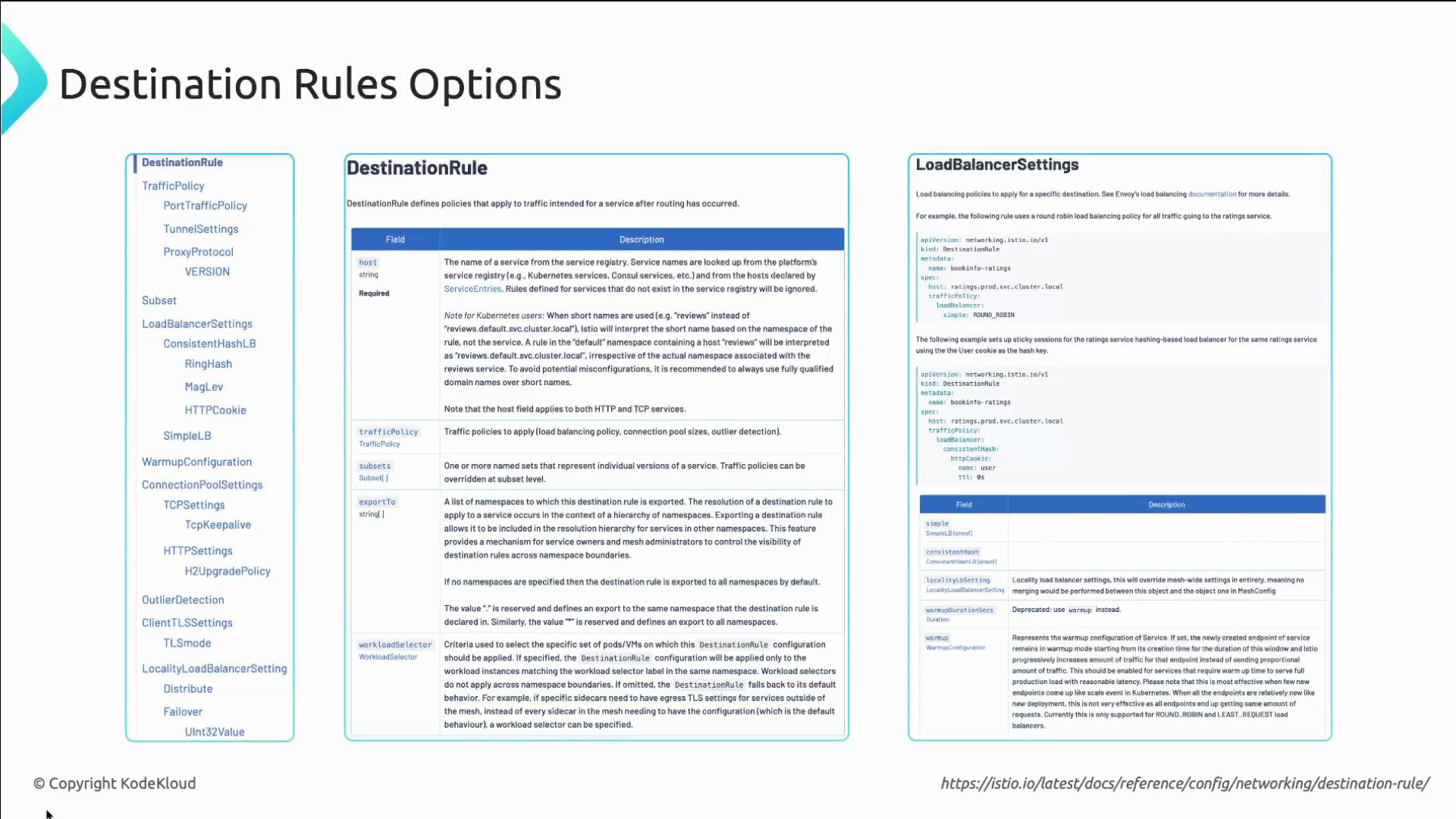
DestinationRules can configure subsets, load-balancing strategies, connection pools, outlier detection (circuit breaking), and client TLS settings (e.g., enforcing mTLS). These policies apply after routing has selected the destination.
Additional tips
  • Apply manifests with kubectl apply -f <manifest.yaml> to test in your cluster.
  • Use istioctl analyze to validate Istio configuration and catch common pitfalls.
  • To debug traffic routing and policy effects, inspect Envoy proxies (istio-proxy logs) and use istioctl proxy-config commands.
References Try this hands-on in a lab or demo cluster to verify traffic split, LB behavior, and policy enforcement in your environment.

Watch Video