

1) Know the documentation and how to navigate it
You don’t need to memorize every API field (for example, a complete VirtualService spec). What you must master is how to quickly find the relevant docs and examples. The ICA interface often includes direct links to the relevant Istio docs for the resource referenced in a task (for example, VirtualService). Use those links as your starting point — they provide resource definitions and examples, but rarely contain the exact YAML you need for the task.Familiarize yourself with the structure of the Istio documentation (resources, examples, and diagnostics). Knowing where to look saves significant time under exam pressure.
2) Use a sufficiently large screen when possible
If allowed, use a larger display (27” or similar). The exam UI typically splits the problem panel, countdown/proctor windows, and the remote session (terminal + browser). On a small laptop screen you’ll waste time switching panes and making edits. Check proctor requirements carefully before the exam.Proctors often disallow additional monitors. You may be required to disconnect extra displays and demonstrate your setup. Verify the exam rules before you start.
3) Practical editing — know Vim (or be very efficient with your editor)
You will edit a lot of YAML. Vim provides rapid navigation and editing for multi-line files and bulk substitutions. Nano works, but is slower for repetitive edits. Example — a typical nginx Deployment you may need to edit: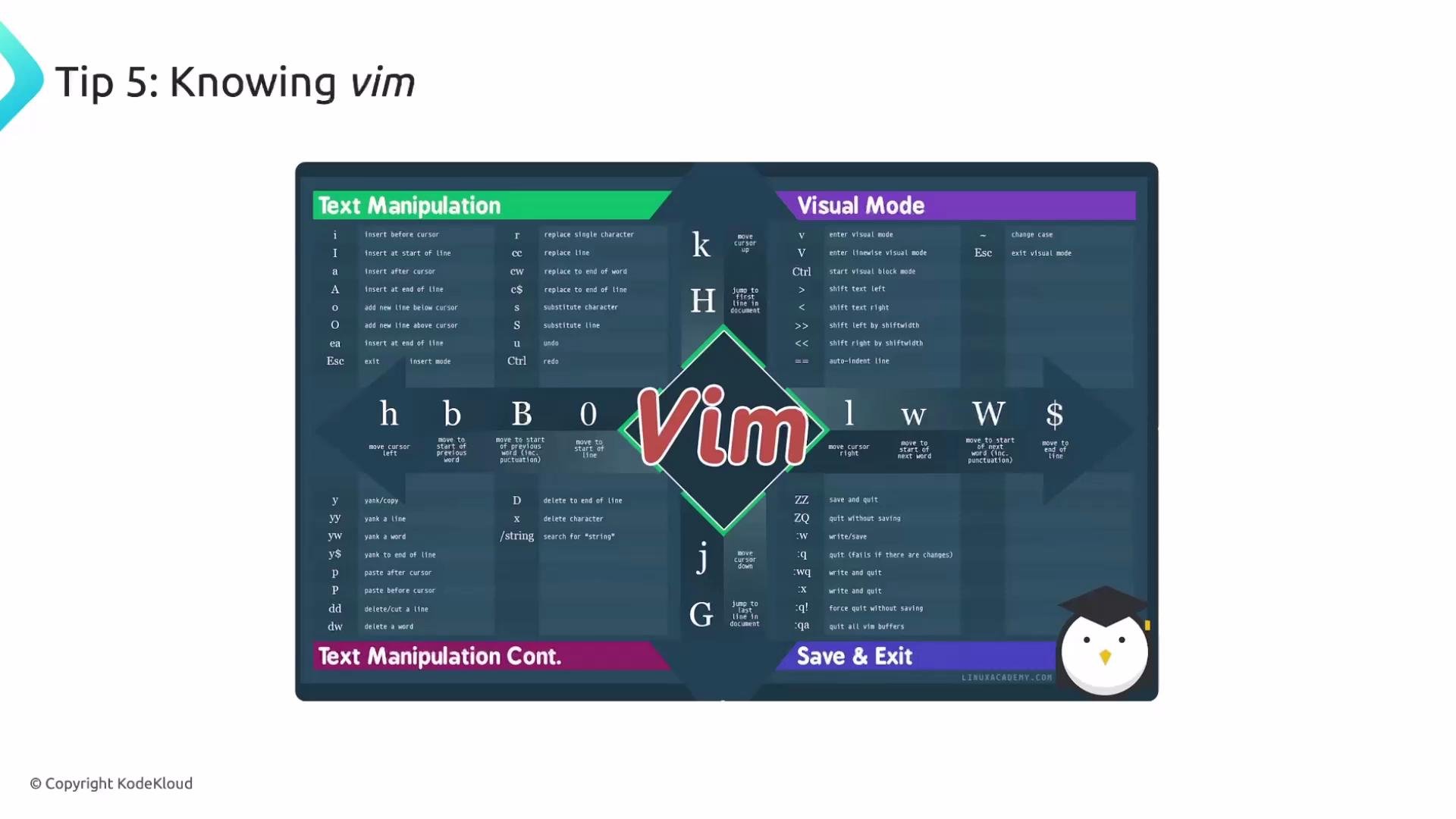
- Learn basic motions (h/j/k/l), word jumps (
w,b), line edits (^,$), visual select (v), and substitutions (:%s/old/new/g). - Use yank/paste registers when copying blocks of YAML.
- Use
:set numberand:set pasteas needed to ease editing multi-line content pasted from the browser.
4) Run istioctl analyze after applying resources
istioctl analyze quickly surfaces common configuration issues (mismatched ports, bad hosts, invalid fields). Always run it immediately after kubectl apply to catch errors before you do other debugging.
Example workflow:
istioctl analyze -n \<namespace>“.
Run
istioctl analyze right after applying resources to detect issues such as a VirtualService pointing to a non-existent service/port or invalid spec fields.5) SSH workflow per question — exit when finished
Each ICA question runs on a separate remote host. You must SSH into the host for the current question, perform the task there, then exit. If you forget to exit a session and reuse it for the next question, you risk applying resources to the wrong environment and losing points. Example SSH flow:6) Troubleshoot Kubernetes primitives first
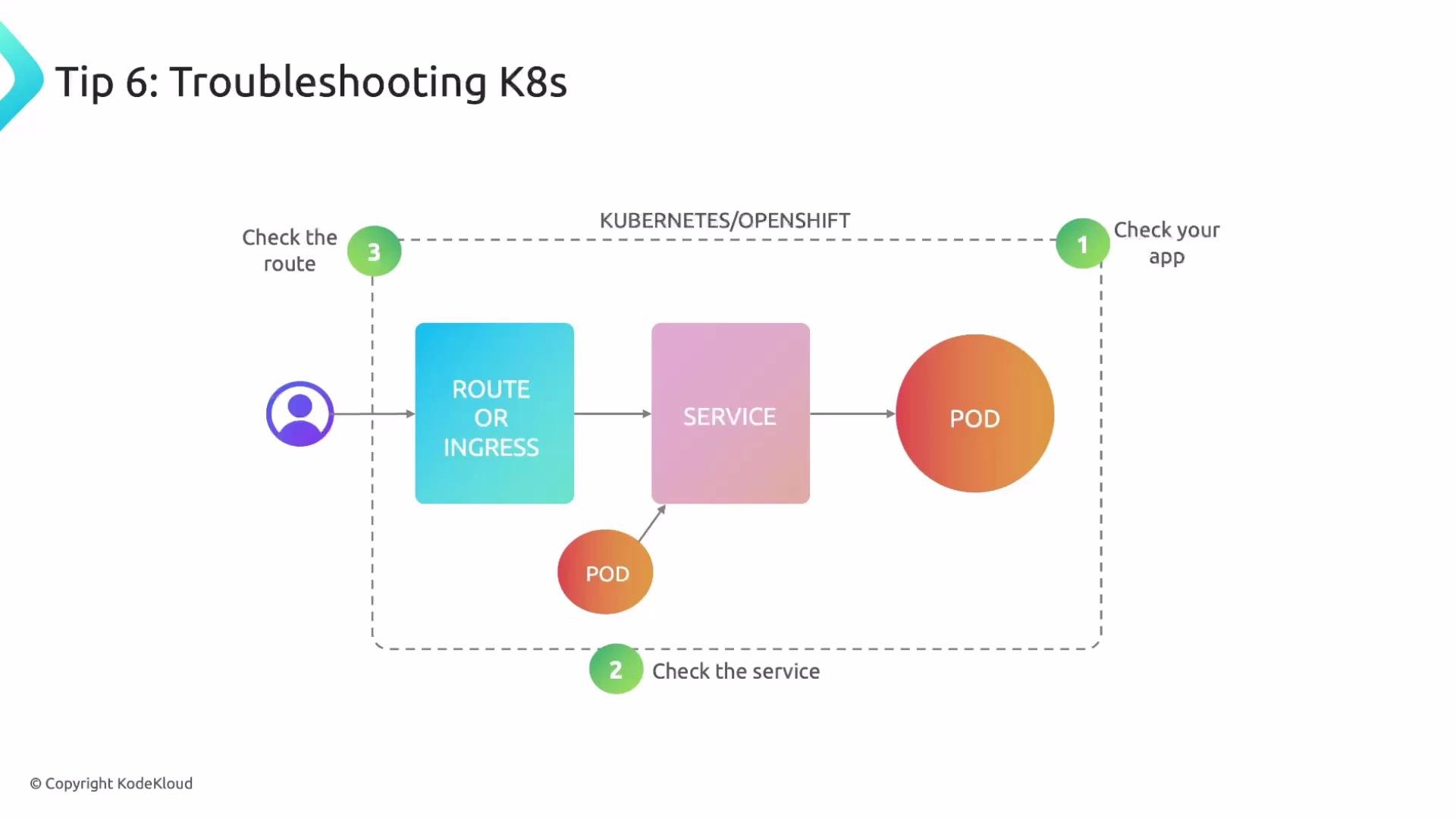
When something fails, follow a predictable, layered troubleshooting approach. Many issues are plain Kubernetes problems (pods, services, labels) rather than Istio-specific misconfigurations. Troubleshooting checklist:
Do not jump straight to Istio resources — verify basic Kubernetes plumbing first (ports, labels, pods running).
7) Attempt questions for partial credit
The exam awards partial credit if you create resources with the correct name and namespace, even if the spec is incomplete. If a question looks complex (e.g., DestinationRule with circuit breakers), create the resource with the correct metadata first, then expand the spec. Minimal DestinationRule example to earn partial credit:8) Time management — move on, then come back
The modern ICA typically contains ~16 hands‑on questions, each with its own host. If you’re stuck on a task, move to the next one and return later. Use the time to collect easier points — a final pass to improve partial answers often recovers significant marks.Quick exam checklist
- Know where to find relevant Istio docs and examples.
- Use a large screen if allowed; confirm proctor rules first.
- Be comfortable with an efficient text editor (Vim recommended).
- Always run
istioctl analyzeafter applying resources. - SSH into each question host, complete the task, then exit.
- Verify Pod → Service → Connectivity before Istio checks.
- Create minimally correct resources for partial credit.
- Manage time: move past blockers and review later.
Links and references
- Istio Documentation — Official
- istioctl analyze — Diagnostics
- Istio Service Mesh course on KodeKloud
- CKA Certification Course on KodeKloud