Documentation Index

Fetch the complete documentation index at: https://notes.kodekloud.com/llms.txt

Use this file to discover all available pages before exploring further.

This lesson reviewed how to implement Zero Trust in Istio by enforcing authentication first (mTLS) and then authorization (L7 policies). The recommended sequence:
  1. Verify every connection first, regardless of traffic origin.
  2. Enforce mTLS with a PeerAuthentication (cluster-wide or per-namespace).
  3. After identities are established, enforce permissions with AuthorizationPolicy resources.
Istio provides mTLS via the data plane. In the sidecar model Envoy sidecars (injected into workload pods) handle encryption and identity. In ambient mode, the ambient dataplane (ztunnel / Waypoint architecture) replaces per-pod sidecars — ambient mode requires different installation and namespace labels but offers equivalent authentication capabilities.
A presentation slide titled "Objectives" showing three numbered points about Zero‑Trust: verify all data regardless of source, enforce verification via PeerAuthentication policies, and use mTLS handled by a sidecar proxy requiring Istio injection.
Key takeaways
  • Always apply a PeerAuthentication to require mTLS for workloads or namespaces before you rely on identity-based AuthorizationPolicy rules.
  • Authentication (who is talking) is distinct from authorization (what they are allowed to do). First authenticate identities, then apply AuthorizationPolicy to express permissions.
  • Kubernetes NetworkPolicy works at layers 3–4 (IP/port). Istio AuthorizationPolicy works at layer 7 (HTTP/gRPC) and can control requests by paths, methods, headers, and service account principals.
  • Istio policies are Kubernetes CRs — they are declarative, auditable, and suitable for GitOps-style workflows.
Technical comparison — sidecar vs ambient dataplane
FeatureSidecar modelAmbient mode
Data plane componentEnvoy sidecars per podztunnel + optional Waypoint proxies
mTLS handlingEnvoy sidecar enforces mTLSztunnel enforces L3/L4 mTLS
L7 enforcementSidecar/Envoy supports L7 filtersRequires Waypoint (L7) proxy in front of workload
Deployment notesRequires Istio sidecar injectionRequires ambient installation and namespace labels
About the ambient dataplane and proxies
  • ztunnel handles L3–L4 traffic in ambient mode (it provides secure, sidecar-less mTLS).
  • For L7 enforcement (path/method authorization) you need a Waypoint (or equivalent L7) proxy in front of workloads to perform HTTP-level checks.
  • In labs you might observe that path/method restrictions are not enforced when using only ztunnel (L4). After you install a Waypoint proxy and label the namespace, L7 AuthorizationPolicy rules can be enforced.
  • Prefer service accounts (principals) for identity-based rules because they provide clearer, more robust identity controls than labels.
Ambient mode (sidecar-less) behaves differently in terms of dataplane components. The ICA exam focuses on the sidecar model; ambient mode is useful to know but may not be tested in depth. Review the Istio documentation on ambient mode and Waypoint proxies before the exam.
Istio vs Kubernetes network controls
ResourceOSI LayersTypical use caseExample controls
NetworkPolicy (Kubernetes)L3–L4 (IP, port)Restrict pod-to-pod connectivity at network levelpodSelector, ingress/egress, ports
AuthorizationPolicy (Istio)L7 (HTTP/gRPC)Fine-grained app-level permissionsHTTP paths, methods, principals, service accounts
Example manifests
  • PeerAuthentication to require mTLS for a namespace (namespace foo):
apiVersion: security.istio.io/v1beta1
kind: PeerAuthentication
metadata:
  name: require-mtls
  namespace: foo
spec:
  mtls:
    mode: STRICT
  • Example AuthorizationPolicy to allow only GET requests to /api from a specific service account principal:
apiVersion: security.istio.io/v1beta1
kind: AuthorizationPolicy
metadata:
  name: allow-get-api
  namespace: foo
spec:
  selector:
    matchLabels:
      app: myservice
  action: ALLOW
  rules:
  - from:
    - source:
        principals: ["cluster.local/ns/bar/sa/client-sa"]
    to:
    - operation:
        methods: ["GET"]
        paths: ["/api"]
Best practices and recommendations
  • Always enable and enforce mTLS (via PeerAuthentication) before relying on Identity-based AuthorizationPolicy rules.
  • Use service accounts (Istio principals) for stronger identity-based authorization. Labels can be used for convenience but are less robust.
  • Use Kubernetes NetworkPolicy for coarse L3/L4 restrictions and Istio AuthorizationPolicy for L7 controls.
  • Keep Istio security manifests declarative and version-controlled (GitOps).
  • Test policies incrementally: enforce mTLS, then test simple ALLOW rules, then add DENY rules and finer path/method restrictions.
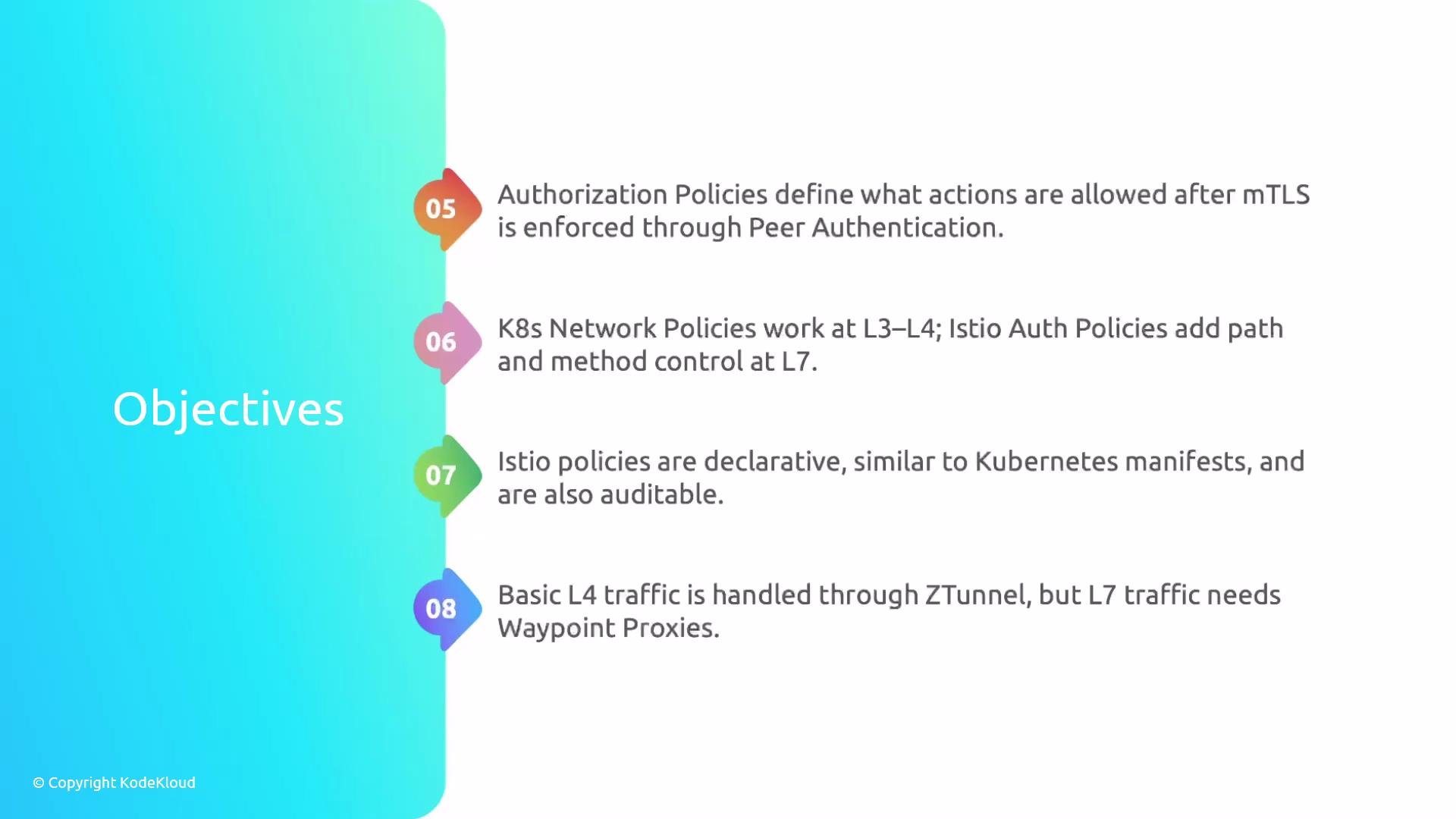
A presentation slide titled "Objectives" with a teal gradient sidebar and numbered markers. The slide lists points about Istio/Kubernetes networking and security — authorization policies after mTLS, K8s L3–L4 vs Istio L7 controls, declarative/auditable Istio policies, and L4 vs L7 traffic handling (ZTunnel/Waypoint Proxies).
Final checklist for securing workloads with Istio
  1. Choose the dataplane mode (sidecar or ambient) and ensure proper installation and namespace labels.
  2. Configure PeerAuthentication to require mTLS where required.
  3. Create AuthorizationPolicy resources for fine-grained, L7 authorization (paths, methods, principals/service accounts).
  4. Use Kubernetes NetworkPolicy for L3/L4 controls and Istio AuthorizationPolicy for L7 controls.
  5. Keep manifests declarative and auditable; prefer service accounts for identity-based rules.
That covers the key concepts for securing workloads with Istio. For deeper reference, consult the official docs linked below. Links and references

Watch Video