

Gateways are used only when you need to control ingress or egress traffic at the mesh boundary. Inside the mesh, VirtualServices and DestinationRules control routing and subsets.
Types of Gateways
There are two primary Istio gateway types:- Ingress Gateway — manages incoming traffic from outside the cluster into the Istio mesh.
- Egress Gateway — controls outgoing traffic from workloads inside the mesh to external services.
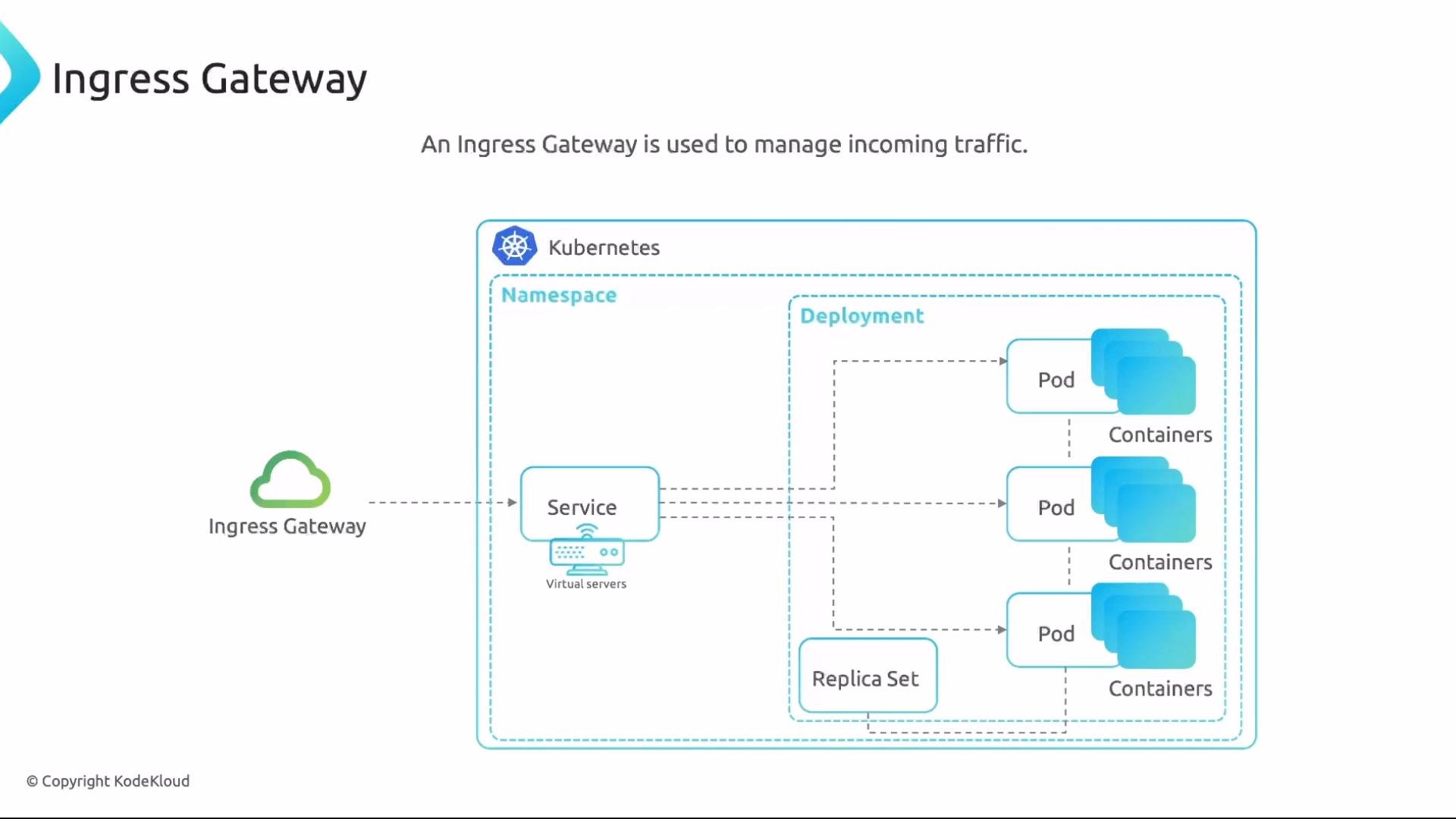
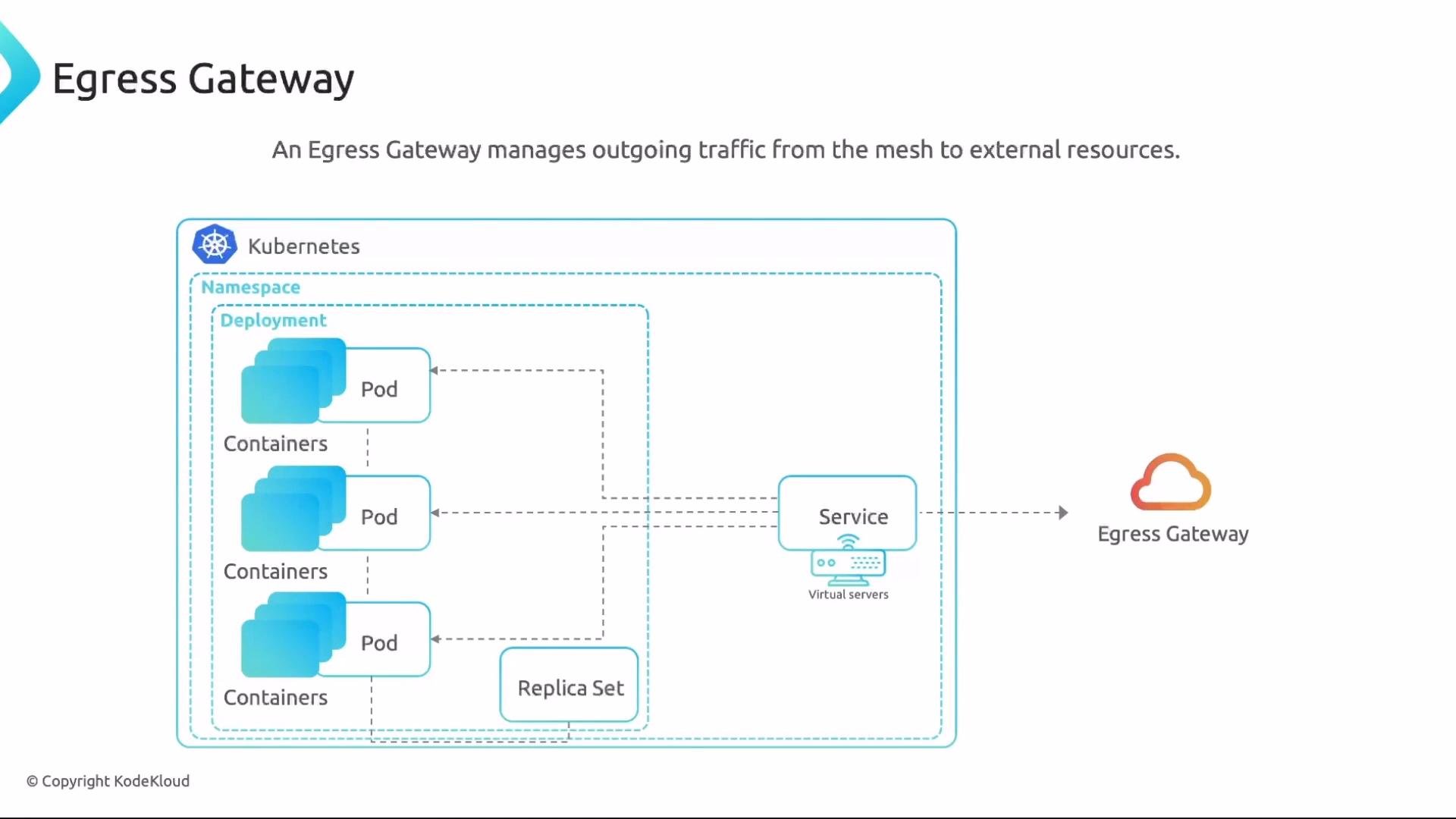
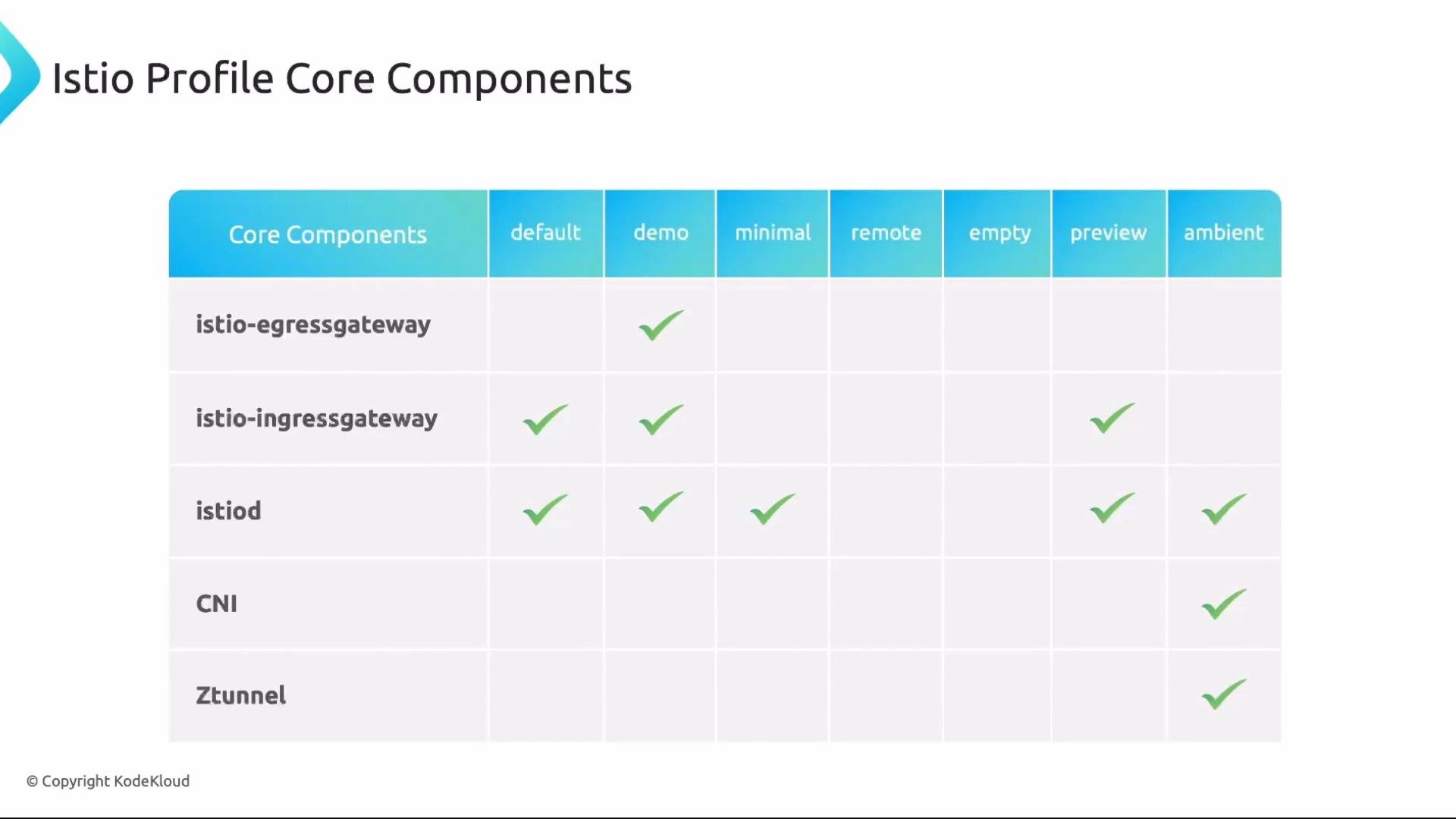
Gateway selector labels matter. The Gateway
spec.selector must match the labels on the gateway pods (e.g., istio=ingress, istio=ingressgateway, or istio=egress). If the selector is wrong, traffic will not be handled by the intended Envoy pods.TLS termination and protocol support
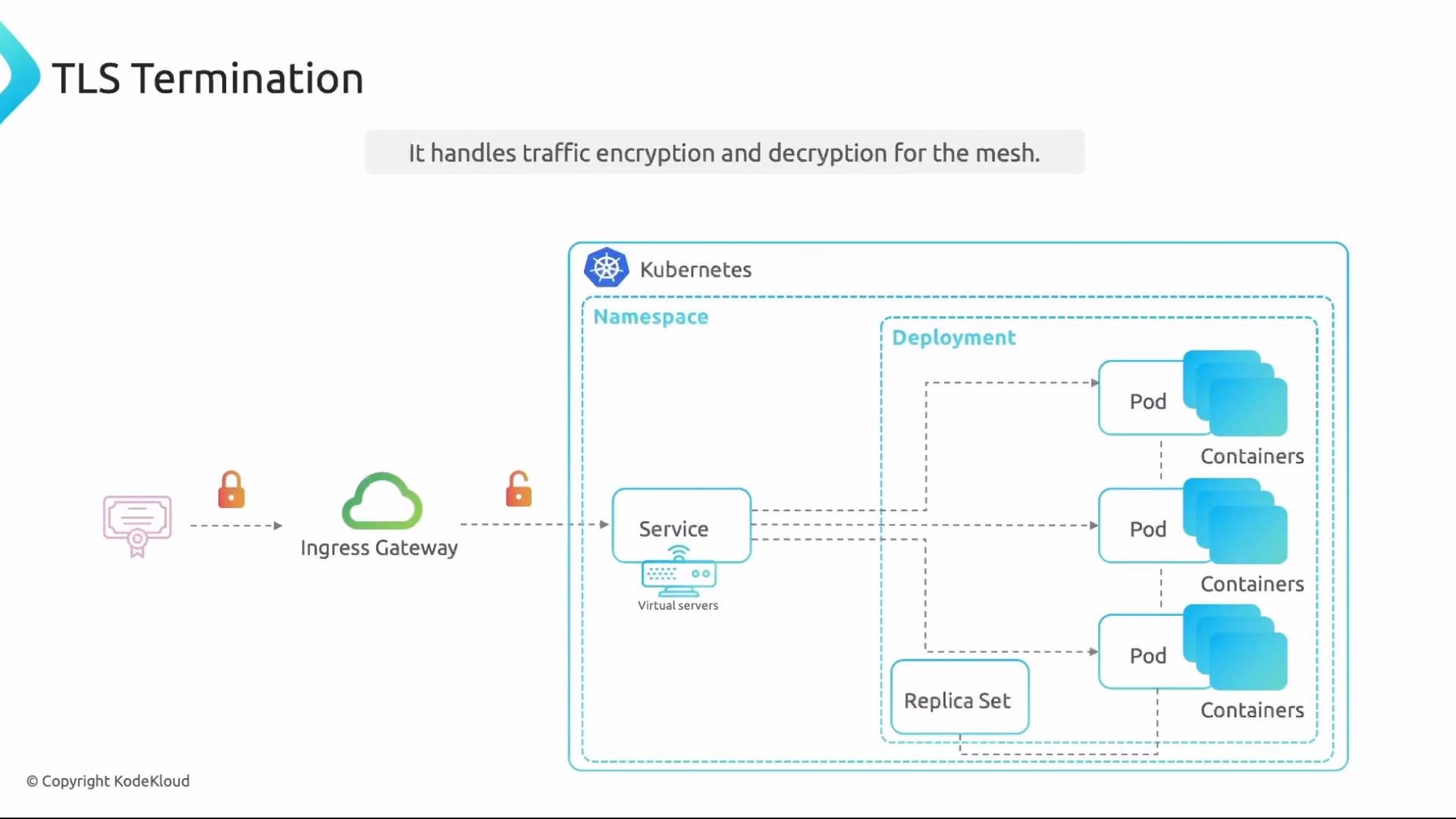
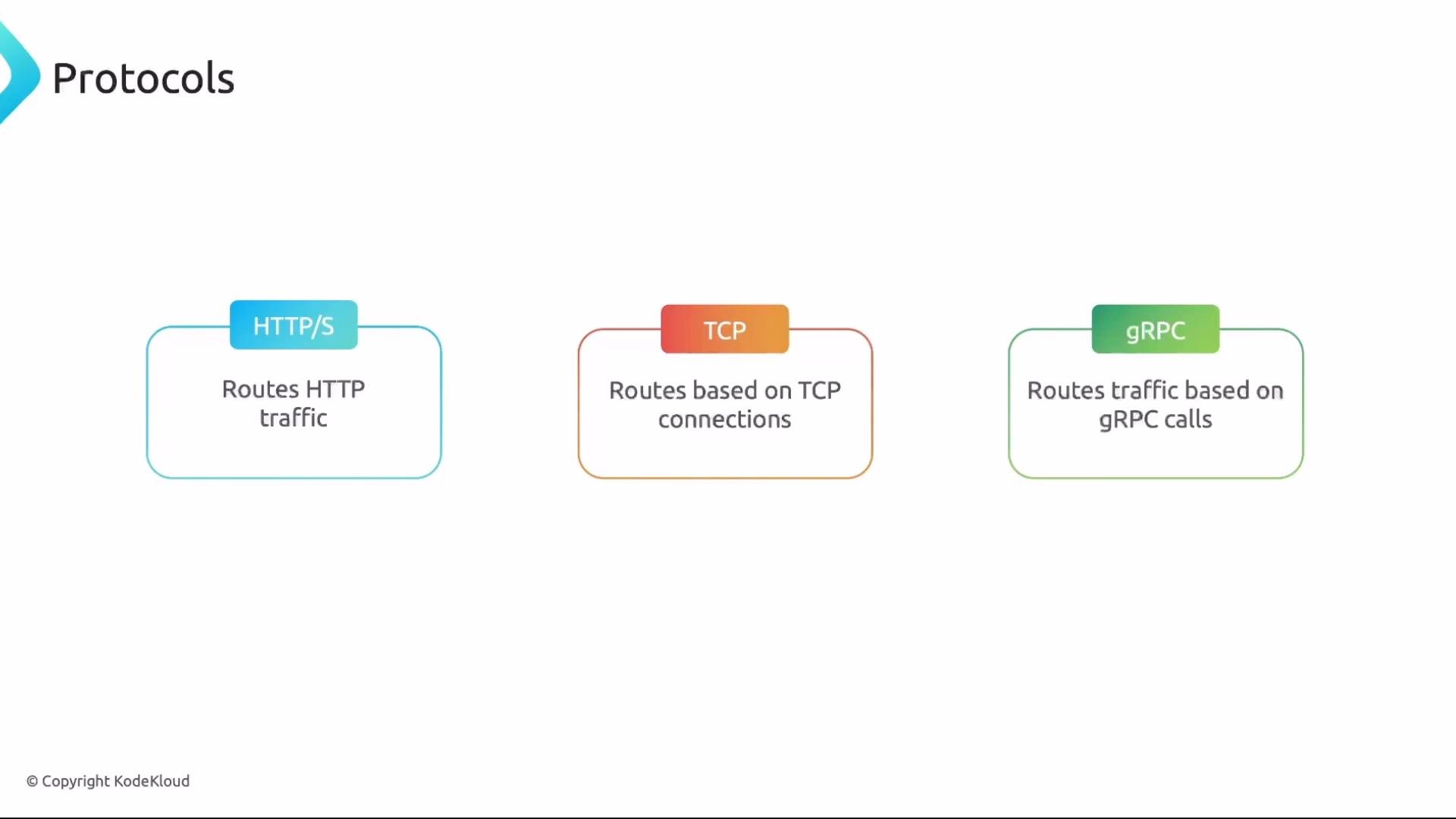
Gateways are commonly used for TLS termination: the Envoy proxy at the mesh edge can decrypt incoming TLS traffic and forward plaintext traffic inside the mesh, or vice versa for egress. Gateways also support multiple protocols:- HTTP / HTTPS
- TCP
- gRPC
Example: VirtualService and DestinationRule (traffic splitting)
A VirtualService routes requests to one or more destinations. A DestinationRule defines subsets (versions) used by the VirtualService for traffic splitting. VirtualService (50/50 split betweenv1 and v2):
Exposing the app with an Ingress Gateway
To expose the frontend application externally you need a Gateway resource. The Gateway configures ports, protocols, and hostnames that the ingress Envoy pods will accept. Example Ingress Gateway:- The
selectormust match the labels on your ingress gateway pods (e.g.,istio: ingressoristio: ingressgateway). - In production, you will typically use port
443andHTTPSwith TLS settings, not port80.
- When workloads inside the mesh call
app-svc.frontend.svc.cluster.local, the VirtualService applies the 50/50 split internally. - When external users access
app.example.com, the Gateway matches the host and the same VirtualService routes the request through the ingress gateway into the mesh.
Incoming traffic flow
- External client sends HTTP/HTTPS to the Ingress Gateway public IP (DNS:
app.example.com). - Envoy (ingress pod) receives and decrypts if required.
- Envoy consults the Gateway configuration to determine applicable ports/protocols.
- The Gateway references a VirtualService to select the route based on host and path.
- Envoy forwards to the Kubernetes Service and workload; response returns to client.
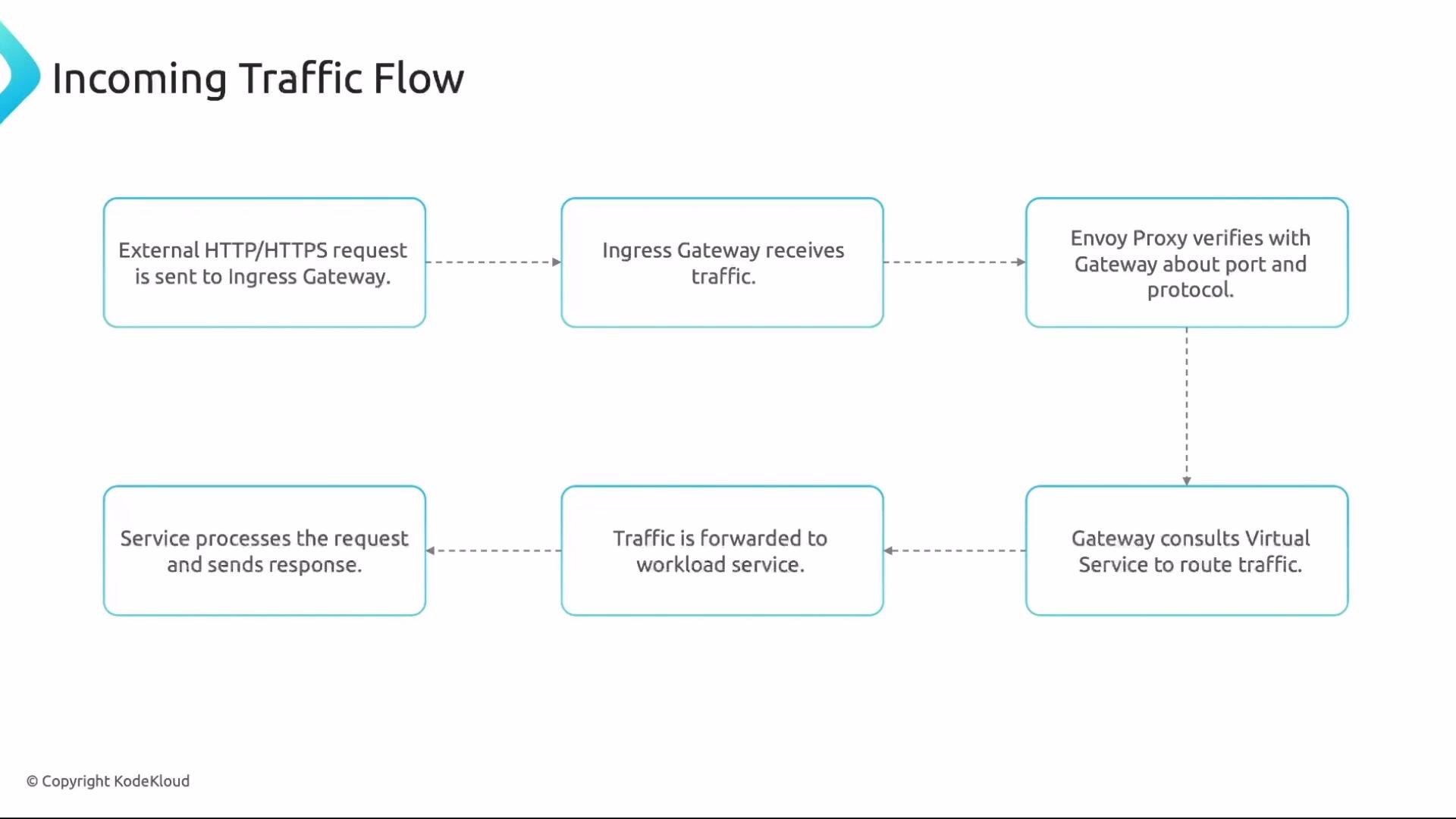
Remember: An ingress Gateway requires a VirtualService to route traffic into the mesh. A VirtualService can operate independently for internal routing without a Gateway.
Egress Gateway
An egress gateway centralizes outbound traffic from the mesh, letting you enforce policies, monitor exits, or lock outbound hosts. Example Egress Gateway listening on 80 and 443:- Using
"*"(wildcard) allows all outgoing hosts through the egress gateway. - Alternatively, list specific hosts to restrict egress to approved external endpoints.
api.example.com on port 443):
- Workloads in the
frontendnamespace that want to callapi.example.comwill be required to go through the egress gateway and use HTTPS on port 443.
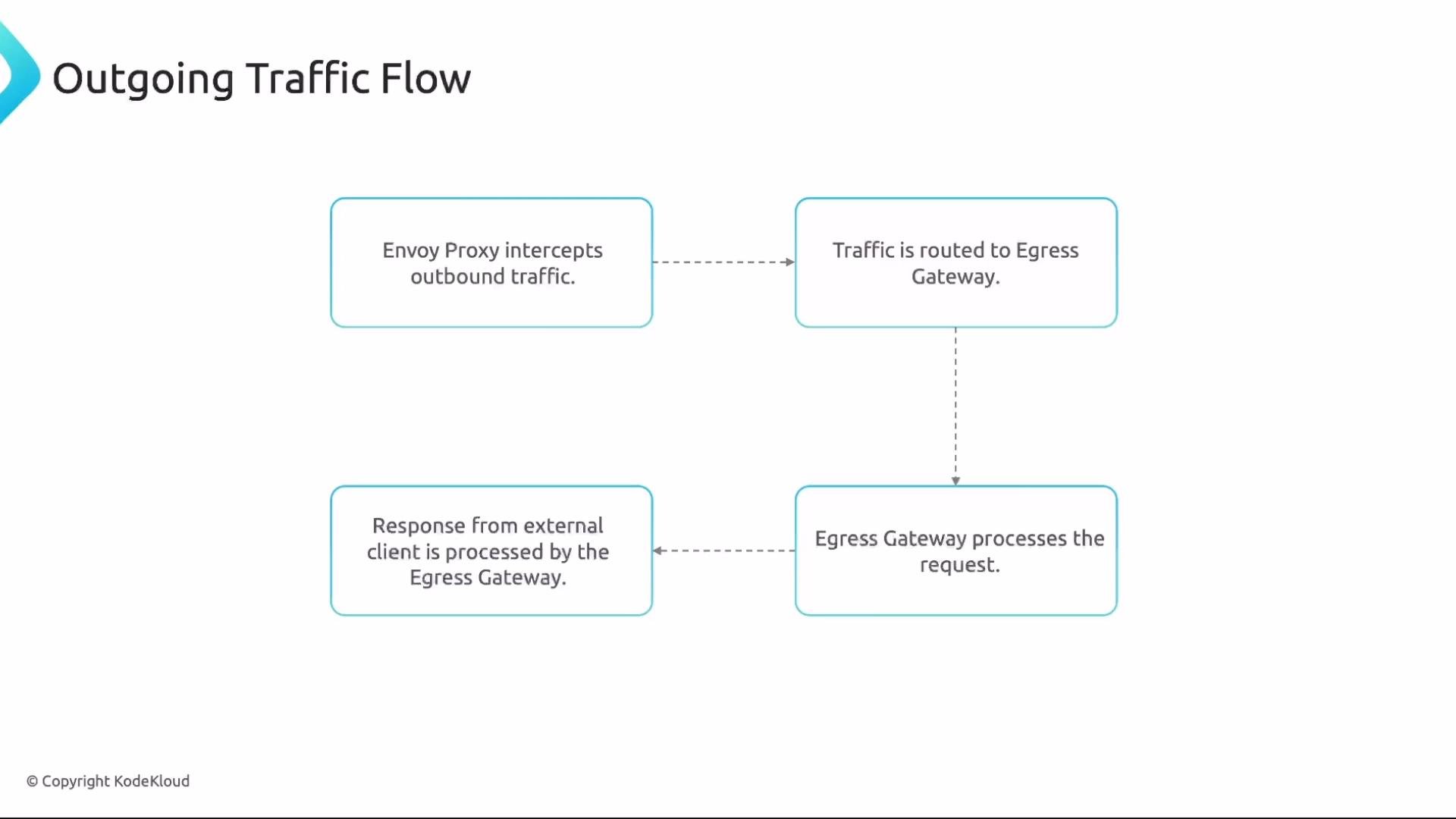
Outgoing traffic flow
- Workload sends outbound traffic; sidecar Envoy intercepts.
- Envoy routes outbound traffic to the egress gateway (based on VirtualService).
- Egress gateway applies policies, monitoring, and any TLS egress behavior.
- Egress gateway forwards to external destination; responses return through the gateway to the originating workload.
Gateway capabilities and options
Gateways can configure:- Ports and protocols (HTTP, HTTPS, TCP, gRPC).
- TLS modes and certificate handling (TLS termination / passthrough / mutual TLS).
- Host matching and SNI routing.
- Per-server TLS settings and redirects.
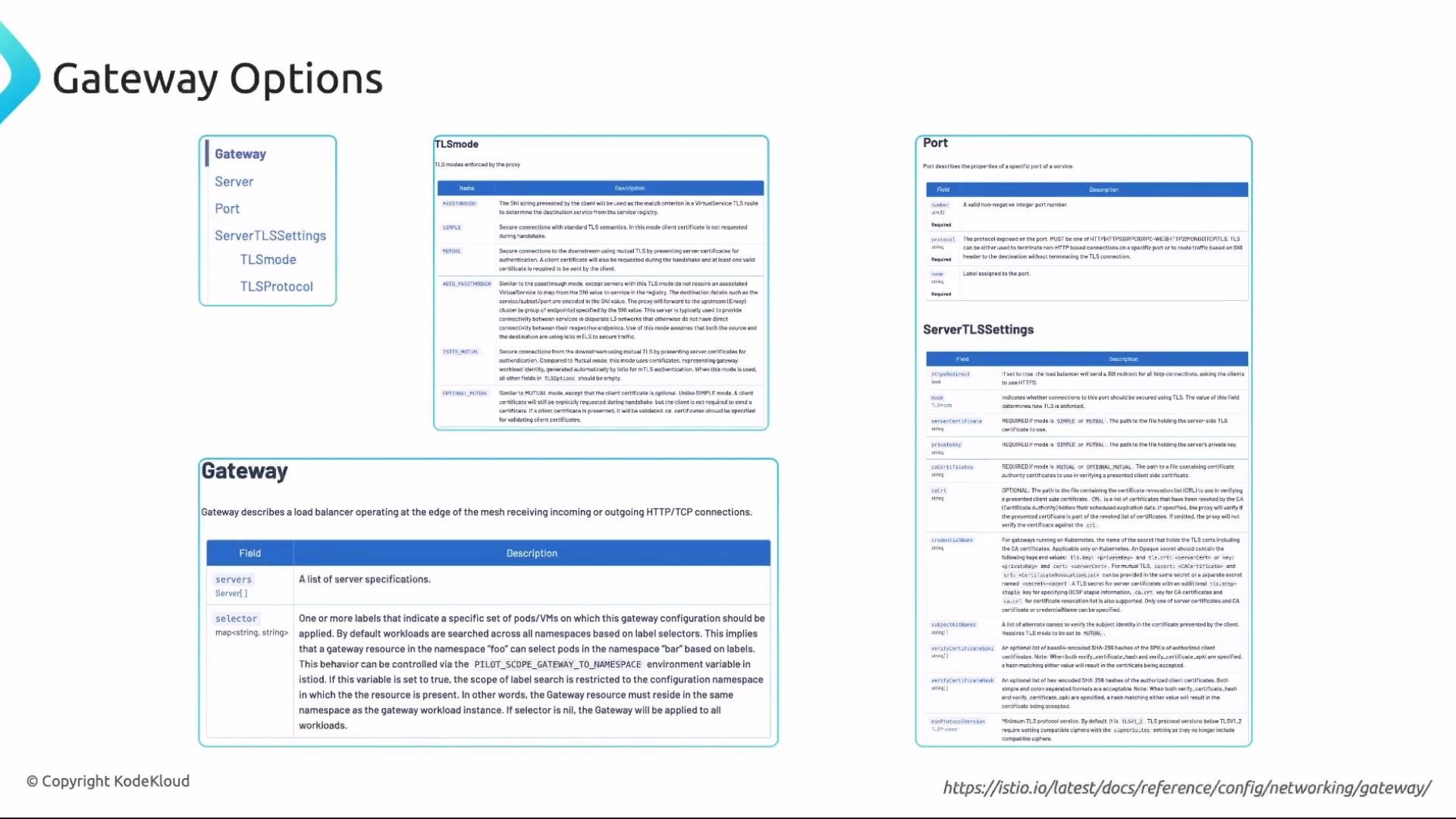
Study the Gateway options and examples in the Istio docs—this topic appears on the Istio Certified Associate exam. Practice creating Gateways and the related VirtualServices/DestinationRules in a lab environment.
Quick reference table
Links and references:
- Istio Gateway docs: https://istio.io/latest/docs/reference/config/networking/gateway/
- VirtualService docs: https://istio.io/latest/docs/reference/config/networking/virtual-service/
- DestinationRule docs: https://istio.io/latest/docs/reference/config/networking/destination-rule/