

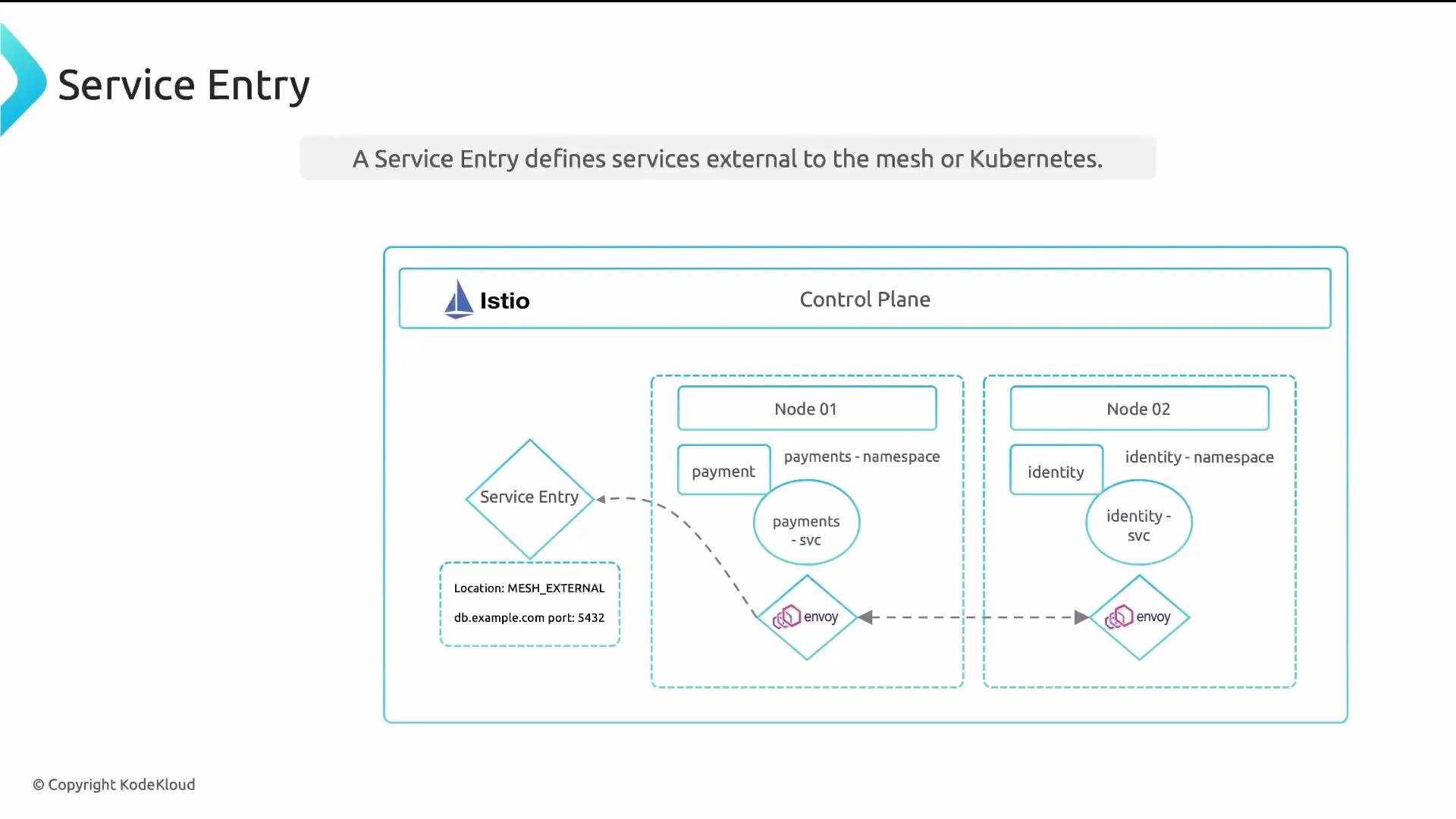
- ServiceEntry: Adds external hosts to Istio’s service registry so mesh workloads can route to them.
- WorkloadEntry: Registers concrete endpoints (IP or DNS) and labels for external workloads so they can receive traffic and be governed by mesh features (mTLS, telemetry, and policies) just like pods.
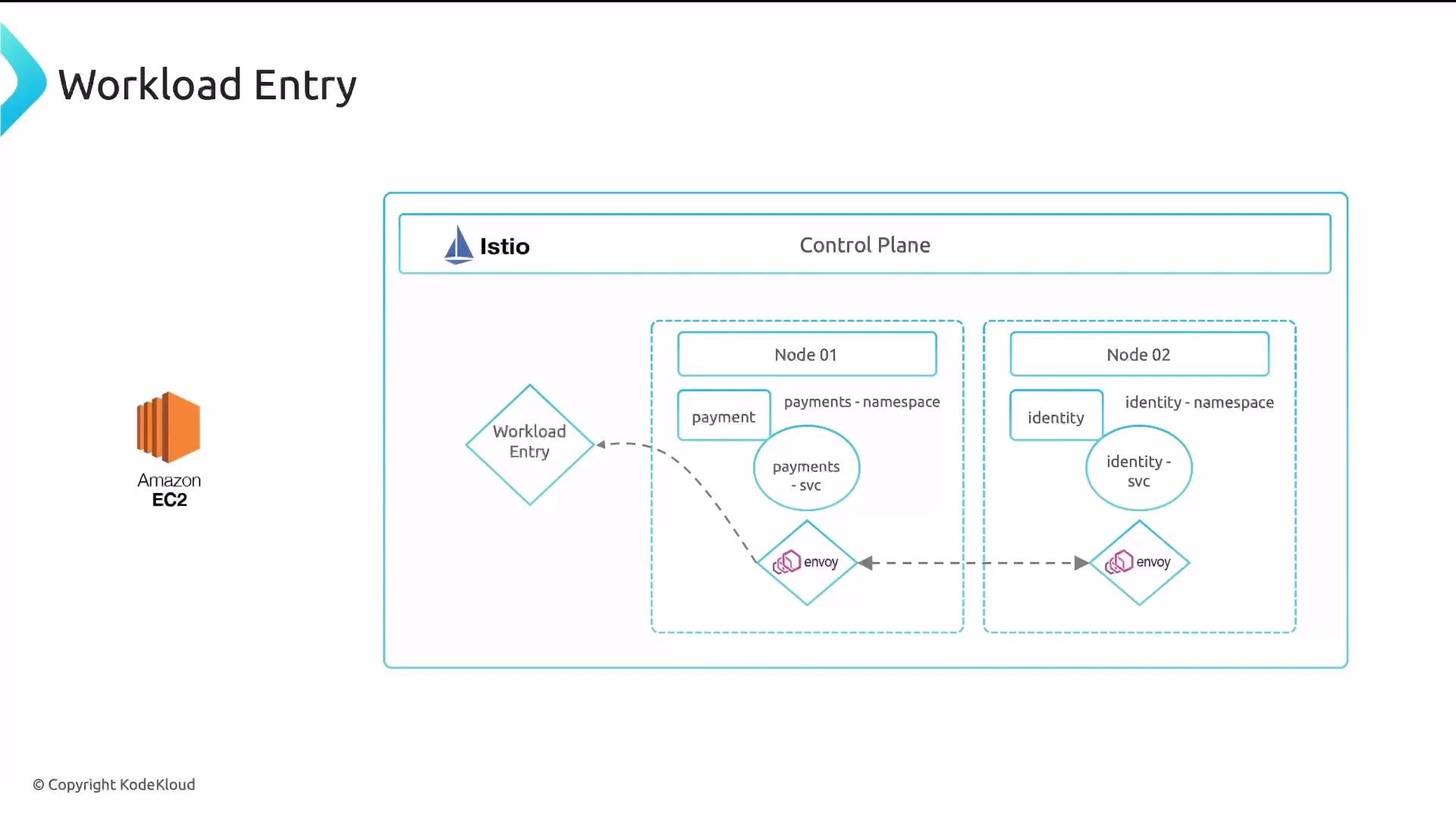
- Registers an external machine (VM/EC2) as part of the mesh.
- Lets Istio apply security (mTLS), policies, and telemetry to traffic to/from that workload when it participates in the mesh (typically via a sidecar).
- Uses labels for selection so Istio resources can target both pods and external endpoints uniformly.
- A WorkloadEntry declares one or more endpoints (
address) and labels. Those labels are used by selectors (for example,ServiceEntry.workloadSelectororDestinationRule) to route traffic to the external workload. - Optionally include a
serviceAccountto indicate the workload’s identity (used with mTLS when a sidecar is present). - For full mesh behavior (mTLS, telemetry), the external workload typically requires a sidecar proxy or another mechanism to participate in the mesh.
- The ServiceEntry adds
app.internal.comto Istio’s service registry so mesh workloads can discover it. resolution: STATICindicates the mapping to endpoints is static (resolved via WorkloadEntry or manually defined endpoints).- The
workloadSelectorpicks resources (both pods and WorkloadEntry objects) with matching labels (app: external). Traffic toapp.internal.comis routed to the endpoint(s) defined by matching WorkloadEntry(s).
workloadSelectorlabels can match both Kubernetes pods and WorkloadEntry resources. This enables uniform handling of in-cluster pods and external workloads.
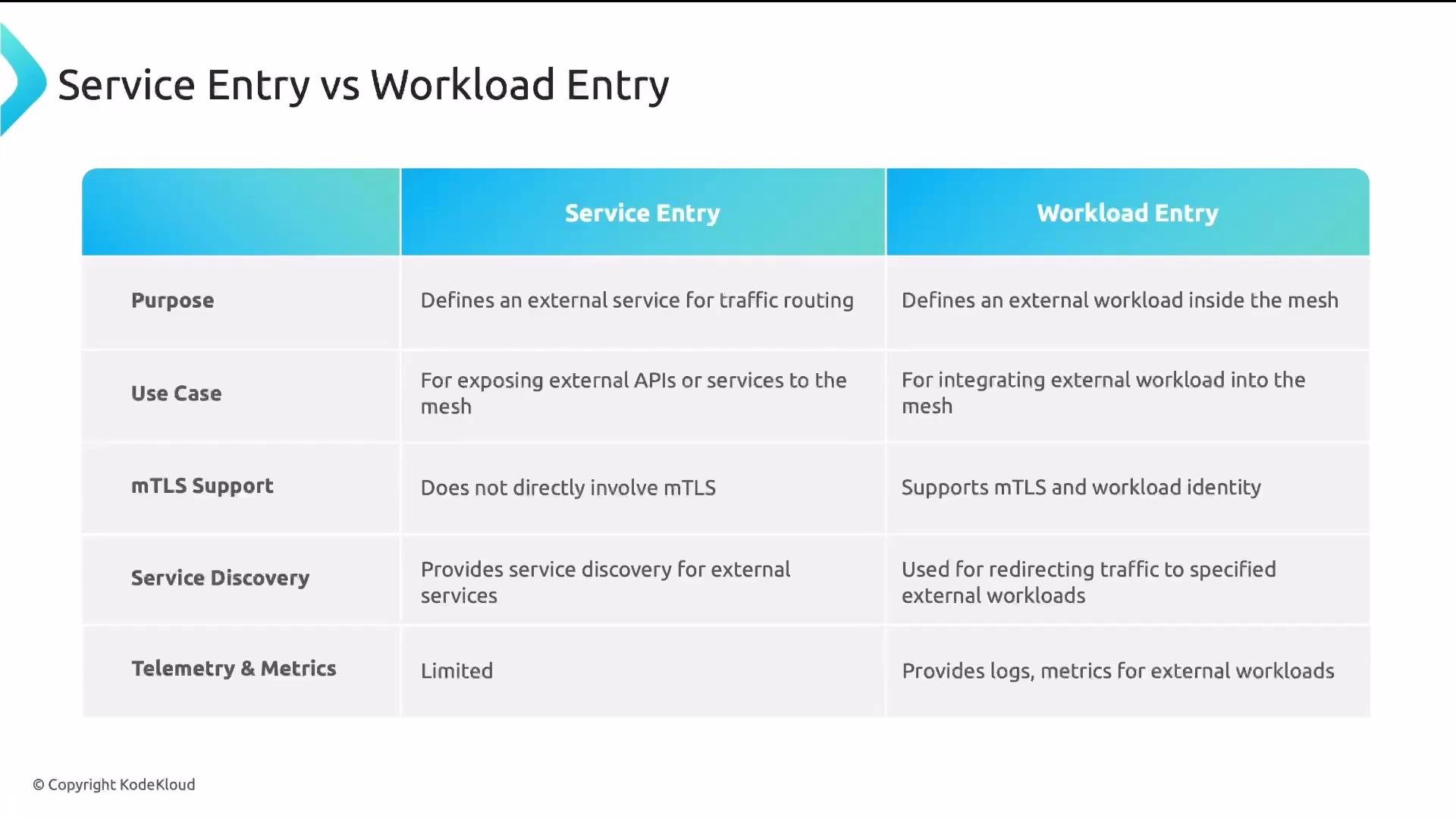
- ServiceEntry only declares the host so the mesh can route outbound traffic to it. It does not integrate the host into the mesh for mTLS identity, policy enforcement, or richer telemetry.
- WorkloadEntry integrates the external workload into the mesh. When the workload runs a sidecar (or otherwise participates in mTLS/identity), it gains service identity, mutual TLS, richer metrics, logs, and tracing.
Advanced WorkloadEntry example (service account + labels)
serviceAccountties the external workload to a Kubernetes ServiceAccount identity. When configured correctly, Istio can use that identity for mutual TLS and policy enforcement.addressmay be an IP or a DNS name reachable from the mesh.- Use labels to group or select workloads from
ServiceEntry.workloadSelector,DestinationRule, or other Istio resources. - Additional fields in
WorkloadEntry.specincludenetwork,ports,weight, andlocalitywhich help with routing, traffic-splitting, and multi-cluster/network topologies. Review the Istio reference for full details.
- What a WorkloadEntry does: registers external workloads/endpoints into the mesh.
- How it differs from a ServiceEntry: ServiceEntry enables routing to external hosts; WorkloadEntry integrates endpoints as first-class mesh members with identity and telemetry support.
- How
workloadSelectorenables unified selection of pods and external workloads.
Use a ServiceEntry when you only need to enable routing to an external host. Use a WorkloadEntry when you want the external host to behave like a mesh workload (mTLS, telemetry, policies). Often both are used together: ServiceEntry to add the host to the registry and WorkloadEntry to register the concrete endpoints.
- Istio WorkloadEntry reference: https://istio.io/latest/docs/reference/config/networking/workload-entry/